
How do I set the "OS" & "Screen Size" stats displayed in the back product URL

6 years 2 weeks ago #324065
by fstltna
--- msbob.org - Official homepage for MS-Bob fans
--- macos.retro-os.live - Site for fans of classic Macs
--- beos.retro-os.live - Site for fans of the BeOS & Haiku operating systems
How do I set the "OS" & "Screen Size" stats displayed in the back product URL was created by fstltna
-- url of the page with the problem -- :
psp.gameplayer.club/index.php/buy-items/...ory/48-microsoft-bob
-- HikaShop version -- : 4.3.0
-- Joomla version -- : 3.9.21
-- PHP version -- : 7.3.21-1+ubuntu16.04.1+deb.sury.org+1
-- Browser(s) name and version -- : Firefox
-- Error-message(debug-mod must be tuned on) -- : No error
In the back end I see this:
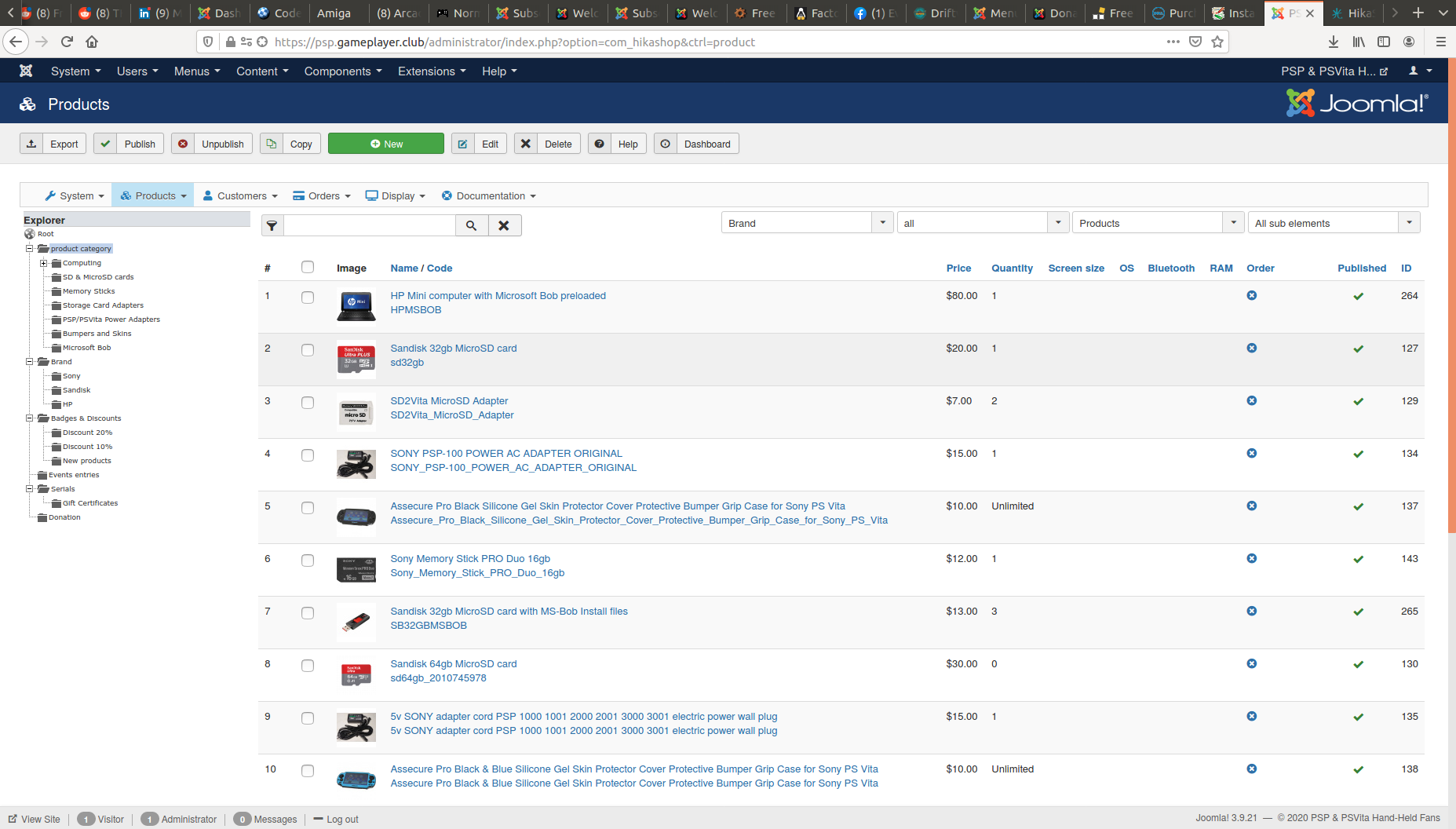
But I don't see where to set them in the back end. Any ideas?
-- HikaShop version -- : 4.3.0
-- Joomla version -- : 3.9.21
-- PHP version -- : 7.3.21-1+ubuntu16.04.1+deb.sury.org+1
-- Browser(s) name and version -- : Firefox
-- Error-message(debug-mod must be tuned on) -- : No error
In the back end I see this:
But I don't see where to set them in the back end. Any ideas?
--- msbob.org - Official homepage for MS-Bob fans
--- macos.retro-os.live - Site for fans of classic Macs
--- beos.retro-os.live - Site for fans of the BeOS & Haiku operating systems
Please Log in or Create an account to join the conversation.
6 years 2 weeks ago #324066
by fstltna
--- msbob.org - Official homepage for MS-Bob fans
--- macos.retro-os.live - Site for fans of classic Macs
--- beos.retro-os.live - Site for fans of the BeOS & Haiku operating systems
Replied by fstltna on topic How do I set the "OS" & "Screen Size" stats displayed in the back product URL
Hmm looks like I posted to the wrong category
--- msbob.org - Official homepage for MS-Bob fans
--- macos.retro-os.live - Site for fans of classic Macs
--- beos.retro-os.live - Site for fans of the BeOS & Haiku operating systems
Please Log in or Create an account to join the conversation.
6 years 2 weeks ago #324067
by fstltna
--- msbob.org - Official homepage for MS-Bob fans
--- macos.retro-os.live - Site for fans of classic Macs
--- beos.retro-os.live - Site for fans of the BeOS & Haiku operating systems
Replied by fstltna on topic How do I set the "OS" & "Screen Size" stats displayed in the back product URL
Ok I see that it needs the business version of hikashop. Keeping post if someone else this same question...
--- msbob.org - Official homepage for MS-Bob fans
--- macos.retro-os.live - Site for fans of classic Macs
--- beos.retro-os.live - Site for fans of the BeOS & Haiku operating systems
Please Log in or Create an account to join the conversation.

6 years 2 weeks ago #324085
by nicolas
Replied by nicolas on topic How do I set the "OS" & "Screen Size" stats displayed in the back product URL
Hi,
These don't require the Business edition. You can set up custom fields of the table "product", like these with both the Essential edition and the Business edition.
You can do that via the menu Display>Custom fields.
www.hikashop.com/support/documentation/4...shop-field-form.html
These don't require the Business edition. You can set up custom fields of the table "product", like these with both the Essential edition and the Business edition.
You can do that via the menu Display>Custom fields.
www.hikashop.com/support/documentation/4...shop-field-form.html
Please Log in or Create an account to join the conversation.
Time to create page: 0.152 seconds