

- Posts: 490
- Thank you received: 2
i can't access hikashop having error 1064
5 years 10 months ago #326782
by ronron
i can't access hikashop having error 1064 was created by ronron
-- HikaShop version -- : 4.3.0
-- Joomla version -- : 3.9.23
-- PHP version -- : 7.2
-- Error-message(debug-mod must be tuned on) -- : An error has occurred 1064
hi
suddenly i can no longer access my hikashop dashboard in backend
this is the complete error
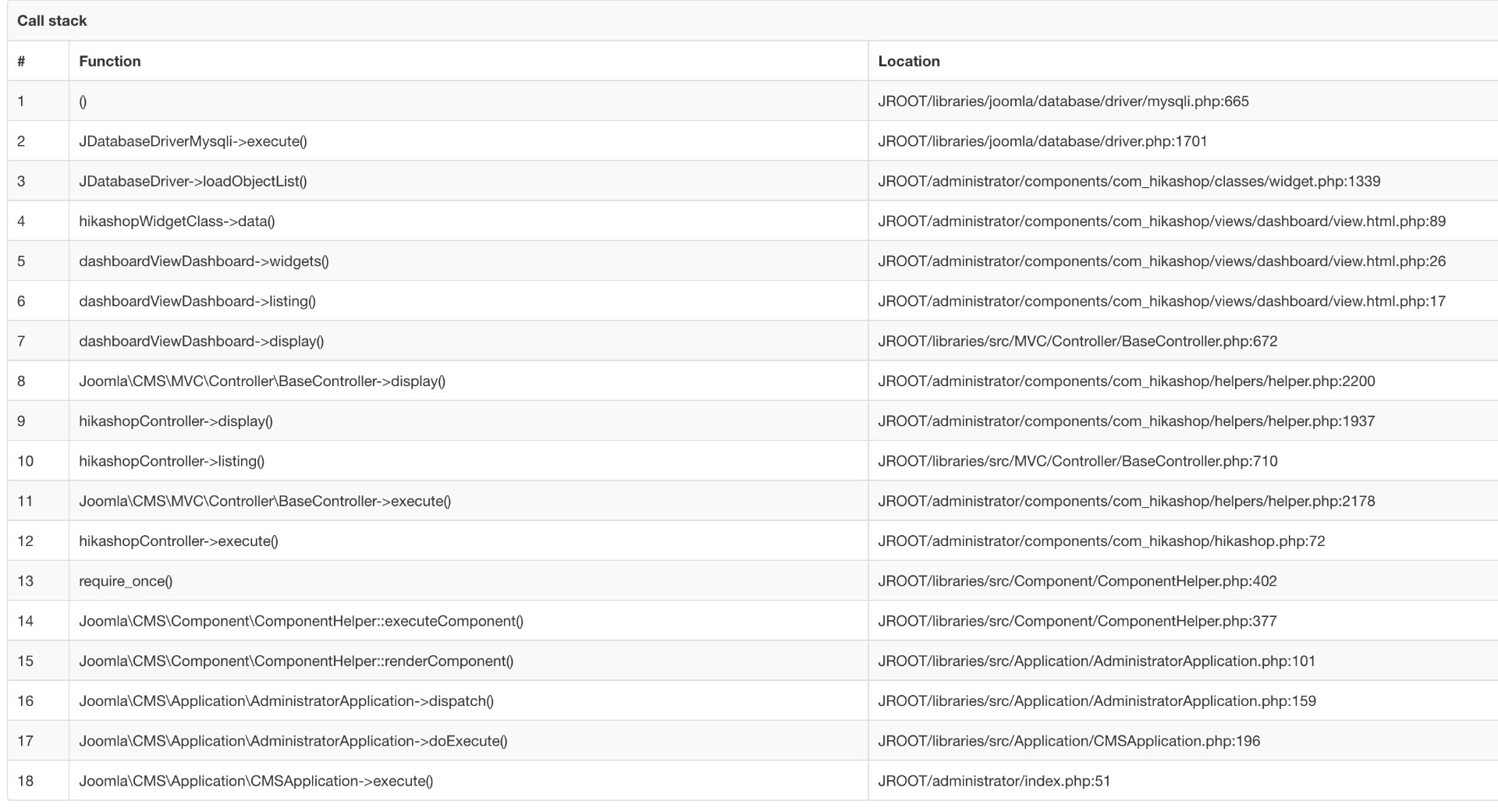
1064 You have an error in your SQL syntax; check the manual that corresponds to your MySQL server version for the right syntax to use near '*, SUM(prod.order_product_quantity) AS total FROM x9z8ky_hikashop_order AS a LEF' at line 1
/home/.../libraries/joomla/database/driver/mysqli.php:665
please help
thanks
-- Joomla version -- : 3.9.23
-- PHP version -- : 7.2
-- Error-message(debug-mod must be tuned on) -- : An error has occurred 1064
hi
suddenly i can no longer access my hikashop dashboard in backend
this is the complete error
1064 You have an error in your SQL syntax; check the manual that corresponds to your MySQL server version for the right syntax to use near '*, SUM(prod.order_product_quantity) AS total FROM x9z8ky_hikashop_order AS a LEF' at line 1
/home/.../libraries/joomla/database/driver/mysqli.php:665
please help
thanks
Please Log in or Create an account to join the conversation.

5 years 10 months ago #326783
by nicolas
Replied by nicolas on topic i can't access hikashop having error 1064
Hi,
This means that there is a MySQL error with one of the widgets you've configured in your dashboard.
A widget is basically a published report. So you can go in the menu Orders>Reports, and unpublish the widgets one by one until you figure out the one causing the problem.
Then, delete it and recreate it.
If you're able to reproduce the issue, then please provide a screenshot of the settings of the report before you save it.
Alss, it would be great to get the MySQL query causing the error with such modification:
Please edit the file /libraries/joomla/database/exception/executing.php
and change the line:
parent::__construct($message, $code, $previous);
by:
parent::__construct($message.' '.$query, $code, $previous);
and this error message will also display the MySQL which generated the error, which will help us understand why this error is happening.
This means that there is a MySQL error with one of the widgets you've configured in your dashboard.
A widget is basically a published report. So you can go in the menu Orders>Reports, and unpublish the widgets one by one until you figure out the one causing the problem.
Then, delete it and recreate it.
If you're able to reproduce the issue, then please provide a screenshot of the settings of the report before you save it.
Alss, it would be great to get the MySQL query causing the error with such modification:
Please edit the file /libraries/joomla/database/exception/executing.php
and change the line:
parent::__construct($message, $code, $previous);
by:
parent::__construct($message.' '.$query, $code, $previous);
and this error message will also display the MySQL which generated the error, which will help us understand why this error is happening.
The following user(s) said Thank You: wrina iamwe
Please Log in or Create an account to join the conversation.
5 years 8 months ago #328848
by ronron
Replied by ronron on topic i can't access hikashop having error 1064
the problem is caused by the MAP from reports
if i unpublished it, hikashop is working fine.
so what do i do to fix the map?
thanks
if i unpublished it, hikashop is working fine.
so what do i do to fix the map?
thanks
Please Log in or Create an account to join the conversation.
5 years 8 months ago #328864
by nicolas
Replied by nicolas on topic i can't access hikashop having error 1064
Well, you have 3 solutions:
- You turn off the "dashboard" legacy setting of the HikaShop configuration to use the new dashboard we've added a while back
- You delete the report and recreate it
- You do the modification I proposed 2 months ago in my previous message and you provide the MySQL query you get with the error message when the report is published. That way, we can look into the problem and try to provide a patch.
- You turn off the "dashboard" legacy setting of the HikaShop configuration to use the new dashboard we've added a while back
- You delete the report and recreate it
- You do the modification I proposed 2 months ago in my previous message and you provide the MySQL query you get with the error message when the report is published. That way, we can look into the problem and try to provide a patch.
Please Log in or Create an account to join the conversation.
Time to create page: 0.186 seconds