
- Posts: 43
- Thank you received: 1
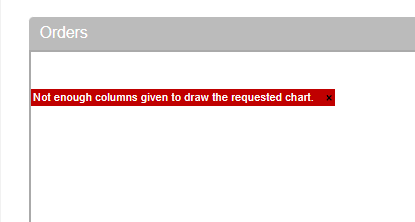
Error message about not enough columns
- bruce@brucedill.com
-
 Topic Author
- Offline
Less
More
4 years 6 months ago #340975
by bruce@brucedill.com
Error message about not enough columns was created by bruce@brucedill.com
-- HikaShop version -- : HikaShop Business 4.4.5
-- Joomla version -- : 3.X
-- PHP version -- : 7X
-- Browser(s) name and version -- : Chrome Current
How do I fix this message?
Thank you!!!!
-- Joomla version -- : 3.X
-- PHP version -- : 7X
-- Browser(s) name and version -- : Chrome Current
How do I fix this message?
Thank you!!!!
Please Log in or Create an account to join the conversation.

4 years 6 months ago #340977
by nicolas
Replied by nicolas on topic Error message about not enough columns
Hi,
This graph will display the sales on your website. So for it to display, you need to have orders.
Also, in the System>Orders statuses menu, you have a "statistics" column. Under there, you can enable / disable the order statuses to take into account for that graph.
So if an order's status is not among the enabled statuses under that column, it won't be taken into account.
Finally, note that this graph only takes into account the orders in the last 30 days.
So if all your test orders are older than 30 days, it won't have any order to use to generate the graph.
This graph will display the sales on your website. So for it to display, you need to have orders.
Also, in the System>Orders statuses menu, you have a "statistics" column. Under there, you can enable / disable the order statuses to take into account for that graph.
So if an order's status is not among the enabled statuses under that column, it won't be taken into account.
Finally, note that this graph only takes into account the orders in the last 30 days.
So if all your test orders are older than 30 days, it won't have any order to use to generate the graph.
Please Log in or Create an account to join the conversation.
- bruce@brucedill.com
-
Topic Author
- Offline
Less
More
- Posts: 43
- Thank you received: 1
4 years 6 months ago #341052
by bruce@brucedill.com
Replied by bruce@brucedill.com on topic Error message about not enough columns
Understood. Please close this ticket.
Thank you.
Thank you.
Please Log in or Create an account to join the conversation.
Time to create page: 0.099 seconds