
Installed Attach Invoice but get error

2 years 8 months ago - 2 years 8 months ago #359318
by gasoline
I'll keep on trying!
Installed Attach Invoice but get error was created by gasoline
-- HikaShop version -- : 5.0.3
-- Joomla version -- : 5.0.3
-- PHP version -- : 8.2.11
-- Browser(s) name and version -- : all
-- Error-message(debug-mod must be tuned on) -- : An error has occurred.
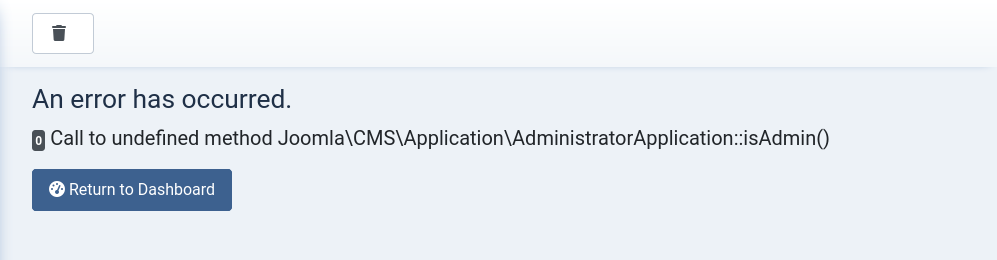
0 Call to undefined method Joomla\CMS\Application\AdministratorApplication::isAdmin()
I had to buy and install new Attach Invoice plugin for a site that I had to updtae from J3 to J5. The url is the development/test site.
After I installed I tried to generate invoice from control panel Hikashop. If I click Shipping invoice it's ok. But when I click INVOICE I get an error:
An error has occurred.
0 Call to undefined method Joomla\CMS\Application\AdministratorApplication::isAdmin()
What to do now?
I also see now with testing that only the created order mail is send and not the order is now confirmed.
-- Joomla version -- : 5.0.3
-- PHP version -- : 8.2.11
-- Browser(s) name and version -- : all
-- Error-message(debug-mod must be tuned on) -- : An error has occurred.
0 Call to undefined method Joomla\CMS\Application\AdministratorApplication::isAdmin()
I had to buy and install new Attach Invoice plugin for a site that I had to updtae from J3 to J5. The url is the development/test site.
After I installed I tried to generate invoice from control panel Hikashop. If I click Shipping invoice it's ok. But when I click INVOICE I get an error:
An error has occurred.
0 Call to undefined method Joomla\CMS\Application\AdministratorApplication::isAdmin()
What to do now?
I also see now with testing that only the created order mail is send and not the order is now confirmed.
I'll keep on trying!
Last edit: 2 years 8 months ago by gasoline.
Please Log in or Create an account to join the conversation.

2 years 8 months ago #359323
by nicolas
Replied by nicolas on topic Installed Attach Invoice but get error
Hi,
First, please reproduce the issue after turning on the "debug" setting of the Joomla configuration.
It will display more information which will allow us to tell you what to do.
First, please reproduce the issue after turning on the "debug" setting of the Joomla configuration.
It will display more information which will allow us to tell you what to do.
Please Log in or Create an account to join the conversation.
Time to create page: 0.066 seconds