

- Posts: 637
- Thank you received: 26
Change column name?
1 year 1 month ago #368923
by Lumiga
Kind regards,
Lumiga
Change column name? was created by Lumiga
-- HikaShop version -- : 6.1.0
-- Joomla version -- : 5.3.4
Hi Hikashop team,
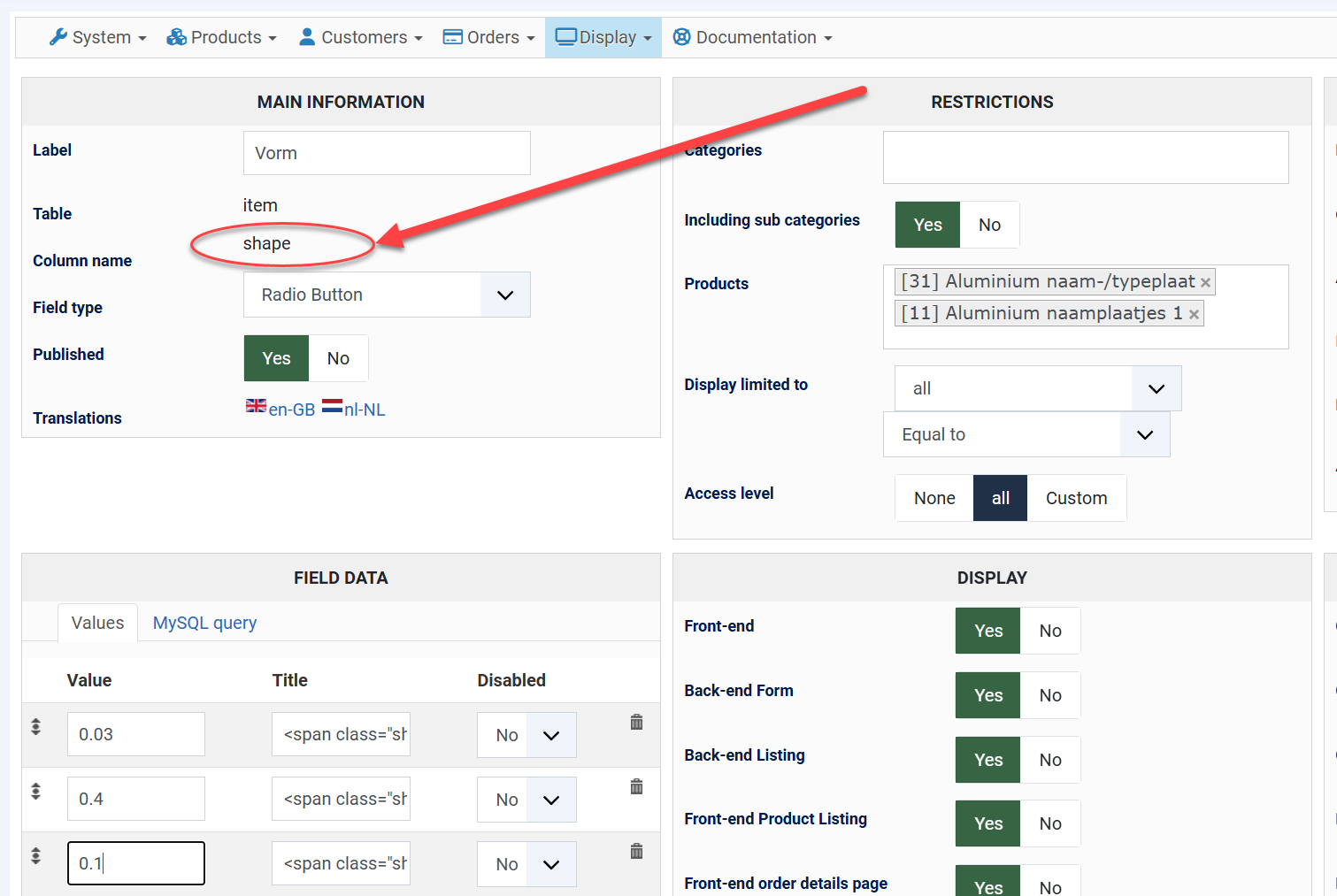
Is it possible to safely change the column name directly in the database, or would it be better to delete it and create a new one? I’m going to have a lot of custom fields later on, so clear naming is important to keep them organized. That’s why I’d like to change it.
-- Joomla version -- : 5.3.4
Hi Hikashop team,
Is it possible to safely change the column name directly in the database, or would it be better to delete it and create a new one? I’m going to have a lot of custom fields later on, so clear naming is important to keep them organized. That’s why I’d like to change it.
Kind regards,
Lumiga
Please Log in or Create an account to join the conversation.

1 year 1 month ago #368927
by nicolas
Replied by nicolas on topic Change column name?
Hi,
Changing the name in the database is possible. However, you need to change both the field_namekey in the hikashop_field table and the name of the actual column of the custom field in the destination table(s).
Since your field is of the type "item" with the column name "shape", you want to edit the name of the "shape" column in both the hikashop_cart_product and the hikashop_order_product tables.
But yes, you can also delete the field and recreate it with the new column name.
Changing the name in the database is possible. However, you need to change both the field_namekey in the hikashop_field table and the name of the actual column of the custom field in the destination table(s).
Since your field is of the type "item" with the column name "shape", you want to edit the name of the "shape" column in both the hikashop_cart_product and the hikashop_order_product tables.
But yes, you can also delete the field and recreate it with the new column name.
Please Log in or Create an account to join the conversation.
Time to create page: 0.051 seconds