

- Posts: 637
- Thank you received: 26
White line around the custom fields in the invoice and e-mail
1 year 2 weeks ago - 1 year 2 weeks ago #369148
by Lumiga
Kind regards,
Lumiga
Hi Support,
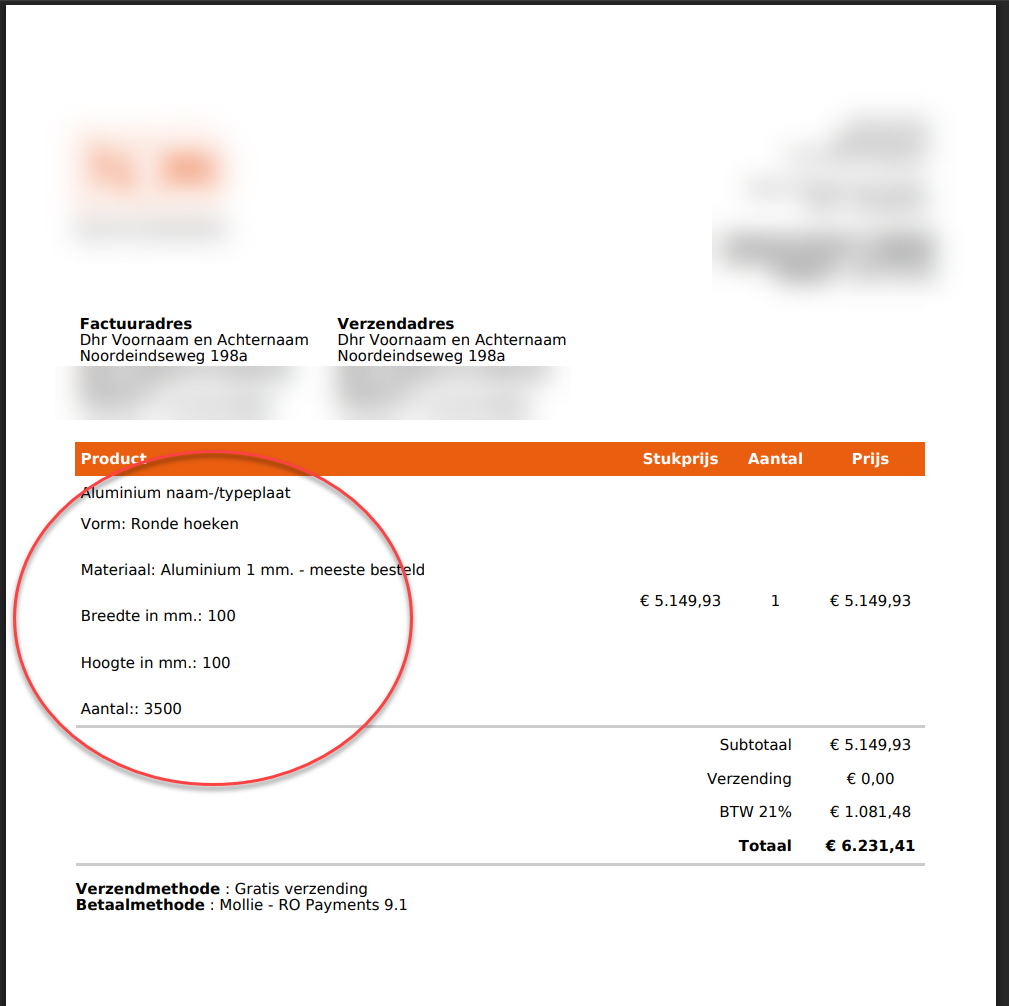
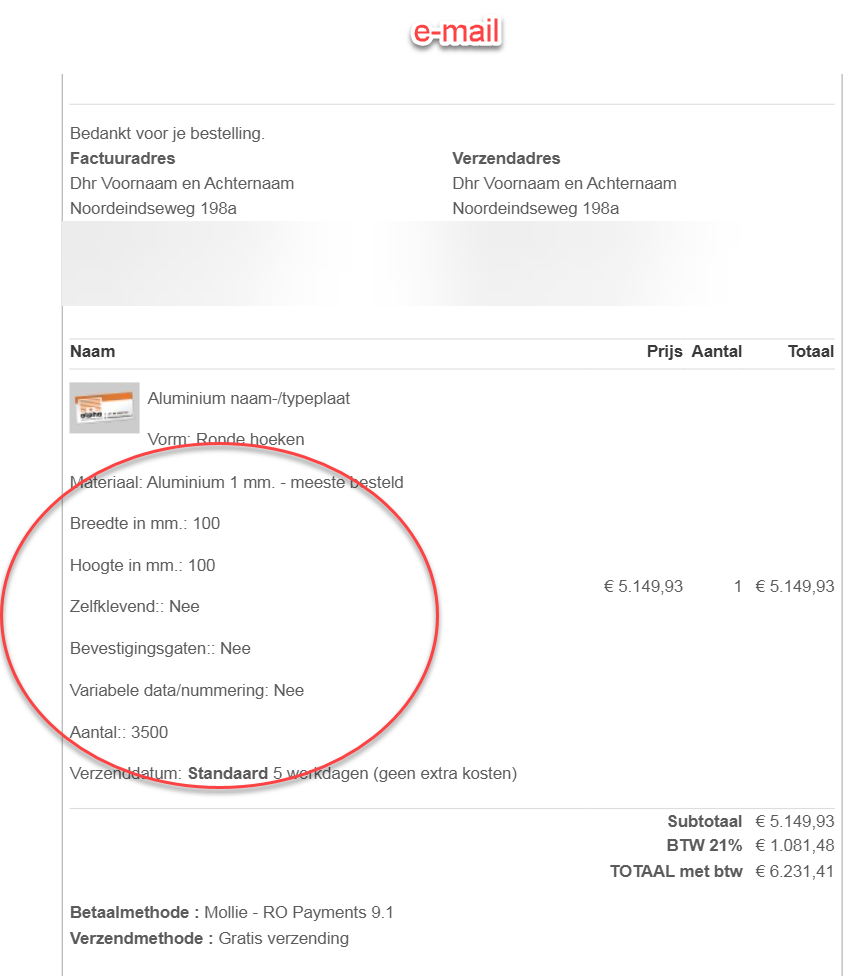
Is it possible to remove the white lines that appear under each custom field in the PDF invoice and e-mail?
This concerns product information from a product created with the Calculation Plugin.
Please see the attached screenshots:
Thanks in advance for your help!
Best regards,
Lumiga
Is it possible to remove the white lines that appear under each custom field in the PDF invoice and e-mail?
This concerns product information from a product created with the Calculation Plugin.
Please see the attached screenshots:
Thanks in advance for your help!
Best regards,
Lumiga
Kind regards,
Lumiga
Last edit: 1 year 2 weeks ago by Lumiga.
Please Log in or Create an account to join the conversation.

1 year 2 weeks ago #369150
by nicolas
Replied by nicolas on topic White line around the custom fields in the invoice and e-mail
Hi,
We use a "p" HTML tag around each line of custom item field in order to make it more readable.
browsers will automatically add some margin at the top and bottom of "p" tags:
stackoverflow.com/questions/20850594/wha...argin-value-of-p-tag
So, if you don't want that, you need to add some CSS to counteract this.
For example:
p{margin:0;}
For the emails you can edit an email in the System>Emails menu. Then, edit the template, and in the popup, you'll find a bunch of CSS code already there. Add it to that area.
Then, save the template override and save the email with that template override selected.
Then, edit the other emails and change the template to use that modified one.
For the PDF invoice plugin, you can edit its settings via the Joomla plugins manager. There, you have the "layout" setting to select the layout to use. Search for that layout in the Display>Views menu of HikaShop. Edit it for your frontend template, and you'll see again a bunch of CSS code near the top of the file where you can add that extra CSS code.
We use a "p" HTML tag around each line of custom item field in order to make it more readable.
browsers will automatically add some margin at the top and bottom of "p" tags:
stackoverflow.com/questions/20850594/wha...argin-value-of-p-tag
So, if you don't want that, you need to add some CSS to counteract this.
For example:
p{margin:0;}
For the emails you can edit an email in the System>Emails menu. Then, edit the template, and in the popup, you'll find a bunch of CSS code already there. Add it to that area.
Then, save the template override and save the email with that template override selected.
Then, edit the other emails and change the template to use that modified one.
For the PDF invoice plugin, you can edit its settings via the Joomla plugins manager. There, you have the "layout" setting to select the layout to use. Search for that layout in the Display>Views menu of HikaShop. Edit it for your frontend template, and you'll see again a bunch of CSS code near the top of the file where you can add that extra CSS code.
The following user(s) said Thank You: Lumiga
Please Log in or Create an account to join the conversation.
Time to create page: 0.054 seconds