
- Posts: 609
- Thank you received: 13
Change Prices on site
- mohairbears
-
 Topic Author
- Offline
Less
More
6 months 1 week ago #371525
by mohairbears
Change Prices on site was created by mohairbears
-- HikaShop version -- : 6.4.0
-- PHP version -- : 8.3
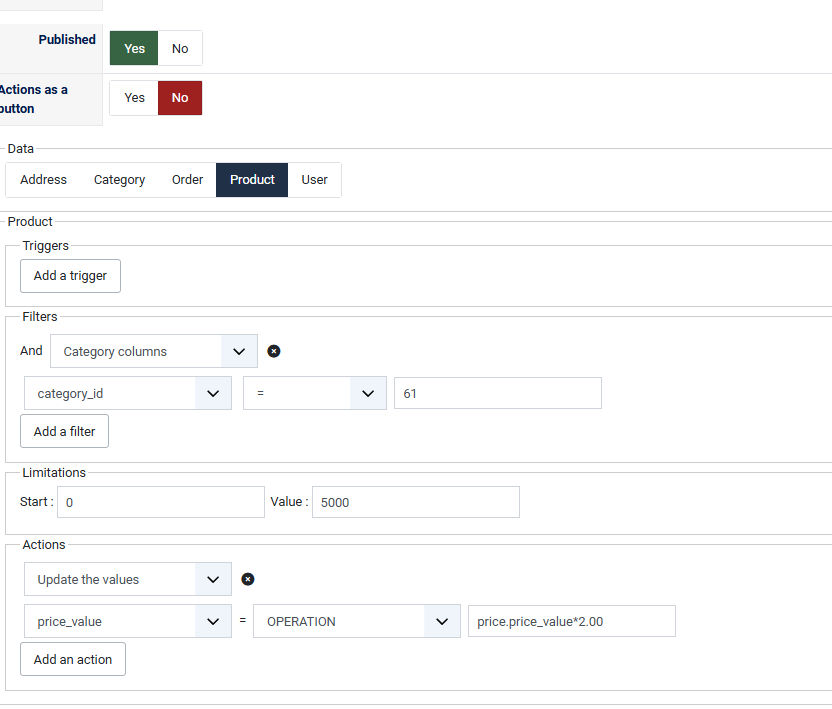
Hi, Struggling to find a way to change the prices on site. We have lots of. variants
Have been using this in mass actions but it no longer works? want to increase prices by 2%
thanks
-- PHP version -- : 8.3
Hi, Struggling to find a way to change the prices on site. We have lots of. variants
Have been using this in mass actions but it no longer works? want to increase prices by 2%
thanks
Please Log in or Create an account to join the conversation.

6 months 1 week ago #371526
by nicolas
Replied by nicolas on topic Change Prices on site
Hi,
Variants are not linked to categories directly. Only the main products are.
So, the moment you add a filter on a category, you're only targeting main products.
Also, price.price_value*2.00 will multiply the price by 2 not add 2%. If you want to add 2% you should rather use price.price_value*1.02
Variants are not linked to categories directly. Only the main products are.
So, the moment you add a filter on a category, you're only targeting main products.
Also, price.price_value*2.00 will multiply the price by 2 not add 2%. If you want to add 2% you should rather use price.price_value*1.02
Please Log in or Create an account to join the conversation.
- mohairbears
-
Topic Author
- Offline
Less
More
- Posts: 609
- Thank you received: 13
6 months 1 week ago - 6 months 1 week ago #371531
by mohairbears
Replied by mohairbears on topic Change Prices on site
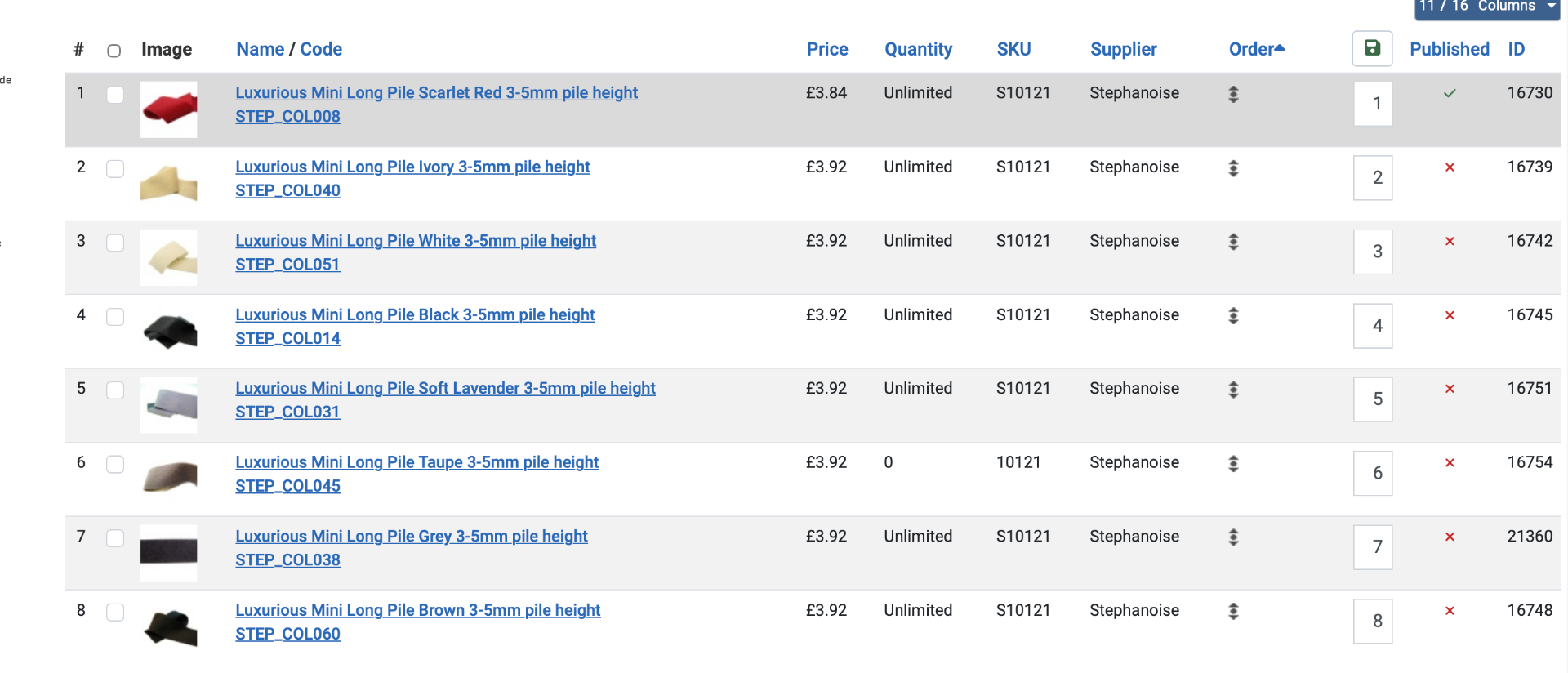
Hi the above does work how I want it to do now I have changed it, however, it does not change the 1st price even though it changes the variants??
Tried this on 2 cats, and the results are the same? is this a fault, bug?
INFO: this only happens when there are variants?
Tried this on 2 cats, and the results are the same? is this a fault, bug?
INFO: this only happens when there are variants?
Last edit: 6 months 1 week ago by mohairbears. Reason: further info
Please Log in or Create an account to join the conversation.
6 months 1 week ago #371532
by nicolas
Replied by nicolas on topic Change Prices on site
Hi,
Yes, an action will be easier.
Go to the products listing in your backend. Click on the category on the left explorer.
Set the filters on the top right corner to all sub categories, and to display only variants.
Then, increase the number of elements per page.
Then, use the global checkbox to select all the variants on the page, and click on the actions button.
In the popup set the action to update the price and it will do what you want.
Then, reproduce for each page. With 500 elements per page, it should be quick.
Also, you could create a mass action and enable its "actions as a button" so that would add a button to run the actions of the mass action on the selected elements. That way, you don't have to reconfigure the action for each page and you can potentially reuse the button in the future.
Yes, an action will be easier.
Go to the products listing in your backend. Click on the category on the left explorer.
Set the filters on the top right corner to all sub categories, and to display only variants.
Then, increase the number of elements per page.
Then, use the global checkbox to select all the variants on the page, and click on the actions button.
In the popup set the action to update the price and it will do what you want.
Then, reproduce for each page. With 500 elements per page, it should be quick.
Also, you could create a mass action and enable its "actions as a button" so that would add a button to run the actions of the mass action on the selected elements. That way, you don't have to reconfigure the action for each page and you can potentially reuse the button in the future.
The following user(s) said Thank You: mohairbears
Please Log in or Create an account to join the conversation.
Time to create page: 0.208 seconds