
- Posts: 20
- Thank you received: 0
After update 6.5.2 all images are missing
- transmetra
-
 Topic Author
- Offline
Less
More
2 months 4 weeks ago - 2 months 4 weeks ago #372757
by transmetra
After update 6.5.2 all images are missing was created by transmetra
-- HikaShop version -- : 6.5.2
-- Joomla version -- : 5.4.7
-- PHP version -- : 8.3.31
-- Browser(s) name and version -- : any
-- Error-message(debug-mod must be tuned on) -- : No error message
Hi
After updating to Hikashop 6.5.2 all images are not visible anymore.
Can you please provide a solution?
Thanks.
Regards
Patrick
-- Joomla version -- : 5.4.7
-- PHP version -- : 8.3.31
-- Browser(s) name and version -- : any
-- Error-message(debug-mod must be tuned on) -- : No error message
Hi
After updating to Hikashop 6.5.2 all images are not visible anymore.
Can you please provide a solution?
Thanks.
Regards
Patrick
This message contains confidential information
Last edit: 2 months 4 weeks ago by transmetra.
Please Log in or Create an account to join the conversation.
2 months 4 weeks ago #372760
by Robby
Replied by Robby on topic After update 6.5.2 all images are missing
I have exactly the same issue, did a few things:
- Revert to back-up
- Upgrade from zip and from Joomla updater
- Removed (and rebuilt) thumbnails)
- Removed HTML overrides
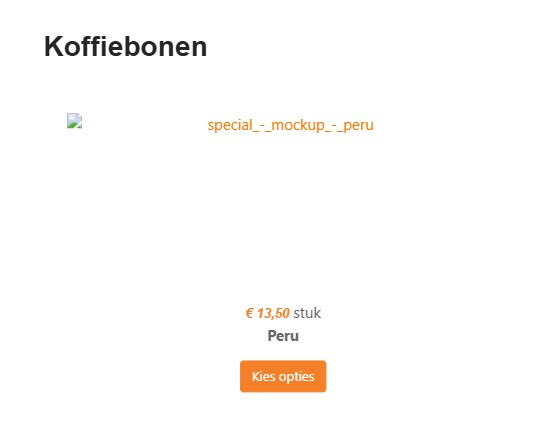
The issue remains. A placeholder is displayed for the images and that is it. Please note I am doing this on an old Joomla 3.x environement (the franchise holder says they will replace with another shop in a short period, but I am hearing this for a longer time).
- Revert to back-up
- Upgrade from zip and from Joomla updater
- Removed (and rebuilt) thumbnails)
- Removed HTML overrides
The issue remains. A placeholder is displayed for the images and that is it. Please note I am doing this on an old Joomla 3.x environement (the franchise holder says they will replace with another shop in a short period, but I am hearing this for a longer time).
Please Log in or Create an account to join the conversation.

2 months 4 weeks ago #372769
by nicolas
Replied by nicolas on topic After update 6.5.2 all images are missing
Hi,
In HikaShop 6.5.1, we've added a new option "Generate AVIF images" to HikaShop's configuration page in order to generate AVIF images for the products and categories images. These will improve speed and SEO on your website.
Since there is no downside to having this setting activated, we decided to turn it on by default.
However, on your website the WAF security system is blocking access to avif files. So even though HikaShop is able to generate the files, and add the HTML, the browser is blocked from downloading them, which is why you get this problem.
We didn't anticipate this would happen.
Turning off that "Generate AVIF images" setting fixes the problem on your website.
Ideally, it would be great if your WAF could allow for avif images since it's becoming a standard format for web images.
That would allow you to turn on this setting.
For now, we've made a patch to keep that setting turned off by default for others, following your feedback.
In HikaShop 6.5.1, we've added a new option "Generate AVIF images" to HikaShop's configuration page in order to generate AVIF images for the products and categories images. These will improve speed and SEO on your website.
Since there is no downside to having this setting activated, we decided to turn it on by default.
However, on your website the WAF security system is blocking access to avif files. So even though HikaShop is able to generate the files, and add the HTML, the browser is blocked from downloading them, which is why you get this problem.
We didn't anticipate this would happen.
Turning off that "Generate AVIF images" setting fixes the problem on your website.
Ideally, it would be great if your WAF could allow for avif images since it's becoming a standard format for web images.
That would allow you to turn on this setting.
For now, we've made a patch to keep that setting turned off by default for others, following your feedback.
The following user(s) said Thank You: transmetra
Please Log in or Create an account to join the conversation.
2 months 4 weeks ago #372774
by Robby
Replied by Robby on topic After update 6.5.2 all images are missing
Just did the update again, seams AVIF is off by default. I can see the images now, even after enabling AVIF. I don't get it, but it works.
The following user(s) said Thank You: nicolas
Please Log in or Create an account to join the conversation.
Time to create page: 0.139 seconds