
- Posts: 7
- Thank you received: 0
Formatting messed up on some pages
- Hrvoje Butkovic
-
 Topic Author
- Offline
Less
More
12 years 8 months ago #146319
by Hrvoje Butkovic
Formatting messed up on some pages was created by Hrvoje Butkovic
-- url of the page with the problem -- :
www.jainjunxion.co.za/meals/product/23-garden-greens.html
(locked down at the moment, but screenshots attached)
-- HikaShop version -- : 2.2.3
-- Joomla version -- : 2.5.17
-- PHP version -- : x.x.x
-- Browser(s) name and version -- : Google Chrome 25.0.1364.160 m
-- Error-message(debug-mod must be tuned on) -- : Error_message
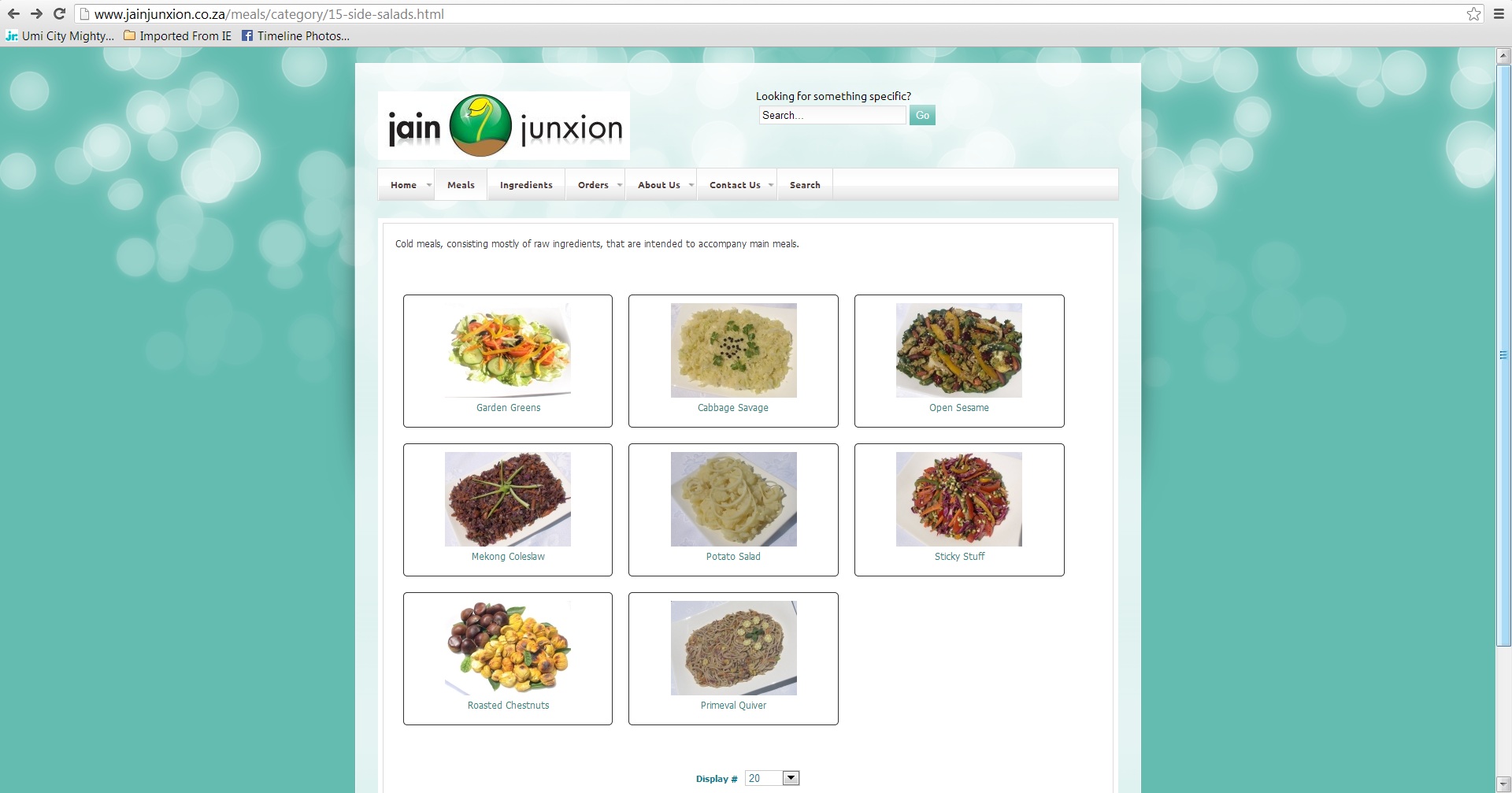
The first screenshot (category page) shows the formatting as it should be.
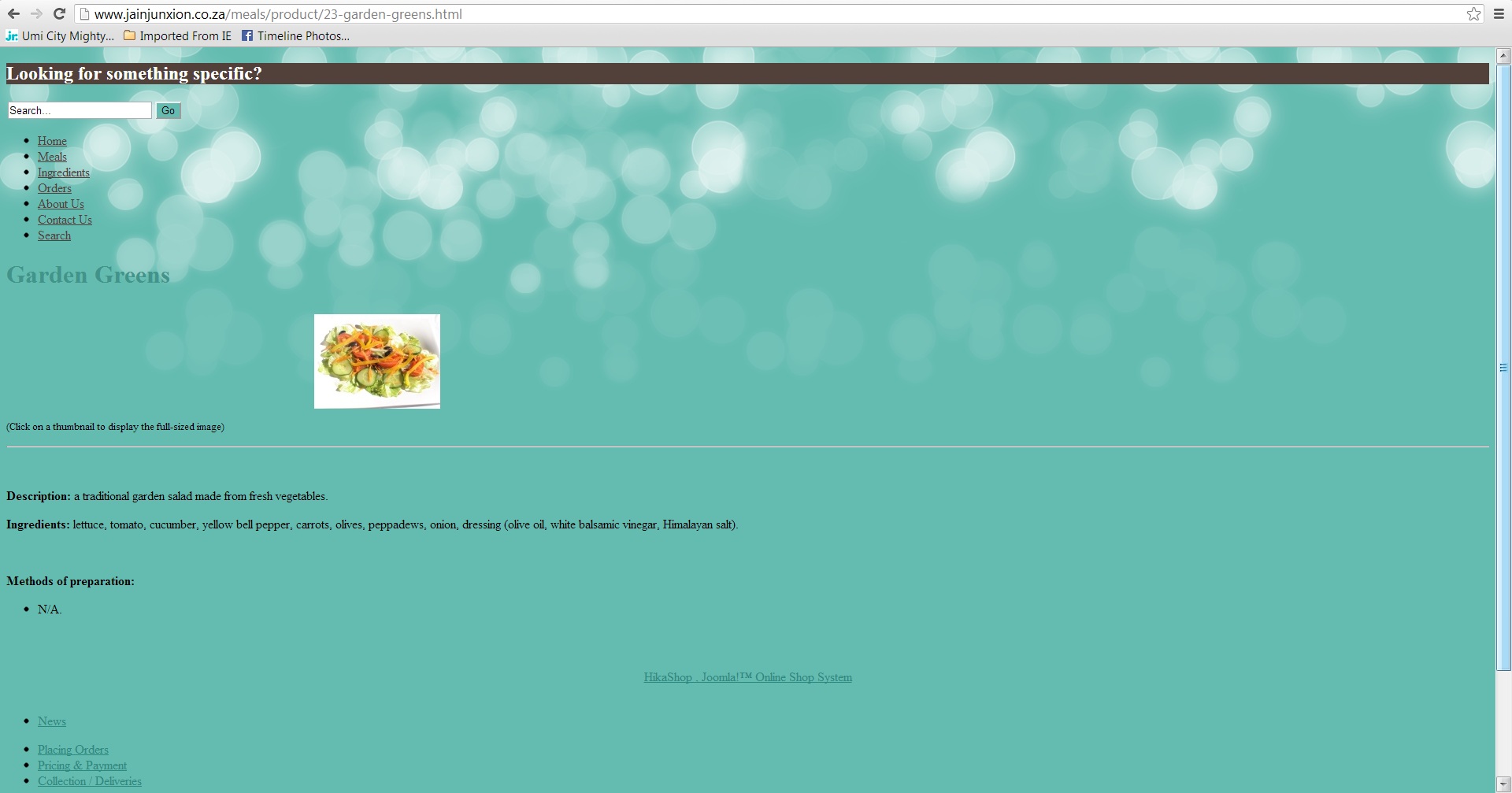
The second screenshot (product page) shows what happens when I click on one of the products.
I'm using the Cloudbase (ca_cloudbase2_j25) template, but the same problem occurs with Hathor. The Joomla and HikaShop versions on the website were recently upgraded. It used to run Joomla 1.7 and an earlier version of HikaShop (can't remember which one).
-- HikaShop version -- : 2.2.3
-- Joomla version -- : 2.5.17
-- PHP version -- : x.x.x
-- Browser(s) name and version -- : Google Chrome 25.0.1364.160 m
-- Error-message(debug-mod must be tuned on) -- : Error_message
The first screenshot (category page) shows the formatting as it should be.
The second screenshot (product page) shows what happens when I click on one of the products.
I'm using the Cloudbase (ca_cloudbase2_j25) template, but the same problem occurs with Hathor. The Joomla and HikaShop versions on the website were recently upgraded. It used to run Joomla 1.7 and an earlier version of HikaShop (can't remember which one).
Please Log in or Create an account to join the conversation.

Less
More
- Posts: 12953
- Thank you received: 1778
12 years 8 months ago #146332
by Mohamed Thelji
Replied by Mohamed Thelji on topic Formatting messed up on some pages
Hi,
Can you please :
- Active the Joomla debug mode ("Administration->Global configuration->System->Debug System/Language")
- Set the "error reporting" option of the Joomla configuration to "maximum"
- Test it again so that we can see if it display an error message.
Can you please :
- Active the Joomla debug mode ("Administration->Global configuration->System->Debug System/Language")
- Set the "error reporting" option of the Joomla configuration to "maximum"
- Test it again so that we can see if it display an error message.
Please Log in or Create an account to join the conversation.
- Hrvoje Butkovic
-
Topic Author
- Offline
Less
More
- Posts: 7
- Thank you received: 0
12 years 8 months ago #146339
by Hrvoje Butkovic
Replied by Hrvoje Butkovic on topic Formatting messed up on some pages
Here you go.
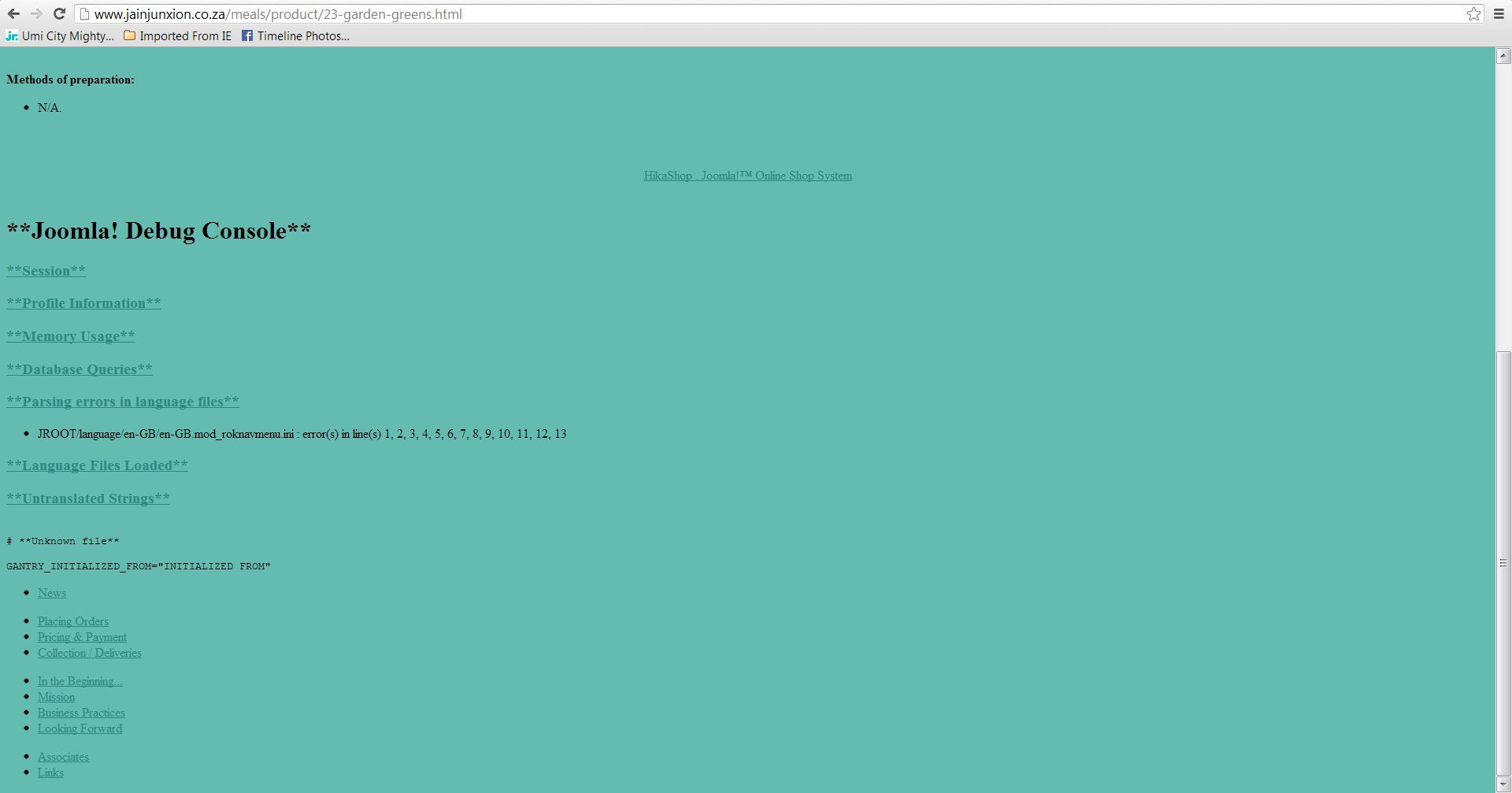
The same language-related error message is shown on the pages that are formatted correctly.
The same language-related error message is shown on the pages that are formatted correctly.
Please Log in or Create an account to join the conversation.

12 years 7 months ago #146447
by nicolas
Replied by nicolas on topic Formatting messed up on some pages
Would it be possible to have access to the page so that we can look at the HTML/CSS on the page ? That would help understanding what's going on.
Please Log in or Create an account to join the conversation.
12 years 7 months ago #146543
by nicolas
Replied by nicolas on topic Formatting messed up on some pages
Hi,
I tried to look at your website with the access that you provided but the page loads for ever until the request times out an thus I can't look a your website.
Could you check with your hosting if there is any problem with your website ?
I tried to look at your website with the access that you provided but the page loads for ever until the request times out an thus I can't look a your website.
Could you check with your hosting if there is any problem with your website ?
Please Log in or Create an account to join the conversation.
- Hrvoje Butkovic
-
Topic Author
- Offline
Less
More
- Posts: 7
- Thank you received: 0
12 years 7 months ago #146562
by Hrvoje Butkovic
Replied by Hrvoje Butkovic on topic Formatting messed up on some pages
I have just gone to the website and it loads fine. Hopefully it was a temporary glitch.
Please Log in or Create an account to join the conversation.
12 years 7 months ago #146589
by nicolas
Replied by nicolas on topic Formatting messed up on some pages
It's working now.
Please deactivate the CSS/JS compression that you have configured on your website and try again.
Please deactivate the CSS/JS compression that you have configured on your website and try again.
Please Log in or Create an account to join the conversation.
- Hrvoje Butkovic
-
Topic Author
- Offline
Less
More
- Posts: 7
- Thank you received: 0
12 years 7 months ago #146678
by Hrvoje Butkovic
Replied by Hrvoje Butkovic on topic Formatting messed up on some pages
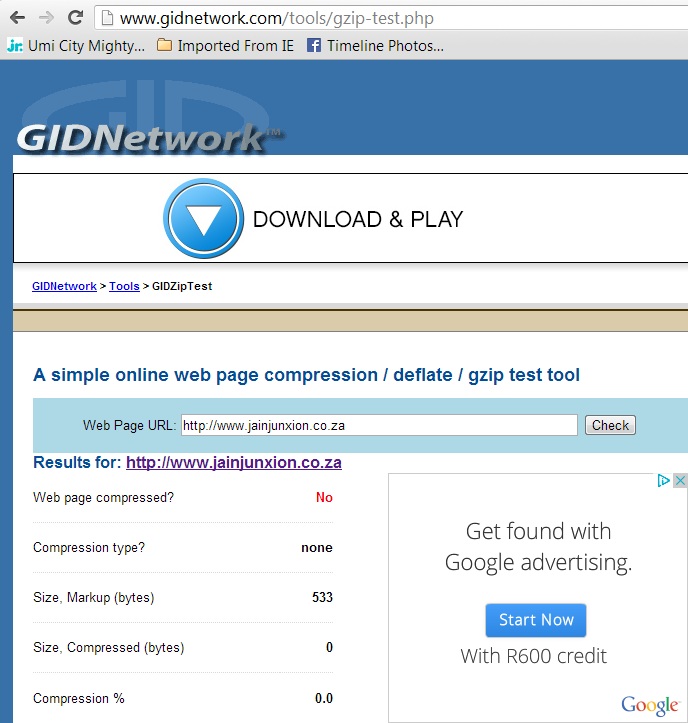
I have looked for CSS/JavaScript compression options, but couldn't find them. I assume that they were introduced with version 3 of Joomla. The only option I could find was Gzip Page Compression, which is already disabled.
To make sure, I tested it here:
Is there anything else I can check?
To make sure, I tested it here:
Is there anything else I can check?
Please Log in or Create an account to join the conversation.
- Hrvoje Butkovic
-
Topic Author
- Offline
Less
More
- Posts: 7
- Thank you received: 0
12 years 7 months ago #146692
by Hrvoje Butkovic
Replied by Hrvoje Butkovic on topic Formatting messed up on some pages
I have now found the CSS/JavaScript compression options under the JCE editor configuration, but they are also already disabled.
Please Log in or Create an account to join the conversation.

12 years 7 months ago #146894
by Eliot
Replied by Eliot on topic Formatting messed up on some pages
It sounds ok, is it working with the Nicolas modifications?
Please Log in or Create an account to join the conversation.
- Hrvoje Butkovic
-
Topic Author
- Offline
Less
More
- Posts: 7
- Thank you received: 0
12 years 7 months ago #146914
by Hrvoje Butkovic
Replied by Hrvoje Butkovic on topic Formatting messed up on some pages
No, I haven't changed anything. The compression was already disabled. The original problem still remains.
Please Log in or Create an account to join the conversation.

12 years 7 months ago #147139
by Jerome
Jerome - Obsidev.com
HikaMarket & HikaSerial developer / HikaShop core dev team.
Replied by Jerome on topic Formatting messed up on some pages
Hi,
If you take a look at the page source code, you will see that only one CSS file is included
This is a "combined file" which regroup several CSS file in a compressed mode.
It does not have any link with the gzip compression of your server, it is long before that.
This is the feature that you should deactivated in order to see if the page is displaying better without.
And what I can tell you is that the "modal.css" file is include in the HikaShop product page (because you use the mootoos modal system).
This modal.css is wrong compressed by your template system and there is some strange code:
Which break the rest of the CSS below, like the template.css file which contain all useful css rules.
So please, deactivate this feature to make the system work.
Otherwise you can use another popup system in HikaShop but if you joomla wants to display any kind of mootool popup, the page will break like this one.
Regards,
If you take a look at the page source code, you will see that only one CSS file is included
Code:
index.php?fetchcombinedfile=css-6fe0726f2d107a47cecc2956917864b1
It does not have any link with the gzip compression of your server, it is long before that.
This is the feature that you should deactivated in order to see if the page is displaying better without.
And what I can tell you is that the "modal.css" file is include in the HikaShop product page (because you use the mootoos modal system).
This modal.css is wrong compressed by your template system and there is some strange code:
Code:
@-moz-document url-prefix(){.body-overlayed { overflow:visible}
So please, deactivate this feature to make the system work.
Otherwise you can use another popup system in HikaShop but if you joomla wants to display any kind of mootool popup, the page will break like this one.
Regards,
Jerome - Obsidev.com
HikaMarket & HikaSerial developer / HikaShop core dev team.
The following user(s) said Thank You: Hrvoje Butkovic
Please Log in or Create an account to join the conversation.
- Hrvoje Butkovic
-
Topic Author
- Offline
Less
More
- Posts: 7
- Thank you received: 0
12 years 7 months ago #147320
by Hrvoje Butkovic
Replied by Hrvoje Butkovic on topic Formatting messed up on some pages
I have installed Mootools Enabler/Disabler from
digitaldisseny.com/en/joomla-extensions/...lve-jquery-conflicts
and used it to disable MooTools on my site.
IT NOW WORKS!
I no longer get the fancy picture popups, but at least the formatting stays intact.
THANK YOU!

IT NOW WORKS!
I no longer get the fancy picture popups, but at least the formatting stays intact.
THANK YOU!
Please Log in or Create an account to join the conversation.
Time to create page: 0.414 seconds