
- Posts: 7
- Thank you received: 1
Problem,how to reduce the height of product table?
- george1988
-
 Topic Author
- Offline
Less
More
12 years 7 months ago - 12 years 7 months ago #146467
by george1988
Problem,how to reduce the height of product table? was created by george1988
-- url of the page with the problem -- :
md-test.ru/index.php/2014-01-28-18-35-30/2014-01-28-18-36-20
-- HikaShop version -- : 2.2.3
-- Joomla version -- : 3.2.1
-- PHP version -- : 5.2.17
-- Browser(s) name and version -- : ALL Safari, Firefox, IE, Chrome
-- Error-message(debug-mod must be tuned on) -- : there no error because i cant see the icon
I was searching like two hours at those CSS files, but no luck...
where do I change the highest of the product table?
added an example as I want to see it at picture below
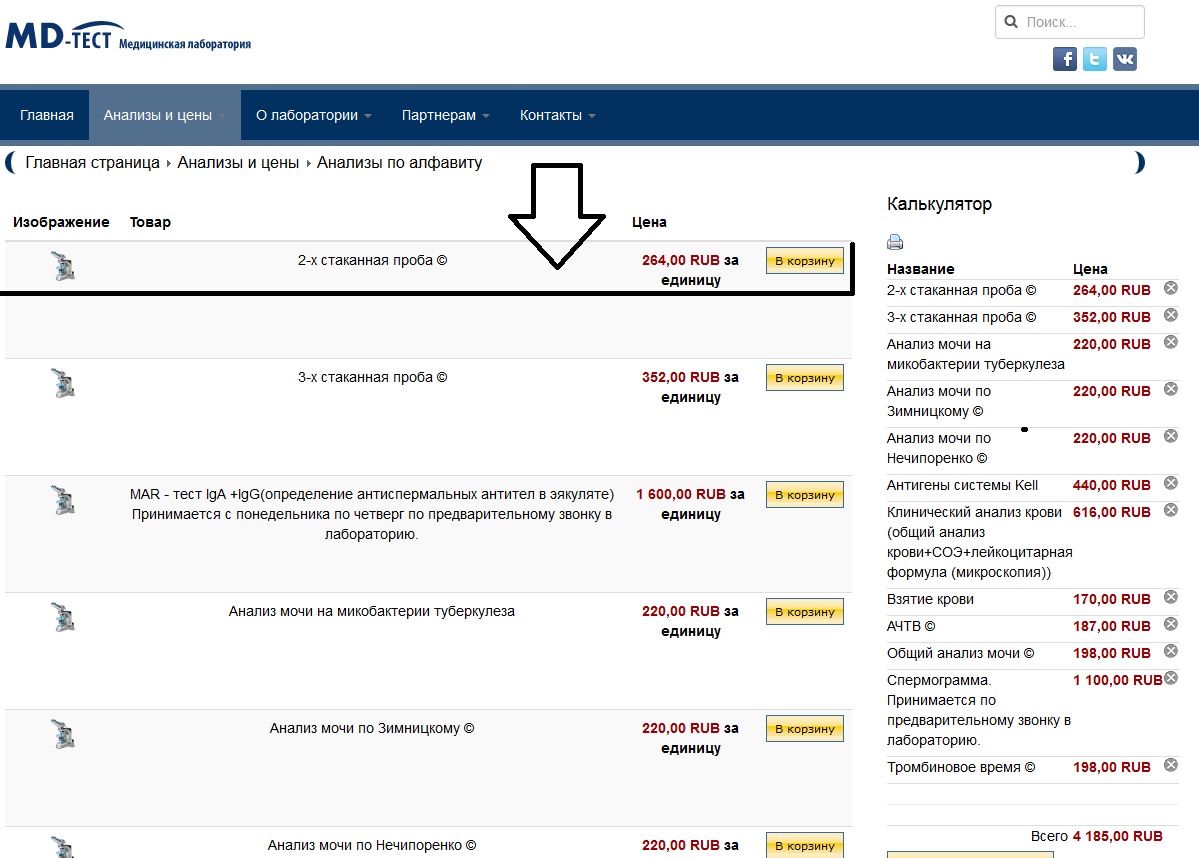
-- HikaShop version -- : 2.2.3
-- Joomla version -- : 3.2.1
-- PHP version -- : 5.2.17
-- Browser(s) name and version -- : ALL Safari, Firefox, IE, Chrome
-- Error-message(debug-mod must be tuned on) -- : there no error because i cant see the icon
I was searching like two hours at those CSS files, but no luck...
where do I change the highest of the product table?
added an example as I want to see it at picture below
Last edit: 12 years 7 months ago by george1988.
Please Log in or Create an account to join the conversation.

12 years 7 months ago #146476
by nicolas
Replied by nicolas on topic Problem,how to reduce the height of product table?
Hi,
You can add such CSS in the frontend CSS file of HikaShop via the Display tab of the configuration:
.hikashop_product_image_row .hikashop_product_image{ height: auto !important; }
You can add such CSS in the frontend CSS file of HikaShop via the Display tab of the configuration:
.hikashop_product_image_row .hikashop_product_image{ height: auto !important; }
The following user(s) said Thank You: george1988
Please Log in or Create an account to join the conversation.
Time to create page: 0.153 seconds