

- Posts: 17
- Thank you received: 1
Change description after the price
12 years 7 months ago #149369
by mfrancke
Change description after the price was created by mfrancke
-- url of the page with the problem -- :
mywebsite.com/mypage
-- HikaShop Business: 2.3.0
-- Joomla version -- : x.x
-- PHP version -- : x.x.x
-- Browser(s) name and version -- : XXXXX x.x.x
-- Error-message(debug-mod must be tuned on) -- : Error_message

How can I change that description just for a few products?
-- HikaShop Business: 2.3.0
-- Joomla version -- : x.x
-- PHP version -- : x.x.x
-- Browser(s) name and version -- : XXXXX x.x.x
-- Error-message(debug-mod must be tuned on) -- : Error_message
How can I change that description just for a few products?
Please Log in or Create an account to join the conversation.

Less
More
- Posts: 12953
- Thank you received: 1778
12 years 7 months ago #149375
by Mohamed Thelji
Replied by Mohamed Thelji on topic Change description after the price
Hi,
Note that it will depend on how you configured the "price" tab of your product configuration page (if you have set a "Minimum quantity" for your product price).
But if you don't want to change your product configuration the solution will probably be to edit the code of the "listing_price" file of the "product" view of your front-end template through "Hikashop->Display->Views".
Note that it will depend on how you configured the "price" tab of your product configuration page (if you have set a "Minimum quantity" for your product price).
But if you don't want to change your product configuration the solution will probably be to edit the code of the "listing_price" file of the "product" view of your front-end template through "Hikashop->Display->Views".
Please Log in or Create an account to join the conversation.
12 years 7 months ago #149449
by mfrancke
Replied by mfrancke on topic Change description after the price
I want to do, that I can change that for only a few products, so that the other products I have from food just "Per portie" is and that the workshop "Per person" and the Reis kosten "Per kilometer".
Whan I change the code than all the products will change, so I am looking for a possibility that I can change it for one product, maybe a possibility, that there is a field for at the product page.
Whan I change the code than all the products will change, so I am looking for a possibility that I can change it for one product, maybe a possibility, that there is a field for at the product page.
Please Log in or Create an account to join the conversation.

12 years 7 months ago #149457
by nicolas
Replied by nicolas on topic Change description after the price
Yes, that's indeed a solution. We actually explain how to do that in the "I sell packed products, how can I change "each" text in the product page ?" section of our FAQ:
www.hikashop.com/support/support/documen...on/106-faq.html#tran
www.hikashop.com/support/support/documen...on/106-faq.html#tran
Please Log in or Create an account to join the conversation.
12 years 7 months ago #149544
by mfrancke
Replied by mfrancke on topic Change description after the price
When i do that then all description of the other products are gone only the products I have saved again, gives the old valua "per portie" what has been changed in the language. After klik on those items I see Specificaties, but they cant be changed.
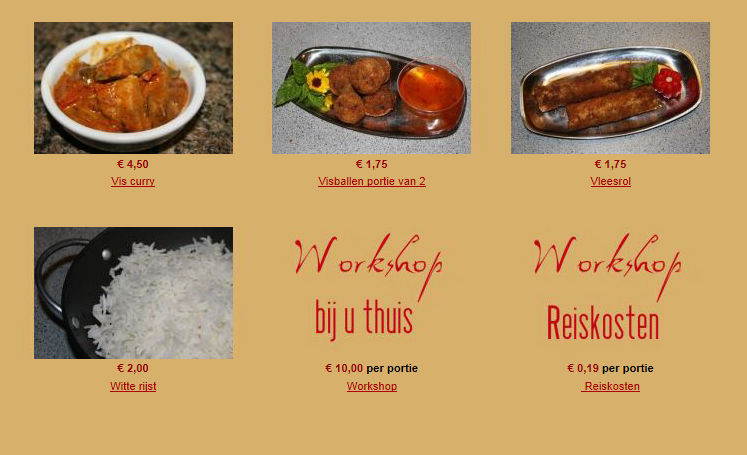
klik on the product gives this
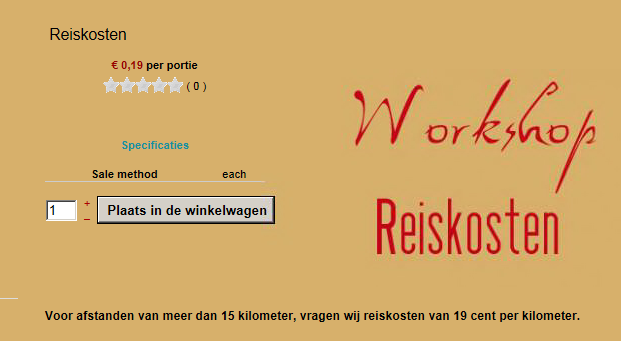
The other ones looks like this one
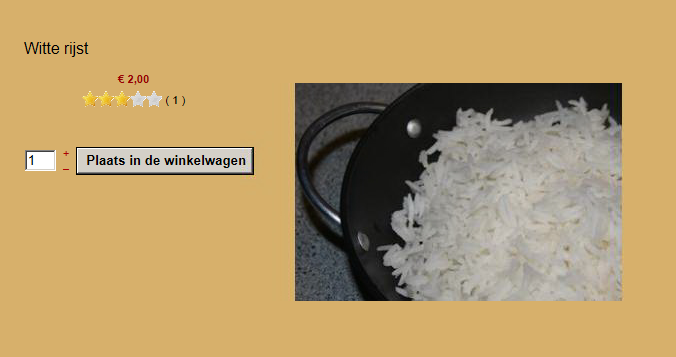
klik on the product gives this
The other ones looks like this one
Please Log in or Create an account to join the conversation.
12 years 7 months ago #149566
by nicolas
Replied by nicolas on topic Change description after the price
What modification did you do exactly and how did you configure your custom field ? Could you do some screenshots of that please ?
Please Log in or Create an account to join the conversation.
12 years 7 months ago #149669
by mfrancke
Replied by mfrancke on topic Change description after the price
I changed product / listing_price with:
echo '</span> ';
if(isset($price->price_min_quantity) && empty($this->cart_product_price) && $this->params->get('per_unit',1)){
if($price->price_min_quantity>1){
echo '<span class="hikashop_product_price_per_unit_x">'.JText::sprintf('PER_UNIT_AT_LEAST_X_BOUGHT',$price->price_min_quantity).'</span>';
}else{
if(isset($this->element->main)) echo JText::_($this->element->main->salemethod);
elseif(isset($this->row)) echo JText::_($this->row->salemethod);
else echo JText::_($this->element->salemethod);
And this is my custom field:
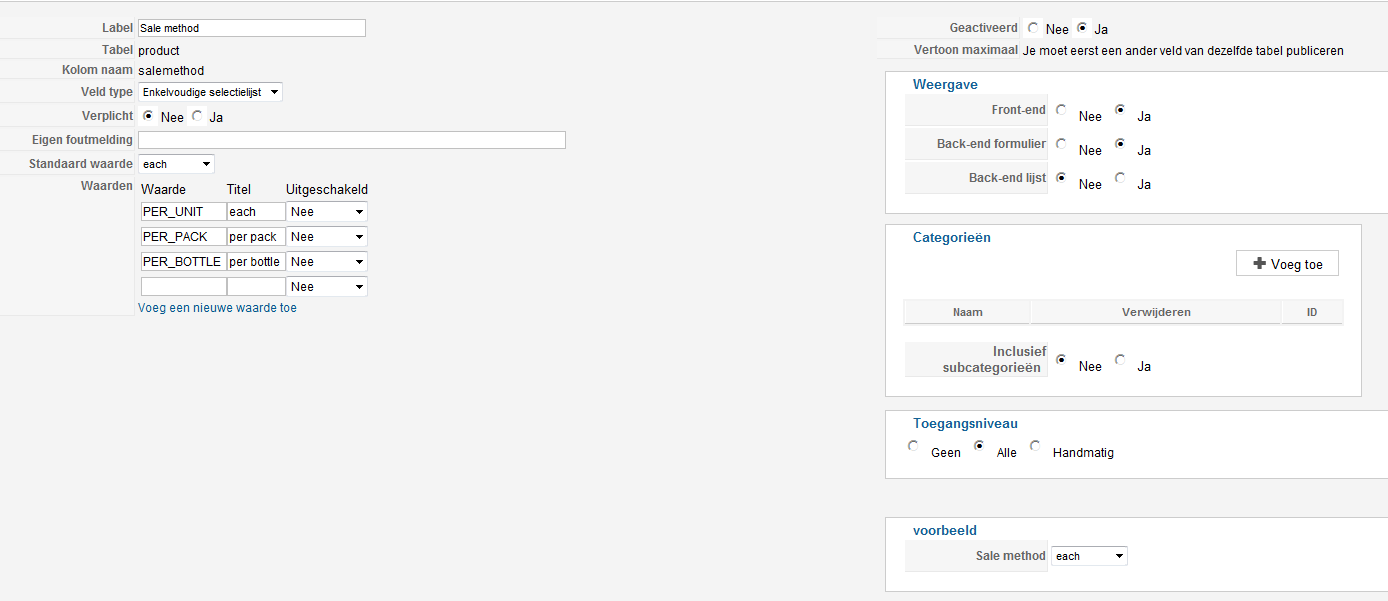
echo '</span> ';
if(isset($price->price_min_quantity) && empty($this->cart_product_price) && $this->params->get('per_unit',1)){
if($price->price_min_quantity>1){
echo '<span class="hikashop_product_price_per_unit_x">'.JText::sprintf('PER_UNIT_AT_LEAST_X_BOUGHT',$price->price_min_quantity).'</span>';
}else{
if(isset($this->element->main)) echo JText::_($this->element->main->salemethod);
elseif(isset($this->row)) echo JText::_($this->row->salemethod);
else echo JText::_($this->element->salemethod);
And this is my custom field:
Please Log in or Create an account to join the conversation.
12 years 7 months ago #149758
by nicolas
Replied by nicolas on topic Change description after the price
Then, change the line:
else echo JText::_($this->element->salemethod);
to:
elseif(!empty($this->element->salemethod)) echo JText::_($this->element->salemethod);
else echo JText::_('PER_UNIT');
That way, you'll still have the default display if you don't save the products.
else echo JText::_($this->element->salemethod);
to:
elseif(!empty($this->element->salemethod)) echo JText::_($this->element->salemethod);
else echo JText::_('PER_UNIT');
That way, you'll still have the default display if you don't save the products.
Please Log in or Create an account to join the conversation.
12 years 7 months ago - 12 years 6 months ago #149932
by mfrancke
Replied by mfrancke on topic Change description after the price
It works now what I did:
change product / listing_price:
echo '</span> ';
if(isset($price->price_min_quantity) && empty($this->cart_product_price) && $this->params->get('per_unit',1)){
if($price->price_min_quantity>1){
echo '<span class="hikashop_product_price_per_unit_x">'.JText::sprintf('PER_UNIT_AT_LEAST_X_BOUGHT',$price->price_min_quantity).'</span>';
}else{
elseif(!empty($this->element->salemethod)) echo JText::_($this->element->salemethod);
else echo JText::_('PER_UNIT');
Modified translationfile:
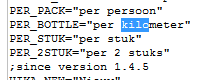
And I didnt see that at the product page there was an extra field at the left bottom
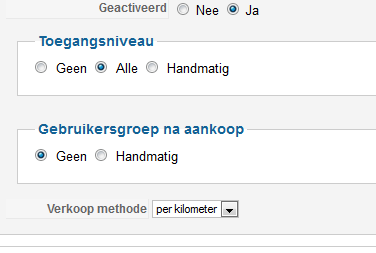
thx for the help
change product / listing_price:
echo '</span> ';
if(isset($price->price_min_quantity) && empty($this->cart_product_price) && $this->params->get('per_unit',1)){
if($price->price_min_quantity>1){
echo '<span class="hikashop_product_price_per_unit_x">'.JText::sprintf('PER_UNIT_AT_LEAST_X_BOUGHT',$price->price_min_quantity).'</span>';
}else{
elseif(!empty($this->element->salemethod)) echo JText::_($this->element->salemethod);
else echo JText::_('PER_UNIT');
Modified translationfile:
And I didnt see that at the product page there was an extra field at the left bottom
thx for the help
Last edit: 12 years 6 months ago by mfrancke.
The following user(s) said Thank You: Mohamed Thelji
Please Log in or Create an account to join the conversation.
Less
More
- Posts: 12953
- Thank you received: 1778
12 years 7 months ago #149966
by Mohamed Thelji
Replied by Mohamed Thelji on topic Change description after the price
Thanks for your feedback  .
.
. Please Log in or Create an account to join the conversation.
Time to create page: 0.314 seconds