

- Posts: 57
- Thank you received: 5
Product & Category Display Puzzle
12 years 6 months ago #150204
by Hristov
Product & Category Display Puzzle was created by Hristov
Hello,
It is not often I reach a dead end with hikashop, but sadly today I did.
My goal is to have a menu item set to category listing which is going to display all my categories. When I click through the listed categories I want to be able to get the product listing from that category.
My result so far is, when I create the menu item -> categories listing - my categories are listed but a bunch of products are shown under.
When I delete the auto created associated module it prompts a message that I saved a menu without an associated module.
Categories are now listed without the products under but when clicked no products from the categories appear.
What magic do I need to perform?
It is not often I reach a dead end with hikashop, but sadly today I did.
My goal is to have a menu item set to category listing which is going to display all my categories. When I click through the listed categories I want to be able to get the product listing from that category.
My result so far is, when I create the menu item -> categories listing - my categories are listed but a bunch of products are shown under.
When I delete the auto created associated module it prompts a message that I saved a menu without an associated module.
Categories are now listed without the products under but when clicked no products from the categories appear.
What magic do I need to perform?
Please Log in or Create an account to join the conversation.

12 years 6 months ago #150223
by nicolas
Replied by nicolas on topic Product & Category Display Puzzle
Hi,
You should not delete the associated module. It is used to display the products for that menu.
Instead, you should just change the "sub element filter" to "direct sub elements" in your associated module options.
You should not delete the associated module. It is used to display the products for that menu.
Instead, you should just change the "sub element filter" to "direct sub elements" in your associated module options.
Please Log in or Create an account to join the conversation.
12 years 6 months ago - 12 years 6 months ago #150317
by Hristov
Replied by Hristov on topic Product & Category Display Puzzle
I feel stupid now.
Actually I had it setup right from the very beginning. I just realised that there are a hundred published products in the "product category" as their parent.
So everything was working as intended, the only problem was that I was under the illusion that all products were organised in their respective categories and the product category was the root of all other categories with no products in it.
The category listing was displaying the categories and when clicked on I could see the product listings, what had me banging my head in the wall were the other "rogue" products and where they were coming from. Which is why I deleted the associated module as a result, thinking it was it causing them to appear.
Moral of the story, several minutes of thinking can save me days of frustration.
Actually I had it setup right from the very beginning. I just realised that there are a hundred published products in the "product category" as their parent.
So everything was working as intended, the only problem was that I was under the illusion that all products were organised in their respective categories and the product category was the root of all other categories with no products in it.
The category listing was displaying the categories and when clicked on I could see the product listings, what had me banging my head in the wall were the other "rogue" products and where they were coming from. Which is why I deleted the associated module as a result, thinking it was it causing them to appear.
Moral of the story, several minutes of thinking can save me days of frustration.
Last edit: 12 years 6 months ago by Hristov.
Please Log in or Create an account to join the conversation.

12 years 6 months ago - 12 years 6 months ago #150714
by dellasys
Replied by dellasys on topic Product & Category Display Puzzle
Hi Nicolas,
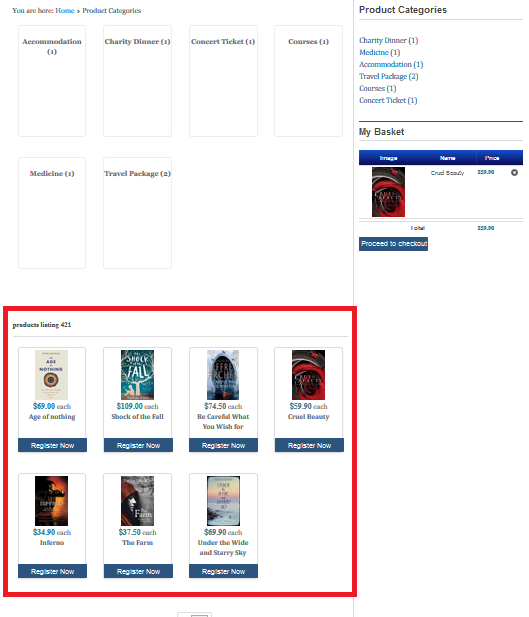
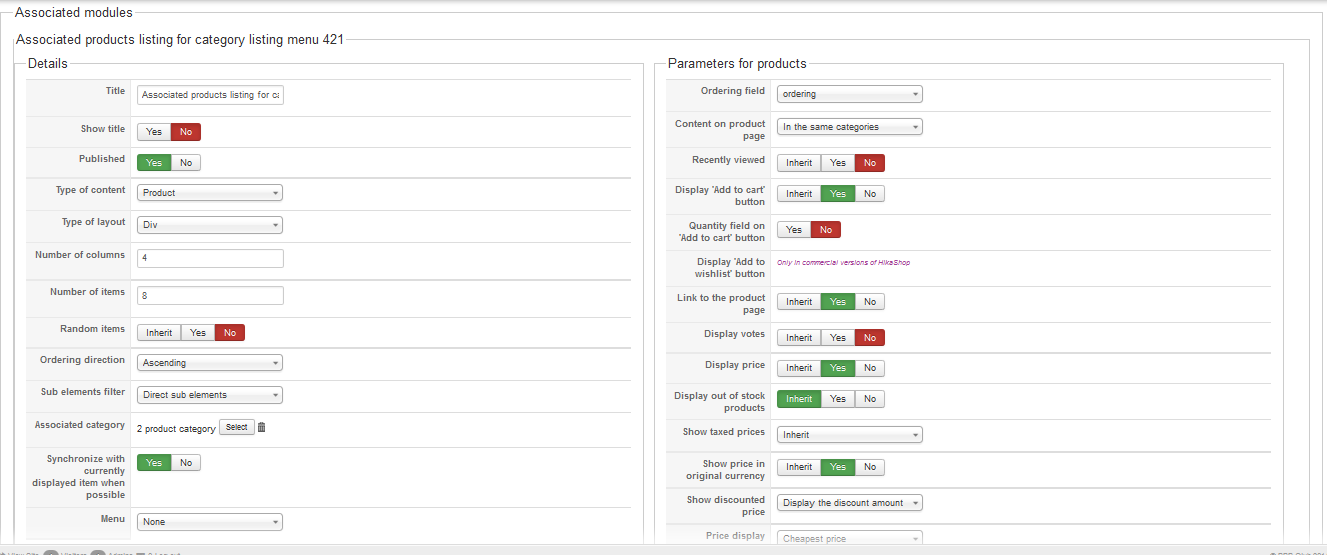
How to disable the product list(red mark) under the product categories ? I have changed the associated module to direct sub elements , but the product list still there.
Thanks
How to disable the product list(red mark) under the product categories ? I have changed the associated module to direct sub elements , but the product list still there.
Thanks
Last edit: 12 years 6 months ago by dellasys.
Please Log in or Create an account to join the conversation.
12 years 6 months ago #150724
by Hristov
Replied by Hristov on topic Product & Category Display Puzzle
Hello,
Maybe until Nicolas responds I can help.
Currently the way it is working for me is in the associated module I have the "published" option set to "no".
Also double check if "product category" has no products in it.
Maybe until Nicolas responds I can help.
Currently the way it is working for me is in the associated module I have the "published" option set to "no".
Also double check if "product category" has no products in it.
The following user(s) said Thank You: Mohamed Thelji
Please Log in or Create an account to join the conversation.
12 years 6 months ago #150732
by dellasys
Replied by dellasys on topic Product & Category Display Puzzle
Hi,
I have tried your method, still the same ,whether the associated modules published is set to yes or no.
I have tried your method, still the same ,whether the associated modules published is set to yes or no.
Please Log in or Create an account to join the conversation.
12 years 6 months ago - 12 years 6 months ago #150771
by Hristov
Replied by Hristov on topic Product & Category Display Puzzle
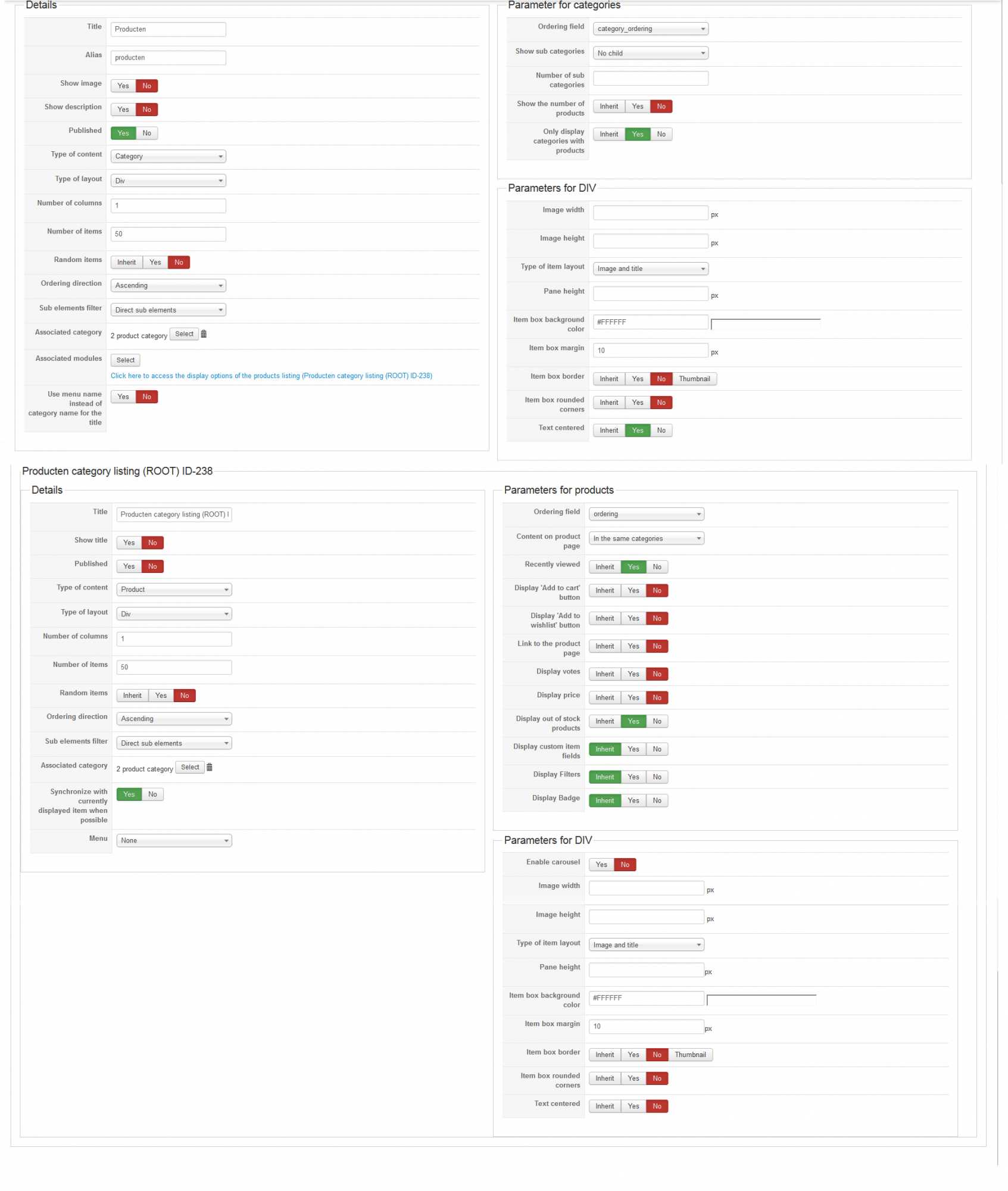
Take a look at how my category listing is set up. Maybe it helps.
Last edit: 12 years 6 months ago by Hristov.
The following user(s) said Thank You: Mohamed Thelji
Please Log in or Create an account to join the conversation.

Less
More
- Posts: 12953
- Thank you received: 1778
12 years 6 months ago #150774
by Mohamed Thelji
Replied by Mohamed Thelji on topic Product & Category Display Puzzle
You should :
- Remove the associated module of the "associated modules" option of your Hikashop content menu category listing
- Delete the associated module of your Hikashop content menu category listing through "Hikashop->Display->Content modules"
- Remove the associated module of the "associated modules" option of your Hikashop content menu category listing
- Delete the associated module of your Hikashop content menu category listing through "Hikashop->Display->Content modules"
The following user(s) said Thank You: dellasys
Please Log in or Create an account to join the conversation.
12 years 6 months ago #150873
by dellasys
Replied by dellasys on topic Product & Category Display Puzzle
Hi,
Following your steps , the product list is disabled in product categories but it also disappeared inside every categories .
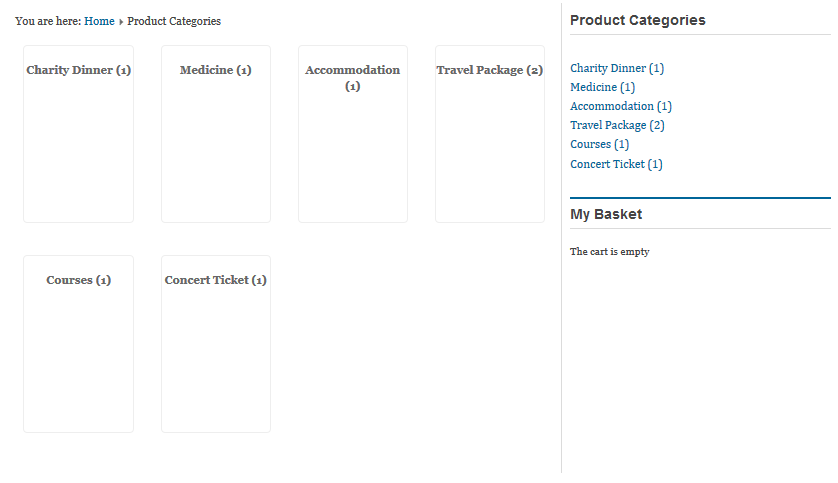
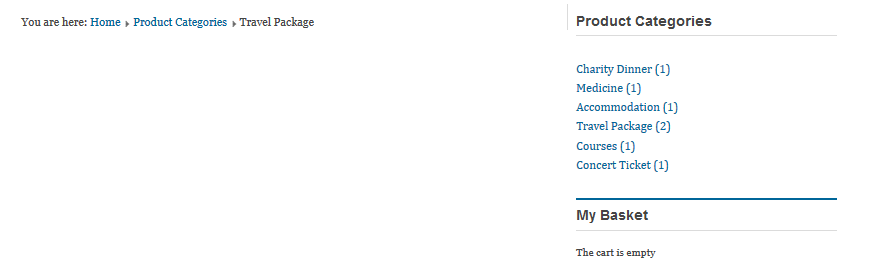
Following your steps , the product list is disabled in product categories but it also disappeared inside every categories .
Please Log in or Create an account to join the conversation.
Less
More
- Posts: 12953
- Thank you received: 1778
12 years 6 months ago #151218
by Mohamed Thelji
Replied by Mohamed Thelji on topic Product & Category Display Puzzle
Hello,
Note that if you don't want your products to be displayed through some categories, the solution will be to remove these products from these categories through the "Category" tab of your products configuration page.
Note that if you don't want your products to be displayed through some categories, the solution will be to remove these products from these categories through the "Category" tab of your products configuration page.
Please Log in or Create an account to join the conversation.
Time to create page: 0.427 seconds