

- Posts: 11
- Thank you received: 0
I'm DUMB and am having troubles
12 years 5 months ago #156123
by lee911
I'm DUMB and am having troubles was created by lee911
So a couple things I'm trying to fix but can't see to get it to work.....
1) background color of product is not changing (see screenshot). Where the yellow is I've changed under "Default parameters for DIVs", but no changes take effect.
2) the product tile is not displaying on top or below the thumbnail.
3) how do you remove the "display# 20" box. I only have 6 products!!
4) how do you remove the "HikaShop , Joomla!™ E-Commerce Extension" on the pages?
-- url of the page with the problem -- : resqscan.ca/index.php/order-one
-- HikaShop version -- : 2.3.3
-- Joomla version -- : 3.0
-- PHP version -- : Starter
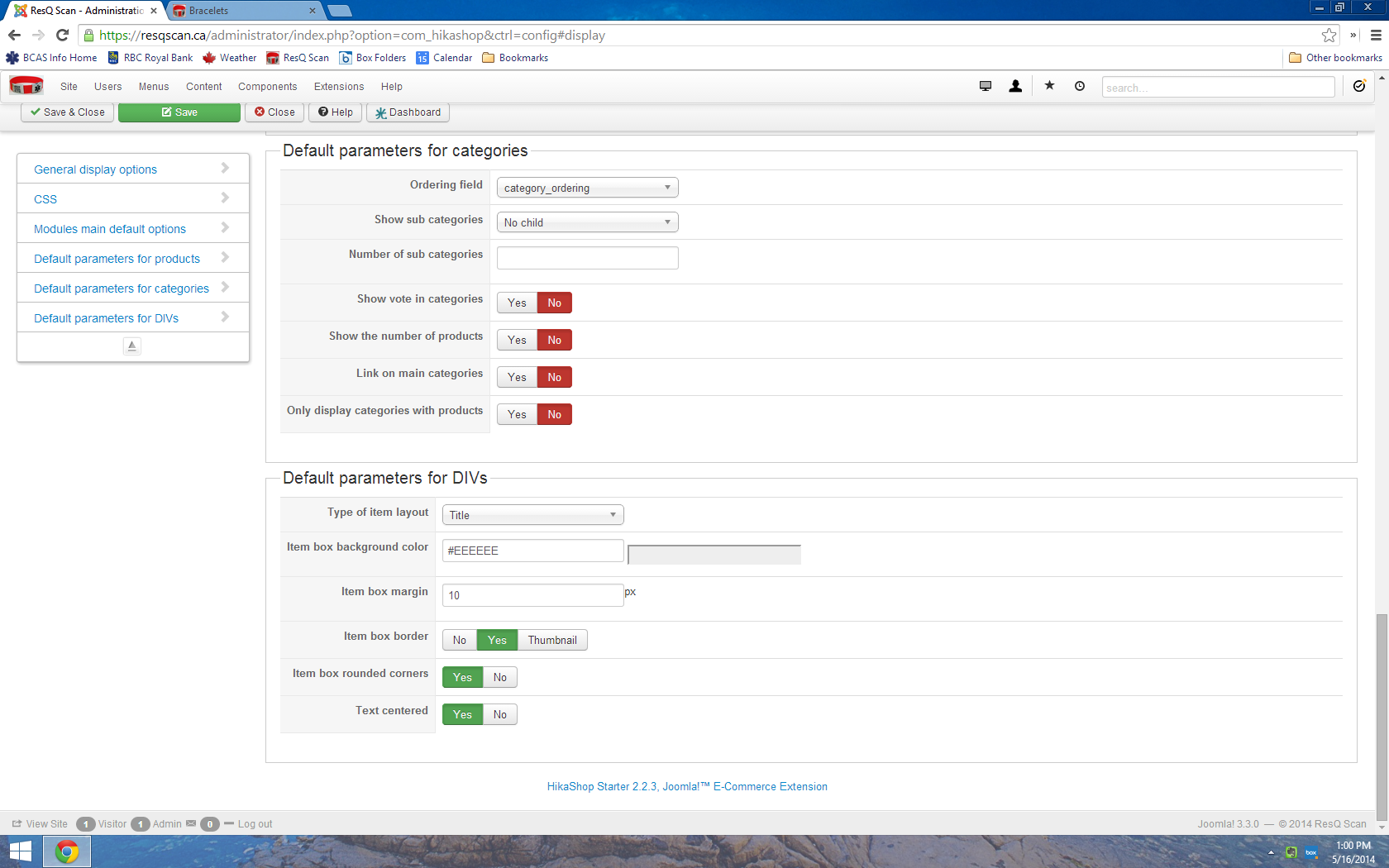
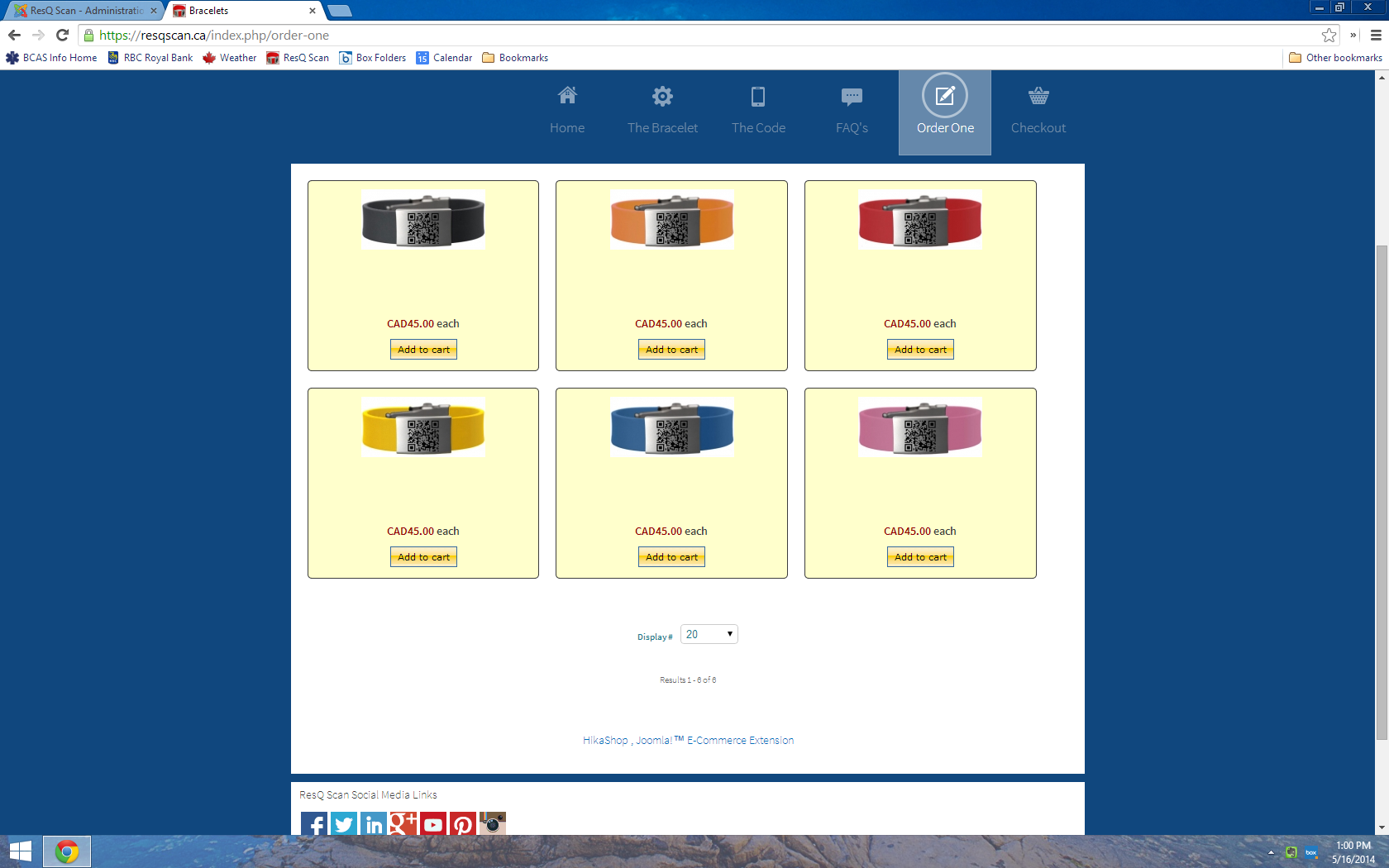
1) background color of product is not changing (see screenshot). Where the yellow is I've changed under "Default parameters for DIVs", but no changes take effect.
2) the product tile is not displaying on top or below the thumbnail.
3) how do you remove the "display# 20" box. I only have 6 products!!
4) how do you remove the "HikaShop , Joomla!™ E-Commerce Extension" on the pages?
-- url of the page with the problem -- : resqscan.ca/index.php/order-one
-- HikaShop version -- : 2.3.3
-- Joomla version -- : 3.0
-- PHP version -- : Starter
Please Log in or Create an account to join the conversation.

12 years 5 months ago #156141
by nicolas
Replied by nicolas on topic I'm DUMB and am having troubles
Hi,
1. Go in the menu Display->Content menus, edit your menu, and change the color background there.
2. You're talking about the product name. Go in the menu Display->Content menus, edit your menu, and change the item box layout option to "image and title" and you should see it again.
3. Turn off the "pagination" option of the configuration.
4. Turn off the "show footer" option of the configuration.
1. Go in the menu Display->Content menus, edit your menu, and change the color background there.
2. You're talking about the product name. Go in the menu Display->Content menus, edit your menu, and change the item box layout option to "image and title" and you should see it again.
3. Turn off the "pagination" option of the configuration.
4. Turn off the "show footer" option of the configuration.
The following user(s) said Thank You: lee911
Please Log in or Create an account to join the conversation.
12 years 5 months ago #156188
by lee911
Replied by lee911 on topic I'm DUMB and am having troubles
Thanks you thank you thank you!
Please Log in or Create an account to join the conversation.
Time to create page: 0.122 seconds