

- Posts: 2
- Thank you received: 0
Pagination Display Problem
12 years 5 months ago #156959
by agmac
Pagination Display Problem was created by agmac
-- HikaShop version -- : 2.3.x
-- Joomla version -- :2.5
Hey, i`m wondering how can i completely disable the pagination CSS from Hikashop, so that it will use the Joomla Template Pagination.
I will explain better in the following pictures:
1. hikashop front-end old CSS standard:
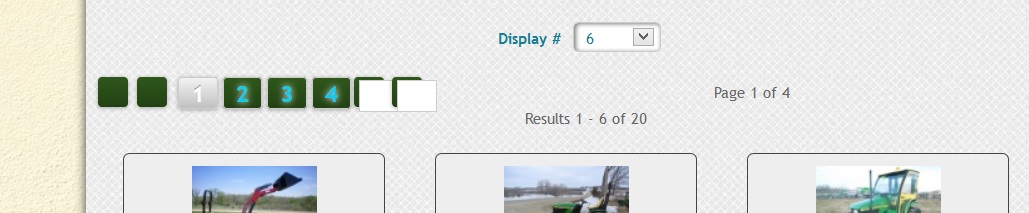
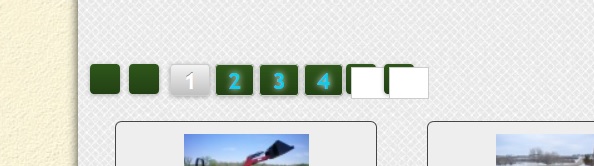
2. hikashop front-end old CSS with the 2 lines below written:
.hikashop_products_pagination div.limit, .hikashop_subcategories_pagination div.limit{ display:none; }
span.hikashop_results_counter{ display:none; }
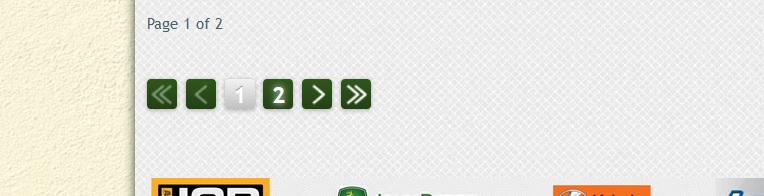
3. my template pagination CSS (the one that i would like to have):
-- Joomla version -- :2.5
Hey, i`m wondering how can i completely disable the pagination CSS from Hikashop, so that it will use the Joomla Template Pagination.
I will explain better in the following pictures:
1. hikashop front-end old CSS standard:
2. hikashop front-end old CSS with the 2 lines below written:
.hikashop_products_pagination div.limit, .hikashop_subcategories_pagination div.limit{ display:none; }
span.hikashop_results_counter{ display:none; }
3. my template pagination CSS (the one that i would like to have):
Please Log in or Create an account to join the conversation.

12 years 5 months ago #156963
by Xavier
Replied by Xavier on topic Pagination Display Problem
Hi,
You can edit the frontend css file via the menu Configuration > Display > CSS and remove all the css regarding the pagination in that file.
You can edit the frontend css file via the menu Configuration > Display > CSS and remove all the css regarding the pagination in that file.
Please Log in or Create an account to join the conversation.
12 years 5 months ago - 12 years 5 months ago #157072
by agmac
Replied by agmac on topic Pagination Display Problem
aye xavier. i`ve removed everything , thanks for the tip. cheers
however.. i`m still getting something that i shouldn`t
see pics plz:
1. joomla pagination - displays as it should (i would like to be that way on hikashop also)
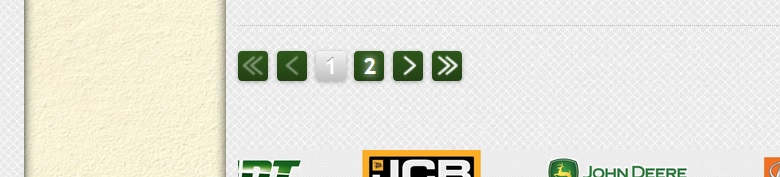
2. hikashop pagination - doesn`t remove the page counter (see the red elipse)
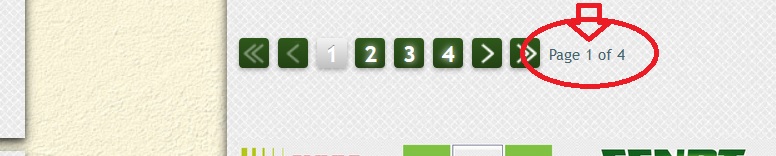
plz help with that. ty
however.. i`m still getting something that i shouldn`t
see pics plz:
1. joomla pagination - displays as it should (i would like to be that way on hikashop also)
2. hikashop pagination - doesn`t remove the page counter (see the red elipse)
plz help with that. ty
Last edit: 12 years 5 months ago by agmac.
Please Log in or Create an account to join the conversation.
12 years 5 months ago #157091
by Xavier
Replied by Xavier on topic Pagination Display Problem
Hi,
You can simply add the following css property:
You can simply add the following css property:
Code:
.hikashop_products_pagination .counter{display: none !important; }
Please Log in or Create an account to join the conversation.
Time to create page: 0.240 seconds