

- Posts: 1
- Thank you received: 0
sice of box
12 years 4 months ago #162077
by hfkriele
sice of box was created by hfkriele
www.sowelu.nl/sowelu
-- HikaShop version -- : x.x.x
-- Joomla version -- : 2.5.2
-- PHP version -- : x.x.x
-- Browser(s) name and version -- : XXXXX x.x.x
-- Error-message(debug-mod must be tuned on) -- : Error_message
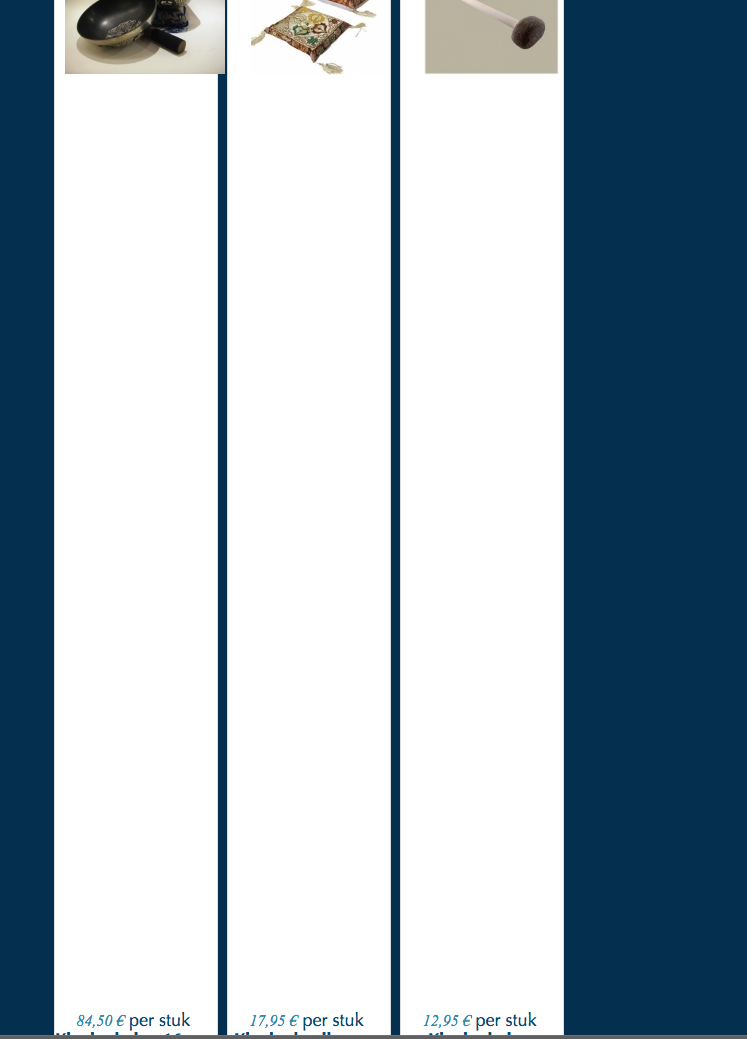
My problem is that the boxe go really large when i loop on a tablet or make my browser screen smaller.
Can i make a setting that all boxes have the same size ?
harry
-- HikaShop version -- : x.x.x
-- Joomla version -- : 2.5.2
-- PHP version -- : x.x.x
-- Browser(s) name and version -- : XXXXX x.x.x
-- Error-message(debug-mod must be tuned on) -- : Error_message
My problem is that the boxe go really large when i loop on a tablet or make my browser screen smaller.
Can i make a setting that all boxes have the same size ?
harry
Please Log in or Create an account to join the conversation.

12 years 4 months ago #162110
by lousyfool
Need help with customisations of layouts, style or other site development? PM me!
(Don't forget to turn on "E-mail notification of new messages" )
Replied by lousyfool on topic sice of box
It's caused by some CSS within a media query for any screen widths below 1200px. It's not originating from HikaShop, so I wonder where it's coming from as the RCATheme template demo does not show this behaviour. You may want to make sure you have the latest template version, and/or to contact the template creators to verify it's not them responsible for the CSS.
Anyway, for a quick fix you'll need to edit the file /templates/rn-explorer/css-compiled/master.css, where somewhere around 2/3 into it there's this code:
You should replace it with
Note:
Depending on what really causes it, it's likely that the problem will re-occur if you make changes in the template's backend or update it. So, again, you may also want to contact the template creators to see what the cause is, and for it to be avoided in the future.
Anyway, for a quick fix you'll need to edit the file /templates/rn-explorer/css-compiled/master.css, where somewhere around 2/3 into it there's this code:
Code:
.hikashop_product_image{height:100% !important;}
You should replace it with
Code:
.hikashop_product_image{height:auto;}
Note:
Depending on what really causes it, it's likely that the problem will re-occur if you make changes in the template's backend or update it. So, again, you may also want to contact the template creators to see what the cause is, and for it to be avoided in the future.
Need help with customisations of layouts, style or other site development? PM me!
(Don't forget to turn on "E-mail notification of new messages" )
Please Log in or Create an account to join the conversation.
Time to create page: 0.161 seconds