

- Posts: 2
- Thank you received: 0
Product option's shown to the right of image?
12 years 3 months ago #162276
by jamieford
Product option's shown to the right of image? was created by jamieford
I would love to know how I can move my product options to the right of the image?
PLUS I need to move the Add to Cart directly below this.
LASTLY for some weird reason the Option title is not aligning horizontally with the options... see:
www.racedvd.com.au/index.php/order-dvd-s...ard-race-dvd-product
The text seems to be below the relevant option?
Current item view is product1.jpg (attached)
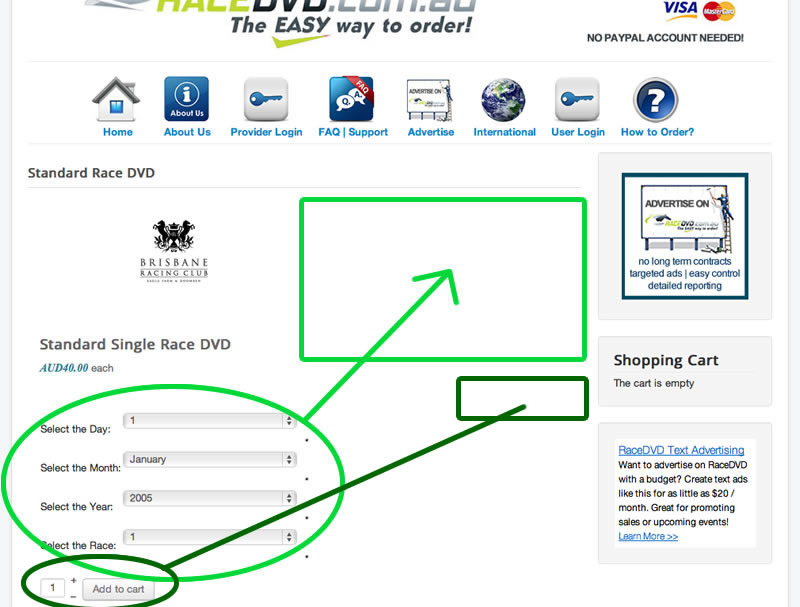
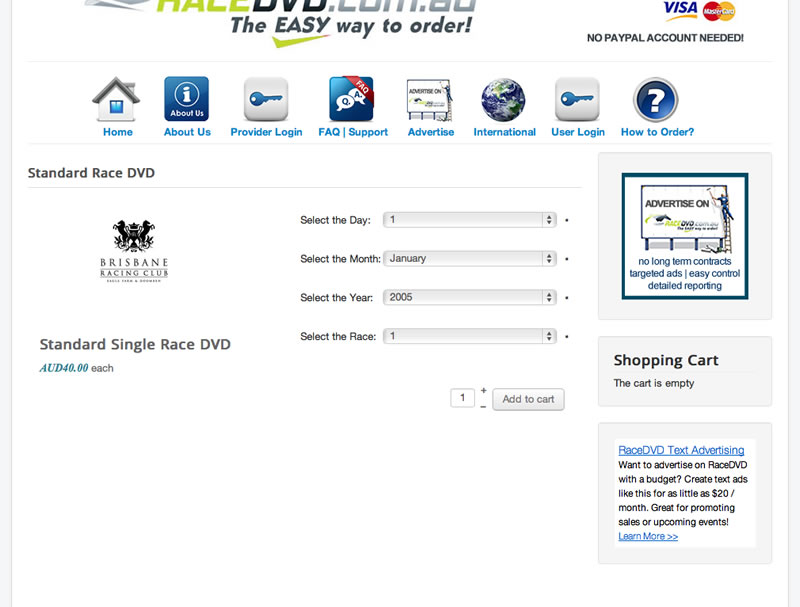
I would love to make it look like product2.jpg (attached)
PLUS I need to move the Add to Cart directly below this.
LASTLY for some weird reason the Option title is not aligning horizontally with the options... see:
www.racedvd.com.au/index.php/order-dvd-s...ard-race-dvd-product
The text seems to be below the relevant option?
Current item view is product1.jpg (attached)
I would love to make it look like product2.jpg (attached)
Please Log in or Create an account to join the conversation.

12 years 3 months ago #162289
by nicolas
Replied by nicolas on topic Product option's shown to the right of image?
Hi,
Actually, everything below the image is on the right part of the screen by default. The CSS of your template makes it goes below the image. To avoid that, you can add such CSS:
.hikashop_product_right_part{ width : 40% !important; }
Now if you want to keep the price of the left, below the image, you'll have to edit the file "show_default" via the menu Display>Views and move the code displaying the price below the code displaying the image.
Regarding the alignment of the text and the dropdowns, that's also because of the CSS of the template.
You'll want to add such CSS to make it look better:
#hikashop_product_custom_item_info select {
width: 85% !important;
}
#hikashop_product_custom_item_info td.key {
width: 40% !important;
}
And finally, if you want the add to cart button on the right, you can add such CSS:
.hikashop_product_stock table{ float : right !important; }
To add that CSS code on your website, I recommend you to follow our documentation here:
www.hikashop.com/support/support/documen...ize-the-display.html
Actually, everything below the image is on the right part of the screen by default. The CSS of your template makes it goes below the image. To avoid that, you can add such CSS:
.hikashop_product_right_part{ width : 40% !important; }
Now if you want to keep the price of the left, below the image, you'll have to edit the file "show_default" via the menu Display>Views and move the code displaying the price below the code displaying the image.
Regarding the alignment of the text and the dropdowns, that's also because of the CSS of the template.
You'll want to add such CSS to make it look better:
#hikashop_product_custom_item_info select {
width: 85% !important;
}
#hikashop_product_custom_item_info td.key {
width: 40% !important;
}
And finally, if you want the add to cart button on the right, you can add such CSS:
.hikashop_product_stock table{ float : right !important; }
To add that CSS code on your website, I recommend you to follow our documentation here:
www.hikashop.com/support/support/documen...ize-the-display.html
Please Log in or Create an account to join the conversation.
Less
More
- Posts: 9
- Thank you received: 0
12 years 2 months ago #166282
by tatjanabinder
Replied by tatjanabinder on topic Product option's shown to the right of image?
Hi,
i have some problem with disply my product options to the right of the image.
at localhost at home it shows right of the image at the hikashop on server (real life) it shows below of the image.
wich setting do i miss at the hikashop on server?
thanks
best regards
i have some problem with disply my product options to the right of the image.
at localhost at home it shows right of the image at the hikashop on server (real life) it shows below of the image.
wich setting do i miss at the hikashop on server?
thanks
best regards
Please Log in or Create an account to join the conversation.
12 years 2 months ago #166293
by nicolas
Replied by nicolas on topic Product option's shown to the right of image?
Hi,
We need to look at the page in order to analyze the HTML/CSS.
Please provide a link to the page and we can tell you.
We need to look at the page in order to analyze the HTML/CSS.
Please provide a link to the page and we can tell you.
Please Log in or Create an account to join the conversation.
Time to create page: 0.160 seconds