

- Posts: 21
- Thank you received: 0
Products not Displaying when clicking on Category
12 years 1 month ago - 12 years 1 month ago #169483
by Teverz
Thank You,
Teverz
Products not Displaying when clicking on Category was created by Teverz
-- url of the page with the problem -- :
www.max-wear.com
-- HikaShop version -- : 2.3.2
-- Joomla version -- : 2.5.24
-- PHP version -- : 5.4
-- Error-message(debug-mod must be tuned on) -- : Strict Standards: Non-static method JFile::stripExt() should not be called statically in /home1/dangreco/public_html/max2/libraries/joomla/html/html.php on line 320
Strict Standards: Non-static method JFile::getExt() should not be called statically in /home1/dangreco/public_html/max2/libraries/joomla/html/html.php on line 321
Strict Standards: Non-static method JFile::exists() should not be called statically, assuming $this from incompatible context in /home1/dangreco/public_html/max2/components/com_hikashop/views/category/tmpl/listing_div.php on line 54
Strict Standards: Non-static method JFile::exists() should not be called statically in /home1/dangreco/public_html/max2/administrator/components/com_hikashop/helpers/helper.php on line 1025
Strict Standards: Non-static method JFile::exists() should not be called statically in /home1/dangreco/public_html/max2/administrator/components/com_hikashop/helpers/helper.php on line 1025
Strict Standards: Non-static method JFile::exists() should not be called statically, assuming $this from incompatible context in /home1/dangreco/public_html/max2/administrator/components/com_hikashop/helpers/image.php on line 199
Strict Standards: Non-static method JFile::exists() should not be called statically in /home1/dangreco/public_html/max2/administrator/components/com_hikashop/helpers/helper.php on line 1025 Strict Standards: Non-static method JFile::stripExt() should not be called statically in /home1/dangreco/public_html/max2/libraries/joomla/html/html.php on line 320 Strict Standards: Non-static method JFile::getExt() should not be called statically in /home1/dangreco/public_html/max2/libraries/joomla/html/html.php on line 321 Strict Standards: Non-static method JFile::stripExt() should not be called statically in /home1/dangreco/public_html/max2/libraries/joomla/html/html.php on line 320 Strict Standards: Non-static method JFile::getExt() should not be called statically in /home1/dangreco/public_html/max2/libraries/joomla/html/html.php on line 321 Strict Standards: Non-static method JFile::stripExt() should not be called statically in /home1/dangreco/public_html/max2/libraries/joomla/html/html.php on line 320 Strict Standards: Non-static method JFile::getExt() should not be called statically in /home1/dangreco/public_html/max2/libraries/joomla/html/html.php on line 321 Strict Standards: Non-static method JFile::stripExt() should not be called statically in /home1/dangreco/public_html/max2/libraries/joomla/html/html.php on line 320 Strict Standards: Non-static method JFile::getExt() should not be called statically in /home1/dangreco/public_html/max2/libraries/joomla/html/html.php on line 321
Good Day,
When I click on the Shop menu item I get the category display. When I click on one of the categories it will not show the products in the Category. All it shows in the associated module below. When I click on the sub menu item for Murals it actually displays all the products as it should. Why is it not showing when clicking on the category on the shop page? BTW ... I only get these errors on a Hikashop page.
I thought it might have been a SEF issue but even with all that turned off still would not work
-- HikaShop version -- : 2.3.2
-- Joomla version -- : 2.5.24
-- PHP version -- : 5.4
-- Error-message(debug-mod must be tuned on) -- : Strict Standards: Non-static method JFile::stripExt() should not be called statically in /home1/dangreco/public_html/max2/libraries/joomla/html/html.php on line 320
Strict Standards: Non-static method JFile::getExt() should not be called statically in /home1/dangreco/public_html/max2/libraries/joomla/html/html.php on line 321
Strict Standards: Non-static method JFile::exists() should not be called statically, assuming $this from incompatible context in /home1/dangreco/public_html/max2/components/com_hikashop/views/category/tmpl/listing_div.php on line 54
Strict Standards: Non-static method JFile::exists() should not be called statically in /home1/dangreco/public_html/max2/administrator/components/com_hikashop/helpers/helper.php on line 1025
Strict Standards: Non-static method JFile::exists() should not be called statically in /home1/dangreco/public_html/max2/administrator/components/com_hikashop/helpers/helper.php on line 1025
Strict Standards: Non-static method JFile::exists() should not be called statically, assuming $this from incompatible context in /home1/dangreco/public_html/max2/administrator/components/com_hikashop/helpers/image.php on line 199
Strict Standards: Non-static method JFile::exists() should not be called statically in /home1/dangreco/public_html/max2/administrator/components/com_hikashop/helpers/helper.php on line 1025 Strict Standards: Non-static method JFile::stripExt() should not be called statically in /home1/dangreco/public_html/max2/libraries/joomla/html/html.php on line 320 Strict Standards: Non-static method JFile::getExt() should not be called statically in /home1/dangreco/public_html/max2/libraries/joomla/html/html.php on line 321 Strict Standards: Non-static method JFile::stripExt() should not be called statically in /home1/dangreco/public_html/max2/libraries/joomla/html/html.php on line 320 Strict Standards: Non-static method JFile::getExt() should not be called statically in /home1/dangreco/public_html/max2/libraries/joomla/html/html.php on line 321 Strict Standards: Non-static method JFile::stripExt() should not be called statically in /home1/dangreco/public_html/max2/libraries/joomla/html/html.php on line 320 Strict Standards: Non-static method JFile::getExt() should not be called statically in /home1/dangreco/public_html/max2/libraries/joomla/html/html.php on line 321 Strict Standards: Non-static method JFile::stripExt() should not be called statically in /home1/dangreco/public_html/max2/libraries/joomla/html/html.php on line 320 Strict Standards: Non-static method JFile::getExt() should not be called statically in /home1/dangreco/public_html/max2/libraries/joomla/html/html.php on line 321
Good Day,
When I click on the Shop menu item I get the category display. When I click on one of the categories it will not show the products in the Category. All it shows in the associated module below. When I click on the sub menu item for Murals it actually displays all the products as it should. Why is it not showing when clicking on the category on the shop page? BTW ... I only get these errors on a Hikashop page.
I thought it might have been a SEF issue but even with all that turned off still would not work
Thank You,
Teverz
Last edit: 12 years 1 month ago by Teverz.
Please Log in or Create an account to join the conversation.

12 years 1 month ago #169523
by nicolas
Replied by nicolas on topic Products not Displaying when clicking on Category
Hi,
Regarding the strict standard messages, they are not real errors you can just ignore them and turn off the "error reporting" options of the Joomla configuration.
Regarding the products not showing when you click on a category, it means that the options of your products listing are probably not correct. It could come from several settings. Could you go in the menu Display->Content menus of HikaShop, edit your menu and provide a screenshot of all the options ?
Regarding the strict standard messages, they are not real errors you can just ignore them and turn off the "error reporting" options of the Joomla configuration.
Regarding the products not showing when you click on a category, it means that the options of your products listing are probably not correct. It could come from several settings. Could you go in the menu Display->Content menus of HikaShop, edit your menu and provide a screenshot of all the options ?
Please Log in or Create an account to join the conversation.
12 years 1 month ago #169524
by Teverz
Thank You,
Teverz
Replied by Teverz on topic Products not Displaying when clicking on Category
Here is the Shop Menu Item
Thank You,
Teverz
Please Log in or Create an account to join the conversation.
12 years 1 month ago #169529
by nicolas
Replied by nicolas on topic Products not Displaying when clicking on Category
Set the "sub element filter" option there to either "all sub elements" or "direct sub elements" and turn off the "recently viewed" option and try again.
Please Log in or Create an account to join the conversation.
12 years 1 month ago #169622
by Teverz
Thank You,
Teverz
Replied by Teverz on topic Products not Displaying when clicking on Category
Still the same result and no products showing up
Thank You,
Teverz
Please Log in or Create an account to join the conversation.
12 years 1 month ago #169631
by nicolas
Replied by nicolas on topic Products not Displaying when clicking on Category
Well I do now see products now on that page:
www.max-wear.com/shop/category/murals.html
You now just have to configure the display of the products so that it matches with the other menus and it should be ok.
You now just have to configure the display of the products so that it matches with the other menus and it should be ok.
Please Log in or Create an account to join the conversation.
12 years 1 month ago - 12 years 1 month ago #169741
by Teverz
Thank You,
Teverz
Replied by Teverz on topic Products not Displaying when clicking on Category
There are actually 9 items so far in Murals. what you are seeing is the module at the bottom of the page. I turned on the title so you can see that.
I removed the associated module and it works fine now
I removed the associated module and it works fine now
Thank You,
Teverz
Last edit: 12 years 1 month ago by Teverz.
Please Log in or Create an account to join the conversation.
11 years 10 months ago - 11 years 10 months ago #182935
by dafke
Replied by dafke on topic Products not Displaying when clicking on Category
i have the same problem only in 1 category. my first 2 category s work fine but the 3de wont work. just dont seem to schow the produkts
molen page
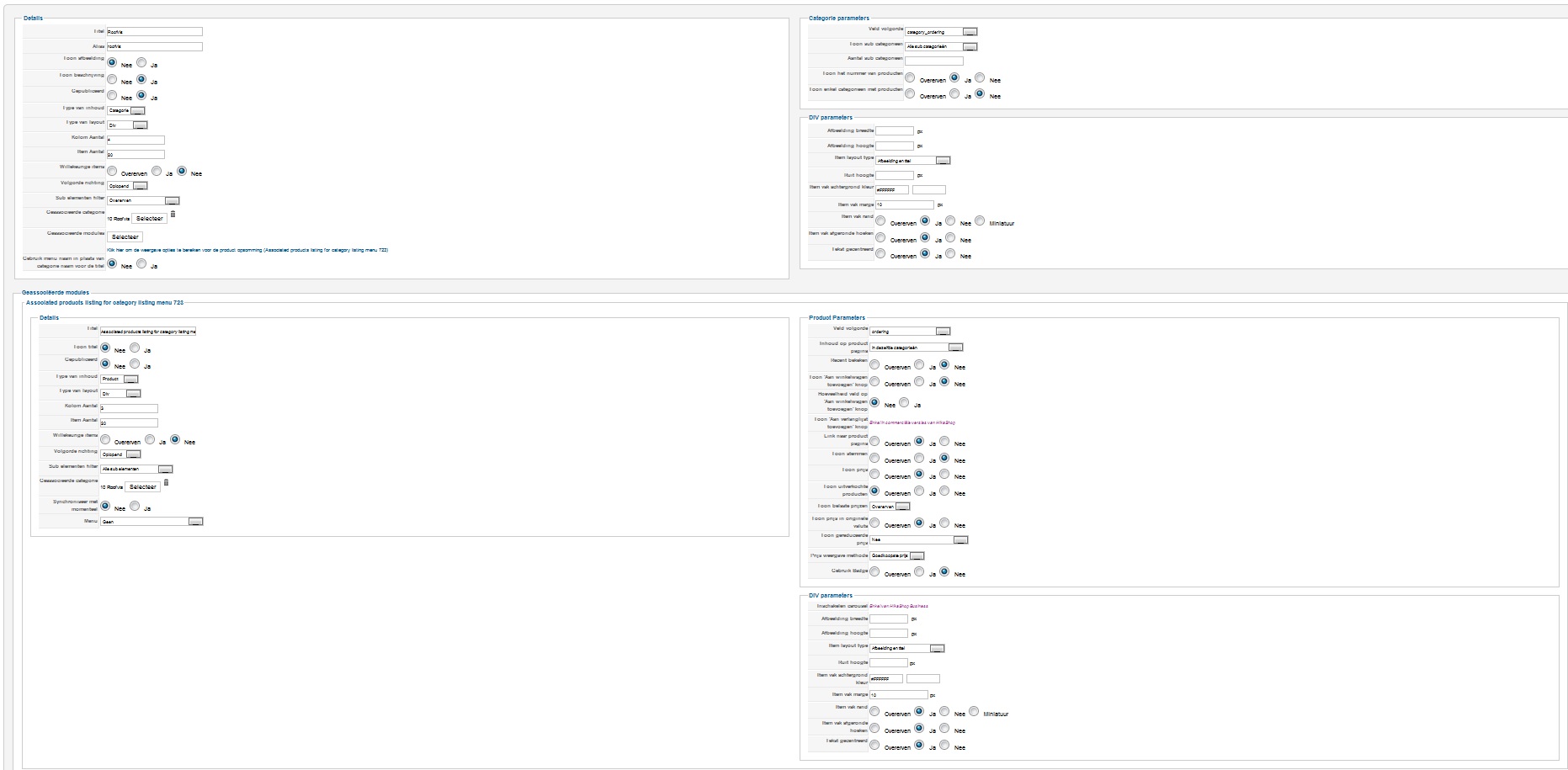
molen page
Last edit: 11 years 10 months ago by dafke.
Please Log in or Create an account to join the conversation.
11 years 10 months ago #183212
by nicolas
Replied by nicolas on topic Products not Displaying when clicking on Category
Hi,
You should turn on the "Synchronize with currently displayed item when possible" option there.
You should turn on the "Synchronize with currently displayed item when possible" option there.
Please Log in or Create an account to join the conversation.
11 years 10 months ago #183252
by dafke
Replied by dafke on topic Products not Displaying when clicking on Category
just did it ... not helping stil the same.
other 2 categories working fine tho
other 2 categories working fine tho
Please Log in or Create an account to join the conversation.
11 years 10 months ago #183255
by nicolas
Replied by nicolas on topic Products not Displaying when clicking on Category
Hi,
Could you redo a screenshot of the options screen of your menu item with a better resolution and with the interface in English so that we could better read how you configured it ? Maybe we missed something else.
Could you redo a screenshot of the options screen of your menu item with a better resolution and with the interface in English so that we could better read how you configured it ? Maybe we missed something else.
Please Log in or Create an account to join the conversation.
Time to create page: 0.389 seconds