

- Posts: 2
- Thank you received: 0
Sub Category not showing proper layout
12 years 1 month ago - 12 years 1 month ago #170369
by darkened
Sub Category not showing proper layout was created by darkened
-- HikaShop version -- : 2.3.2
-- Joomla version -- : 3.1.5
-- PHP version -- : 5.4.30
-- Browser(s) name and version -- : Firefox 31.0
I want the products in my category to display with 2 columns. This works fine if I go to the sub category via the Menu Link directly.
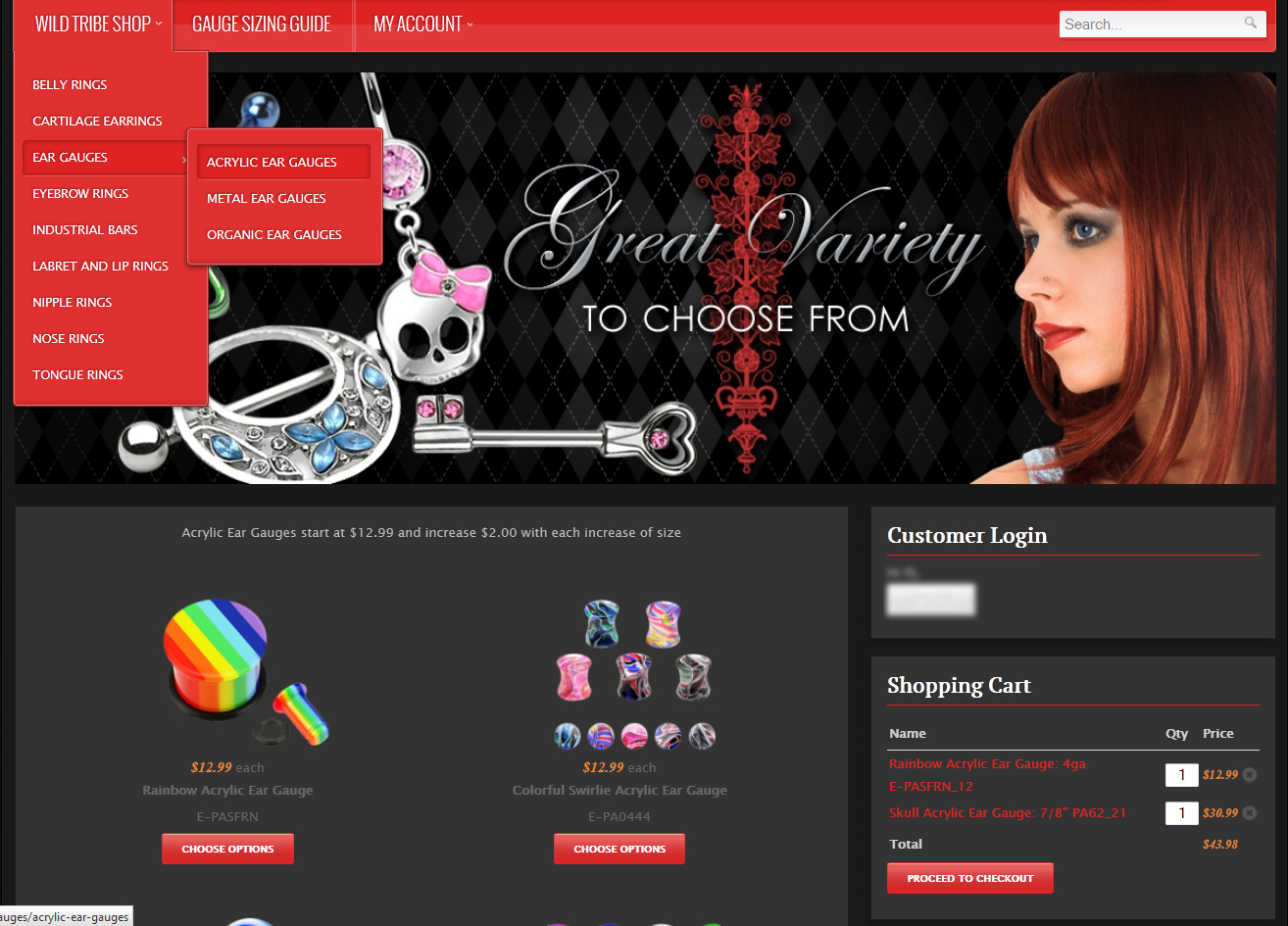
However, using the HikaShop Category Layout to navigate to the subcategory it ends up showing with 3 columns.
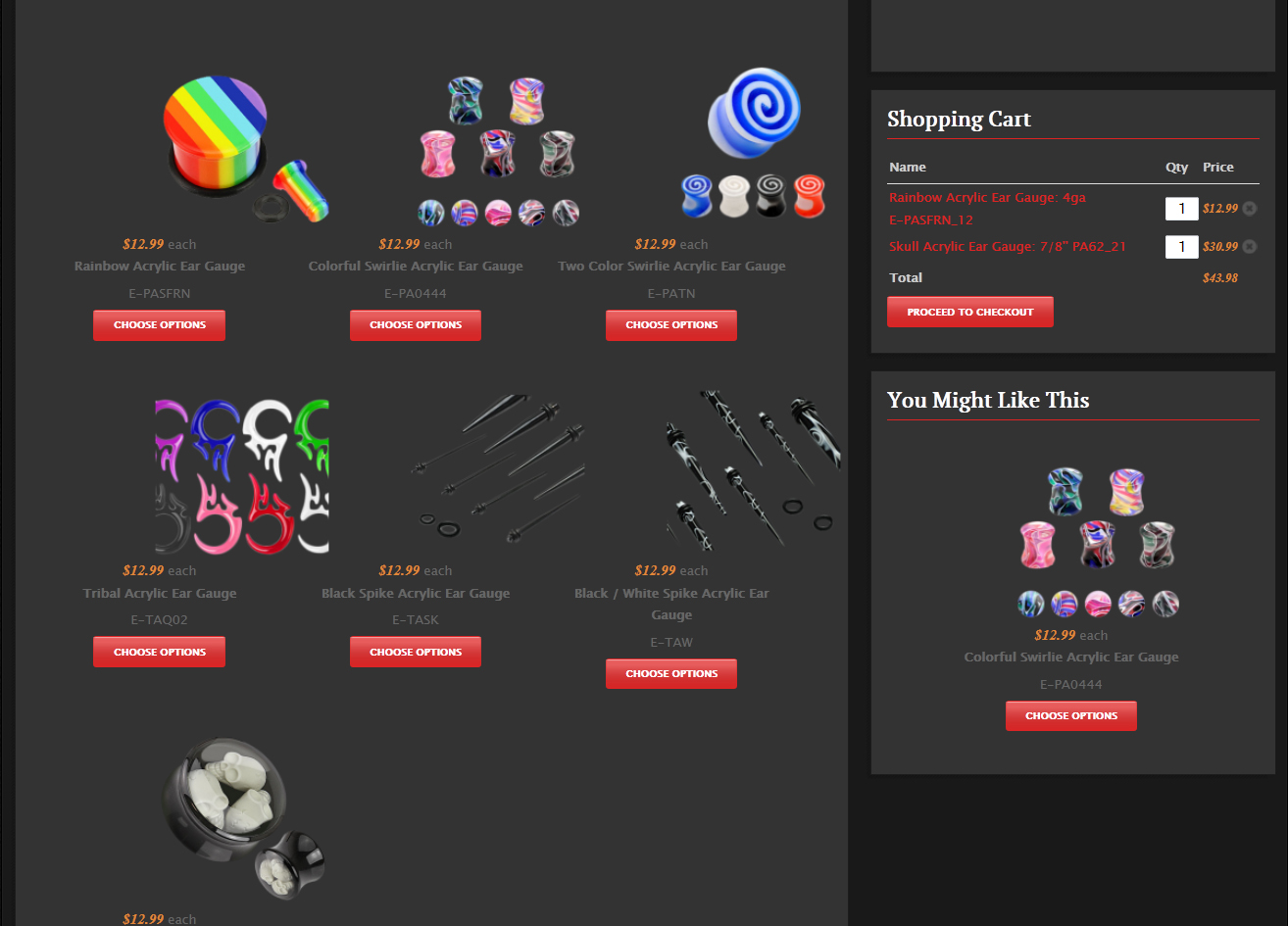
I've attempted to research this online and tried to find some configuration setting taht will fix this. I've just not had any luck. Thank you in advance for any and all assistance.
Kind regards,
-Darkened
-- Joomla version -- : 3.1.5
-- PHP version -- : 5.4.30
-- Browser(s) name and version -- : Firefox 31.0
I want the products in my category to display with 2 columns. This works fine if I go to the sub category via the Menu Link directly.
However, using the HikaShop Category Layout to navigate to the subcategory it ends up showing with 3 columns.
I've attempted to research this online and tried to find some configuration setting taht will fix this. I've just not had any luck. Thank you in advance for any and all assistance.
Kind regards,
-Darkened
Last edit: 12 years 1 month ago by darkened.
Please Log in or Create an account to join the conversation.

12 years 1 month ago #170374
by Xavier
Replied by Xavier on topic Sub Category not showing proper layout
Hi,
I guess that you have set "2 columns" for the category listing menu. This menu only display the categories, to display the products, there is an associated module, you have to edit the settings of this associated module to set it to 2 columns.
You can see the settings of this module under the menu settings.
hikashop.com/support/support/documentati...splay-front-end.html
I guess that you have set "2 columns" for the category listing menu. This menu only display the categories, to display the products, there is an associated module, you have to edit the settings of this associated module to set it to 2 columns.
You can see the settings of this module under the menu settings.
hikashop.com/support/support/documentati...splay-front-end.html
Please Log in or Create an account to join the conversation.
12 years 1 month ago #170465
by darkened
Replied by darkened on topic Sub Category not showing proper layout
Ok, this actually had a bit of a learning curve. But once I read through the documentation about 3 times I finally got the resolve. Thank you for pointing me in right direction! HikaShop is truly an amazing component for Joomla! Thank you again for helping me with this issue and the speedy reply!
Kind regards,
-Darkened
Kind regards,
-Darkened
Please Log in or Create an account to join the conversation.
Time to create page: 0.170 seconds