

- Posts: 2
- Thank you received: 0
Buy an unique URL
12 years 3 weeks ago #174056
by bepe
Buy an unique URL was created by bepe
-- Joomla version -- : 2.5
I want to sell premium content. Is it possible to send a unique URL linking to the special content to the buyer?
Many thanks!
I want to sell premium content. Is it possible to send a unique URL linking to the special content to the buyer?
Many thanks!
Please Log in or Create an account to join the conversation.

12 years 3 weeks ago #174079
by Xavier
Replied by Xavier on topic Buy an unique URL
Hi,
What do you mean by "special content" ? A group of product or something like that ?
If it is only one product, you can just get the url from your browser when on the product page, else you can create a specific category, add the desired products inside and then use a menu to display the content of that category and share this url.
What do you mean by "special content" ? A group of product or something like that ?
If it is only one product, you can just get the url from your browser when on the product page, else you can create a specific category, add the desired products inside and then use a menu to display the content of that category and share this url.
Please Log in or Create an account to join the conversation.
12 years 3 weeks ago #174173
by bepe
Replied by bepe on topic Buy an unique URL
Sorry, my english is so poor  "Special content" = a text article or a article with a video, a joomla article that nobody can read, only the buyer.
Also work if I could include that content into the shop product when I create the product, that would be perfect.
Thanks a lot.
"Special content" = a text article or a article with a video, a joomla article that nobody can read, only the buyer.Also work if I could include that content into the shop product when I create the product, that would be perfect.
Thanks a lot.
Please Log in or Create an account to join the conversation.

12 years 3 weeks ago #174177
by nicolas
Replied by nicolas on topic Buy an unique URL
Hi,
When you create/edit a product, you have the "files" area where you can configure files that can be accessed only after the purchase of the product.
If instead of uploading the file you set the file so that you specify the location, you can actually enter a full URL in there.
Then, that URL will be available to the user after the purchase.
When you create/edit a product, you have the "files" area where you can configure files that can be accessed only after the purchase of the product.
If instead of uploading the file you set the file so that you specify the location, you can actually enter a full URL in there.
Then, that URL will be available to the user after the purchase.
Please Log in or Create an account to join the conversation.
11 years 8 months ago #189178
by dvddvd
Replied by dvddvd on topic Buy an unique URL
Hi Nicolas,
I have a question about it. I want via a url embed a video in streaming. This means that created an article in joomla and within the embed code ?.
If customers are passed between the link to the article, will be able to access content.
I do not understand very well how to do a link to access only those who make the purchase.
Thank You.
I have a question about it. I want via a url embed a video in streaming. This means that created an article in joomla and within the embed code ?.
If customers are passed between the link to the article, will be able to access content.
I do not understand very well how to do a link to access only those who make the purchase.
Thank You.
Please Log in or Create an account to join the conversation.
11 years 8 months ago #189185
by nicolas
Replied by nicolas on topic Buy an unique URL
Hi,
In that case, you should do it differently.
Instead of adding something in the "Files" section of the product, you should configure one user group for each content and then use the "user group after purchase" option of the product in order to add the user group corresponding to the content of the product to the customer after the purchase of the product.
Then, configure your Joomla article/menu to be accessible only for that user group and voilà.
At the end of the purchase, the customer will have that new user group added to his user and he will be able to access the content he purchased.
In that case, you should do it differently.
Instead of adding something in the "Files" section of the product, you should configure one user group for each content and then use the "user group after purchase" option of the product in order to add the user group corresponding to the content of the product to the customer after the purchase of the product.
Then, configure your Joomla article/menu to be accessible only for that user group and voilà.
At the end of the purchase, the customer will have that new user group added to his user and he will be able to access the content he purchased.
The following user(s) said Thank You: dvddvd
Please Log in or Create an account to join the conversation.
Less
More
- Posts: 7
- Thank you received: 0
11 years 8 months ago #189225
by liceopoker
Replied by liceopoker on topic Buy an unique URL
How I can add that option? When I click on "add option" button within the product sheet appears a list of all existing products, but not "user group after purchase".
Would you put a screenshot or explain how to add that option?
Thanks a lot!
Would you put a screenshot or explain how to add that option?
Thanks a lot!
Please Log in or Create an account to join the conversation.

11 years 8 months ago #189227
by lousyfool
Need help with customisations of layouts, style or other site development? PM me!
(Don't forget to turn on "E-mail notification of new messages" )
Replied by lousyfool on topic Buy an unique URL
@liceopoker:
It has nothing to do with "product options" or adding any.
It is the option of the setting under "User group after purchase", as Nicolas said. You find it in the left pane of the product edition page. By default it's set to "None", but by clicking on "Custom" you can select a specific user group.
It has nothing to do with "product options" or adding any.
It is the option of the setting under "User group after purchase", as Nicolas said. You find it in the left pane of the product edition page. By default it's set to "None", but by clicking on "Custom" you can select a specific user group.
Need help with customisations of layouts, style or other site development? PM me!
(Don't forget to turn on "E-mail notification of new messages" )
Please Log in or Create an account to join the conversation.
Less
More
- Posts: 7
- Thank you received: 0
11 years 8 months ago - 11 years 8 months ago #189230
by liceopoker
Replied by liceopoker on topic Buy an unique URL
I can`t find that option. Perhaps it is an option available only in business? (I have the essential version)
I see this in the product edition page (down left):

Thanks
I see this in the product edition page (down left):
Thanks
Last edit: 11 years 8 months ago by liceopoker.
Please Log in or Create an account to join the conversation.
11 years 8 months ago #189256
by dvddvd
Replied by dvddvd on topic Buy an unique URL
Tanks Nicolas
Please Log in or Create an account to join the conversation.
11 years 8 months ago #189322
by dvddvd
Replied by dvddvd on topic Buy an unique URL
Hello again Nicolas,
I have the following problem. When I get this windows and pulse ok.
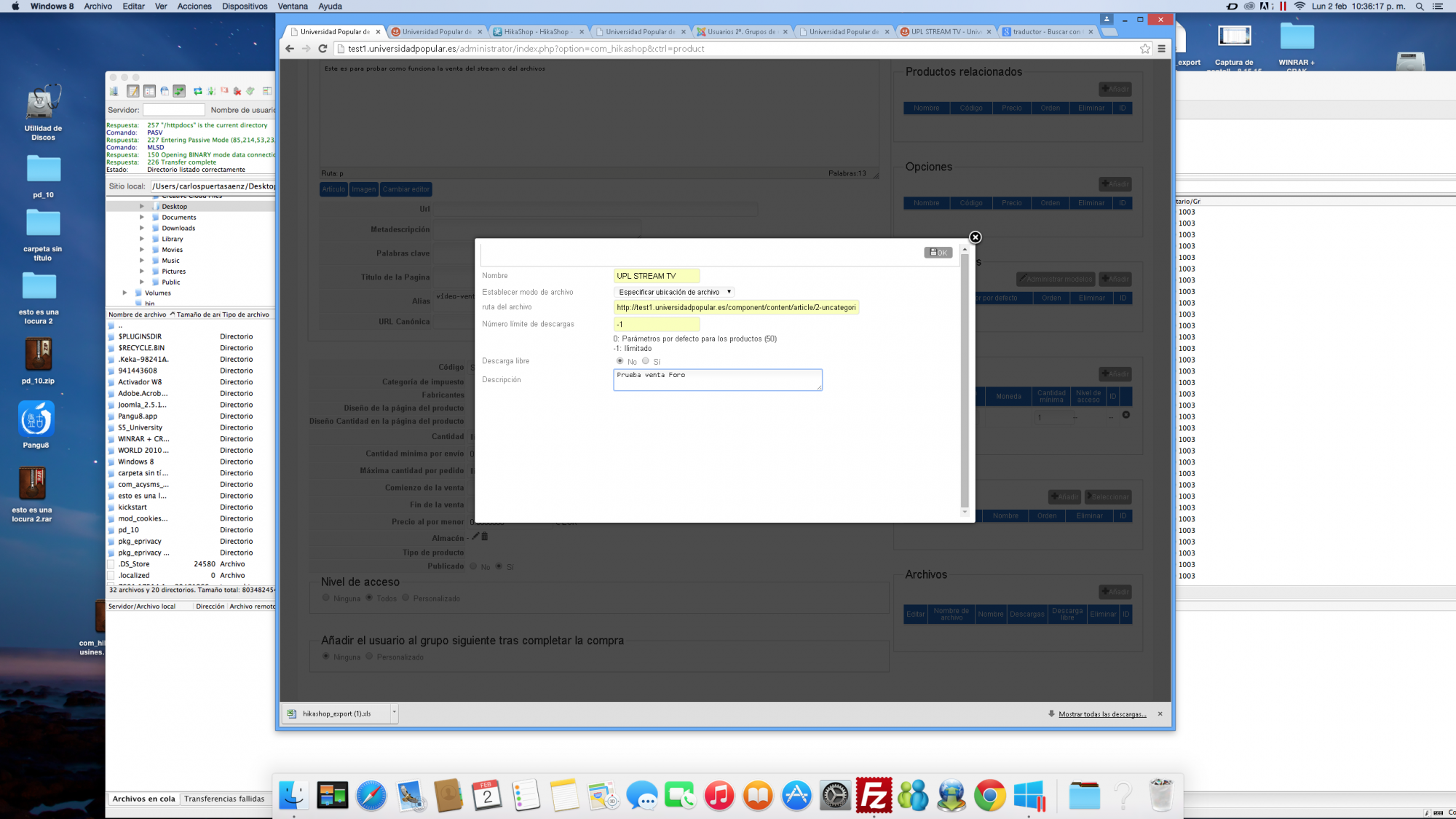
The content of the window is cleared and not closed.
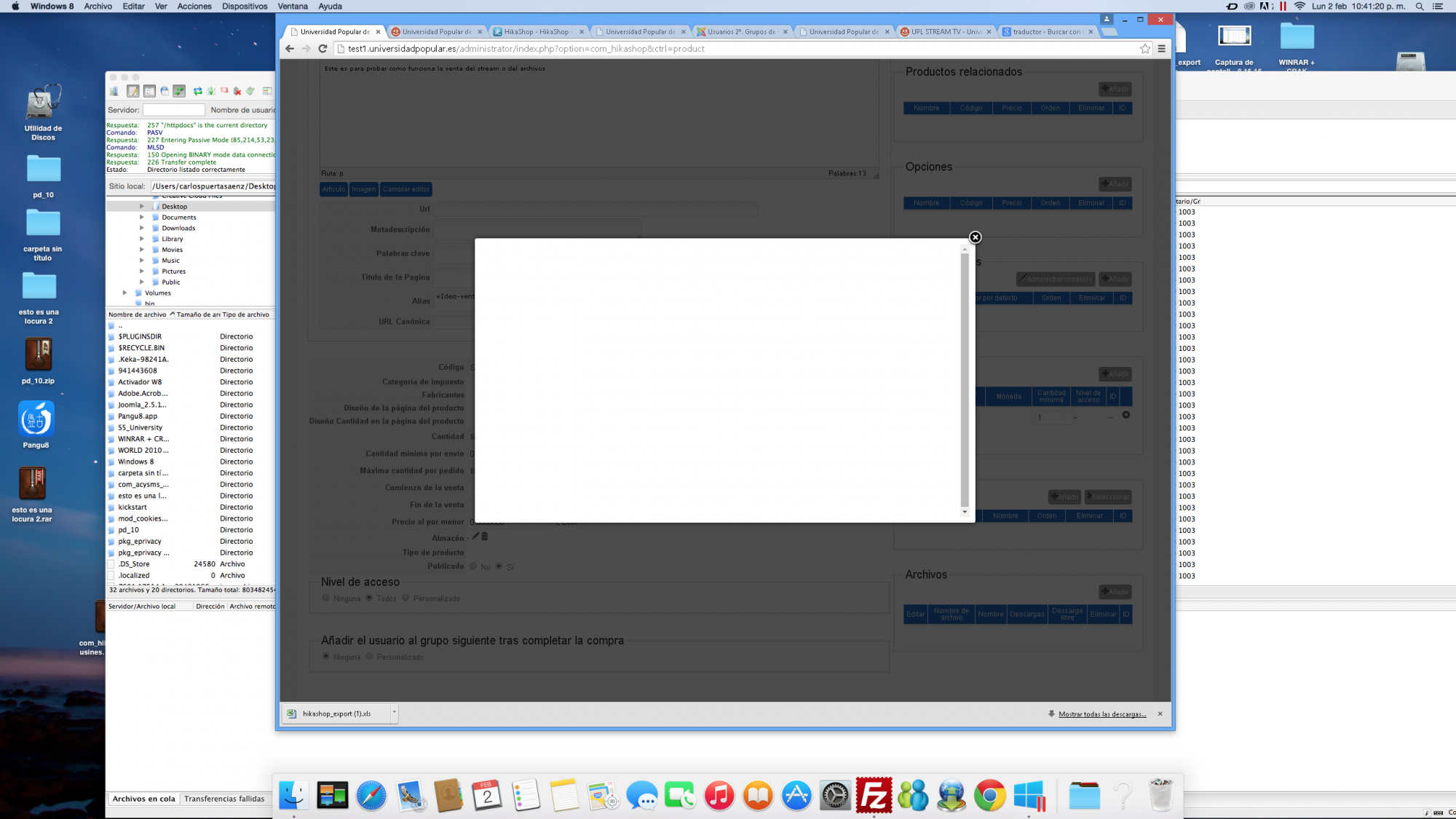
Therefore no information recorded.
Thank you
I have the following problem. When I get this windows and pulse ok.
The content of the window is cleared and not closed.
Therefore no information recorded.
Thank you
Please Log in or Create an account to join the conversation.
11 years 8 months ago #189334
by nicolas
Replied by nicolas on topic Buy an unique URL
@liceopoker : Yes, the option is only for the Business edition. If you have the Essential edition, you would need to upgrade in order to be able to use it:
www.hikashop.com/extensions/upgrade-my-version.html
@dvddvd: Please open a new thread when you have new questions.
Could you try to turn on the "debug mode" and "error reporting" options of the Joomla configuration and try again ? Do you get any error ? If not, could you look in the javascript error console of your browser for the error on that page ?
@dvddvd: Please open a new thread when you have new questions.
Could you try to turn on the "debug mode" and "error reporting" options of the Joomla configuration and try again ? Do you get any error ? If not, could you look in the javascript error console of your browser for the error on that page ?
Please Log in or Create an account to join the conversation.
11 years 8 months ago #189476
by dvddvd
Replied by dvddvd on topic Buy an unique URL
Hi Nicolas,
I feel I was wrong section.
You insert the report and error of the console error joomla
Thanks
I feel I was wrong section.
You insert the report and error of the console error joomla
Thanks
This attachment is hidden for guests.
Please log in or register to see it.
Please log in or register to see it.
This attachment is hidden for guests.
Please log in or register to see it.
Please log in or register to see it.
Please Log in or Create an account to join the conversation.
11 years 8 months ago #189511
by nicolas
Replied by nicolas on topic Buy an unique URL
So you don't get any fatal error message in the blank popup ?
Could you provide a backend access so that we could check the issue ?
You can provide a link to the thread and the access via our contact form:
www.hikashop.com/support/contact-us.html
Could you provide a backend access so that we could check the issue ?
You can provide a link to the thread and the access via our contact form:
www.hikashop.com/support/contact-us.html
The following user(s) said Thank You: dvddvd
Please Log in or Create an account to join the conversation.
11 years 8 months ago - 11 years 8 months ago #189600
by dvddvd
Replied by dvddvd on topic Buy an unique URL
Ok thanks
Last edit: 11 years 8 months ago by dvddvd.
Please Log in or Create an account to join the conversation.
11 years 8 months ago - 11 years 8 months ago #189604
by nicolas
Replied by nicolas on topic Buy an unique URL
Hi,
Please change the code:
to:
in the file administrator/components/com_hikashop/controllers/product.php and see if that helps.
Please change the code:
Code:
$config =& hikashop_config();
$clean_filename = JPath::clean($file->file_path);
$secure_path = $config->get('uploadsecurefolder');
if((JPATH_ROOT != '') && strpos($clean_filename, JPath::clean(JPATH_ROOT)) !== 0 && strpos($clean_filename, JPath::clean($secure_path)) !== 0)
return false;
Code:
$firstChar = substr($file->file_path,0,1);
if(substr($file->file_path, 0, 7) != 'http://' && substr($file->file_path, 0, 8) != 'https://' && !in_array($firstChar, array('#','@'))) {
$config =& hikashop_config();
$clean_filename = JPath::clean($file->file_path);
$secure_path = $config->get('uploadsecurefolder');
if((JPATH_ROOT != '') && strpos($clean_filename, JPath::clean(JPATH_ROOT)) !== 0 && strpos($clean_filename, JPath::clean($secure_path)) !== 0)
return false;
}
Last edit: 11 years 8 months ago by nicolas.
The following user(s) said Thank You: dvddvd
Please Log in or Create an account to join the conversation.
11 years 8 months ago #189846
by dvddvd
Replied by dvddvd on topic Buy an unique URL
Now it works perfectly, Thanks Nicolas
Please Log in or Create an account to join the conversation.
Time to create page: 0.486 seconds