

- Posts: 7
- Thank you received: 0
Image thumbnail
11 years 11 months ago #180972
by Jarkheld
Image thumbnail was created by Jarkheld
-- HikaShop version -- : 2.2.3
-- Joomla version -- : 3.3.1
Is there any way to let the system show the thumbnail on the right column even if there's only one image uploaded for the selected product? it'll help me a lot
thank you so much!!!
-- Joomla version -- : 3.3.1
Is there any way to let the system show the thumbnail on the right column even if there's only one image uploaded for the selected product? it'll help me a lot
thank you so much!!!
Please Log in or Create an account to join the conversation.

11 years 11 months ago #181020
by nicolas
Replied by nicolas on topic Image thumbnail
Hi,
Could you do a modified screenshot of what you want to do exactly so that we can tell you if that's possible and if so how ?
Could you do a modified screenshot of what you want to do exactly so that we can tell you if that's possible and if so how ?
Please Log in or Create an account to join the conversation.
11 years 11 months ago - 11 years 11 months ago #181098
by Jarkheld
Replied by Jarkheld on topic Image thumbnail
sure :
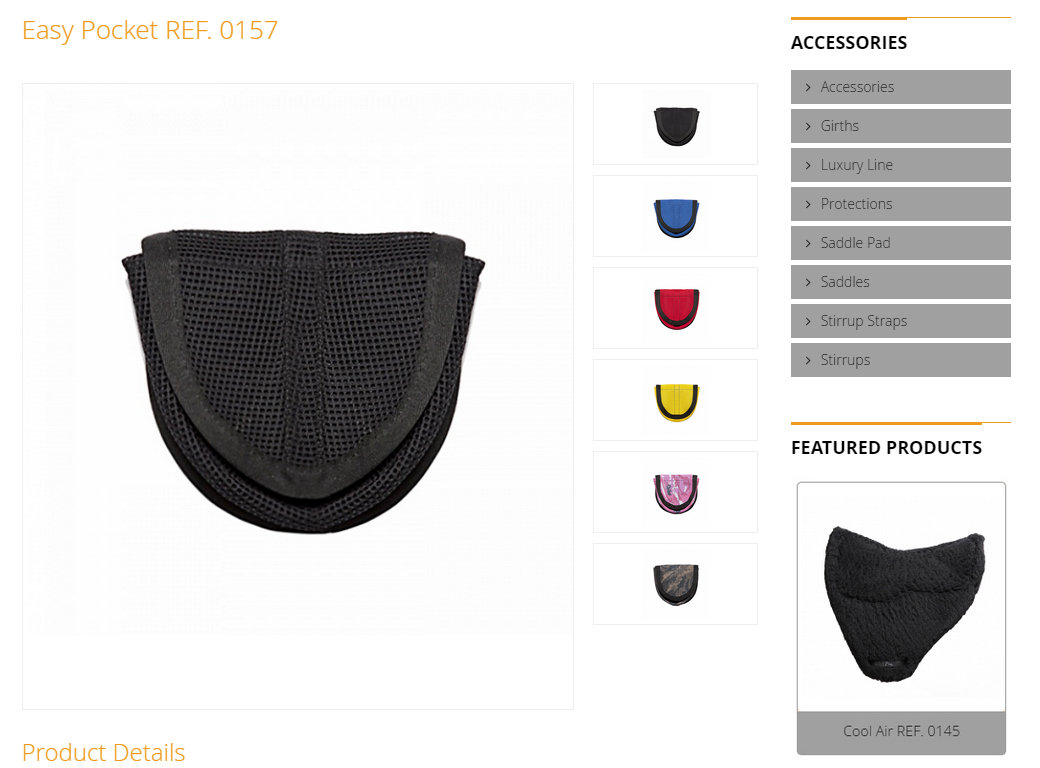
in the first photo, you can see the product page with more than 1 image uploaded (the system creates the thumbnails on the right column)
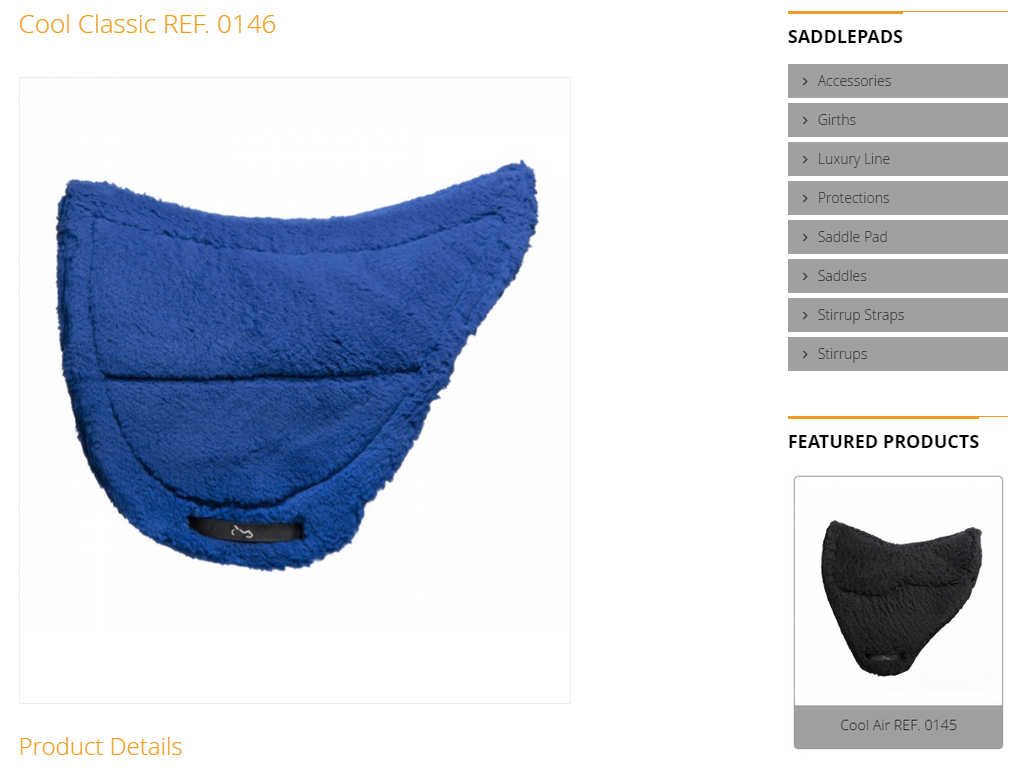
in the second one, you can see the product page with just one image uploaded (the systen leaves the righ column empty,no thumbnail is shown)
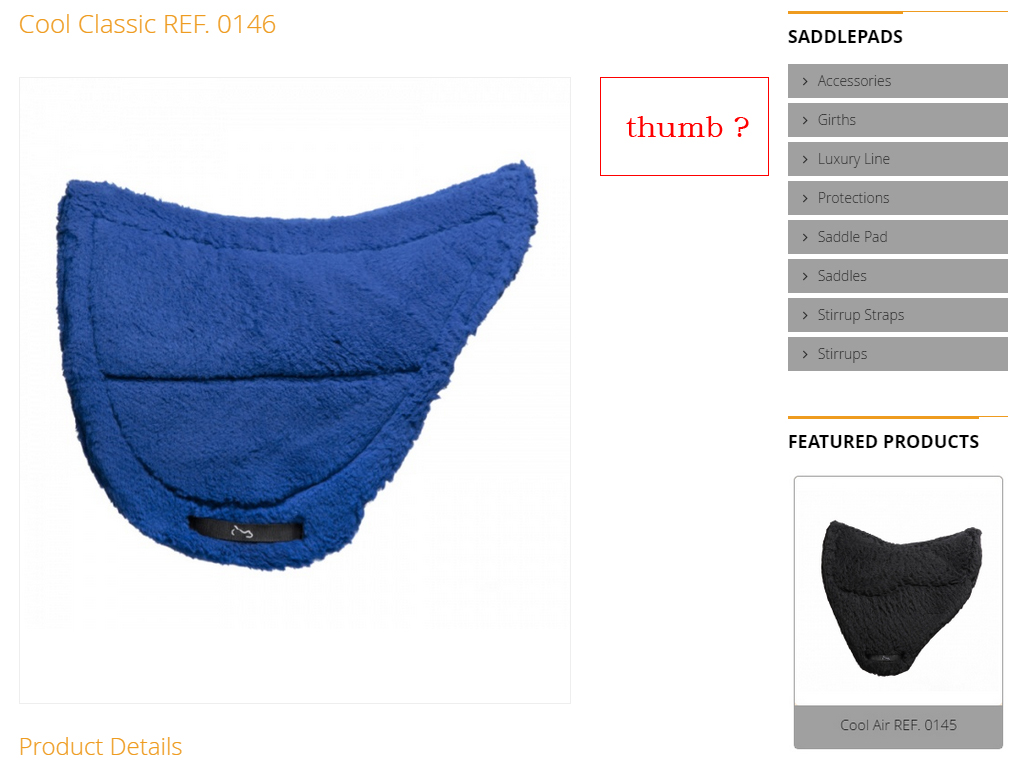
i'd like to have something like the third photo, with the thumbnail on the right column even with just 1 image uploaded
is it possibile?
thank you!
in the first photo, you can see the product page with more than 1 image uploaded (the system creates the thumbnails on the right column)
in the second one, you can see the product page with just one image uploaded (the systen leaves the righ column empty,no thumbnail is shown)
i'd like to have something like the third photo, with the thumbnail on the right column even with just 1 image uploaded
is it possibile?
thank you!
Last edit: 11 years 11 months ago by Jarkheld.
Please Log in or Create an account to join the conversation.

11 years 11 months ago #181122
by Xavier
Replied by Xavier on topic Image thumbnail
Hi,
Sure, you have to edit the view "product / show_block_img" via the menu Display > Views of HikaShop and then remove the following code:
Sure, you have to edit the view "product / show_block_img" via the menu Display > Views of HikaShop and then remove the following code:
Code:
&& count($this->element->images) > 1
The following user(s) said Thank You: Jarkheld
Please Log in or Create an account to join the conversation.
11 years 11 months ago - 11 years 11 months ago #181301
by Jarkheld
Replied by Jarkheld on topic Image thumbnail
it works perfectly thanks a lot!!
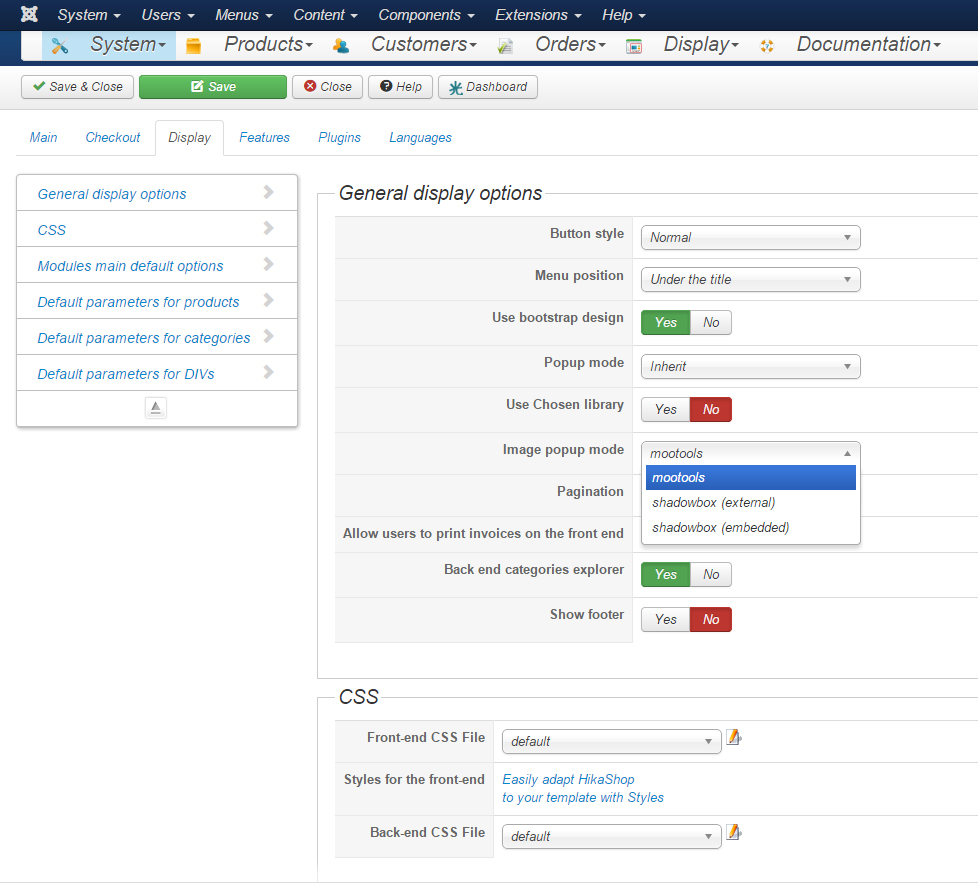
One last thing: is it possible to remove the pop-up window (onclick function) from both the thumbnails and the main images? i'd like to have just the onmouseover effect. As you can see from the screen i can choose from different types of popups but i cannot remove it:
thank you so so much
thanks a lot!!One last thing: is it possible to remove the pop-up window (onclick function) from both the thumbnails and the main images? i'd like to have just the onmouseover effect. As you can see from the screen i can choose from different types of popups but i cannot remove it:
thank you so so much
Last edit: 11 years 11 months ago by Jarkheld.
Please Log in or Create an account to join the conversation.

Less
More
- Posts: 12953
- Thank you received: 1778
11 years 11 months ago #181323
by Mohamed Thelji
Replied by Mohamed Thelji on topic Image thumbnail
Hello,
Using this kind of CSS code will probably do the job :
Using this kind of CSS code will probably do the job :
Code:
#hikashop_product_image_main #hikashop_main_image {
pointer-events: none;
cursor: default;
}
#hikashop_product_image_main #hikashop_small_image_div a {
pointer-events: none;
cursor: default;
}
The following user(s) said Thank You: Jarkheld
Please Log in or Create an account to join the conversation.
11 years 11 months ago #181477
by Jarkheld
Replied by Jarkheld on topic Image thumbnail
hi, i can use just the first one:
#hikashop_product_image_main #hikashop_main_image {
pointer-events: none;
cursor: default;
}
while the second one doesn't work as intended, if i add that code in template.css:
#hikashop_product_image_main #hikashop_small_image_div a {
pointer-events: none;
cursor: default;
}
the onmouseover function (which enables the switch of the main image) cease to work aswell, is there any other way to achieve the same result?
thanks a lot
#hikashop_product_image_main #hikashop_main_image {
pointer-events: none;
cursor: default;
}
while the second one doesn't work as intended, if i add that code in template.css:
#hikashop_product_image_main #hikashop_small_image_div a {
pointer-events: none;
cursor: default;
}
the onmouseover function (which enables the switch of the main image) cease to work aswell, is there any other way to achieve the same result?
thanks a lot
Please Log in or Create an account to join the conversation.
11 years 10 months ago #181481
by Xavier
Replied by Xavier on topic Image thumbnail
Hi,
You can edit the view "product / show_block_img" and remove the onclick data.
You can edit the view "product / show_block_img" and remove the onclick data.
Please Log in or Create an account to join the conversation.
Time to create page: 0.304 seconds