
- Posts: 31
- Thank you received: 0
Problem display the category listing on the page
- chwebmedia
-
 Topic Author
- Offline
Less
More
11 years 9 months ago #184872
by chwebmedia
Problem display the category listing on the page was created by chwebmedia
-- HikaShop version -- : 2.3.5
-- Joomla version -- : 3.3.6
-- Browser(s) name and version -- : google chrome
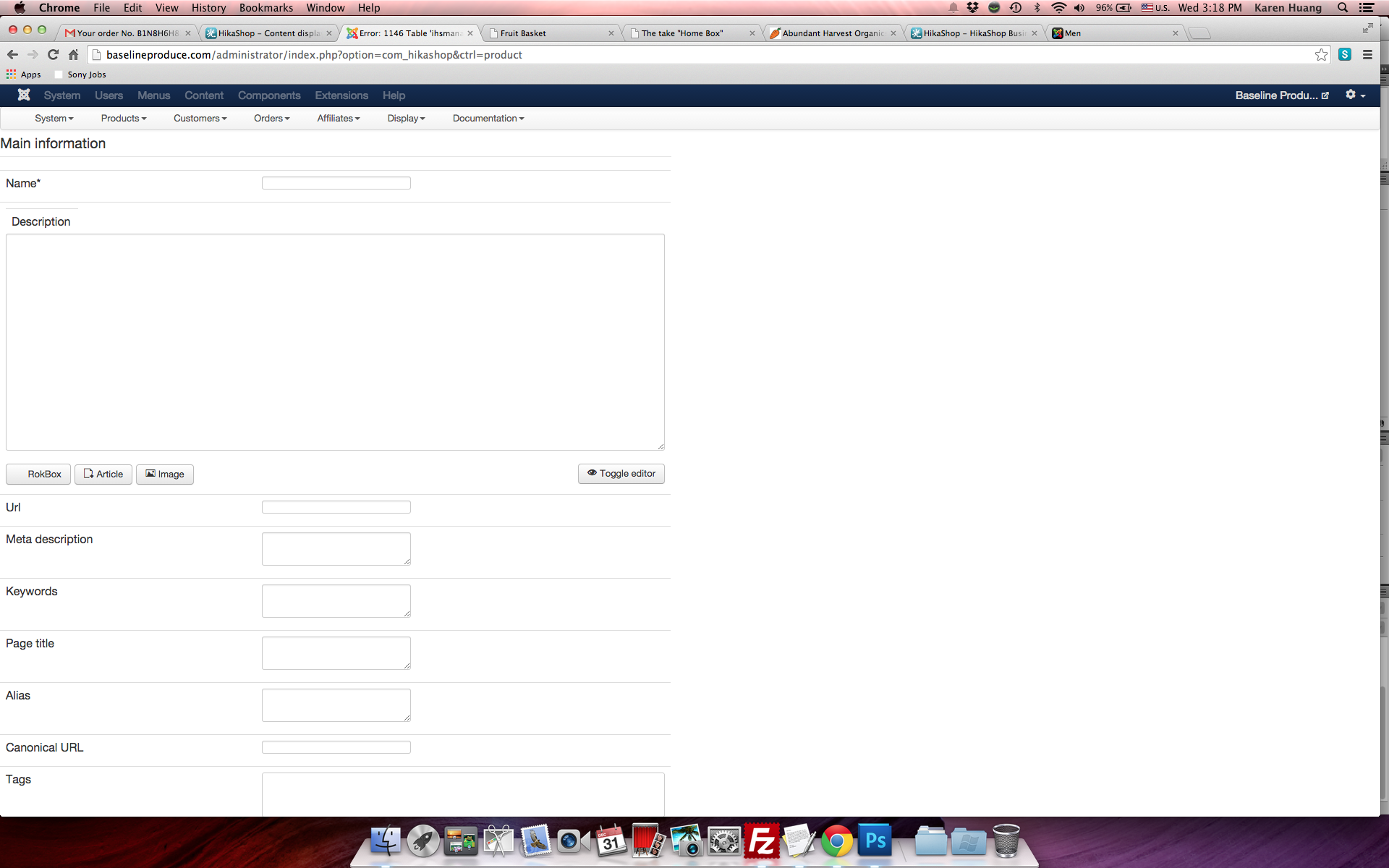
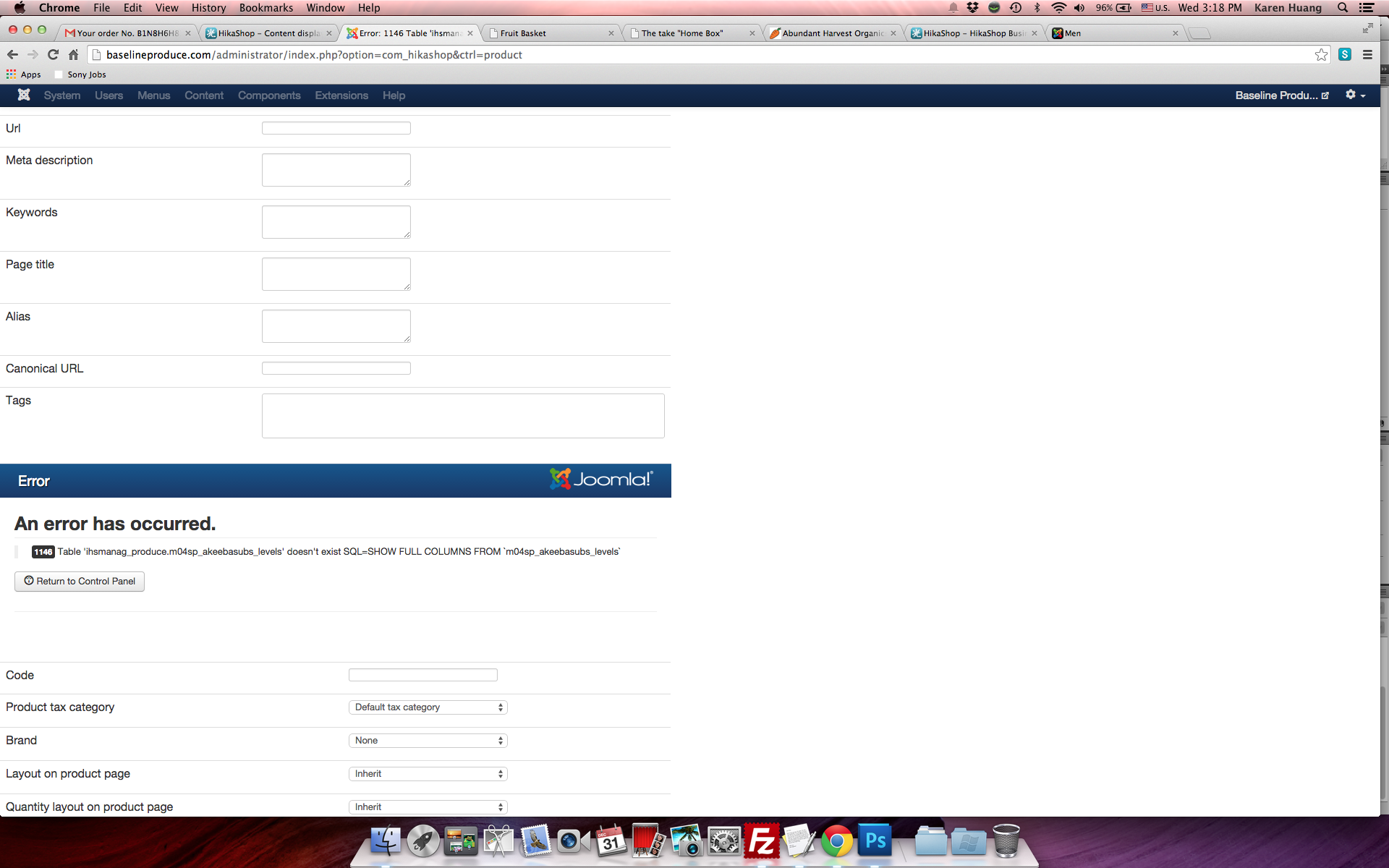
-- Error-message(debug-mod must be tuned on) -- : I am having problems display the product category listing on the default page and the "add to cart" buttons look distorted. When I tried to add a new product, the page shows errors!
I have tried to follow the tutorials, but nothing seems to work...
Please help!
Regards,
Karen
-- Joomla version -- : 3.3.6
-- Browser(s) name and version -- : google chrome
-- Error-message(debug-mod must be tuned on) -- : I am having problems display the product category listing on the default page and the "add to cart" buttons look distorted. When I tried to add a new product, the page shows errors!
I have tried to follow the tutorials, but nothing seems to work...
Please help!
Regards,
Karen
Please Log in or Create an account to join the conversation.

11 years 9 months ago #184897
by lousyfool
Need help with customisations of layouts, style or other site development? PM me!
(Don't forget to turn on "E-mail notification of new messages" )
Replied by lousyfool on topic Problem display the category listing on the page
Hi,
1. Category listing on default page:
It's due to the HikaShop settings of your menu item with ID 111, which is set to be a product listing, I guess. For making it a category listing instead, read and follow this documentation: www.hikashop.com/support/support/documen...html#categories_menu
2. Buttons:
The distorted appearance is coming from CSS of your template on line 81 of the file "joomla-core.css".
To override it, please follow the instructions in the documentation here for creating a HikaShop custom CSS file (which will survive updates, too), and add these lines to it:
3. Error on product creation:
Apparently it's caused by an Akeeba extension. However, someone of the official HikaShop support might be able to say more on it.
1. Category listing on default page:
It's due to the HikaShop settings of your menu item with ID 111, which is set to be a product listing, I guess. For making it a category listing instead, read and follow this documentation: www.hikashop.com/support/support/documen...html#categories_menu
2. Buttons:
The distorted appearance is coming from CSS of your template on line 81 of the file "joomla-core.css".
To override it, please follow the instructions in the documentation here for creating a HikaShop custom CSS file (which will survive updates, too), and add these lines to it:
Code:
.component-content input.button {
border: none !important;
height: inherit !important;
width: inherit !important;
}
3. Error on product creation:
Apparently it's caused by an Akeeba extension. However, someone of the official HikaShop support might be able to say more on it.
Need help with customisations of layouts, style or other site development? PM me!
(Don't forget to turn on "E-mail notification of new messages" )
Please Log in or Create an account to join the conversation.

11 years 9 months ago #184925
by nicolas
Replied by nicolas on topic Problem display the category listing on the page
Hi,
3. Yes. If you didn't install the extension Akeeba Subscriptions and only installed and activated the integration plugin that we offer between HikaShop and Akeeba Subscriptions, it could lead to that issue.
Either install Akeeba Subscriptions or disable the integration plugin and you won't get that error.
3. Yes. If you didn't install the extension Akeeba Subscriptions and only installed and activated the integration plugin that we offer between HikaShop and Akeeba Subscriptions, it could lead to that issue.
Either install Akeeba Subscriptions or disable the integration plugin and you won't get that error.
Please Log in or Create an account to join the conversation.
- chwebmedia
-
Topic Author
- Offline
Less
More
- Posts: 31
- Thank you received: 0
11 years 9 months ago #184935
by chwebmedia
Replied by chwebmedia on topic Problem display the category listing on the page
I have followed the instruction to set up the category listing and disabled the Akeeba Subscriptions but nothing has happened. I just want the "online store" to look like this,
demo.hikashop.com/index.php/en/hikashop/...ategory/13-men-shoes
. With thumbnails for categories and when you select one category, it takes you to the next page with products within that category. Plus the shopping cart and all other modules on the sidebar. This ecommerce component does seem very easy to do just by default.
Please advice,
Karen
Please advice,
Karen
Please Log in or Create an account to join the conversation.
11 years 9 months ago - 11 years 9 months ago #184941
by lousyfool
Need help with customisations of layouts, style or other site development? PM me!
(Don't forget to turn on "E-mail notification of new messages" )
Replied by lousyfool on topic Problem display the category listing on the page
1. It seems you found the way to have your category listing on the shop's default page... at least that's what I see on-line at the time of this writing. So, I guess that's settled, and the rest of configuring listings (incl or excl submodules below) will surely be no problem for you, either.
EDIT: Otherwise post again, and best with screenshot(s) of the backend configuration.
3. You said,
EDIT: Otherwise post again, and best with screenshot(s) of the backend configuration.
3. You said,
Are you sure you've disabled the HikaShop plugin for it as per Nicolas' advice?... disabled the Akeeba Subscriptions ...
Need help with customisations of layouts, style or other site development? PM me!
(Don't forget to turn on "E-mail notification of new messages" )
Last edit: 11 years 9 months ago by lousyfool.
Please Log in or Create an account to join the conversation.
- chwebmedia
-
Topic Author
- Offline
Less
More
- Posts: 31
- Thank you received: 0
11 years 9 months ago #185108
by chwebmedia
Replied by chwebmedia on topic Problem display the category listing on the page
on my "online store" page it shows the categories and the products but the products show twice on the same page. How do I fix that?
baselineproduce.com/index.php/shop-online
Also, I cannot make the categories to show on the module on the sidebar...
baselineproduce.com/index.php/shop-online
Also, I cannot make the categories to show on the module on the sidebar...
Please Log in or Create an account to join the conversation.
11 years 9 months ago - 11 years 9 months ago #185110
by lousyfool
Need help with customisations of layouts, style or other site development? PM me!
(Don't forget to turn on "E-mail notification of new messages" )
Replied by lousyfool on topic Problem display the category listing on the page
@chwebmedia:
I'm sorry, but regarding the first point I can only repeat what I said in my previous posts.
1. Follow the tutorial at www.hikashop.com/support/support/documen...html#categories_menu
Keep an eye particularly on anything regarding "Associated modules", as this is about the product listings below your category listing.
If trouble persists, please post a screenshot of the complete page in your HikaShop backend where the category listing is configured (content menu item ID 111).
4. Further below in the same documentation as linked to here above (that section titled "Categories with a module": www.hikashop.com/support/support/documen...ml#categories_module ) you find everything you need to create a Joomla module listing your categories in "List" layout, then to be published to your sidebar.
If trouble persists, please post a screenshot of such module configuration.
I'm sorry, but regarding the first point I can only repeat what I said in my previous posts.
1. Follow the tutorial at www.hikashop.com/support/support/documen...html#categories_menu
Keep an eye particularly on anything regarding "Associated modules", as this is about the product listings below your category listing.
If trouble persists, please post a screenshot of the complete page in your HikaShop backend where the category listing is configured (content menu item ID 111).
4. Further below in the same documentation as linked to here above (that section titled "Categories with a module": www.hikashop.com/support/support/documen...ml#categories_module ) you find everything you need to create a Joomla module listing your categories in "List" layout, then to be published to your sidebar.
If trouble persists, please post a screenshot of such module configuration.
Need help with customisations of layouts, style or other site development? PM me!
(Don't forget to turn on "E-mail notification of new messages" )
Last edit: 11 years 9 months ago by lousyfool. Reason: 2nd link corrected
Please Log in or Create an account to join the conversation.
- chwebmedia
-
Topic Author
- Offline
Less
More
- Posts: 31
- Thank you received: 0
11 years 9 months ago #185112
by chwebmedia
Replied by chwebmedia on topic Problem display the category listing on the page
I have followed the instruction on setting up the category listing on the default page but the products are still showing on the same page as well. How do I only have the products to show when you select each category instead? I would like to have the category thumbnails on the content and category listing on the sidebar, but I still can't get it to work after followed the instructions.
baselineproduce.com/index.php/shop-online
Please see my attachment below.
Regards,
Karen
baselineproduce.com/index.php/shop-online
Please see my attachment below.
Regards,
Karen
Please Log in or Create an account to join the conversation.
11 years 9 months ago #185184
by nicolas
Replied by nicolas on topic Problem display the category listing on the page
Hi,
I don't see the products on the same page as the categories so it seems that you solved that issue.
The only thing I noticed on your website is that your categories listing module on the right links to empty pages.
Solving that will be easy. Edit your categories listing module (id 213) via the menu Display>Content modules and set the "menu" option to your "shop online" menu item and that should make the category links of the module work.
I don't see the products on the same page as the categories so it seems that you solved that issue.
The only thing I noticed on your website is that your categories listing module on the right links to empty pages.
Solving that will be easy. Edit your categories listing module (id 213) via the menu Display>Content modules and set the "menu" option to your "shop online" menu item and that should make the category links of the module work.
Please Log in or Create an account to join the conversation.
- chwebmedia
-
Topic Author
- Offline
Less
More
- Posts: 31
- Thank you received: 0
11 years 8 months ago #185355
by chwebmedia
Replied by chwebmedia on topic Problem display the category listing on the page
Now that I get the categories to work, how do I place all the products like thumbnails 300 x 300 side by side like this example?
demo.hikashop.com/index.php/en/hikashop/...egory/14-women-shoes
Thanks,
Karen
demo.hikashop.com/index.php/en/hikashop/...egory/14-women-shoes
Thanks,
Karen
Please Log in or Create an account to join the conversation.
11 years 8 months ago #185357
by lousyfool
Need help with customisations of layouts, style or other site development? PM me!
(Don't forget to turn on "E-mail notification of new messages" )
Replied by lousyfool on topic Problem display the category listing on the page
You'd control this with the value entered for "Number of columns" in your menu or module settings for category or product listings. For example, if you wanted to have 3 categories or products per row, you'd have to enter "3" there, logically.
How well this works depends on your template and its CSS, together with you selecting "Use Bootstrap design" yes or no in the HikaShop "Display" configuration.
How well this works depends on your template and its CSS, together with you selecting "Use Bootstrap design" yes or no in the HikaShop "Display" configuration.
Need help with customisations of layouts, style or other site development? PM me!
(Don't forget to turn on "E-mail notification of new messages" )
Please Log in or Create an account to join the conversation.
- chwebmedia
-
Topic Author
- Offline
Less
More
- Posts: 31
- Thank you received: 0
11 years 8 months ago #185358
by chwebmedia
Replied by chwebmedia on topic Problem display the category listing on the page
How can I make the category images bigger?
Please Log in or Create an account to join the conversation.
11 years 8 months ago #185359
by lousyfool
Need help with customisations of layouts, style or other site development? PM me!
(Don't forget to turn on "E-mail notification of new messages" )
Replied by lousyfool on topic Problem display the category listing on the page
Generally, by uploading images of a size not smaller than what you want to see in the frontend, and again, by entering values as per your requirement in the configuration. For the latter, you must read the documentation for the vital hints there:
www.hikashop.com/support/support/documen...fig.html#main_images
Note that you can set image size values individually for your listing menus/modules as well, these then being used instead of the values in the main configuration.
You see that pretty much everything is well covered and explained in the documentation . Thankfully it's also well accessible via the "Help" button in the HikaShop backend.
Please check and read thoroughly - it will save you a lot of time and posts here.
Note that you can set image size values individually for your listing menus/modules as well, these then being used instead of the values in the main configuration.
You see that pretty much everything is well covered and explained in the documentation . Thankfully it's also well accessible via the "Help" button in the HikaShop backend.
Please check and read thoroughly - it will save you a lot of time and posts here.
Need help with customisations of layouts, style or other site development? PM me!
(Don't forget to turn on "E-mail notification of new messages" )
Please Log in or Create an account to join the conversation.
Time to create page: 0.269 seconds