

- Posts: 59
- Thank you received: 0
buttons apppearing at footer of page
11 years 6 months ago #194830
by phil2010
buttons apppearing at footer of page was created by phil2010
-- url of the page with the problem -- :
www.scfa.edu.au/j3/about
-- HikaShop version -- : 2.4.0
-- Joomla version -- : 3.4
I have just succesfully imported Joomla 2.5 into a new Joomla 3.4 via php MyAdmin.
However at the foot of all the Hikashop pages appear buttons that relate to pages on the old site and I can not see how to control the buttons to remove them and thay are not on the the old site www.scfa.edu.au/shop
Any ideas where I might find the controler for this module?
-- HikaShop version -- : 2.4.0
-- Joomla version -- : 3.4
I have just succesfully imported Joomla 2.5 into a new Joomla 3.4 via php MyAdmin.
However at the foot of all the Hikashop pages appear buttons that relate to pages on the old site and I can not see how to control the buttons to remove them and thay are not on the the old site www.scfa.edu.au/shop
Any ideas where I might find the controler for this module?
Please Log in or Create an account to join the conversation.

11 years 6 months ago #194860
by Jerome
Jerome - Obsidev.com
HikaMarket & HikaSerial developer / HikaShop core dev team.
Replied by Jerome on topic buttons apppearing at footer of page
Hi,
I'm sorry but I don't understand of what you are talking about exactly.
But I see that you have a product listing module (with id 146) which is display in the "footer" part of your template.
Regards,
I'm sorry but I don't understand of what you are talking about exactly.
But I see that you have a product listing module (with id 146) which is display in the "footer" part of your template.
Regards,
Jerome - Obsidev.com
HikaMarket & HikaSerial developer / HikaShop core dev team.
Please Log in or Create an account to join the conversation.
11 years 6 months ago #195109
by phil2010
Replied by phil2010 on topic buttons apppearing at footer of page
That is exactly the problem. There is no module 146. It appears to be carried over from when I copied the original hike shop tables from the old website.
Any suggestions how I could defeat this please.
Any suggestions how I could defeat this please.
Please Log in or Create an account to join the conversation.

11 years 6 months ago #195111
by Xavier
Replied by Xavier on topic buttons apppearing at footer of page
Hi,
Even in Joomla module settings you don't see any entry with the id 146 ?
Please check that, and disable unwanted modules in the footer position.
Even in Joomla module settings you don't see any entry with the id 146 ?
Please check that, and disable unwanted modules in the footer position.
Please Log in or Create an account to join the conversation.
11 years 6 months ago #195246
by phil2010
Replied by phil2010 on topic buttons apppearing at footer of page
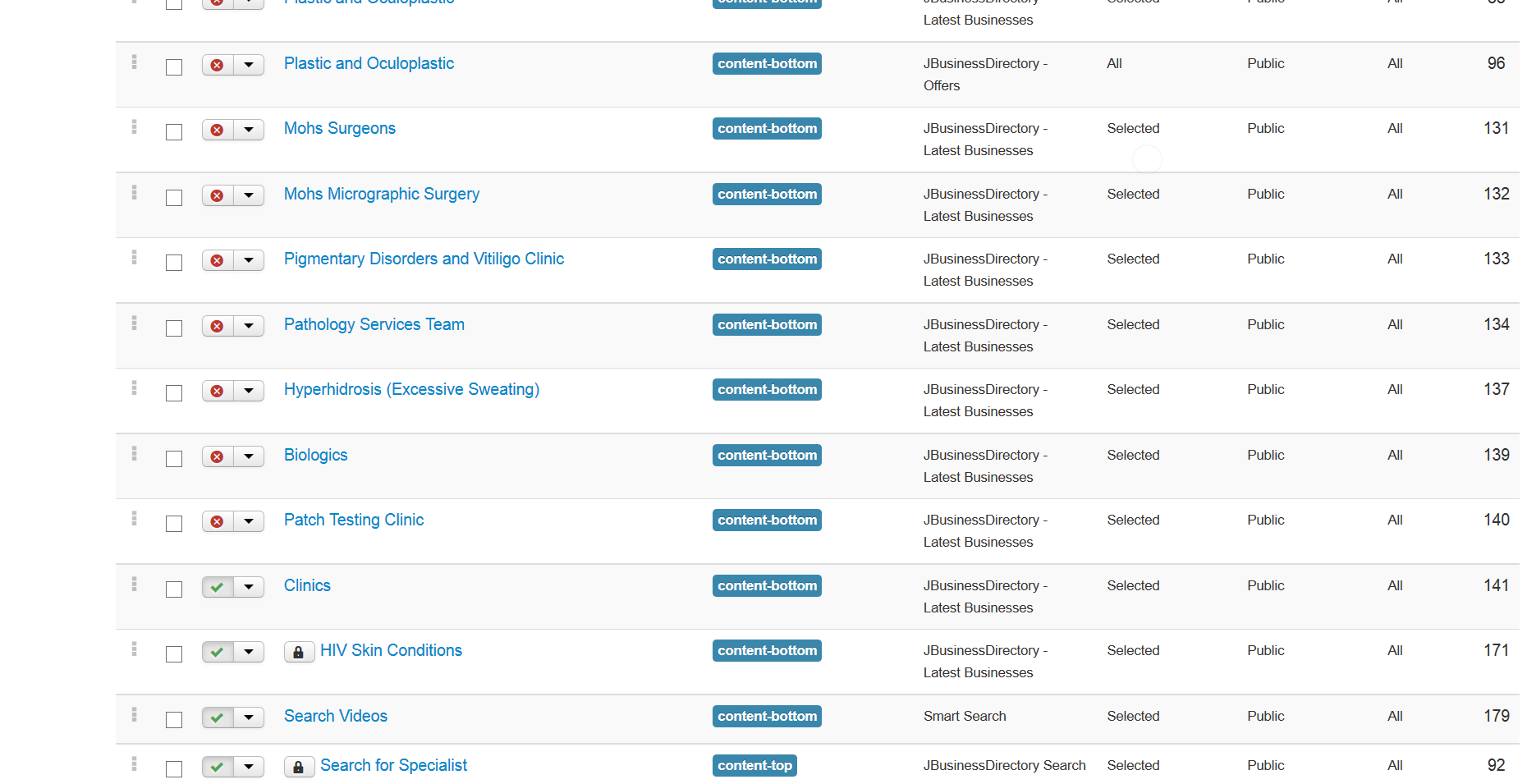
No where is there a footer or a module 147.there is a content bottom and I have disabled them all and still it appears.
Please Log in or Create an account to join the conversation.
11 years 6 months ago #195252
by phil2010
Replied by phil2010 on topic buttons apppearing at footer of page
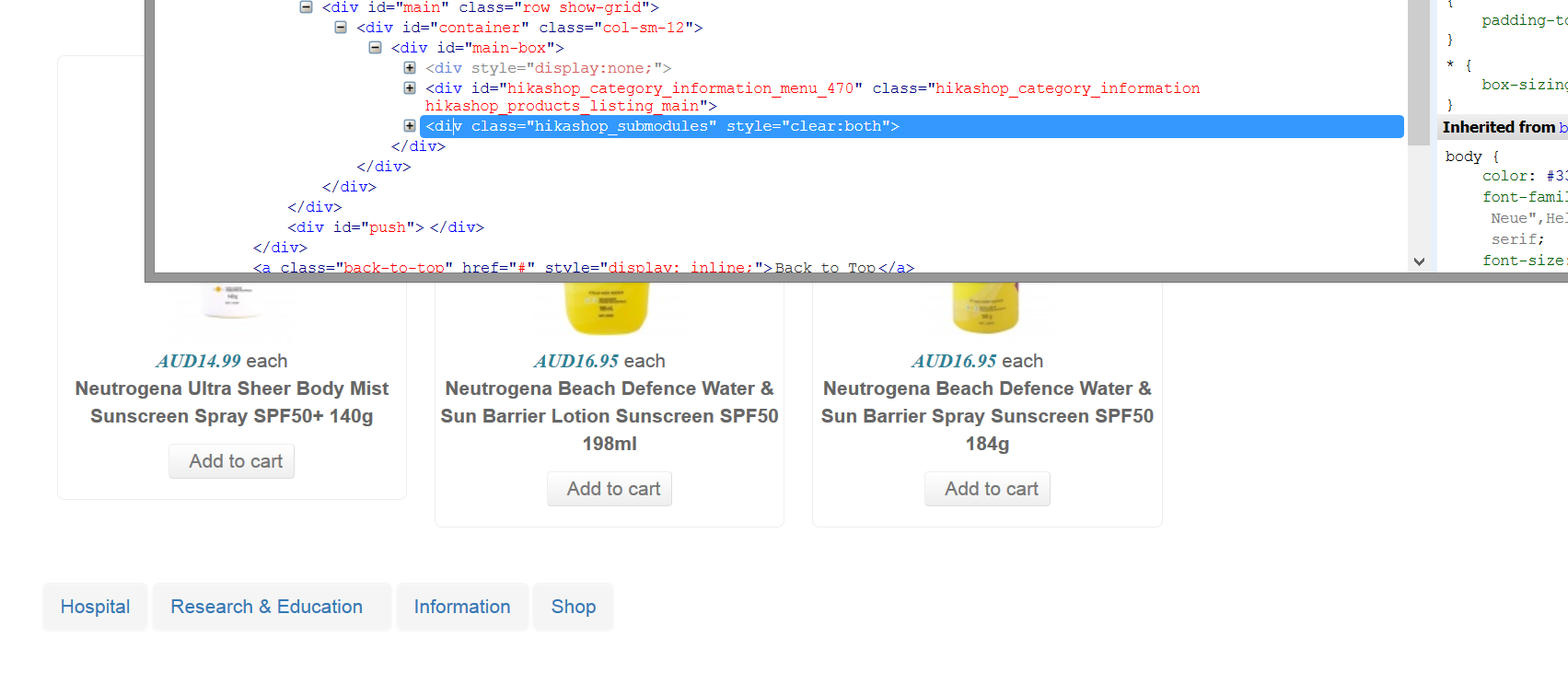
from the code I can see, this is defiantly controlled by hikashop. It is a concern that I have no control of that content, I can only assume it has been an error when copying over the tables or setting up ACL Manger..
Please Log in or Create an account to join the conversation.
11 years 6 months ago #195253
by phil2010
Replied by phil2010 on topic buttons apppearing at footer of page
these topics refer to a layout in the old website, not the new one
Please Log in or Create an account to join the conversation.

11 years 6 months ago #195291
by nicolas
Replied by nicolas on topic buttons apppearing at footer of page
Hi,
I don't really see how that's possible. The module should be found in the Joomla modules manager. Maybe the module was trashed. Did you look at the trashed modules of the Joomla modules manager ? Maybe it's there.
Also, you can look in the menu Display>Content modules of HikaShop. Maybe you'll find it there.
I don't really see how that's possible. The module should be found in the Joomla modules manager. Maybe the module was trashed. Did you look at the trashed modules of the Joomla modules manager ? Maybe it's there.
Also, you can look in the menu Display>Content modules of HikaShop. Maybe you'll find it there.
Please Log in or Create an account to join the conversation.
11 years 6 months ago #195458
by phil2010
Replied by phil2010 on topic buttons apppearing at footer of page
Thanks for your patience. YES..... but it had a position of top with some test. CSS while I was making the template.
I can sleep again .... Thanks
I can sleep again .... Thanks
Please Log in or Create an account to join the conversation.
Time to create page: 0.286 seconds