

- Posts: 11
- Thank you received: 0
how can I enlarge pictures mail-order?
11 years 7 months ago #196440
by chris0879
how can I enlarge pictures mail-order? was created by chris0879
how can I enlarge pictures mail-order?
watch attached.
thanks!
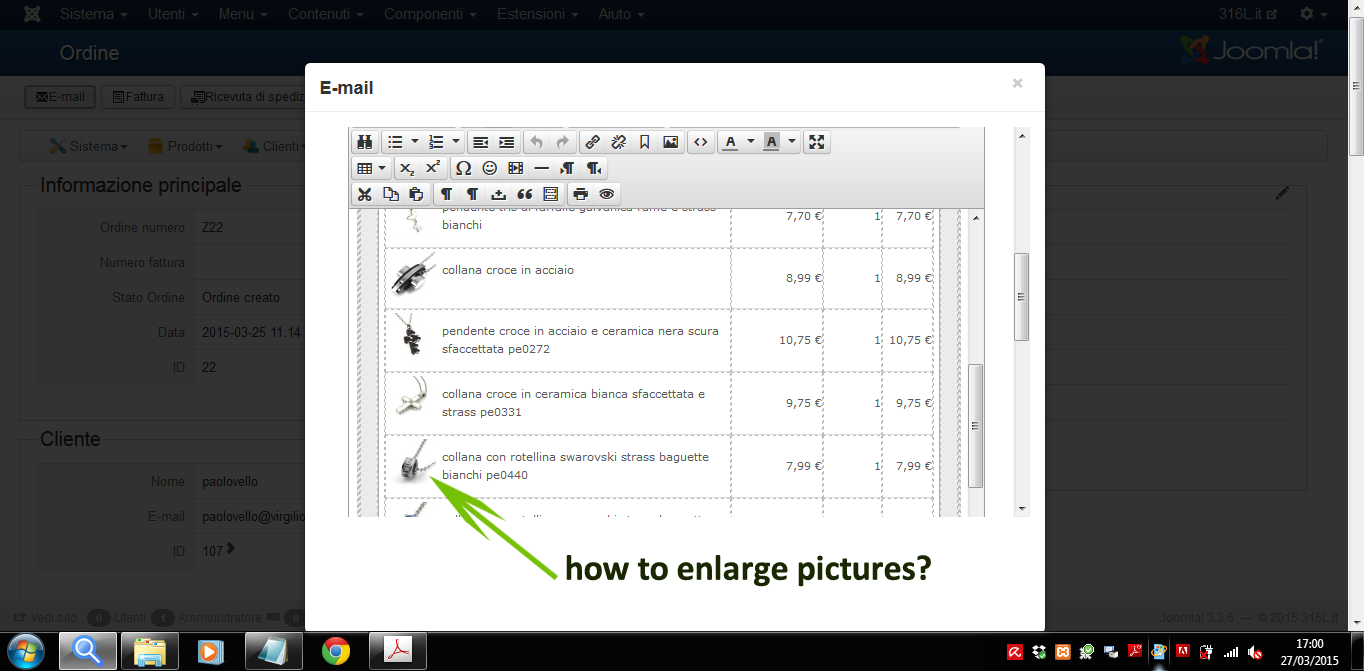
watch attached.
thanks!
Please Log in or Create an account to join the conversation.

11 years 6 months ago #196448
by Jerome
Jerome - Obsidev.com
HikaMarket & HikaSerial developer / HikaShop core dev team.
Replied by Jerome on topic how can I enlarge pictures mail-order?
Hi,
In the emails (thatn you can override thanks to HikaShop business), you will find the line in the preload parts
You have to change the "50, 50" values in order to change the width and the height of the thumbnails.
Regards,
In the emails (thatn you can override thanks to HikaShop business), you will find the line in the preload parts
Code:
$img = $imageHelper->getThumbnail($item->images[0]->file_path, array(50, 50), array('forcesize' => true, 'scale' => 'outside'));
Regards,
Jerome - Obsidev.com
HikaMarket & HikaSerial developer / HikaShop core dev team.
Please Log in or Create an account to join the conversation.
11 years 6 months ago #196562
by chris0879
Replied by chris0879 on topic how can I enlarge pictures mail-order?
worked, Thanks!
Please Log in or Create an account to join the conversation.
Time to create page: 0.216 seconds