

- Posts: 28
- Thank you received: 1
Modify text under product thumbnails
11 years 6 months ago #199437
by dennis3m
Modify text under product thumbnails was created by dennis3m
-- HikaShop version -- : 2.4.0
-- Joomla version -- : 3.4.0
-- PHP version -- : 5.4.38
-- Browser(s) name and version -- : Safari 8.0.5(Mac), Chrome (Mac) 41.0.2272.118 (64-bit)
Hello:
I am wondering if the following is possible and if you could give me some direction on how I could achieve having the following:
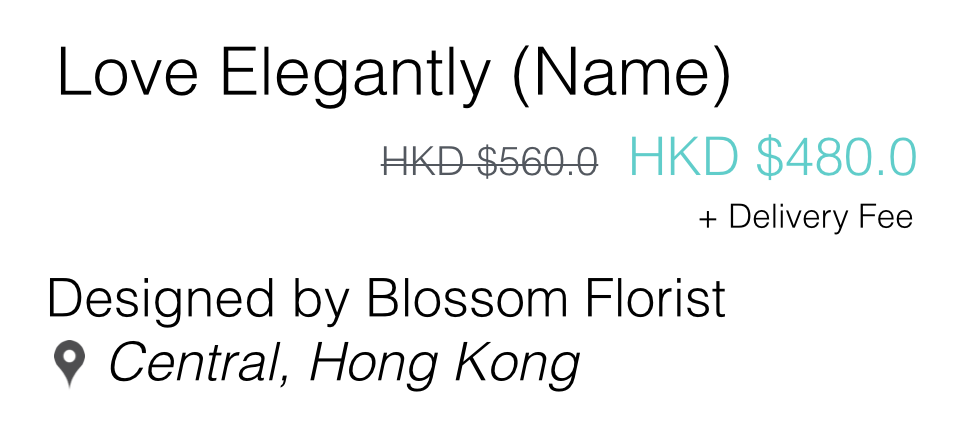
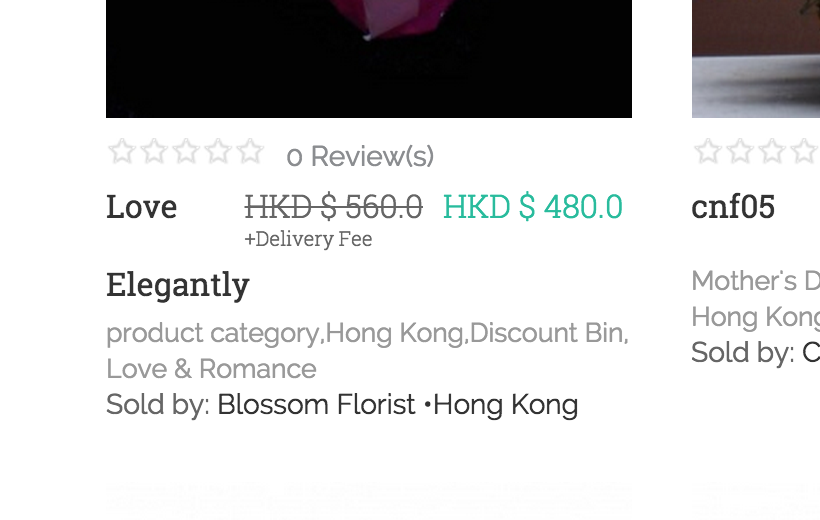
1) Remove 'product category' listing from being displayed
2) Allow product name to use entire line by moving the prices to the next line
3) Change the discount price (crossed out) to a smaller font size
4) The '+ Delivery Fee' is added using Configuration > Translate (PRICE_END). How can I get this text to under the green price instead (the final price)
5) How can I modify the text 'Sold by', cannot find it in Translate
6) Not sure if this is possible. Right now I type in Vendor name and location together. Anyway to add a text per vendor to show the location (or just a line of text) separately, preferably with an icon?
-- Joomla version -- : 3.4.0
-- PHP version -- : 5.4.38
-- Browser(s) name and version -- : Safari 8.0.5(Mac), Chrome (Mac) 41.0.2272.118 (64-bit)
Hello:
I am wondering if the following is possible and if you could give me some direction on how I could achieve having the following:
1) Remove 'product category' listing from being displayed
2) Allow product name to use entire line by moving the prices to the next line
3) Change the discount price (crossed out) to a smaller font size
4) The '+ Delivery Fee' is added using Configuration > Translate (PRICE_END). How can I get this text to under the green price instead (the final price)
5) How can I modify the text 'Sold by', cannot find it in Translate
6) Not sure if this is possible. Right now I type in Vendor name and location together. Anyway to add a text per vendor to show the location (or just a line of text) separately, preferably with an icon?
Please Log in or Create an account to join the conversation.

11 years 6 months ago #199444
by Xavier
Replied by Xavier on topic Modify text under product thumbnails
Hi,
1. Which view are you using to display the content ? You will have to edit it in order to not display the category name if this one is equal to "product category" thanks to some php code.
2.3.4. That can be done thanks to some css.
5. This must be present in the HikaMarket language file.
6. This is an HikaMarket question, please post it in the correct part of the forum
I think that you can use custom fields for that.
For the layout customizations, I invite you to read that tutorial:
www.hikashop.com/support/support/documen...ize-the-display.html
1. Which view are you using to display the content ? You will have to edit it in order to not display the category name if this one is equal to "product category" thanks to some php code.
2.3.4. That can be done thanks to some css.
5. This must be present in the HikaMarket language file.
6. This is an HikaMarket question, please post it in the correct part of the forum
I think that you can use custom fields for that.
For the layout customizations, I invite you to read that tutorial:
www.hikashop.com/support/support/documen...ize-the-display.html
Please Log in or Create an account to join the conversation.
11 years 6 months ago #199552
by dennis3m
Replied by dennis3m on topic Modify text under product thumbnails
Hi Xavier:
Thank you for your prompt reply. I am a fully non-coding person so please accept my apology for asking for more details on the following.
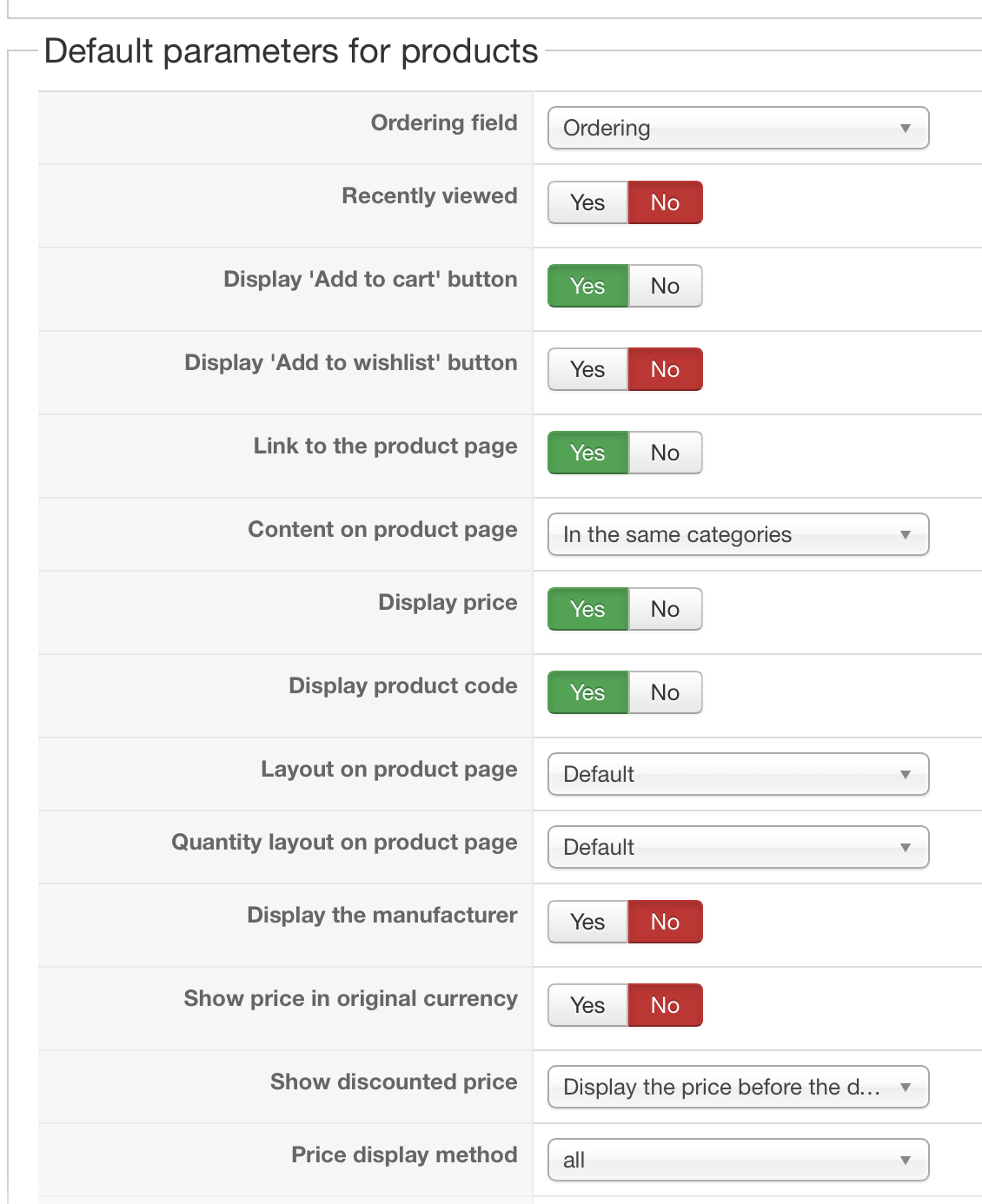
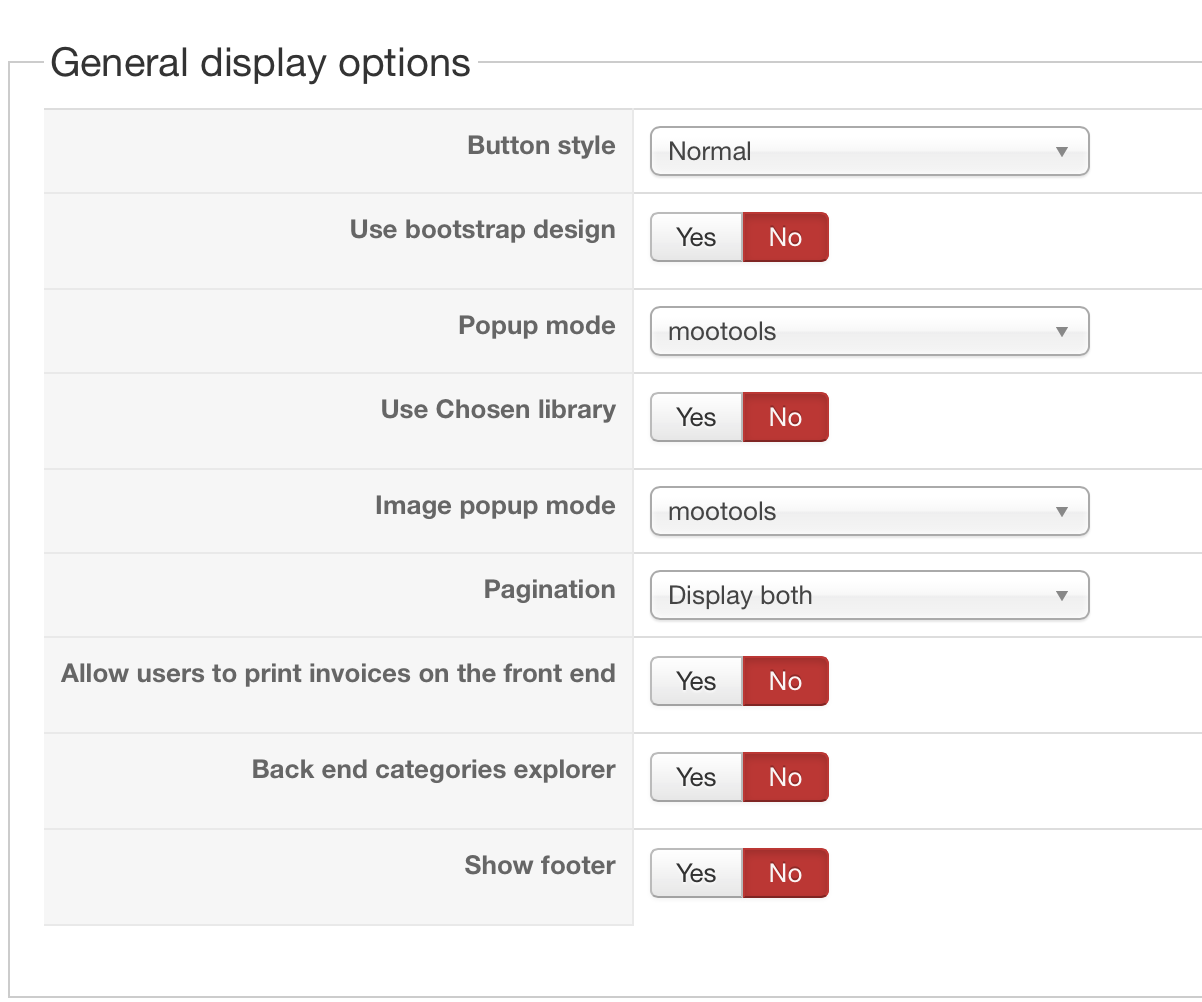
1) Which view am I displaying the content? Do you mean the settings on my Configure > Display page? I took some screen caps of those here:
2.3.4. I figure that somewhere in a file, I should be able to change something to make that look. But could you tell me which css file and also which item. If it isn't too complicated, I could have a look at it once you give me the location and see if I understand how to play with it.
5. 6. Sorry about that. I have moved those questions into a separate post under HikaMarket.
Thank you for your prompt reply. I am a fully non-coding person so please accept my apology for asking for more details on the following.
1) Which view am I displaying the content? Do you mean the settings on my Configure > Display page? I took some screen caps of those here:
2.3.4. I figure that somewhere in a file, I should be able to change something to make that look. But could you tell me which css file and also which item. If it isn't too complicated, I could have a look at it once you give me the location and see if I understand how to play with it.
5. 6. Sorry about that. I have moved those questions into a separate post under HikaMarket.
Please Log in or Create an account to join the conversation.
11 years 6 months ago #199578
by Xavier
Replied by Xavier on topic Modify text under product thumbnails
Hi,
1. No the settings of your product listing menu, but in your case it seems that it has been added by your template, by default we don't have the categories list in the product listing. Please contact your template provider.
1. No the settings of your product listing menu, but in your case it seems that it has been added by your template, by default we don't have the categories list in the product listing. Please contact your template provider.
Please Log in or Create an account to join the conversation.
11 years 5 months ago #200229
by dennis3m
Replied by dennis3m on topic Modify text under product thumbnails
Hello:
We were finally able to remove the 'product category' from showing up on our product listing pages, thanks to some help by a programming friend. He was trying to do the items below as well, but he is not familiar enough with joomla or hikashop to understand which page the coding is on. Can you let me know which page we need to go to in order to modify these items: (please see images below for reference)
2) Allow product name to use entire line by moving the prices to the next line
3) Change the discount price (crossed out) to a smaller font size
4) The '+ Delivery Fee' is added using Configuration > Translate (PRICE_END). How can I get this text to under the green price instead (the final price)
Before:
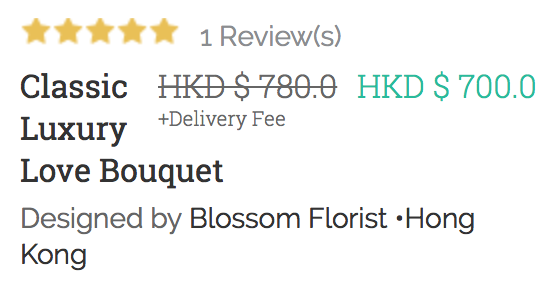
After:
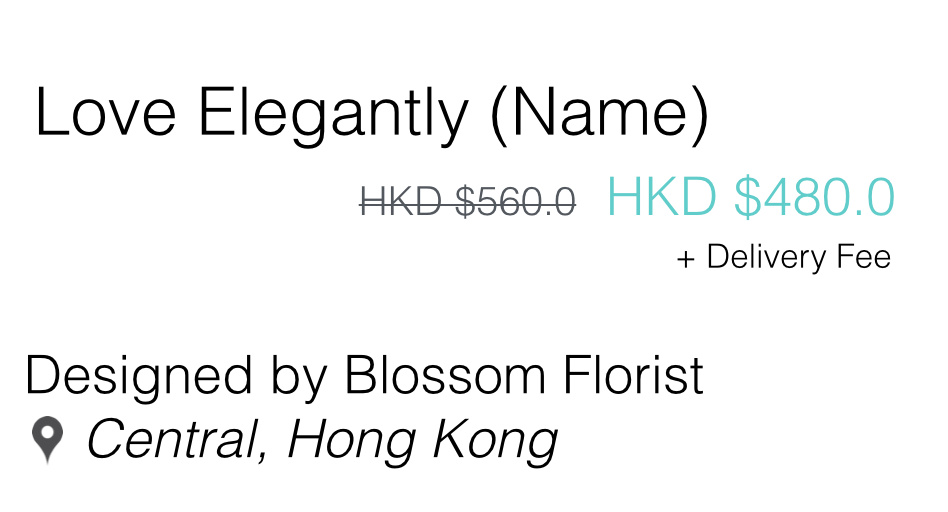
We were finally able to remove the 'product category' from showing up on our product listing pages, thanks to some help by a programming friend. He was trying to do the items below as well, but he is not familiar enough with joomla or hikashop to understand which page the coding is on. Can you let me know which page we need to go to in order to modify these items: (please see images below for reference)
2) Allow product name to use entire line by moving the prices to the next line
3) Change the discount price (crossed out) to a smaller font size
4) The '+ Delivery Fee' is added using Configuration > Translate (PRICE_END). How can I get this text to under the green price instead (the final price)
Before:
After:
Please Log in or Create an account to join the conversation.
11 years 5 months ago #200267
by Xavier
Replied by Xavier on topic Modify text under product thumbnails
Hi,
As I said in my first answer, all these things can be done thanks to some css properties.
Ales you can directly edit the view "product / lsiting_price".
As I said in my first answer, all these things can be done thanks to some css properties.
Ales you can directly edit the view "product / lsiting_price".
Please Log in or Create an account to join the conversation.
Time to create page: 0.416 seconds