
- Posts: 14
- Thank you received: 0
images will not display
- james@esgmail.com
-
 Topic Author
- Offline
Less
More
10 years 11 months ago #218415
by james@esgmail.com
images will not display was created by james@esgmail.com
-- HikaShop version -- : 2.6.0
-- Joomla version -- : 3.4.4
-- PHP version -- : 5.4.45
-- Browser(s) name and version -- : firefox 41.0.2
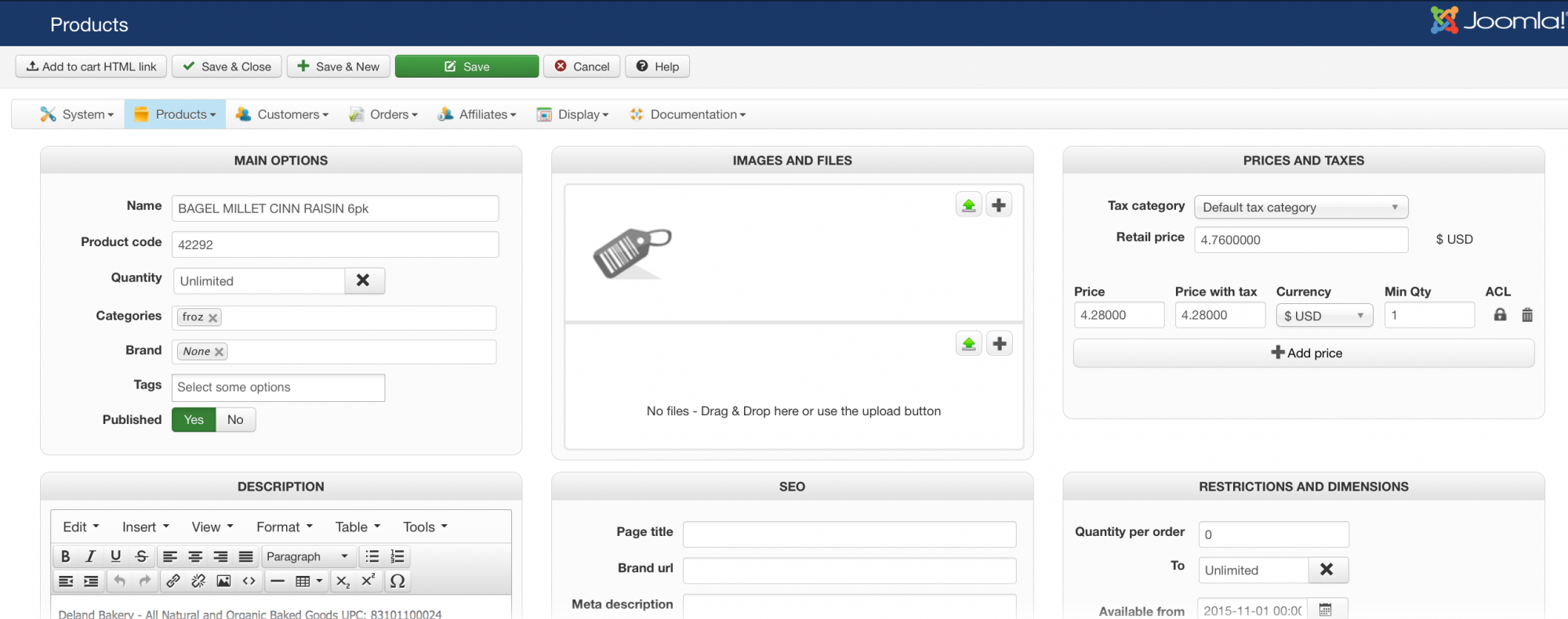
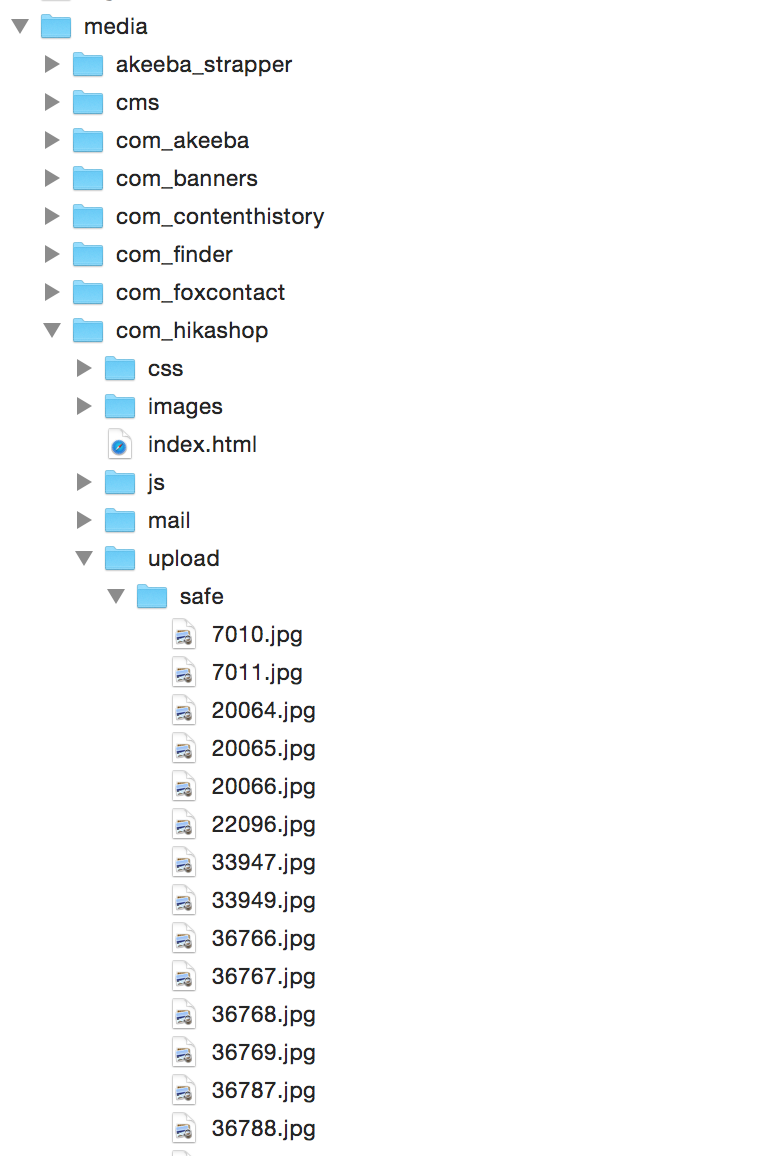
I am trying to load images and information via CSV. Product information is importing however I cannot figure out how to have the product images work. Test CSV attached. Also screen shots of product page and FTP file locations.
Please advise possible causes - thank you!
-- Joomla version -- : 3.4.4
-- PHP version -- : 5.4.45
-- Browser(s) name and version -- : firefox 41.0.2
I am trying to load images and information via CSV. Product information is importing however I cannot figure out how to have the product images work. Test CSV attached. Also screen shots of product page and FTP file locations.
Please advise possible causes - thank you!
This attachment is hidden for guests.
Please log in or register to see it.
Please log in or register to see it.
Please Log in or Create an account to join the conversation.

10 years 11 months ago #218437
by Xavier
Replied by Xavier on topic images will not display
Hi,
By default, the product images should be in the folder: images/com_hikashop/upload/
In older version the default path was: media/com_hikashop/upload/
So please check the value of the option "Upload folder" in Configuration > Main > Files and move you files in the correct directory.
Or change the value of the upload folder to fit with your images path.
By default, the product images should be in the folder: images/com_hikashop/upload/
In older version the default path was: media/com_hikashop/upload/
So please check the value of the option "Upload folder" in Configuration > Main > Files and move you files in the correct directory.
Or change the value of the upload folder to fit with your images path.
Please Log in or Create an account to join the conversation.
- james@esgmail.com
-
Topic Author
- Offline
Less
More
- Posts: 14
- Thank you received: 0
10 years 11 months ago #218496
by james@esgmail.com
Replied by james@esgmail.com on topic images will not display
Hello Xavier - thank you.
That did it!
Other documentation has stated images should be uploaded to the media/sale folder.
I transferred them from the safe folder to the media/com_hikashop/upload file and they are populating OK.
Thank you.
That did it!
Other documentation has stated images should be uploaded to the media/sale folder.
I transferred them from the safe folder to the media/com_hikashop/upload file and they are populating OK.
Thank you.
Please Log in or Create an account to join the conversation.
Time to create page: 0.177 seconds