

- Posts: 5
- Thank you received: 0
How to disable image gallery from product display
10 years 11 months ago - 10 years 11 months ago #222298
by Creotom
How to disable image gallery from product display was created by Creotom
-- HikaShop version -- : 2.6.0
-- Joomla version -- : 3.4.5
-- PHP version -- : 5.3.13
-- Browser(s) name and version -- : CHROME 46.0.2490.86
Hello,
I have configured my site almost exactly as I want it now.
I removed the image gallery as it did not suit my needs by deleting the contents of the "show_block_image" file
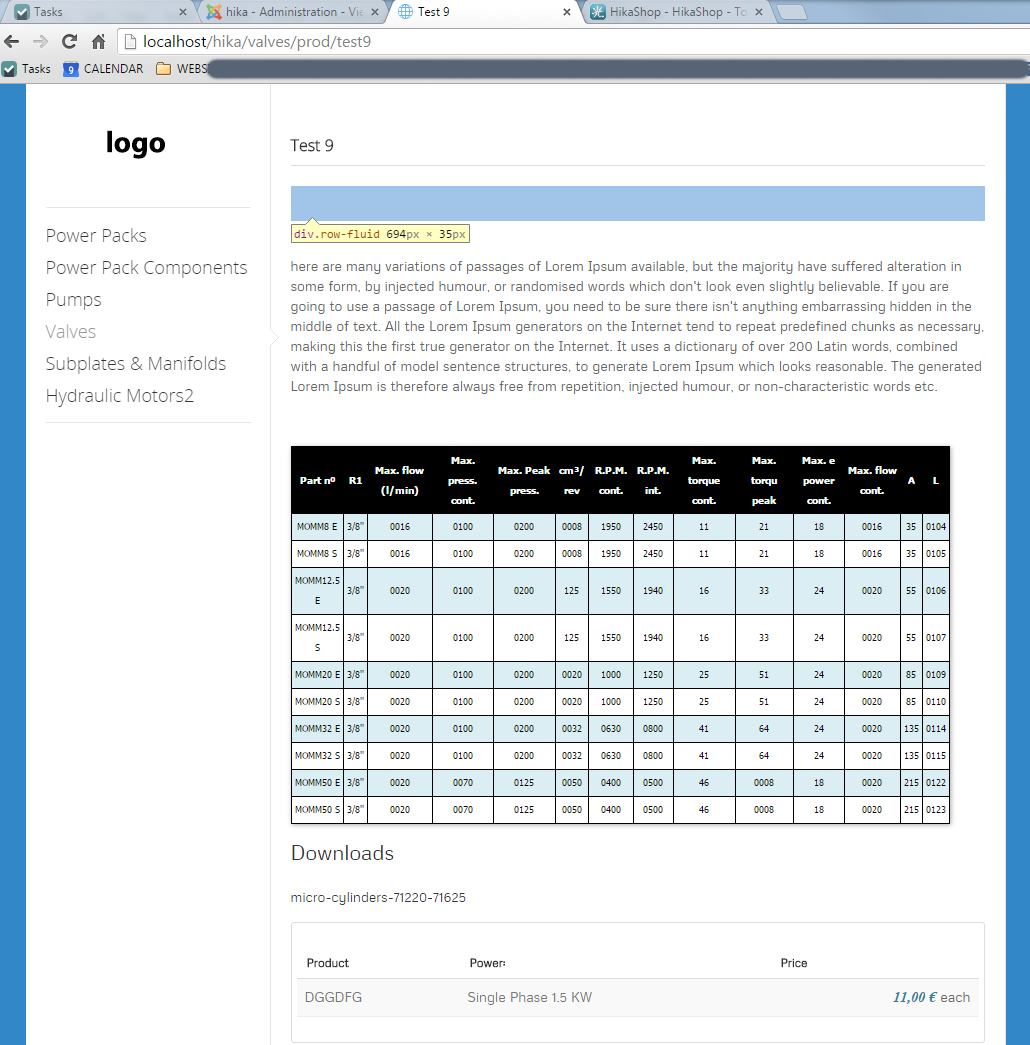
However I would also like to reduce the white space left at the top of the page.
Using the inspect element feature in chrome I can see a lot of this is caused by "div.row-fluid"
See image below.
How can I disable this please?
-- Joomla version -- : 3.4.5
-- PHP version -- : 5.3.13
-- Browser(s) name and version -- : CHROME 46.0.2490.86
Hello,
I have configured my site almost exactly as I want it now.
I removed the image gallery as it did not suit my needs by deleting the contents of the "show_block_image" file
However I would also like to reduce the white space left at the top of the page.
Using the inspect element feature in chrome I can see a lot of this is caused by "div.row-fluid"
See image below.
How can I disable this please?
Last edit: 10 years 11 months ago by Creotom.
Please Log in or Create an account to join the conversation.

10 years 11 months ago #222311
by Jerome
Jerome - Obsidev.com
HikaMarket & HikaSerial developer / HikaShop core dev team.
Replied by Jerome on topic How to disable image gallery from product display
Hi,
We are not able to give you a clear answer.
- We can't see the page content
- You're working on "localhost" (so website is not available)
- We don't know what you have exactly done in the views.
- We don't know what template you're using
- We don't know your CSS (template, override, etc).
Your question is a customization question and I'm afraid it is outside the circle of action of our support team.
The best help I can provide you is a link to the "customization" documentation page.
www.hikashop.com/support/support/documen...-display.html#layout
You need to analyze your content/Css and perform the required modifications (remove blocks, adjust CSS rules, etc).
Regards,
We are not able to give you a clear answer.
- We can't see the page content
- You're working on "localhost" (so website is not available)
- We don't know what you have exactly done in the views.
- We don't know what template you're using
- We don't know your CSS (template, override, etc).
Your question is a customization question and I'm afraid it is outside the circle of action of our support team.
The best help I can provide you is a link to the "customization" documentation page.
www.hikashop.com/support/support/documen...-display.html#layout
You need to analyze your content/Css and perform the required modifications (remove blocks, adjust CSS rules, etc).
Regards,
Jerome - Obsidev.com
HikaMarket & HikaSerial developer / HikaShop core dev team.
Please Log in or Create an account to join the conversation.
10 years 11 months ago #222382
by Creotom
Replied by Creotom on topic How to disable image gallery from product display
Ok I'll wait till I have it live and I will try and ask again then.
Please Log in or Create an account to join the conversation.
Time to create page: 0.060 seconds