

- Posts: 44
- Thank you received: 1
Product page view messed up after update to 2.6.2
10 years 6 months ago #235958
by sarawhite
Product page view messed up after update to 2.6.2 was created by sarawhite
-- url of the page with the problem -- :
scarvesaustralia.com.au
-- HikaShop version -- : 2.6.2
-- Joomla version -- : 3.5.1
-- PHP version -- : 5.6
-- Browser(s) name and version -- : Safari
Hello
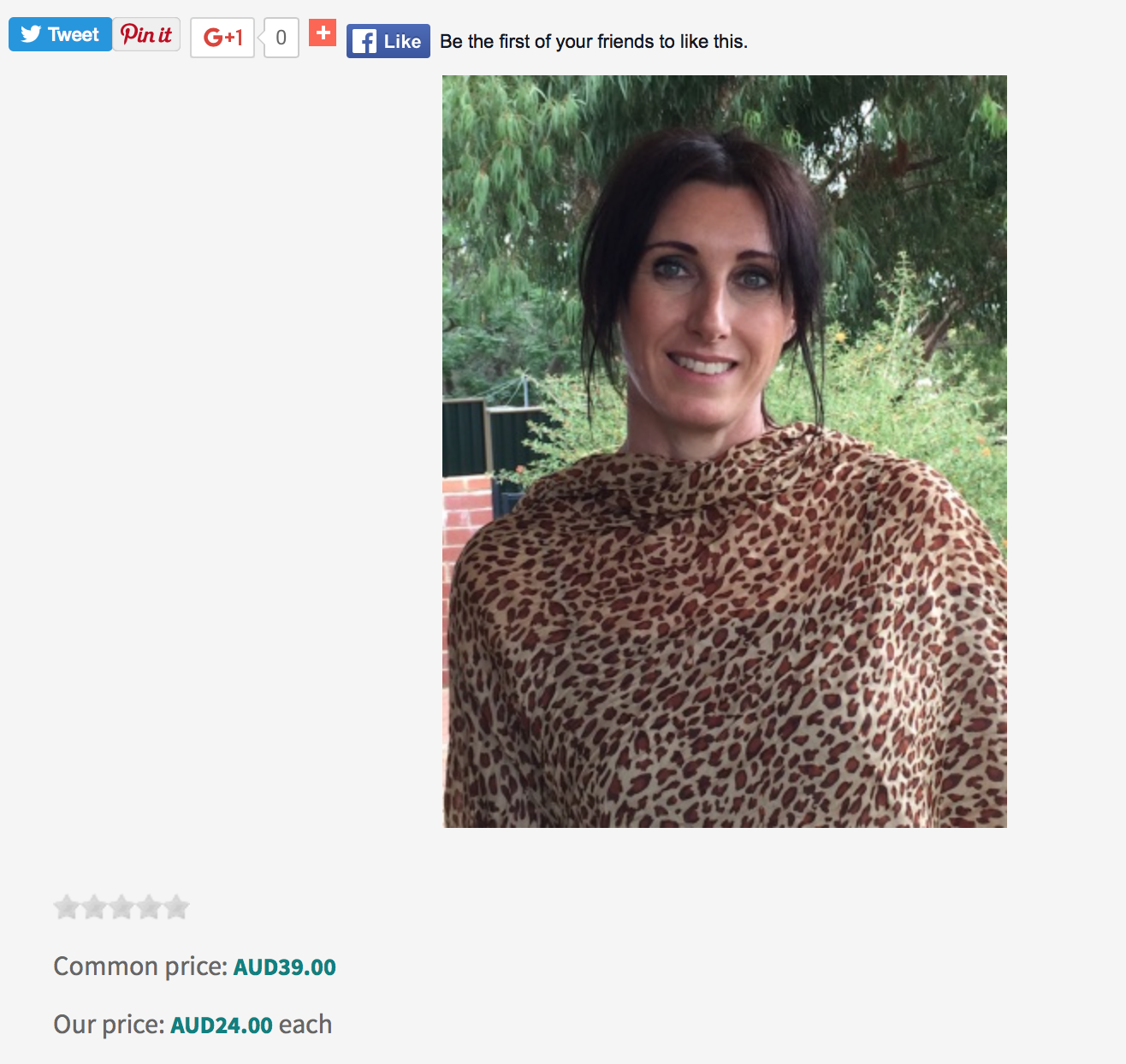
I just updated to Hikashop and find that the image of the product does not sit on the left hand side anymore like it used to do in 2.6.1.
I created my own style sheet for the front end display. Has anything changed in this update?
Here is a screenshot
-- HikaShop version -- : 2.6.2
-- Joomla version -- : 3.5.1
-- PHP version -- : 5.6
-- Browser(s) name and version -- : Safari
Hello
I just updated to Hikashop and find that the image of the product does not sit on the left hand side anymore like it used to do in 2.6.1.
I created my own style sheet for the front end display. Has anything changed in this update?
Here is a screenshot
Please Log in or Create an account to join the conversation.
10 years 6 months ago #235967
by bettston
Replied by bettston on topic Product page view messed up after update to 2.6.2
I had to change line 69 on show_block_img in the view settings from
to
Notice how the id part is incorrectly spaced, there should be a space before itemprop NOT before the "
For us this broke the hover over images but this seems to of fixed it.
Code:
$html = '<img id="hikashop_main_image'.$variant_name.' "itemprop="image" style="margin-top:10px;margin-bottom:10px;display:inline-block;vertical-align:middle" title="'.$this->escape(@$image->file_description).'" alt="'.$this->escape(@$image->file_name).'" src="'.$img->url.'"/>';
Code:
$html = '<img id="hikashop_main_image'.$variant_name.'" itemprop="image" style="margin-top:10px;margin-bottom:10px;display:inline-block;vertical-align:middle" title="'.$this->escape(@$image->file_description).'" alt="'.$this->escape(@$image->file_name).'" src="'.$img->url.'"/>';
Notice how the id part is incorrectly spaced, there should be a space before itemprop NOT before the "
For us this broke the hover over images but this seems to of fixed it.
The following user(s) said Thank You: ozwest
Please Log in or Create an account to join the conversation.
10 years 6 months ago #235973
by ozwest
Replied by ozwest on topic Product page view messed up after update to 2.6.2
Thank you Bettston, unfortunately it did not do the trick for me.
Please Log in or Create an account to join the conversation.
10 years 6 months ago #235974
by sarawhite
Replied by sarawhite on topic Product page view messed up after update to 2.6.2
Thank you for your help but it did not work for me either.
Please Log in or Create an account to join the conversation.

10 years 6 months ago #235997
by nicolas
Replied by nicolas on topic Product page view messed up after update to 2.6.2
Hi,
@bettston:
Thank you for your feedback. We added the patch on our end.
@ozwest
You didn't provide any link so I can't say if the problem is the same or not.
@sarawhite
Your provide is just a CSS problem. Add that CSS code to your website and it will display like you want:
#hikashop_social{
height: 40px;
}
www.hikashop.com/support/documentation/1...ize-the-display.html
@bettston:
Thank you for your feedback. We added the patch on our end.
@ozwest
You didn't provide any link so I can't say if the problem is the same or not.
@sarawhite
Your provide is just a CSS problem. Add that CSS code to your website and it will display like you want:
#hikashop_social{
height: 40px;
}
www.hikashop.com/support/documentation/1...ize-the-display.html
The following user(s) said Thank You: sarawhite
Please Log in or Create an account to join the conversation.
10 years 6 months ago #236015
by sarawhite
Replied by sarawhite on topic Product page view messed up after update to 2.6.2
Thank you Nicolas, it worked.
Please Log in or Create an account to join the conversation.
Time to create page: 0.070 seconds