

- Posts: 11
- Thank you received: 0
How to set proportions of product images?
10 years 6 months ago #238402
by selma123
How to set proportions of product images? was created by selma123
-- url of the page with the problem -- :
web1217.login-4.loginserver.ch/shop.html
-- HikaShop version -- : 2.6.2
-- Joomla version -- : 3.5.1
-- PHP version -- : 5.5
-- Browser(s) name and version -- : Chrome
All images are shown as square, but I need to show them in the right proportions, e.g. 20x10cm (original image size), because the shop sells art images and the buyer need to see the correct sizes on the first sight. Same when clicking on product, there also the right proportions of the image must be shown. Only when clicking again for the 3rd time, then I see the correct size, but this is very user unfriendly. How can I handle that? is this possible? thank you in advance for your suppprt.
-- HikaShop version -- : 2.6.2
-- Joomla version -- : 3.5.1
-- PHP version -- : 5.5
-- Browser(s) name and version -- : Chrome
All images are shown as square, but I need to show them in the right proportions, e.g. 20x10cm (original image size), because the shop sells art images and the buyer need to see the correct sizes on the first sight. Same when clicking on product, there also the right proportions of the image must be shown. Only when clicking again for the 3rd time, then I see the correct size, but this is very user unfriendly. How can I handle that? is this possible? thank you in advance for your suppprt.
Please Log in or Create an account to join the conversation.

10 years 6 months ago #238439
by nicolas
Replied by nicolas on topic How to set proportions of product images?
Hi,
It depends on how you configured the "Force images size" and the "Image scale mode" settings of the HikaShop configuration. So please try the different values so that it looks like you want.
It depends on how you configured the "Force images size" and the "Image scale mode" settings of the HikaShop configuration. So please try the different values so that it looks like you want.
Please Log in or Create an account to join the conversation.
10 years 6 months ago #238978
by selma123
Replied by selma123 on topic How to set proportions of product images?
Ni Nicolas, excellent, thank you, the size of the images is now with the correct ratio. The only thing is that the images now have a white background, which I want to change to black, but I just couldn't figure out where to change this setting. When I change the backgroundcolor of the Item Box configuration, it still remains white. thank you in advance for your appreciated support.
Please Log in or Create an account to join the conversation.
10 years 6 months ago - 10 years 6 months ago #238985
by Philip
Replied by Philip on topic How to set proportions of product images?
Hello,
The margin white you can see come from image itself, see :
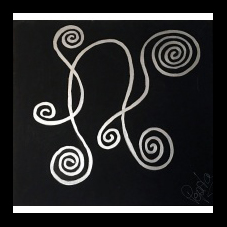
I put your image on a black background with photoshop.
Regards.
The margin white you can see come from image itself, see :
I put your image on a black background with photoshop.
Regards.
Last edit: 10 years 6 months ago by Philip.
Please Log in or Create an account to join the conversation.
10 years 6 months ago #239089
by selma123
Replied by selma123 on topic How to set proportions of product images?
Hi Philip, this is impossible, all images are croped without any border. See this wide image:
web1217.login-4.loginserver.ch/produktde...0-sivler-flower.html
. when you click on the image, you can see that it opens without the white background as shot on the product detail. therefore there must be a setting to change that background? thank you again for your support.
Please Log in or Create an account to join the conversation.
10 years 6 months ago #239127
by nicolas
Replied by nicolas on topic How to set proportions of product images?
Hi,
There is no setting to change the color of the background.
You would have to change the code:
like that:
in the file listing_img_title of the view product via the menu Display>Views.
There is no setting to change the color of the background.
You would have to change the code:
Code:
$image_options = array('default' => true,'forcesize'=>$this->config->get('image_force_size',true),'scale'=>$this->config->get('image_scale_mode','inside'));
Code:
$image_options = array('default' => true,'forcesize'=>$this->config->get('image_force_size',true),'scale'=>$this->config->get('image_scale_mode','inside'), 'background'=>'#000000');
Please Log in or Create an account to join the conversation.
10 years 6 months ago #239215
by selma123
Replied by selma123 on topic How to set proportions of product images?
Hi Nicolas,
Thank you for the hint, I changed the code exactly as described, but the background of the image remains still white Any other hint? I suppose that also other user have dark templates and the White background irritates the design.
Thank you in advance for your support.
best regards
Thank you for the hint, I changed the code exactly as described, but the background of the image remains still white
Any other hint? I suppose that also other user have dark templates and the White background irritates the design.Thank you in advance for your support.
best regards
Please Log in or Create an account to join the conversation.
10 years 6 months ago #239224
by nicolas
Replied by nicolas on topic How to set proportions of product images?
Hi,
Note that the change will only do something when generating new thumbnails. Once the thumbnails are generated, HikaShop won't regenerate them.
So you want to delete the folders images/com_hikashop/upload/thumbnails so that HikaShop will then regenerate the thumbnails with the background color taken into account.
And make sure that you're editing the view file for the template you're using on your frontend and not another template or you won't see the change taken into account.
Also, if you turn off the "Force images size" setting or change the "Image scale mode" setting to crop or use images with the same ratio or use a white background, you wouldn't get the problem with the white stripes around the thumbnails either. That's why most people don't have the problem as it is apparent only in a very specific case.
Note that the change will only do something when generating new thumbnails. Once the thumbnails are generated, HikaShop won't regenerate them.
So you want to delete the folders images/com_hikashop/upload/thumbnails so that HikaShop will then regenerate the thumbnails with the background color taken into account.
And make sure that you're editing the view file for the template you're using on your frontend and not another template or you won't see the change taken into account.
Also, if you turn off the "Force images size" setting or change the "Image scale mode" setting to crop or use images with the same ratio or use a white background, you wouldn't get the problem with the white stripes around the thumbnails either. That's why most people don't have the problem as it is apparent only in a very specific case.
Please Log in or Create an account to join the conversation.
10 years 6 months ago #239402
by selma123
Replied by selma123 on topic How to set proportions of product images?
Hi Nicolas, Excellent, the setting force image size=no and Image scale mode=keep ratio did the trick and the white background is gone  ) thank you so much for your support.
best regards
) thank you so much for your support.best regards
Please Log in or Create an account to join the conversation.
Time to create page: 0.067 seconds