

- Posts: 490
- Thank you received: 2
how to customize category module
10 years 2 months ago #245369
by ronron
how to customize category module was created by ronron
-- HikaShop version -- : 2.6.3
-- Joomla version -- : 3.4.3
-- PHP version -- : 5.5
-- Error-message(debug-mod must be tuned on) -- : none
hi
is there a way to customize Categories [mod_hikashop]?
1. the link dispalys a hikashop link example is below
mayari.com.ph/hikashop-menu-for-categori...pparel-textiles-more
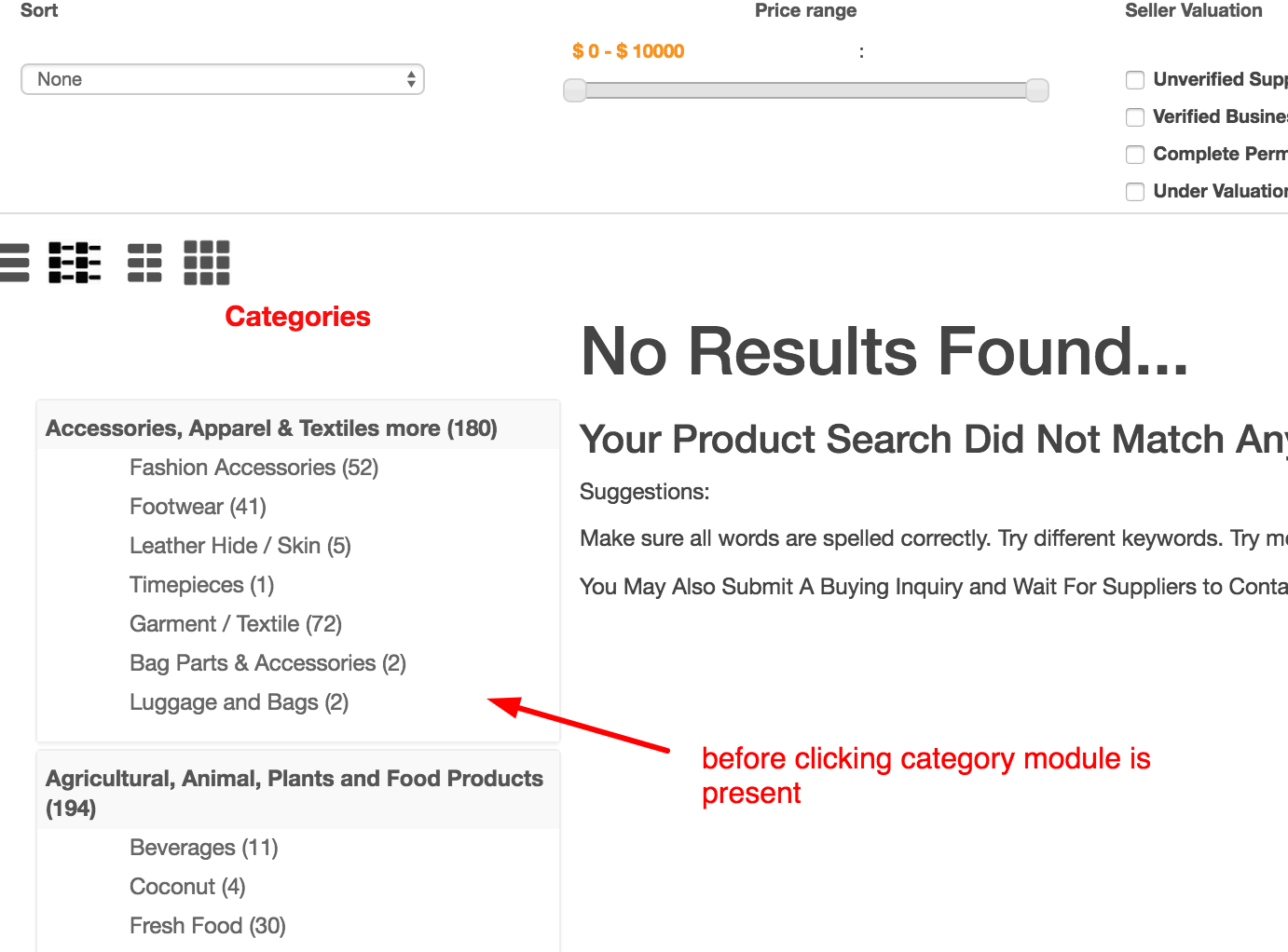
2. When i click on the categories displayed by this module the module disappears.
Part of the message is hidden for the guests. Please log in or register to see it.
before clicking on the category of course it is available. When you click on a category its gone
-- Joomla version -- : 3.4.3
-- PHP version -- : 5.5
-- Error-message(debug-mod must be tuned on) -- : none
hi
is there a way to customize Categories [mod_hikashop]?
1. the link dispalys a hikashop link example is below
mayari.com.ph/hikashop-menu-for-categori...pparel-textiles-more
2. When i click on the categories displayed by this module the module disappears.
Part of the message is hidden for the guests. Please log in or register to see it.
before clicking on the category of course it is available. When you click on a category its gone
Please Log in or Create an account to join the conversation.

10 years 2 months ago #245392
by nicolas
Replied by nicolas on topic how to customize category module
Hi,
You have configured your categories module to be assigned to your "store" menu item.
And the "menu" setting of the module is set to the menu item "hikashop-menu-for-categories-listing" so that means that when you click on a link of the module, you go to that menu item.
So either you change that "menu" setting of your module to your "store" menu item, or you also select the "hikashop-menu-for-categories-listing" menu item in the menu assignement of your module.
You have configured your categories module to be assigned to your "store" menu item.
And the "menu" setting of the module is set to the menu item "hikashop-menu-for-categories-listing" so that means that when you click on a link of the module, you go to that menu item.
So either you change that "menu" setting of your module to your "store" menu item, or you also select the "hikashop-menu-for-categories-listing" menu item in the menu assignement of your module.
Please Log in or Create an account to join the conversation.
10 years 2 months ago #245438
by ronron
Replied by ronron on topic how to customize category module
hi
i think my question is not clear. let me clarify this.
1.this is the link of the category module. how can i change the link so that the word hikashop is not on the link?
xxxxxx.com.ph/hikashop-menu-for-module-4...-and-beauty-products
can we change this to
xxxxxx.com.ph/menu-for-module-405/catego...-and-beauty-products
thanks
i think my question is not clear. let me clarify this.
1.this is the link of the category module. how can i change the link so that the word hikashop is not on the link?
xxxxxx.com.ph/hikashop-menu-for-module-4...-and-beauty-products
can we change this to
xxxxxx.com.ph/menu-for-module-405/catego...-and-beauty-products
thanks
Please Log in or Create an account to join the conversation.
10 years 2 months ago #245519
by nicolas
Replied by nicolas on topic how to customize category module
Hi,
Sure. Just edit the "HikaShop menu for module 405" menu item via the Joomla menu manager and change its alias.
Sure. Just edit the "HikaShop menu for module 405" menu item via the Joomla menu manager and change its alias.
The following user(s) said Thank You: ronron
Please Log in or Create an account to join the conversation.
Time to create page: 0.246 seconds