

- Posts: 37
- Thank you received: 0
display category module
10 years 3 months ago - 10 years 3 months ago #245818
by Joost
display category module was created by Joost
-- HikaShop version -- : 2.6.3
-- Joomla version -- : 3.6.0
-- PHP version -- : 5.6.22
-- Browser(s) name and version -- : Firefox 47.0
-- Error-message(debug-mod must be tuned on) -- : Category list disappears after htting one.
Module for displaying categories: after hitting a category the products are shown but the categorylist in the module disappears. The category list must stay visible!
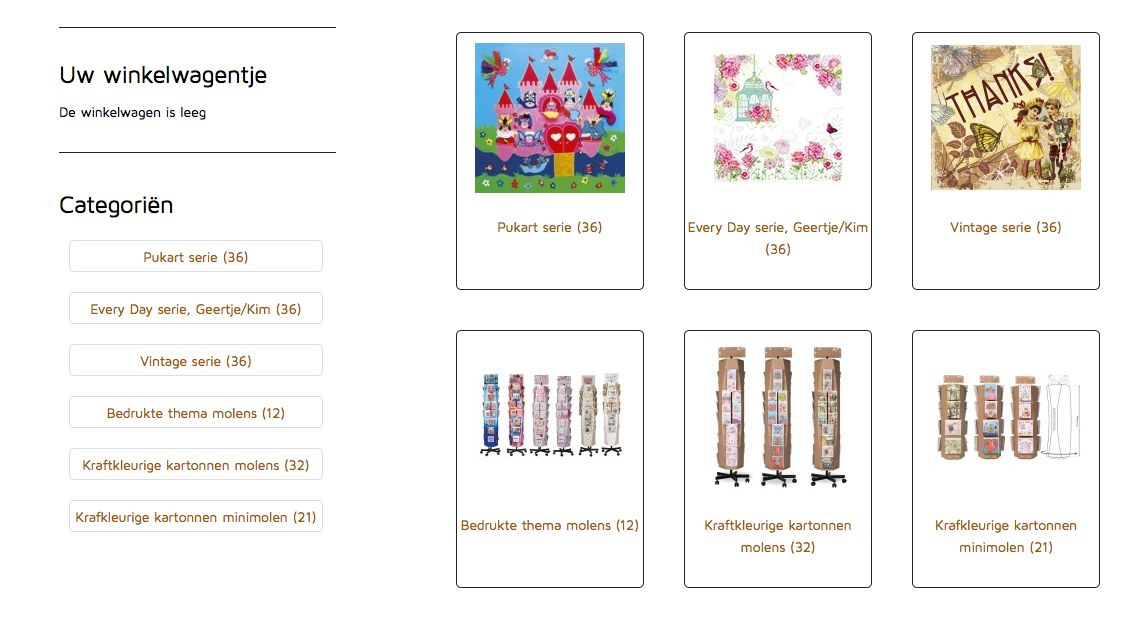
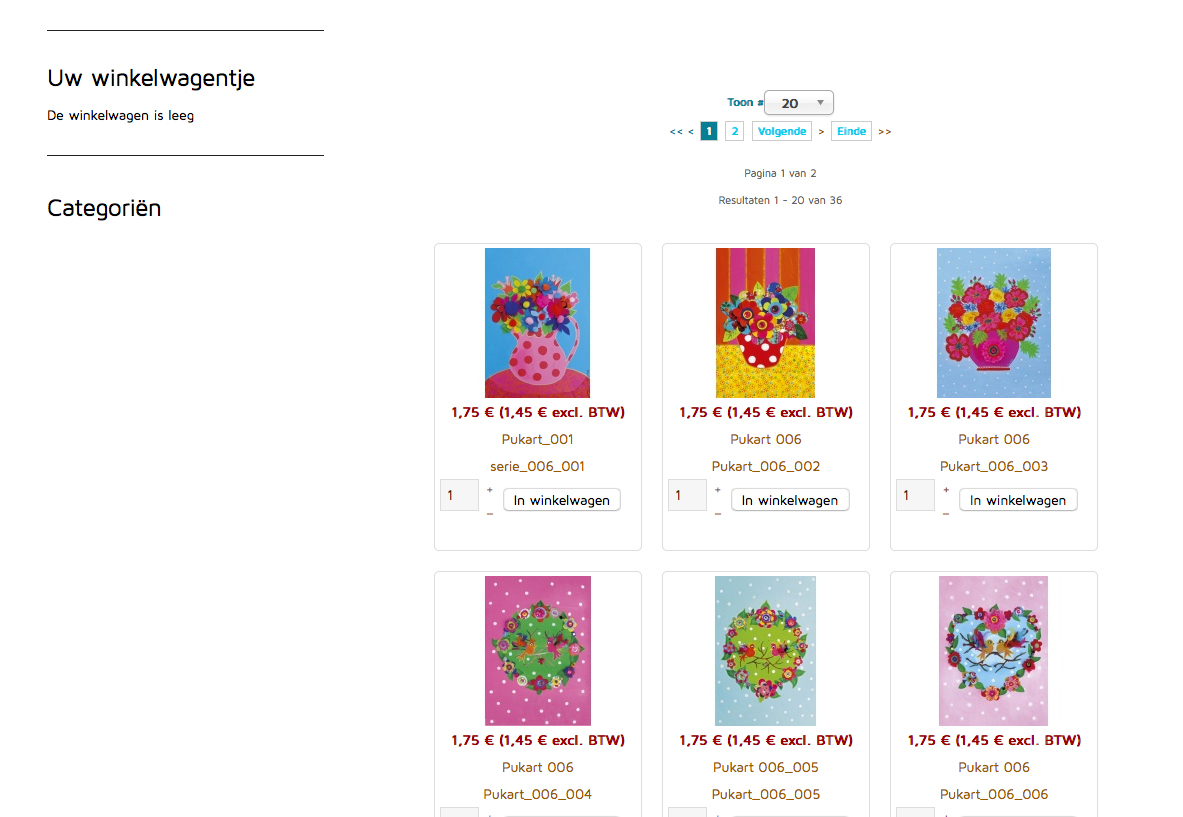
-- Joomla version -- : 3.6.0
-- PHP version -- : 5.6.22
-- Browser(s) name and version -- : Firefox 47.0
-- Error-message(debug-mod must be tuned on) -- : Category list disappears after htting one.
Module for displaying categories: after hitting a category the products are shown but the categorylist in the module disappears. The category list must stay visible!
Last edit: 10 years 3 months ago by Joost. Reason: wrong files attached
Please Log in or Create an account to join the conversation.

10 years 3 months ago #245819
by nicolas
Replied by nicolas on topic display category module
Hi,
In the categories module, you'll find the "menu" setting under the "hikashop options" tab. There you can select the menu item where you'll go when you click on a link of that module.
It means that you also need to select that menu item in the "menu assignement" setting of the module, or the module won't be displayed after you click on a link of that module.
Also, make sure that the "synchronize" setting of the module is turned off or the module will change its main category as the current category, and thus, if the current category doesn't have any sub categories, the module won't display anything.
In the categories module, you'll find the "menu" setting under the "hikashop options" tab. There you can select the menu item where you'll go when you click on a link of that module.
It means that you also need to select that menu item in the "menu assignement" setting of the module, or the module won't be displayed after you click on a link of that module.
Also, make sure that the "synchronize" setting of the module is turned off or the module will change its main category as the current category, and thus, if the current category doesn't have any sub categories, the module won't display anything.
Please Log in or Create an account to join the conversation.
Time to create page: 0.063 seconds