
- Posts: 31
- Thank you received: 0
The products listing is not responsiv
- chwebmedia
-
 Topic Author
- Offline
Less
More
10 years 2 months ago #250058
by chwebmedia
The products listing is not responsiv was created by chwebmedia
-- HikaShop version -- : 2.6.4
-- Joomla version -- : 3.6.2
1) Hi I wanted to add breadcrumb to the store so I can easily click back to the previous page instead of going back to "online store" and select a category instead. Is there a way to do that? I cannot find a module position for the breadcrumb so i thought I check to see if there's one in Hikashop Essential.
2) All the products in the store are distorted. They look fine on my Mac but look all messed up in my mobile phone. How can I fix this to make everything look responsive on all devices?
Thanks,
Karen
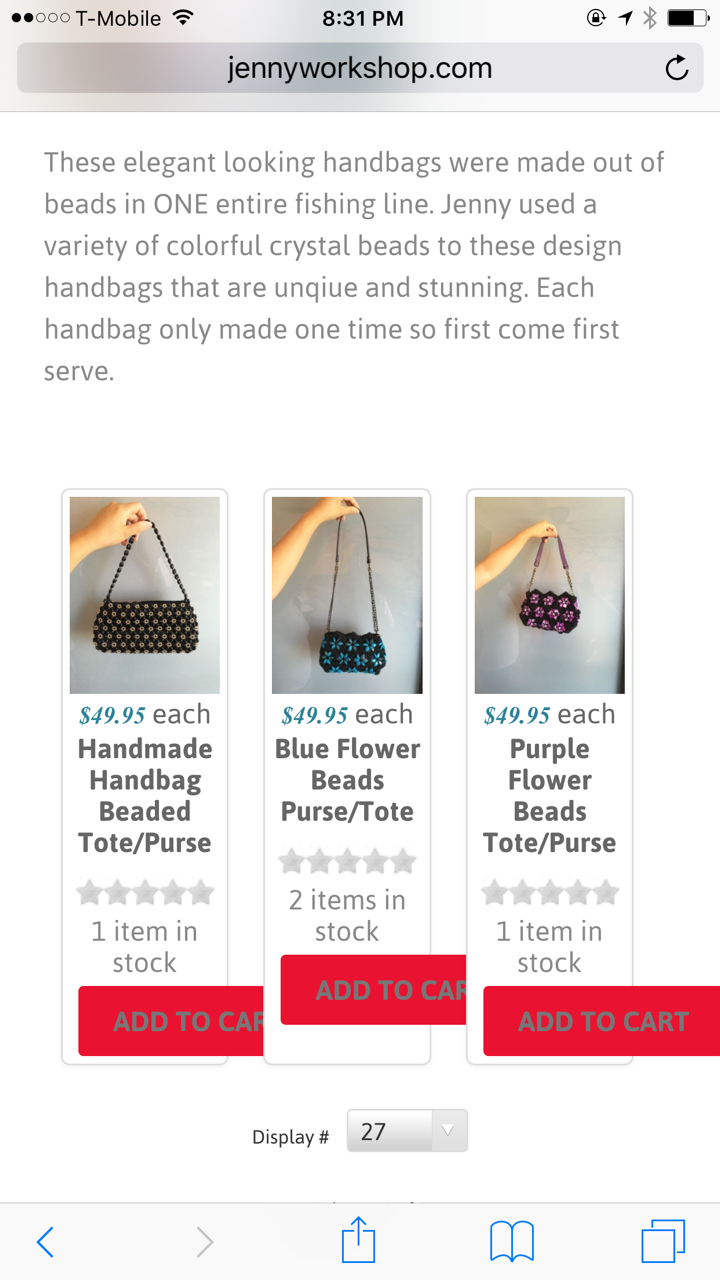
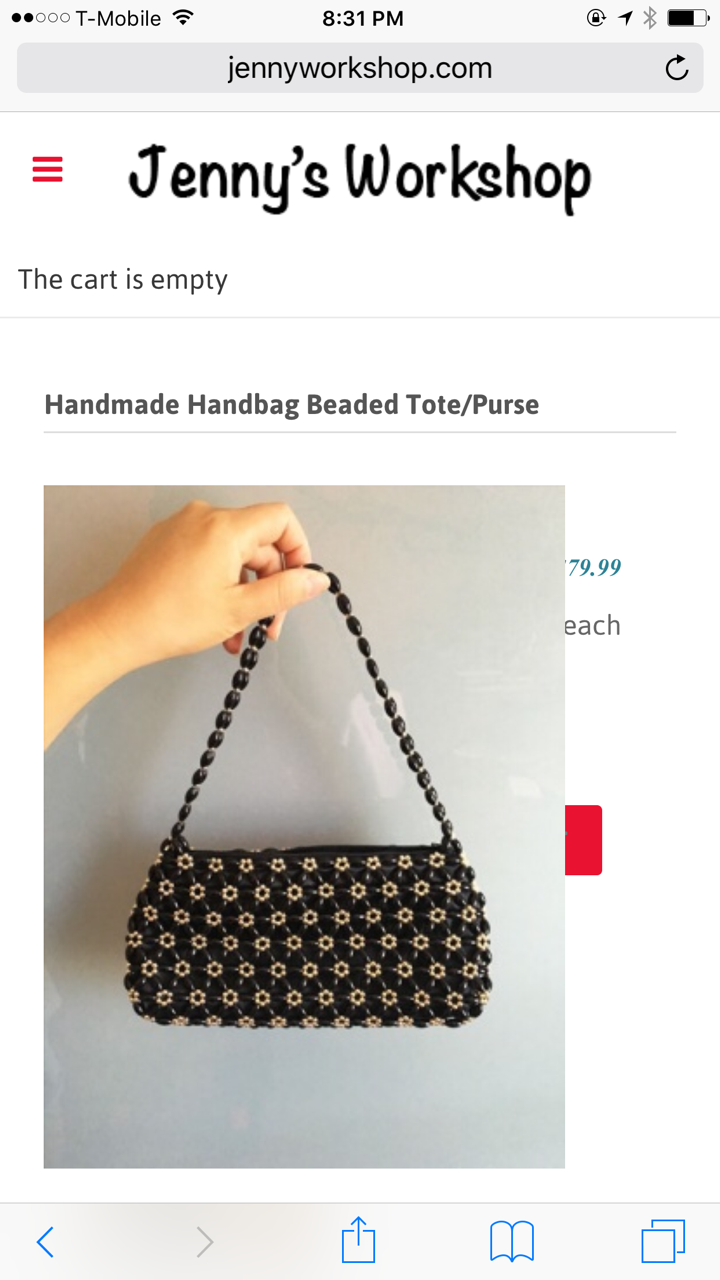
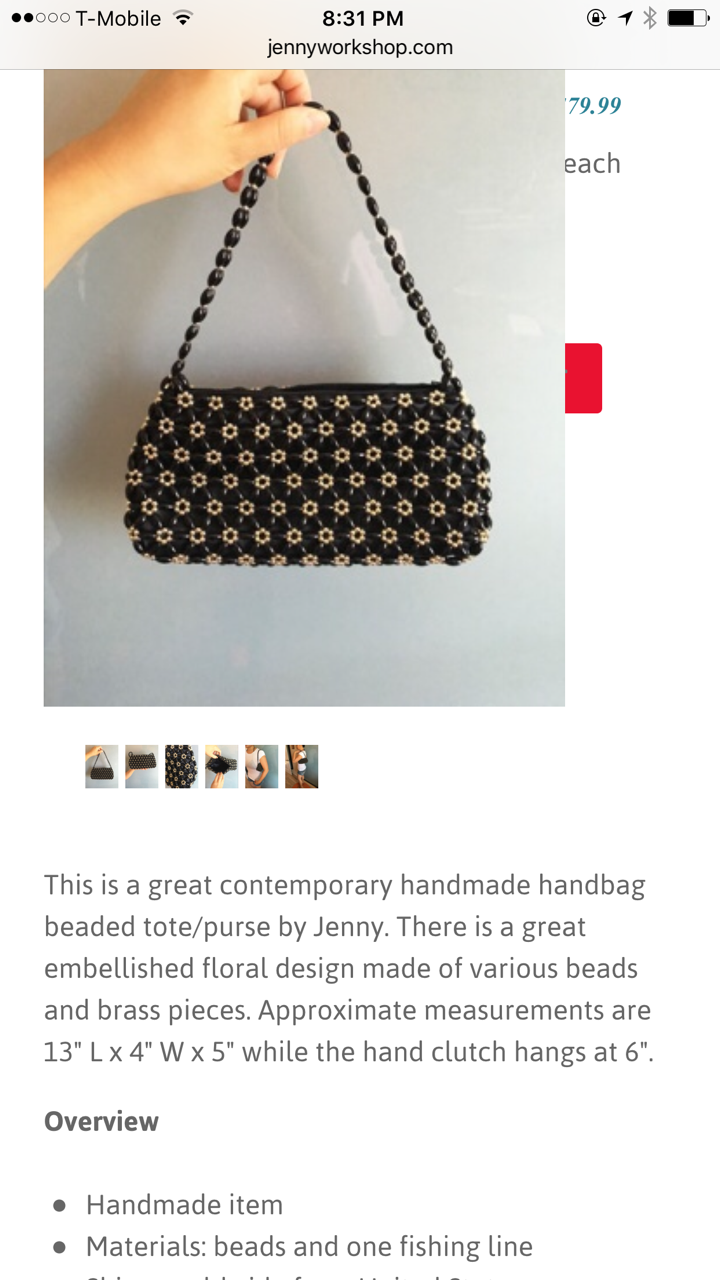
-- Joomla version -- : 3.6.2
1) Hi I wanted to add breadcrumb to the store so I can easily click back to the previous page instead of going back to "online store" and select a category instead. Is there a way to do that? I cannot find a module position for the breadcrumb so i thought I check to see if there's one in Hikashop Essential.
2) All the products in the store are distorted. They look fine on my Mac but look all messed up in my mobile phone. How can I fix this to make everything look responsive on all devices?
Thanks,
Karen
Please Log in or Create an account to join the conversation.

10 years 2 months ago #250071
by Jerome
Jerome - Obsidev.com
HikaMarket & HikaSerial developer / HikaShop core dev team.
Replied by Jerome on topic The products listing is not responsiv
Hi,
www.hikashop.com/support/documentation/5...html#display_general
Regards,
www.hikashop.com/support/documentation/5...html#display_general
Use bootstrap design: That option is turned off by default. When turn on, the views of HikaShop on the frontend will be responsive and use the bootstrap library for their styling. It requires that your Joomla template supports bootstrap 2. On Joomla 3.0, most templates should. However, if you have display issues on your frontend (like for example the number of columns of your listings which is always 1 no matter what you enter in the "number of columns" option of your menus/modules), it means that your template does not support bootstrap and that you should turn off that option. In such cases, you can potentially install a bootstrap compatibility joomla plugin in order to add the boostrap support on your frontend. Finally, note that some templates might only partially support bootstrap (only the CSS and not the JS, or only some pieces of the CSS) like we found out with at least some YooTheme templates. In that case, we would recommend to contact your template provider for help so that you get all the pieces of bootstrap in it if you want to have a responsive display for HikaShop interfaces.
Regards,
Jerome - Obsidev.com
HikaMarket & HikaSerial developer / HikaShop core dev team.
Please Log in or Create an account to join the conversation.
- chwebmedia
-
Topic Author
- Offline
Less
More
- Posts: 31
- Thank you received: 0
10 years 2 months ago - 10 years 2 months ago #250131
by chwebmedia
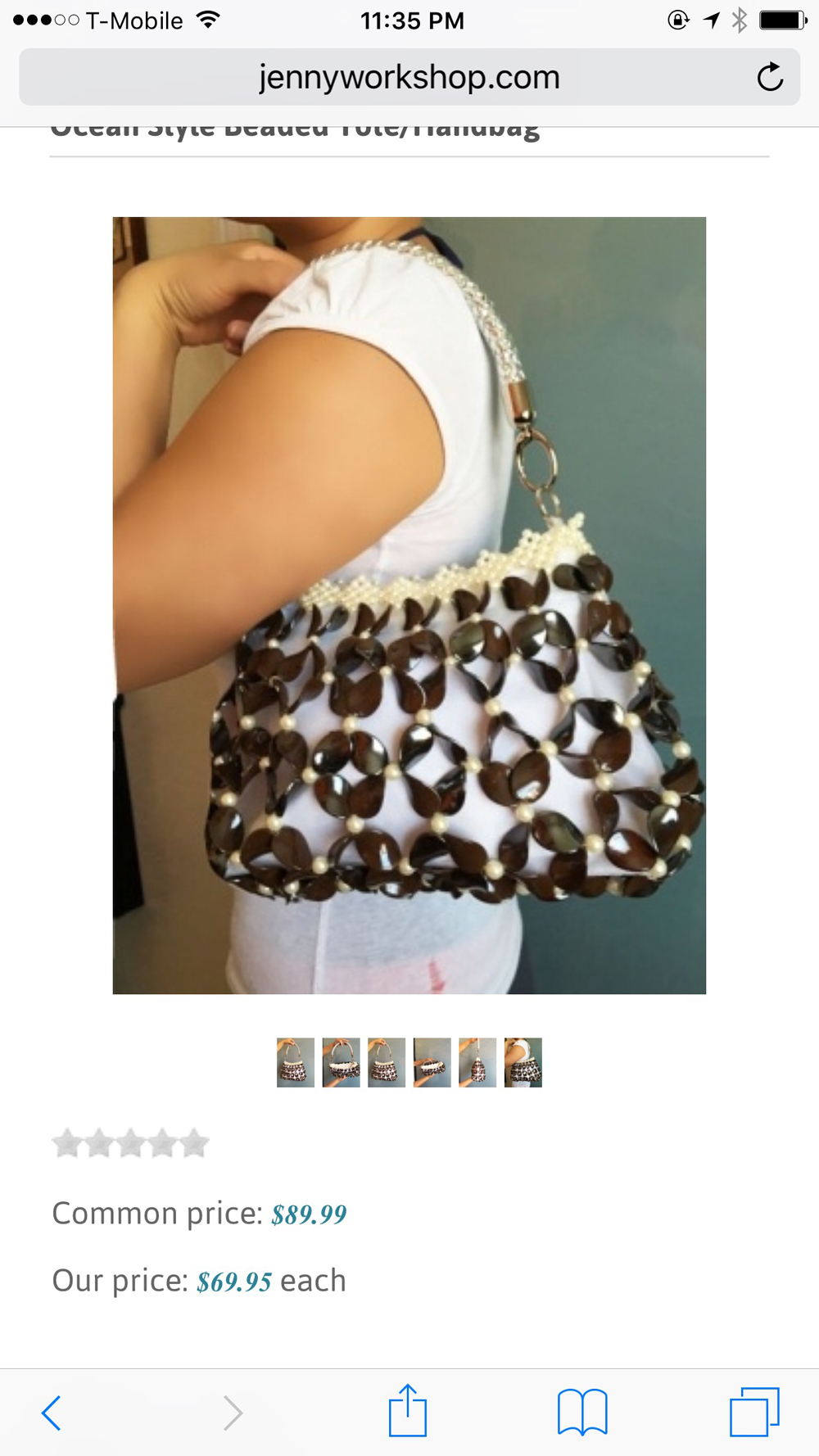
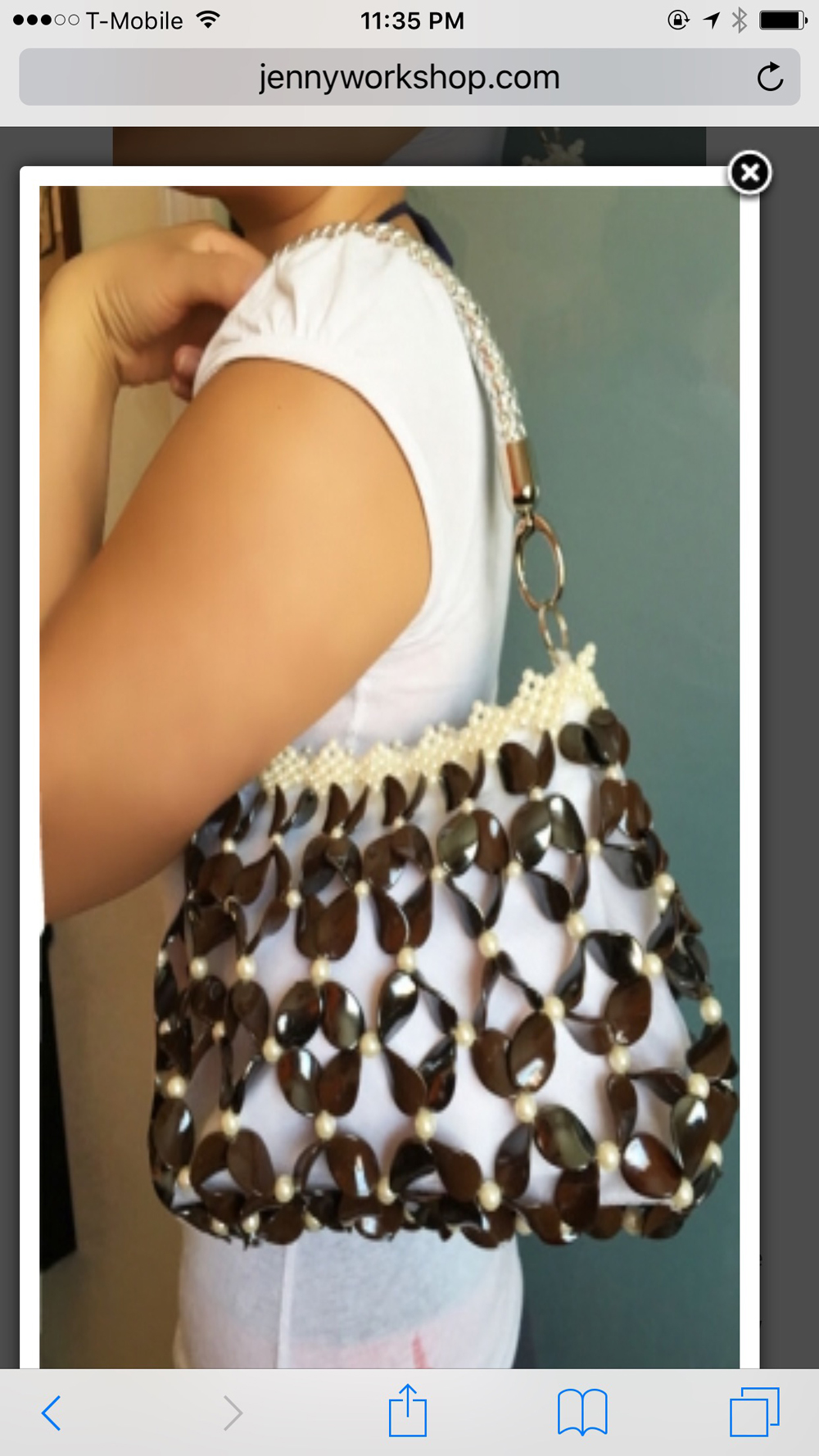
Thanks I was able to get the store responsive on the mobile phone, however, the popup images on each product listing look stretched. Is there a setting to the image size or is it automatic to the image size?
Replied by chwebmedia on topic The products listing is not responsiv
Thanks I was able to get the store responsive on the mobile phone, however, the popup images on each product listing look stretched. Is there a setting to the image size or is it automatic to the image size?
Last edit: 10 years 2 months ago by chwebmedia. Reason: wrong attachment
Please Log in or Create an account to join the conversation.

10 years 2 months ago #250160
by nicolas
Replied by nicolas on topic The products listing is not responsiv
That comes from the CSS on your website.
If you want to keep the image ratio proportionated, you can add such CSS code:
.sbox-content-image img {
height: auto !important;
}
If you want to keep the image ratio proportionated, you can add such CSS code:
.sbox-content-image img {
height: auto !important;
}
Please Log in or Create an account to join the conversation.
- chwebmedia
-
Topic Author
- Offline
Less
More
- Posts: 31
- Thank you received: 0
10 years 2 months ago #250334
by chwebmedia
Replied by chwebmedia on topic The products listing is not responsiv
Where do I add this code to?
Please Log in or Create an account to join the conversation.
10 years 2 months ago #250335
by Jerome
Jerome - Obsidev.com
HikaMarket & HikaSerial developer / HikaShop core dev team.
Replied by Jerome on topic The products listing is not responsiv
Hi,
Please read that documentation page for more details :
www.hikashop.com/support/documentation/1...the-display.html#css
Regards,
Please read that documentation page for more details :
www.hikashop.com/support/documentation/1...the-display.html#css
Regards,
Jerome - Obsidev.com
HikaMarket & HikaSerial developer / HikaShop core dev team.
Please Log in or Create an account to join the conversation.
Time to create page: 0.058 seconds