
- Posts: 45
- Thank you received: 0
product not shown under category listing
- luc.geysen@gmail.com
-
 Topic Author
- Offline
Less
More
10 years 5 days ago #254667
by luc.geysen@gmail.com
product not shown under category listing was created by luc.geysen@gmail.com
-- HikaShop version -- : 2.6.4
-- Joomla version -- : 3.5.1
-- PHP version -- : 5.4.4-14+deb7u5
-- Browser(s) name and version -- : safari 10.0.1
Dears,
I started a new webshop on a new website (www.au-dedans-be). The shop is not online yet, I have made a hidden menu to access the webshop ( www.au-dedans.be ). I have created two products:
1. under category textiel - bedgerief (product name: Dekbedovertrek stripe)
2. under category Kaarsen - geurkaarsen (product name: geurkaars)
When I navigate to both categories the products are not shown! Any idea how come? I have installed a T3 template, I tried already to activate the protostar or beez3 template without success. Any idea?
Wbr,
Luc
-- Joomla version -- : 3.5.1
-- PHP version -- : 5.4.4-14+deb7u5
-- Browser(s) name and version -- : safari 10.0.1
Dears,
I started a new webshop on a new website (www.au-dedans-be). The shop is not online yet, I have made a hidden menu to access the webshop ( www.au-dedans.be ). I have created two products:
1. under category textiel - bedgerief (product name: Dekbedovertrek stripe)
2. under category Kaarsen - geurkaarsen (product name: geurkaars)
When I navigate to both categories the products are not shown! Any idea how come? I have installed a T3 template, I tried already to activate the protostar or beez3 template without success. Any idea?
Wbr,
Luc
Please Log in or Create an account to join the conversation.

10 years 5 days ago #254694
by nicolas
Replied by nicolas on topic product not shown under category listing
Hi,
It seems that you turned off the shop on your website:
take.ms/WS6dH
As you suspected, I also think that the problem is linked to the template.
Check if you have the folder templates/YOUR_TEMPLATE/html/com_hikashop/category
If you do, rename it and it should work fine.
If you don't, then please provide a screenshot of the categories options and the products options tabs of your menu item so that we can see how you configured them, and provide a way to access the pages you're talking about.
It seems that you turned off the shop on your website:
take.ms/WS6dH
As you suspected, I also think that the problem is linked to the template.
Check if you have the folder templates/YOUR_TEMPLATE/html/com_hikashop/category
If you do, rename it and it should work fine.
If you don't, then please provide a screenshot of the categories options and the products options tabs of your menu item so that we can see how you configured them, and provide a way to access the pages you're talking about.
Please Log in or Create an account to join the conversation.
- luc.geysen@gmail.com
-
Topic Author
- Offline
Less
More
- Posts: 45
- Thank you received: 0
10 years 4 days ago #254778
by luc.geysen@gmail.com
Replied by luc.geysen@gmail.com on topic product not shown under category listing
Hi Nicolas,
The folder under the template as described by you is not present!
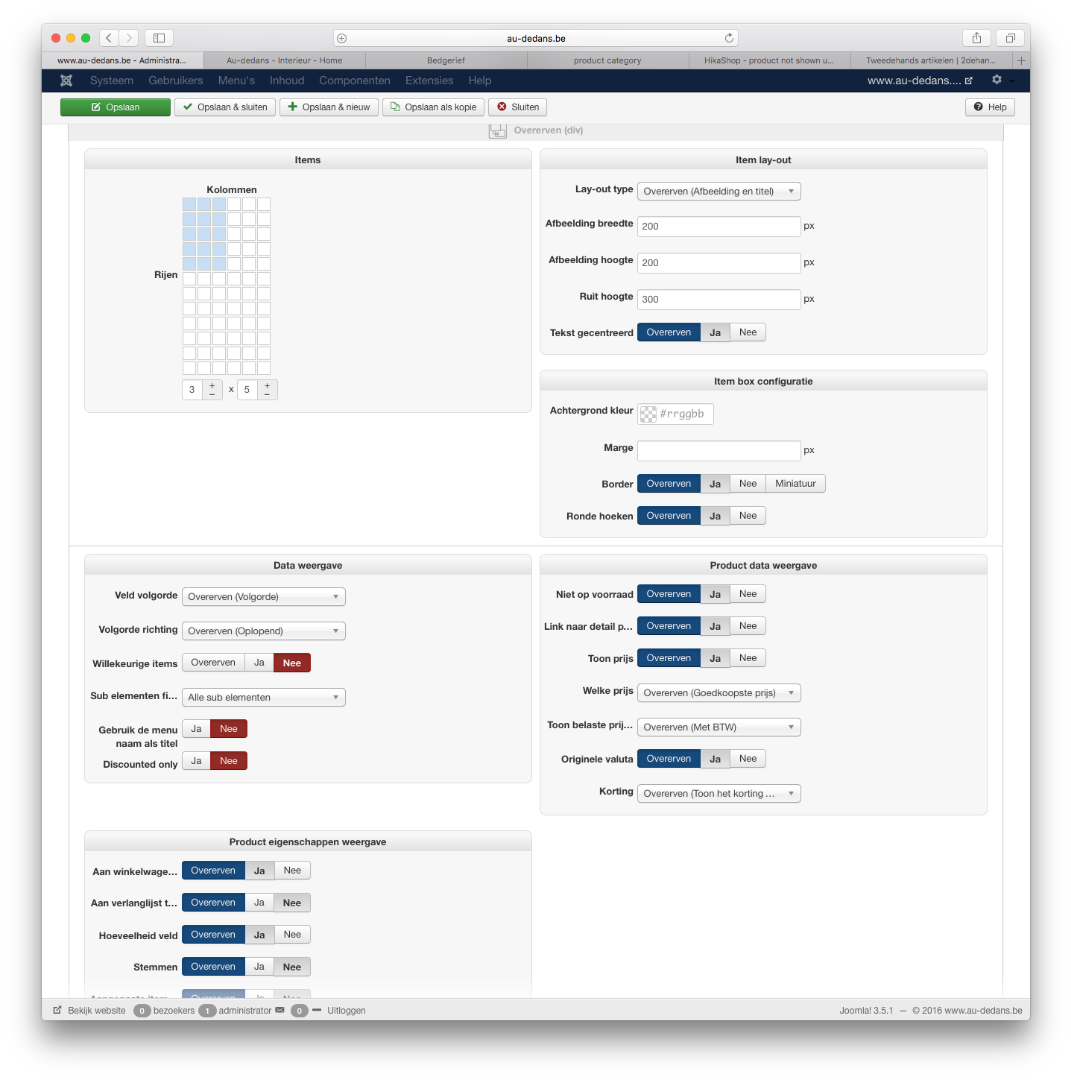
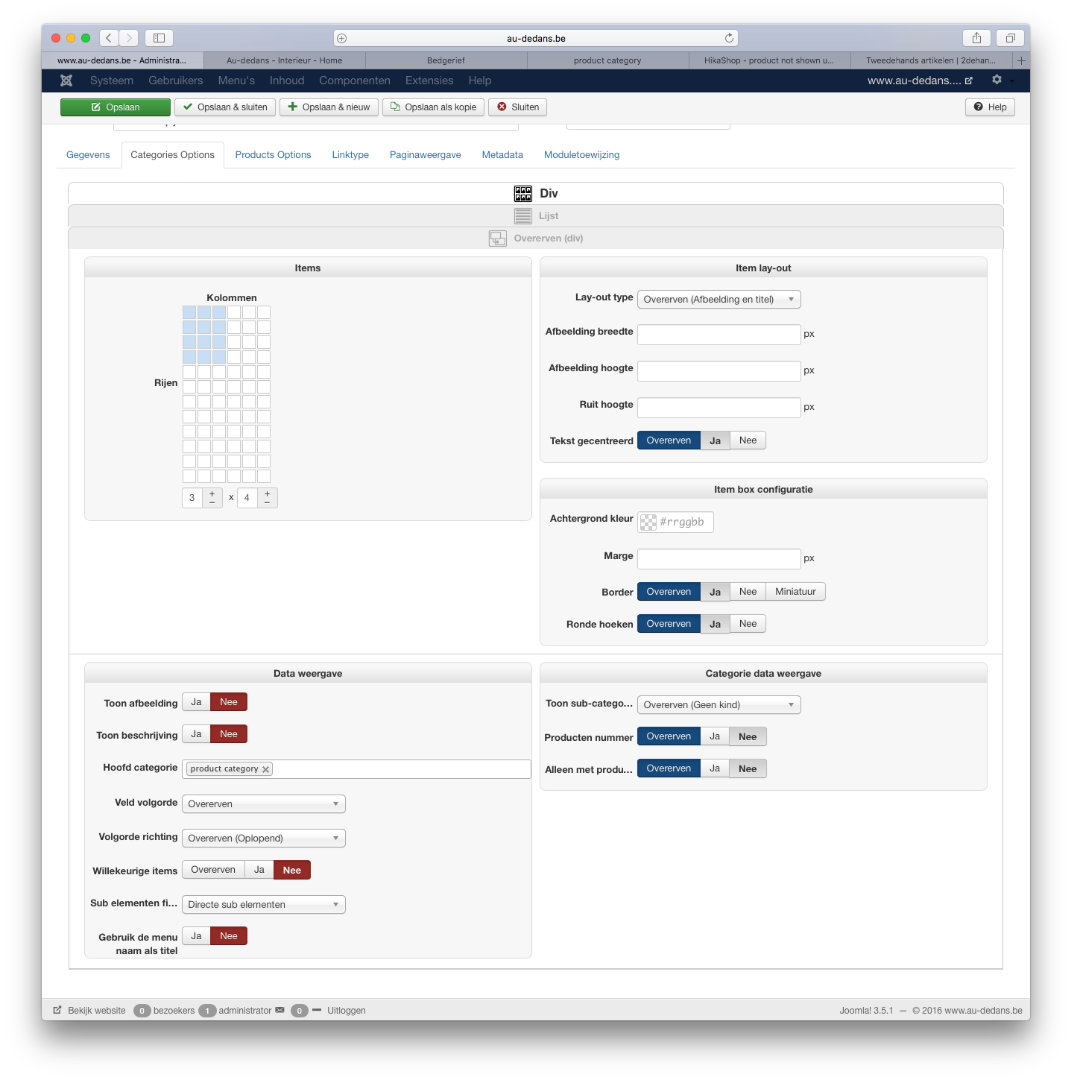
Attached you can find the screenshots of the categorie options and product options page.
You can access the (hidden) link to the webshop via: www.au-dedans.be/index.php?option=com_hi...egory&layout=listing
Wbr,
Luc
The folder under the template as described by you is not present!
Attached you can find the screenshots of the categorie options and product options page.
You can access the (hidden) link to the webshop via: www.au-dedans.be/index.php?option=com_hi...egory&layout=listing
Wbr,
Luc
Please Log in or Create an account to join the conversation.
10 years 3 days ago - 10 years 3 days ago #254822
by Philip
Replied by Philip on topic product not shown under category listing
Hello,
Can you check in your item Menu configuration in Details tab, your Menu Item Type ?
I think your have tihs :
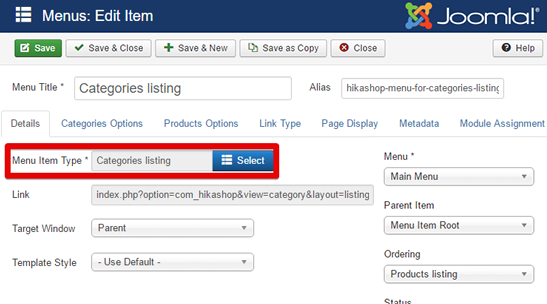
Instead of this :
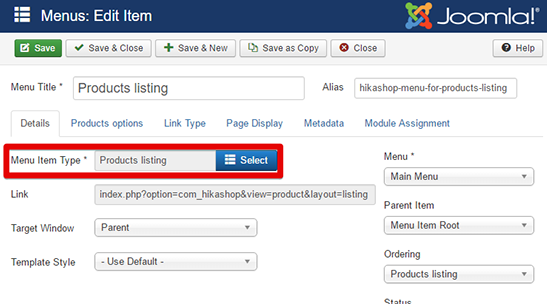
If yes, can you try to switch for Products listing type and see if that works.
Awaiting news from you.
Regards
Can you check in your item Menu configuration in Details tab, your Menu Item Type ?
I think your have tihs :
Instead of this :
If yes, can you try to switch for Products listing type and see if that works.
Awaiting news from you.
Regards
Last edit: 10 years 3 days ago by Philip.
Please Log in or Create an account to join the conversation.
- luc.geysen@gmail.com
-
Topic Author
- Offline
Less
More
- Posts: 45
- Thank you received: 0
10 years 3 days ago #254865
by luc.geysen@gmail.com
Replied by luc.geysen@gmail.com on topic product not shown under category listing
Hi,
I changed as told by you (although I would expect the category listing would at the end also show the products) and the result is the same:
this is the hidden menu with product listing directly pointing to textiel - bedgerief -> no product listed either...
www.au-dedans.be/index.php?option=com_hi...oduct&layout=listing
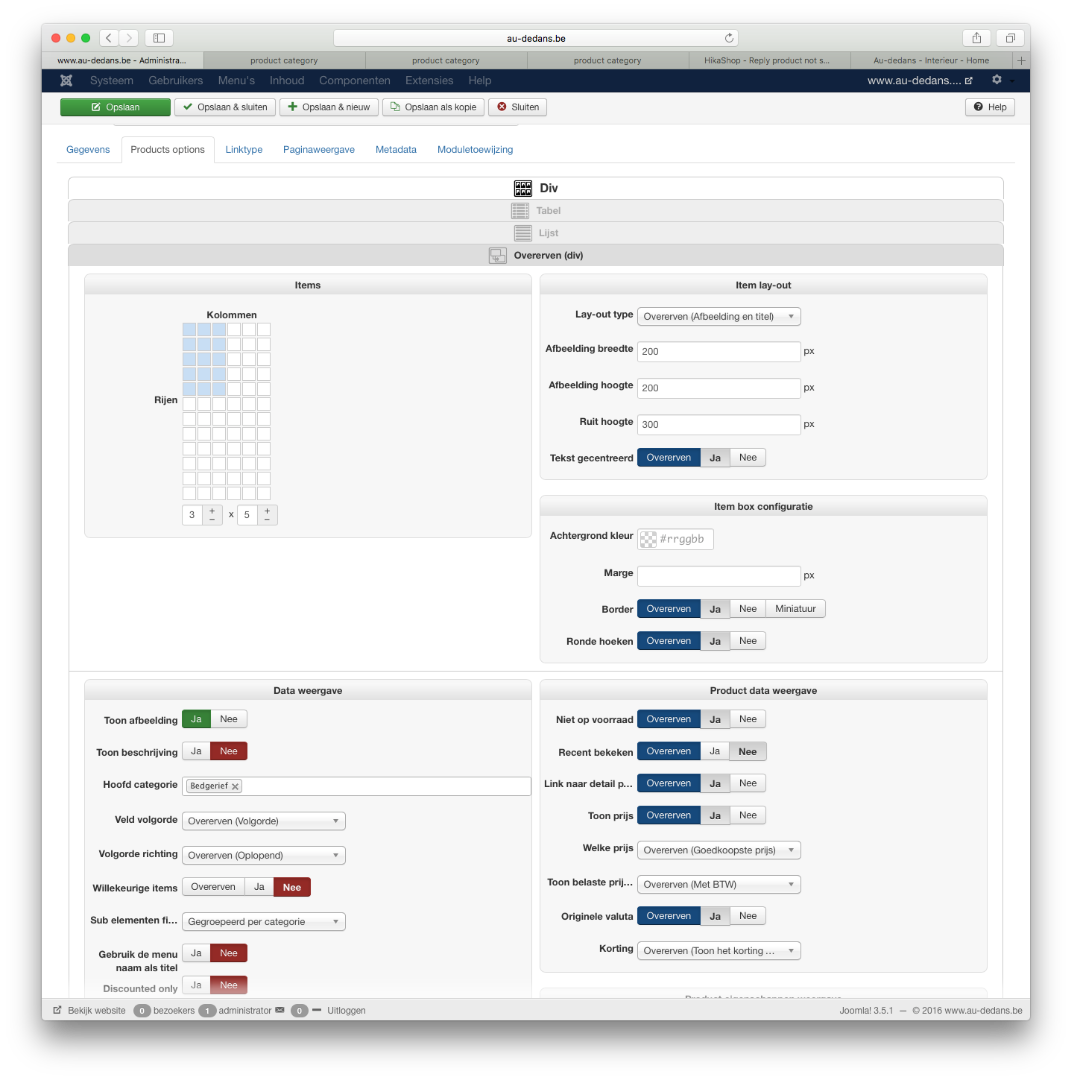
Wbr,
Luc
I changed as told by you (although I would expect the category listing would at the end also show the products) and the result is the same:
this is the hidden menu with product listing directly pointing to textiel - bedgerief -> no product listed either...
www.au-dedans.be/index.php?option=com_hi...oduct&layout=listing
Wbr,
Luc
Please Log in or Create an account to join the conversation.
10 years 2 days ago #254941
by nicolas
Replied by nicolas on topic product not shown under category listing
Hi,
The links www.au-dedans.be/index.php?option=com_hi...egory&layout=listing or www.au-dedans.be/index.php?option=com_hi...oduct&layout=listing are not valid links.
They are missing the Itemid parameter which specifies which menu item should be used for the options of the listing.
So suppose that your menu item is of the type "HikaShop categories listing" and has the id XXX. The link to it should be:
www.au-dedans.be/index.php?option=com_hi...t=listing&Itemid=XXX
That's actually the non SEFed link to the menu item. The SEFed link should contain the alias name of the menu item whose id is specified in the Itemid parameter of the non SEFed URL.
The links www.au-dedans.be/index.php?option=com_hi...egory&layout=listing or www.au-dedans.be/index.php?option=com_hi...oduct&layout=listing are not valid links.
They are missing the Itemid parameter which specifies which menu item should be used for the options of the listing.
So suppose that your menu item is of the type "HikaShop categories listing" and has the id XXX. The link to it should be:
www.au-dedans.be/index.php?option=com_hi...t=listing&Itemid=XXX
That's actually the non SEFed link to the menu item. The SEFed link should contain the alias name of the menu item whose id is specified in the Itemid parameter of the non SEFed URL.
Please Log in or Create an account to join the conversation.
- luc.geysen@gmail.com
-
Topic Author
- Offline
Less
More
- Posts: 45
- Thank you received: 0
10 years 2 days ago #255002
by luc.geysen@gmail.com
Replied by luc.geysen@gmail.com on topic product not shown under category listing
Hi,
Indeed that was the issue... I took the link in the menu item to start from...
Thanx for the great help!!!
Wbr,
Luc
Indeed that was the issue... I took the link in the menu item to start from...
Thanx for the great help!!!
Wbr,
Luc
Please Log in or Create an account to join the conversation.
Time to create page: 0.082 seconds