

- Posts: 75
- Thank you received: 0
Problem with mobile...
9 years 9 months ago - 9 years 9 months ago #258830
by rober1903
Problem with mobile... was created by rober1903
-- HikaShop version -- : 3.6.4
-- Joomla version -- : 3.6.5
-- PHP version -- : 3.6
Hello,
I attach 2 captures of my mobile.
1. How can I solve that there is not so much space between the photo and the name, please.
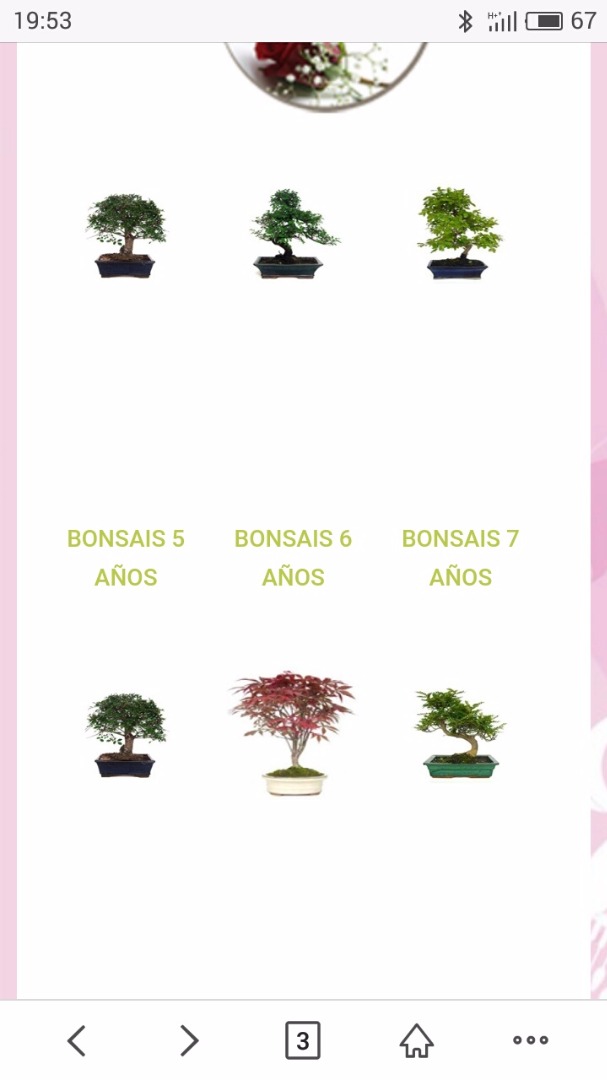
2. I need everything to be centered please.
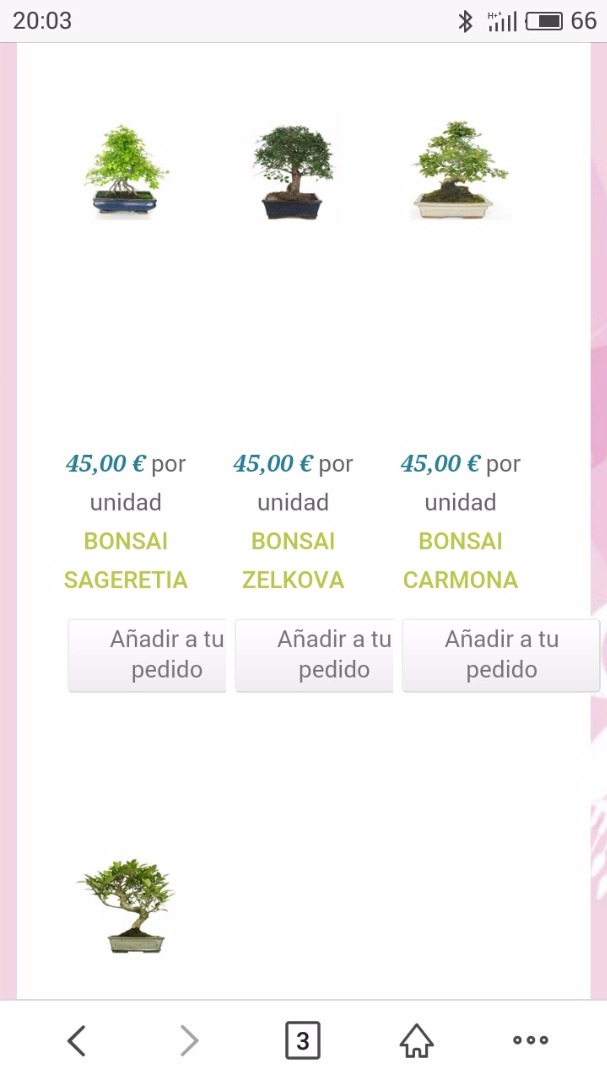
Thank so much for your help.
-- Joomla version -- : 3.6.5
-- PHP version -- : 3.6
Hello,
I attach 2 captures of my mobile.
1. How can I solve that there is not so much space between the photo and the name, please.
2. I need everything to be centered please.
Thank so much for your help.
Last edit: 9 years 9 months ago by rober1903.
Please Log in or Create an account to join the conversation.

9 years 9 months ago #258851
by nicolas
Replied by nicolas on topic Problem with mobile...
Hi,
Try turning on the "use bootstrap design" setting of the HikaShop configuration.
It should already help make your listings responsive.
Try turning on the "use bootstrap design" setting of the HikaShop configuration.
It should already help make your listings responsive.
Please Log in or Create an account to join the conversation.
9 years 9 months ago #258886
by rober1903
Replied by rober1903 on topic Problem with mobile...
Hi.
I don´t know where I must change this.
Thanks!!!
I don´t know where I must change this.
Thanks!!!
Please Log in or Create an account to join the conversation.
9 years 9 months ago #258888
by nicolas
Replied by nicolas on topic Problem with mobile...
Hi,
As I said, it's in the HikaShop configuration page. It's under the Display tab:
www.hikashop.com/support/documentation/5...html#display_general
As I said, it's in the HikaShop configuration page. It's under the Display tab:
www.hikashop.com/support/documentation/5...html#display_general
Please Log in or Create an account to join the conversation.
9 years 9 months ago #258983
by rober1903
Replied by rober1903 on topic Problem with mobile...
For the movile it works perfectly. What should I do to center the button and the amount?But in the computer is seen in column.
How can I solve this, please?
I'll send you attachment of the configuration.
Thanks so much !!!
Regards !!

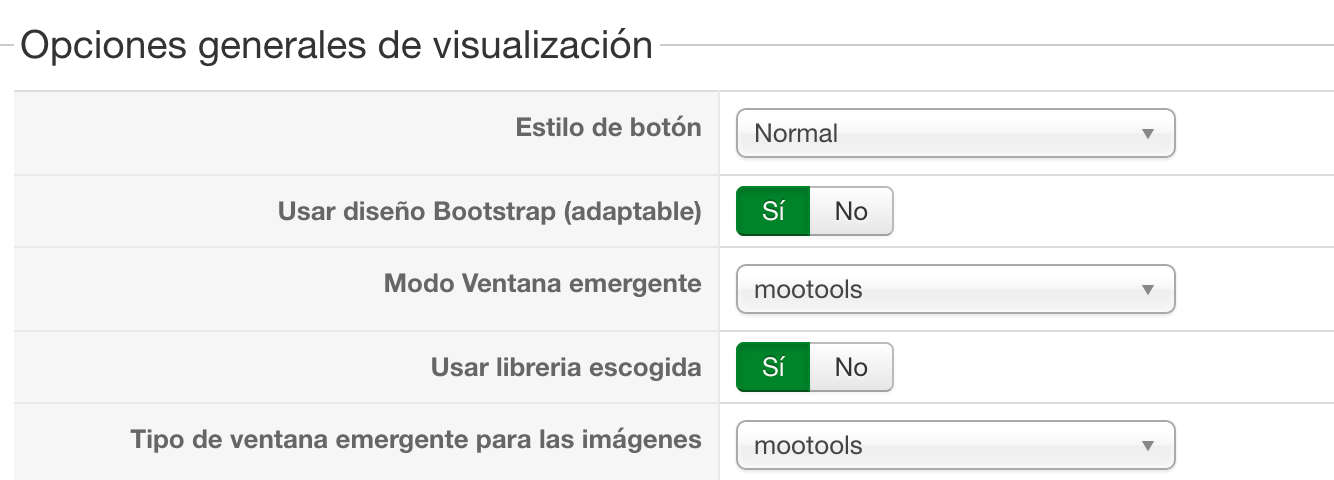
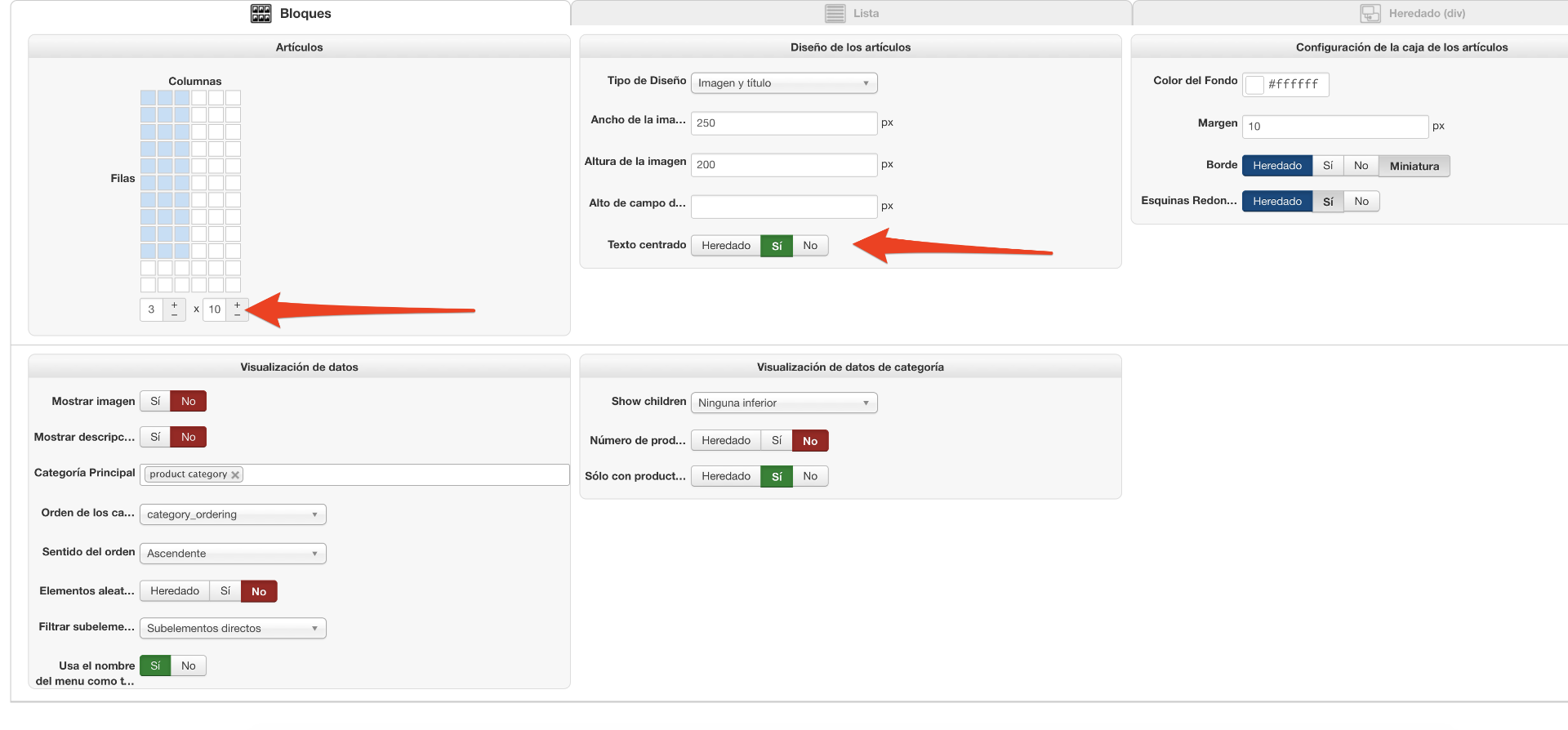
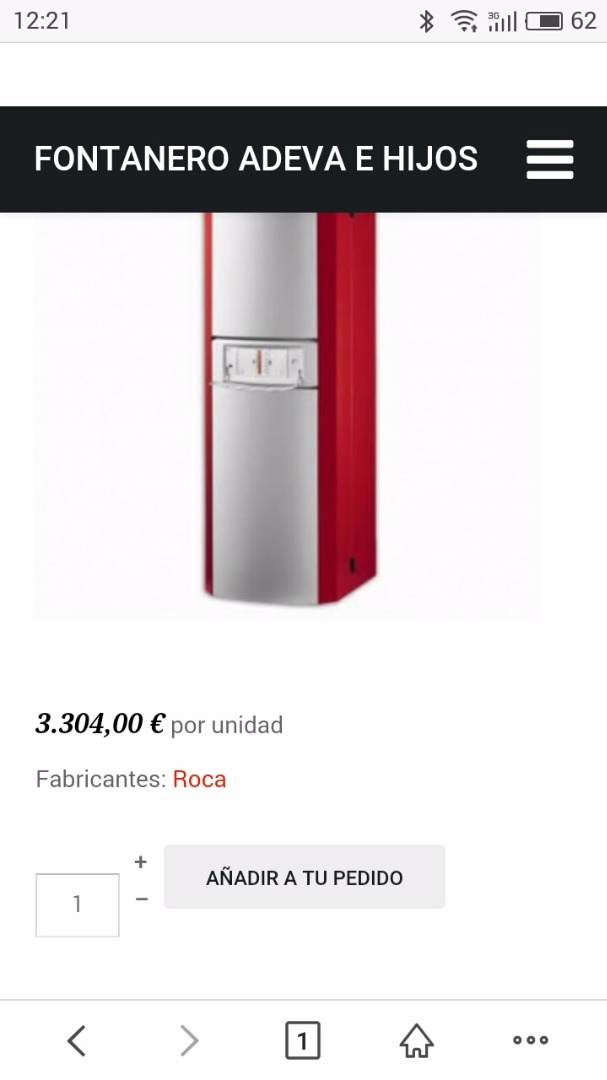
How can I solve this, please?
I'll send you attachment of the configuration.
Thanks so much !!!
Regards !!
Please Log in or Create an account to join the conversation.
9 years 9 months ago #258986
by nicolas
Replied by nicolas on topic Problem with mobile...
Hi,
I don't see what you're talking about on the link you provided before.
Could you provide a link where we can see the issues you're talking about ?
I don't see what you're talking about on the link you provided before.
Could you provide a link where we can see the issues you're talking about ?
Please Log in or Create an account to join the conversation.
9 years 9 months ago #259037
by rober1903
Replied by rober1903 on topic Problem with mobile...
The link is: adevaehijos.com
Please Log in or Create an account to join the conversation.
9 years 8 months ago #259065
by nicolas
Replied by nicolas on topic Problem with mobile...
Hi,
Your Joomla template is missing the Bootstrap CSS.
You'll have to add it to it so that ht can display properly:
www.inmotionhosting.com/support/edu/joom...mplate/add-bootstrap
For the quantity input field not being aligned, you can remove that CSS:
.hikashop_product_quantity_input_div_default {
vertical-align: middle;
}
in the HikaShop frontend CSS in the Display tab of the HikaShop configuration.
Your Joomla template is missing the Bootstrap CSS.
You'll have to add it to it so that ht can display properly:
www.inmotionhosting.com/support/edu/joom...mplate/add-bootstrap
For the quantity input field not being aligned, you can remove that CSS:
.hikashop_product_quantity_input_div_default {
vertical-align: middle;
}
in the HikaShop frontend CSS in the Display tab of the HikaShop configuration.
Please Log in or Create an account to join the conversation.
9 years 8 months ago #259159
by rober1903
Replied by rober1903 on topic Problem with mobile...
I added bootstrap to the template. (new.adevaehijos.com).
In mobile is perfect but in pc version the categories and products in column 1. I want to see in 3 colmuns.
In mobile is perfect but in pc version the categories and products in column 1. I want to see in 3 colmuns.
Please Log in or Create an account to join the conversation.

9 years 8 months ago #259160
by Jerome
Jerome - Obsidev.com
HikaMarket & HikaSerial developer / HikaShop core dev team.
Replied by Jerome on topic Problem with mobile...
Hi,
I'm afraid that there is no Bootstrap 2 in your template.
www.hikashop.com/support/documentation/5...html#display_general
In any case, the usage of HikaShop 3 should fix all that kind of problem because it includes his own responsive grid system.
Regards,
I'm afraid that there is no Bootstrap 2 in your template.
www.hikashop.com/support/documentation/5...html#display_general
In any case, the usage of HikaShop 3 should fix all that kind of problem because it includes his own responsive grid system.
Regards,
Jerome - Obsidev.com
HikaMarket & HikaSerial developer / HikaShop core dev team.
Please Log in or Create an account to join the conversation.
Time to create page: 0.177 seconds