
- Posts: 23
- Thank you received: 0
Display Sub Category AFTER products in current category
- aran.gibbs
-
 Topic Author
- Offline
Less
More
9 years 10 months ago #259437
by aran.gibbs
-- HikaShop version -- : HikaShop Business: 2.6.4
Hi Guys,
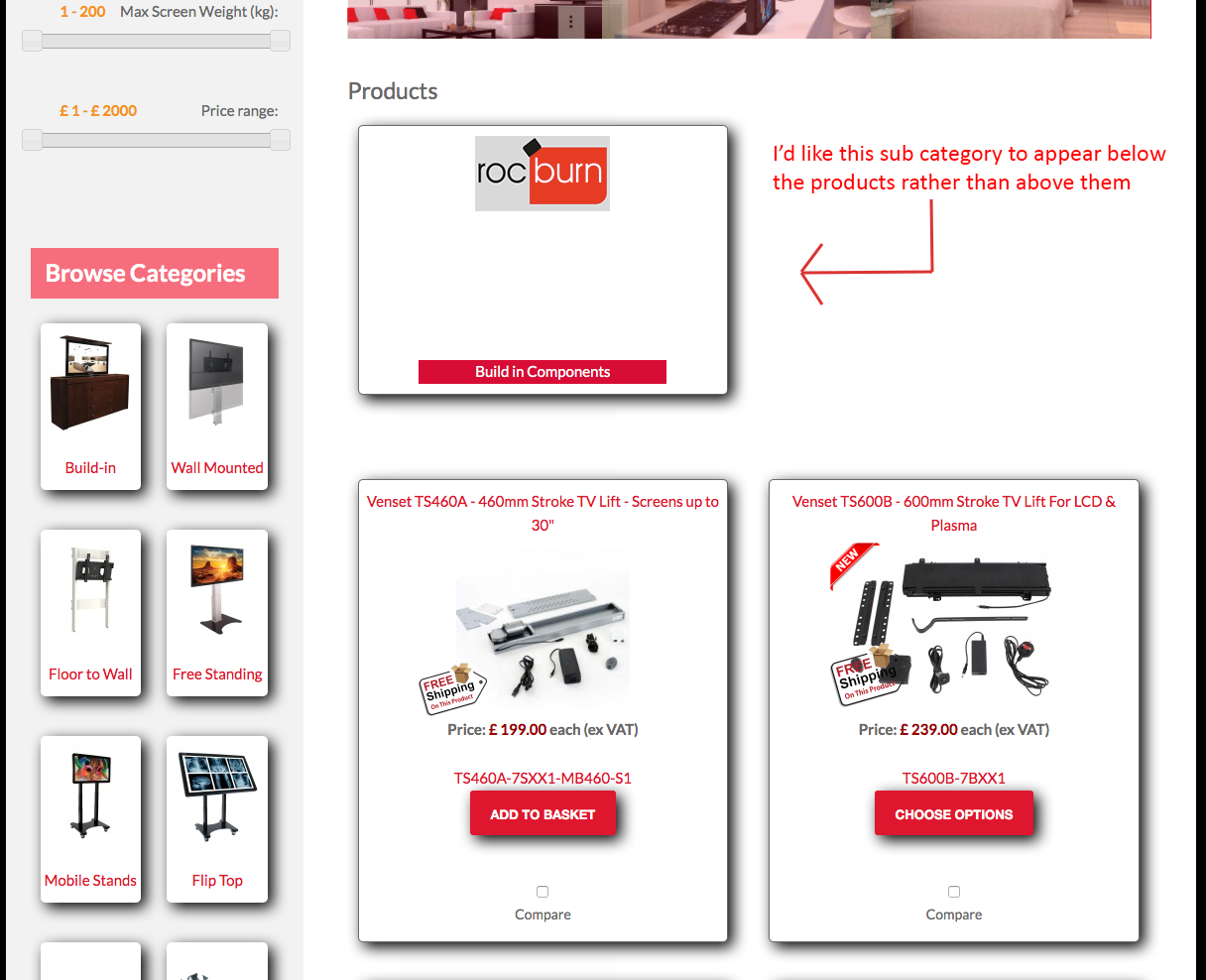
We have a category with some products in it and have just added a sub category with some more products (parts) in it. When I'm viewing the top category I currently see a sub categories followed by the products in the top category. I'd like to see them the other way round ie. products in top category followed by list of sub categories. I assume this is changeable in one of the view files but can't find it and I'm not sure what I'd need to change.
Thanks in advance,
Aran
Hi Guys,
We have a category with some products in it and have just added a sub category with some more products (parts) in it. When I'm viewing the top category I currently see a sub categories followed by the products in the top category. I'd like to see them the other way round ie. products in top category followed by list of sub categories. I assume this is changeable in one of the view files but can't find it and I'm not sure what I'd need to change.
Thanks in advance,
Aran
Please Log in or Create an account to join the conversation.

9 years 10 months ago #259443
by nicolas
Replied by nicolas on topic Display Sub Category AFTER products in current category
Hi,
You would have to edit the file "listing" of the view "category" via the menu Display>Views and move the code:
at the end of the view file.
You would have to edit the file "listing" of the view "category" via the menu Display>Views and move the code:
Code:
$layout_type = $this->params->get('layout_type');
if(empty($layout_type) || $layout_type=='table') $layout_type = 'div';
$html = $this->loadTemplate($layout_type);
if(!empty($html)) echo '<div class="hikashop_subcategories_listing">'.$html.'</div>';
The following user(s) said Thank You: aran.gibbs
Please Log in or Create an account to join the conversation.
Time to create page: 0.044 seconds