

- Posts: 7
- Thank you received: 0
Show Category Description in Grouped by Category view
9 years 7 months ago #265041
by tcws
Show Category Description in Grouped by Category view was created by tcws
Hi Hikashop
I've had a request from my client and need assistance. Can you let me know how to include the Category description in the Grouped by Category page view. This would be to add the category description to each displayed category and addtionally I need to move it under the list of products. This is from a menu item 'Hikashop Category Listing'. I have attached a screenshot of your demo view for Grouped by Category and our development site which is currently on localhost. I've indicated where I'm trying attempting to get the Category Description to display.
Many thanks for your help.
I've had a request from my client and need assistance. Can you let me know how to include the Category description in the Grouped by Category page view. This would be to add the category description to each displayed category and addtionally I need to move it under the list of products. This is from a menu item 'Hikashop Category Listing'. I have attached a screenshot of your demo view for Grouped by Category and our development site which is currently on localhost. I've indicated where I'm trying attempting to get the Category Description to display.
Many thanks for your help.
Please Log in or Create an account to join the conversation.
9 years 7 months ago #265091
by tcws
Replied by tcws on topic Show Category Description in Grouped by Category view
Hi Hikashop, apologies
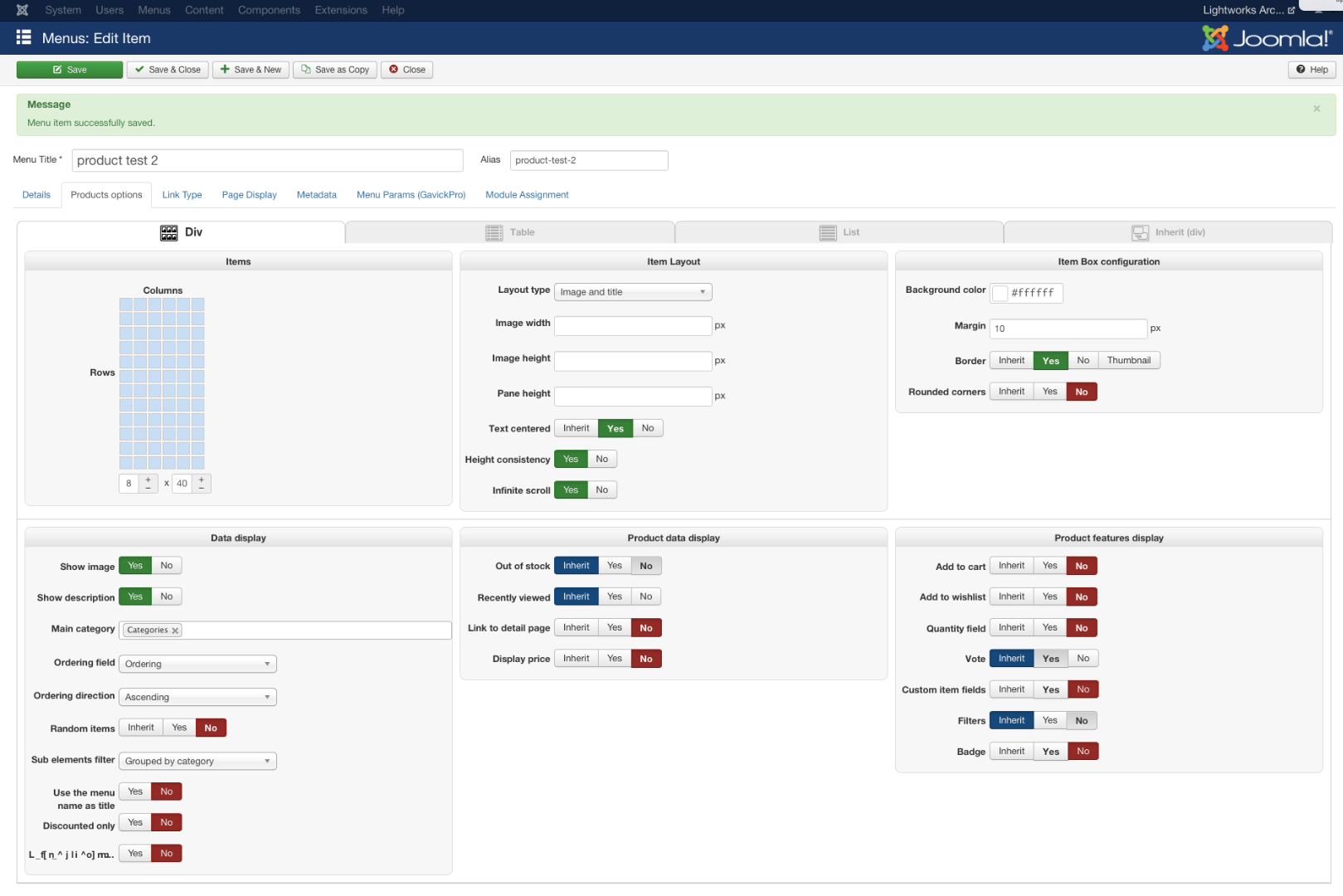 the menu item is actually a 'Hikashop Product Listing' menu, not a 'Hikashop Category Listing. Displayed as Grouped by Category.
Please Log in or Create an account to join the conversation.
9 years 7 months ago #265097
by tcws
Replied by tcws on topic Show Category Description in Grouped by Category view
Hi Hikashop
I've managed to get half way. I managed to move the category description on the main product listing, I've attached a screen shot (Screen Shot 2017-03-15 at 14.07.25).
I used the same coding in the Display > View > template > product > listing, this has worked, but it's missing the content. You can see in the second screenshot (Screen Shot 2017-03-15 at 14.07.06) that the category description div class is there, but not the content.
But I'm now struggling to see what it is I'm missing or need to adjust.
I've managed to get half way. I managed to move the category description on the main product listing, I've attached a screen shot (Screen Shot 2017-03-15 at 14.07.25).
I used the same coding in the Display > View > template > product > listing, this has worked, but it's missing the content. You can see in the second screenshot (Screen Shot 2017-03-15 at 14.07.06) that the category description div class is there, but not the content.
But I'm now struggling to see what it is I'm missing or need to adjust.
Please Log in or Create an account to join the conversation.
9 years 7 months ago #265098
by tcws
Replied by tcws on topic Show Category Description in Grouped by Category view
This is the coding I've added to Display > View > template > product > listing.
<div class="hikashop_category_description">
<?php
if($this->params->get('show_image') && !empty($this->element->file_path)){
jimport('joomla.filesystem.file');
if(JFile::exists($this->image->getPath($this->element->file_path,false))){
?>
<img src="<?php echo $this->image->getPath($this->element->file_path); ?>" class="hikashop_category_image" title="<?php echo $this->escape(@$this->element->file_description); ?>" alt="<?php echo $this->escape(@$this->element->file_name); ?>"/>
<?php
}
}
if($this->params->get('show_description',1)&&!empty($this->element->category_description)){
?>
<div class="hikashop_category_description_content">
<?php echo JHTML::_('content.prepare',$this->element->category_description); ?>
</div>
<?php
}
?>
</div>
<div class="hikashop_category_description">
<?php
if($this->params->get('show_image') && !empty($this->element->file_path)){
jimport('joomla.filesystem.file');
if(JFile::exists($this->image->getPath($this->element->file_path,false))){
?>
<img src="<?php echo $this->image->getPath($this->element->file_path); ?>" class="hikashop_category_image" title="<?php echo $this->escape(@$this->element->file_description); ?>" alt="<?php echo $this->escape(@$this->element->file_name); ?>"/>
<?php
}
}
if($this->params->get('show_description',1)&&!empty($this->element->category_description)){
?>
<div class="hikashop_category_description_content">
<?php echo JHTML::_('content.prepare',$this->element->category_description); ?>
</div>
<?php
}
?>
</div>
Please Log in or Create an account to join the conversation.

9 years 7 months ago #265046
by nicolas
Replied by nicolas on topic Show Category Description in Grouped by Category view
Hi,
You can add the code:
Before the code:
in the file "listing" of the view "product" for your frontend template via the menu Display>Views.
www.hikashop.com/support/documentation/1...-display.html#layout
You can add the code:
Code:
<?php echo $category['category']->category_description; ?>
Code:
</div>
<?php
}
}
$this->params->set('main_div_name', $main_div_name);
$this->config->set('pagination', $pagination);
www.hikashop.com/support/documentation/1...-display.html#layout
Please Log in or Create an account to join the conversation.
9 years 7 months ago #265149
by tcws
Replied by tcws on topic Show Category Description in Grouped by Category view
Thanks Nicolas, that worked perfectly.
Please Log in or Create an account to join the conversation.
Time to create page: 0.285 seconds