

- Posts: 48
- Thank you received: 2
Image load... image loads then shows broken image
8 years 8 months ago - 8 years 8 months ago #288930
by parker
Image load... image loads then shows broken image was created by parker
-- url of the page with the problem -- :
52.14.67.193
-- HikaShop version -- : 3.3.0
-- Joomla version -- : 3.8.5.
-- PHP version -- : 7.1.4
-- Browser(s) name and version -- : chrome
-- Error-message(debug-mod must be tuned on) -- : none
Hello!
Unable to load images for product.
Image loads. Shows hallow box/icon. Upon saving, the box/icon shows broken. No errors,
If I check the /media/com_hikashop/upload, there's no image.
I can upload the image to /joomla/media/com_hikashop/upload and try to link to it, but same problem.
directory permissions is set to:775.
Image name: c5.png
Image size : 35k
I've tried with different file types, same problem.
Thanks!
-- HikaShop version -- : 3.3.0
-- Joomla version -- : 3.8.5.
-- PHP version -- : 7.1.4
-- Browser(s) name and version -- : chrome
-- Error-message(debug-mod must be tuned on) -- : none
Hello!
Unable to load images for product.
Image loads. Shows hallow box/icon. Upon saving, the box/icon shows broken. No errors,
If I check the /media/com_hikashop/upload, there's no image.
I can upload the image to /joomla/media/com_hikashop/upload and try to link to it, but same problem.
directory permissions is set to:775.
Image name: c5.png
Image size : 35k
I've tried with different file types, same problem.
Thanks!
Last edit: 8 years 8 months ago by parker.
Please Log in or Create an account to join the conversation.

8 years 8 months ago #288948
by nicolas
Replied by nicolas on topic Image load... image loads then shows broken image
Hi,
Could you provide some screenshots of the process so that we can see what happens exactly ?
Also, could you try again with your browser's console open to see if you have any javascript error ? Couls you provide them if any ?
Could you provide some screenshots of the process so that we can see what happens exactly ?
Also, could you try again with your browser's console open to see if you have any javascript error ? Couls you provide them if any ?
Please Log in or Create an account to join the conversation.
8 years 8 months ago - 8 years 8 months ago #288967
by parker
Replied by parker on topic Image load... image loads then shows broken image
Here are 4 screen shots.
The first is after upload,
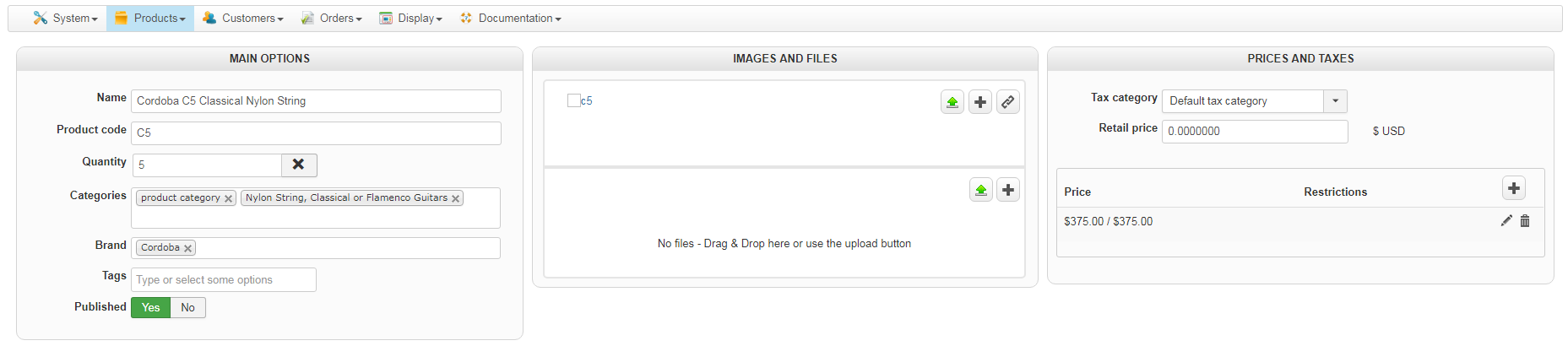
the second is after save,
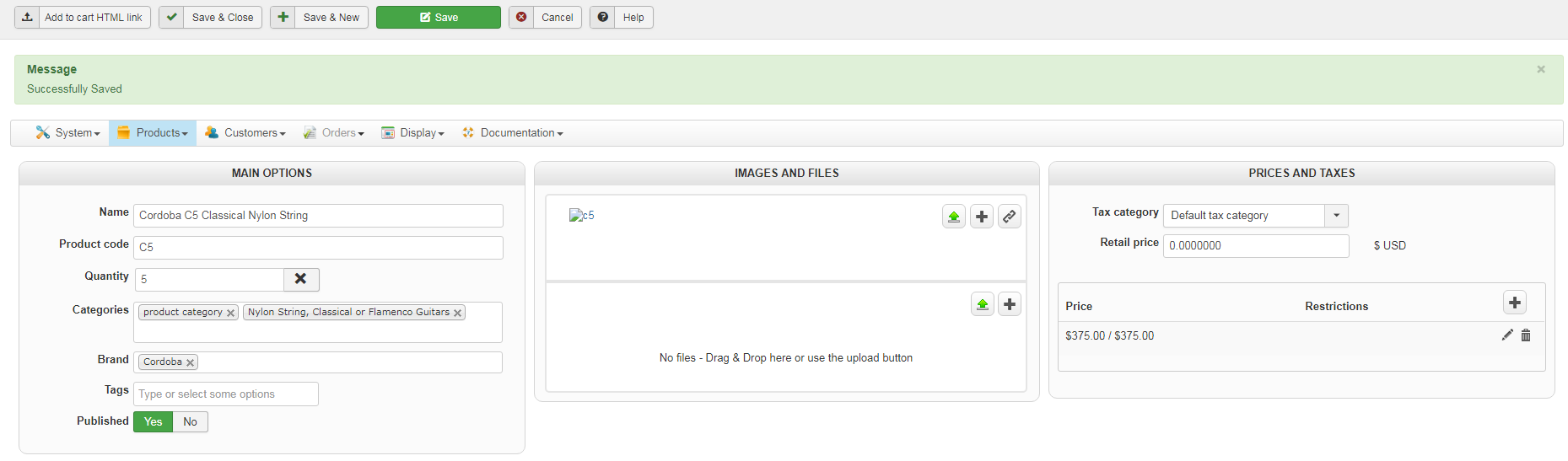
and the third is joomla debug mode:
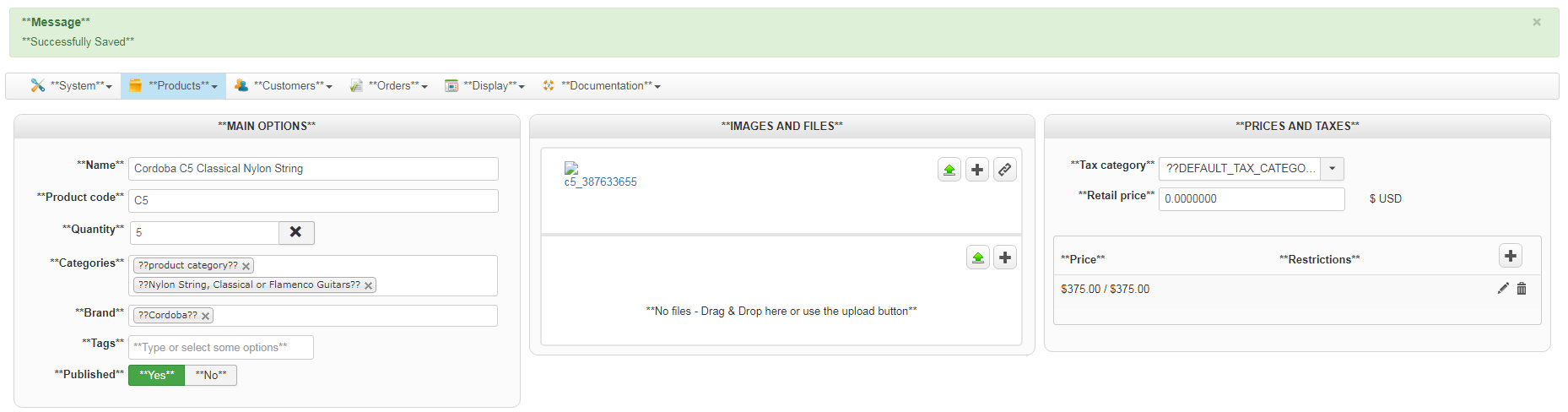
the fourth is consul debug
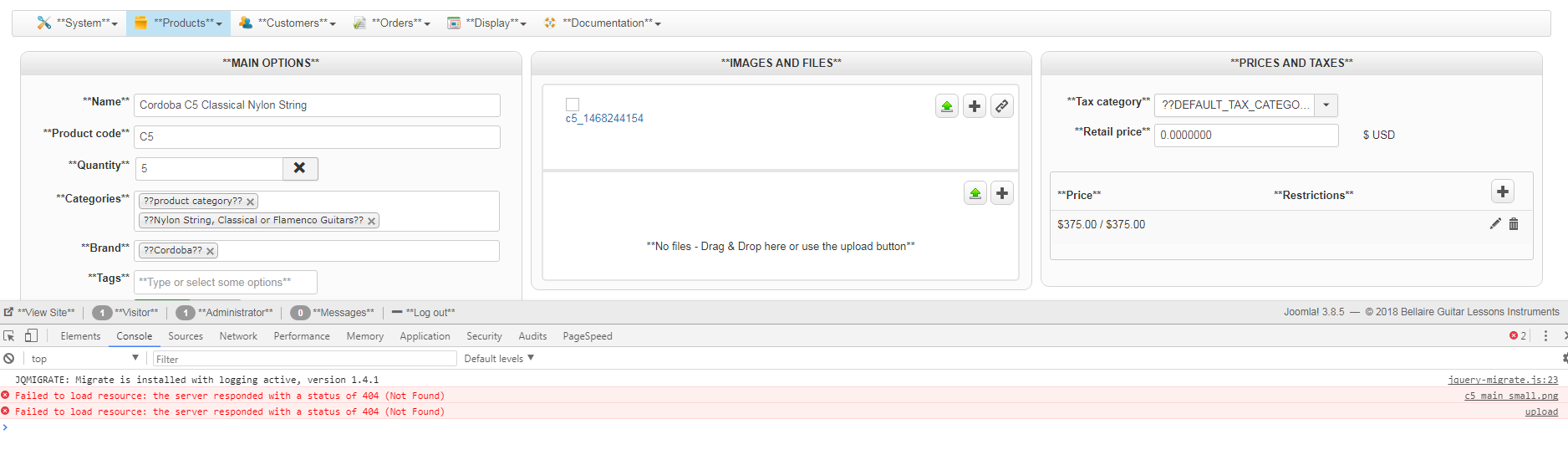
The first is after upload,
the second is after save,
and the third is joomla debug mode:
the fourth is consul debug
Last edit: 8 years 8 months ago by parker.
Please Log in or Create an account to join the conversation.

8 years 8 months ago #288981
by Jerome
Jerome - Obsidev.com
HikaMarket & HikaSerial developer / HikaShop core dev team.
Replied by Jerome on topic Image load... image loads then shows broken image
Hello,
Where is the "upload box" ?
I'm sorry but it's not possible to understand what you're doing exactly.
Regards,
Where is the "upload box" ?
I'm sorry but it's not possible to understand what you're doing exactly.
Regards,
Jerome - Obsidev.com
HikaMarket & HikaSerial developer / HikaShop core dev team.
Please Log in or Create an account to join the conversation.
8 years 8 months ago #289080
by parker
Replied by parker on topic Image load... image loads then shows broken image
Okay, I'll try again.
When I try to load an images, it fails. Maybe this screen shot will help:
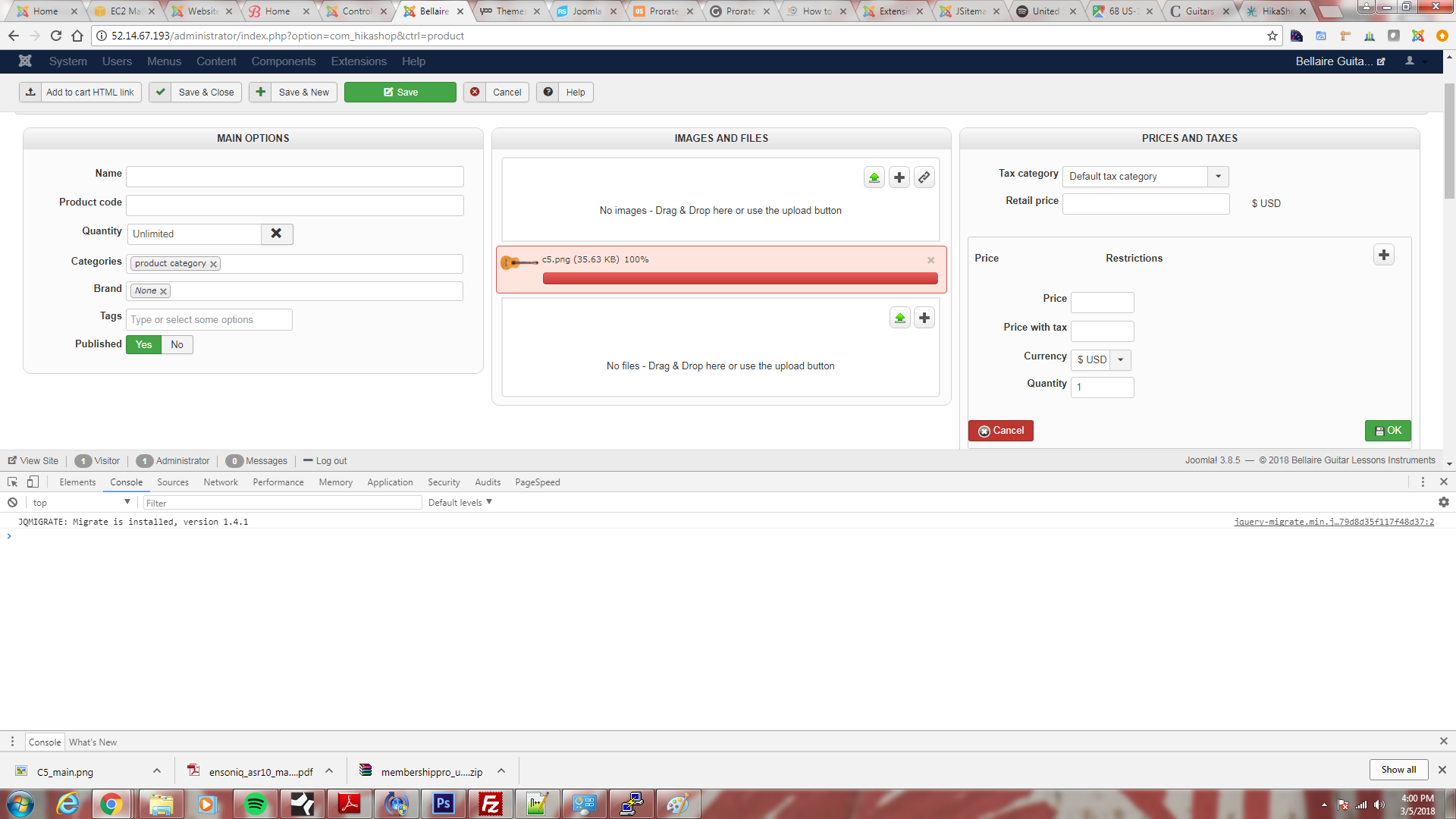
When I try to load an images, it fails. Maybe this screen shot will help:
Please Log in or Create an account to join the conversation.
8 years 8 months ago #289102
by nicolas
Replied by nicolas on topic Image load... image loads then shows broken image
Hi,
That's better yes.
So on that same page, try again to upload an image but this time with the "Network" tab of the developer tools open.
You'll see a POST done to your web server.
If you click on it, you'll be able to look at what the server is returning to the javascript uploader and it will hopefully provide more information on the issue.
egghead.io/lessons/tools-analyze-http-re...with-chrome-devtools
If you could do that and provide screenshots of the data returned by the upload request it would be great.
That's better yes.
So on that same page, try again to upload an image but this time with the "Network" tab of the developer tools open.
You'll see a POST done to your web server.
If you click on it, you'll be able to look at what the server is returning to the javascript uploader and it will hopefully provide more information on the issue.
egghead.io/lessons/tools-analyze-http-re...with-chrome-devtools
If you could do that and provide screenshots of the data returned by the upload request it would be great.
Please Log in or Create an account to join the conversation.
8 years 8 months ago - 8 years 8 months ago #289126
by parker
Replied by parker on topic Image load... image loads then shows broken image
Hi,
Okay, I tried to load an image with the "Network" tab of the developer tools open. Here's the screen:
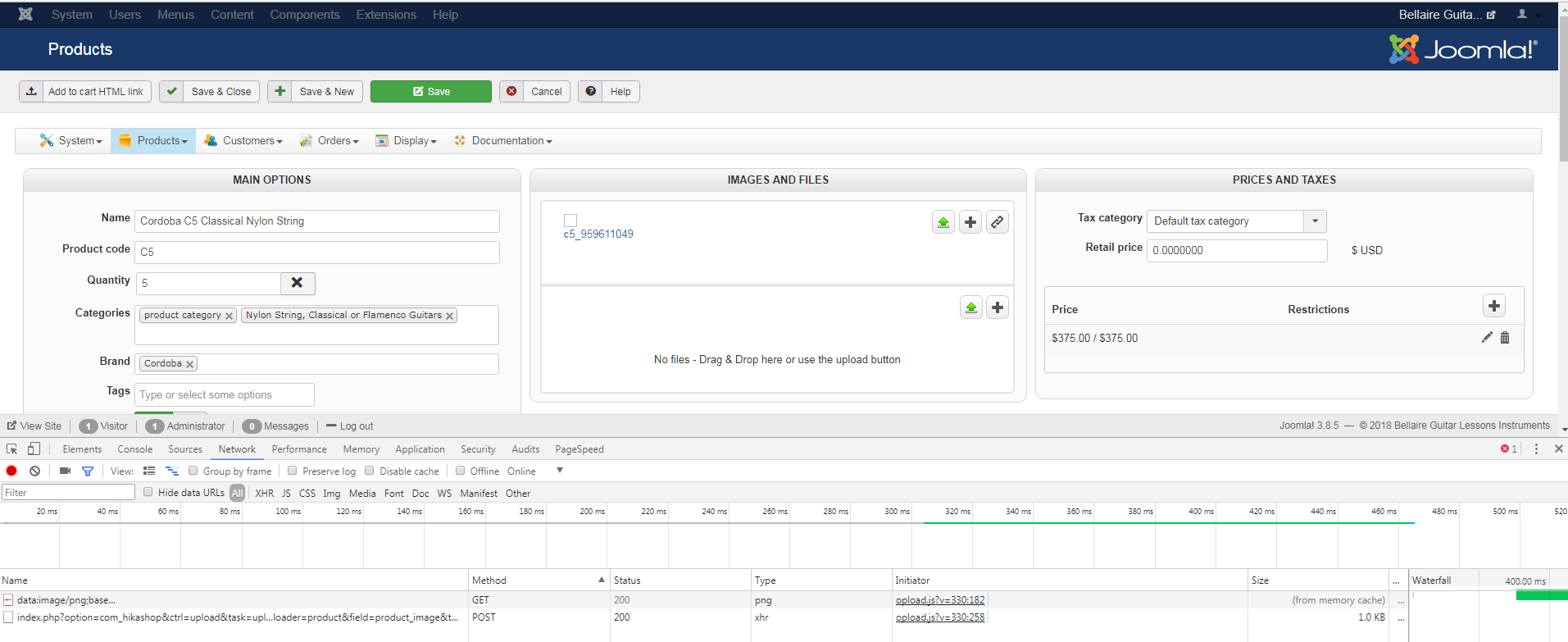
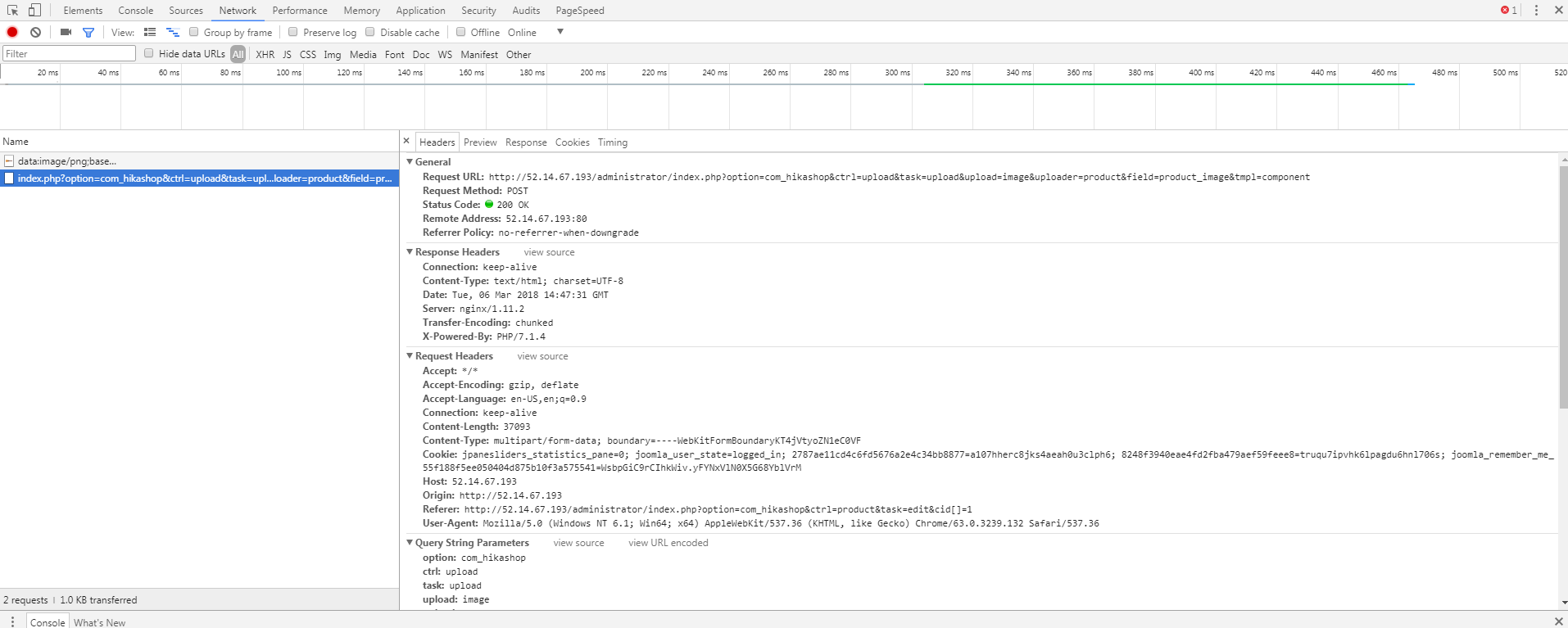
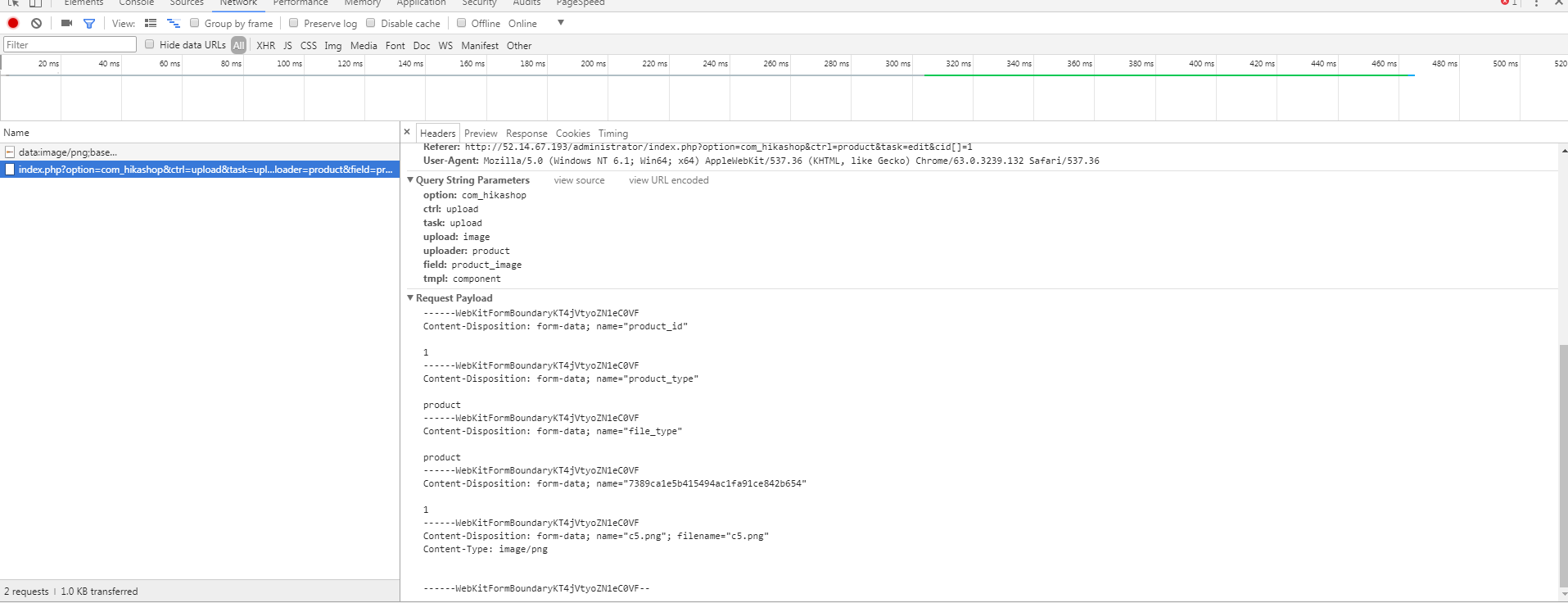
This is what I get when I click on the post:
Thanks.
Okay, I tried to load an image with the "Network" tab of the developer tools open. Here's the screen:
This is what I get when I click on the post:
Thanks.
Last edit: 8 years 8 months ago by parker.
Please Log in or Create an account to join the conversation.
8 years 8 months ago - 8 years 8 months ago #289129
by nicolas
Replied by nicolas on topic Image load... image loads then shows broken image
Hi,
That's great but we need screenshots of what you have in the "preview" and "response" tabs, not really the "headers" tab.
Could you do that please ?
Also, try with the "error reporting" and "debug mode" settings of the Joomla configuration activated. That might give more information in these tabs.
That's great but we need screenshots of what you have in the "preview" and "response" tabs, not really the "headers" tab.
Could you do that please ?
Also, try with the "error reporting" and "debug mode" settings of the Joomla configuration activated. That might give more information in these tabs.
Last edit: 8 years 8 months ago by nicolas.
Please Log in or Create an account to join the conversation.
8 years 7 months ago #289158
by parker
Replied by parker on topic Image load... image loads then shows broken image
Thanks. You really can't see everything in the preview, so I gave you a cut and past too:
{name: "c5_1532185624.png", size: 36485, type: "image/png",…}
file_id: 36
html: "<a href="#delete" class="deleteImg" onclick="return window.productMgr.delImage(this, 'product');"><img src="../media/com_hikashop/images/cancel.png" border="0"></a><div class="hikashop_image"><a onclick="return window.productMgr.editImage(this, 36, 'product');" id="" href="/administrator/index.php option=com_hikashop&ctrl=product&task=selectimage& cid=36&pid=1&tmpl=component" data-hk-popup="squeezebox" data-squeezebox="{handler: 'iframe', size: {x: 750, y: 460}}"><img src="" alt="c5_1532185624" /></a></div><input type="hidden" name="data[product][product_images][]" value="36"/>"
name: "c5_1532185624.png"
size: 36485
thumbnail_url: null
type: "image/png"
url: "../images/com_hikashop/upload/c5_1532185624.png"
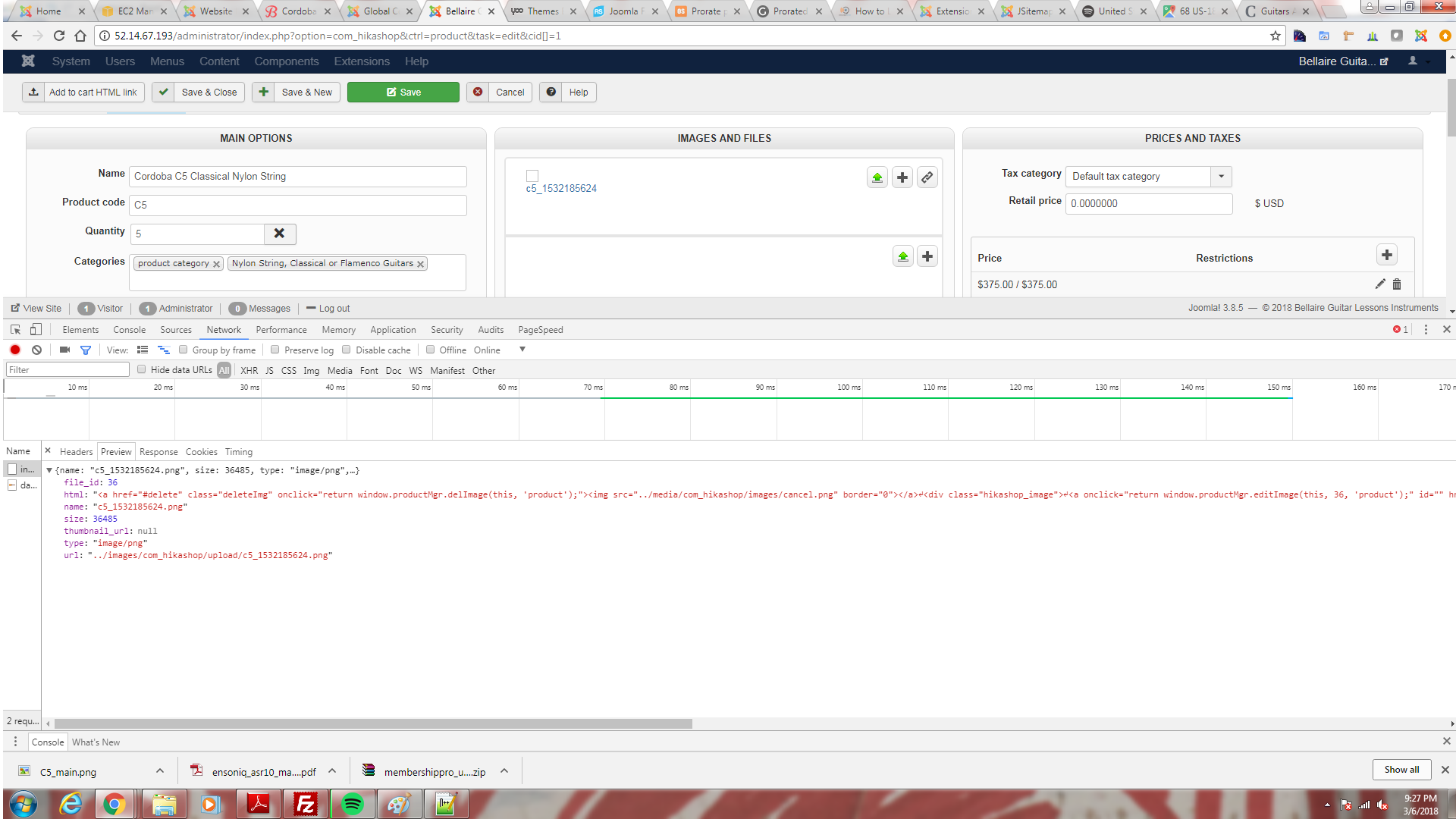
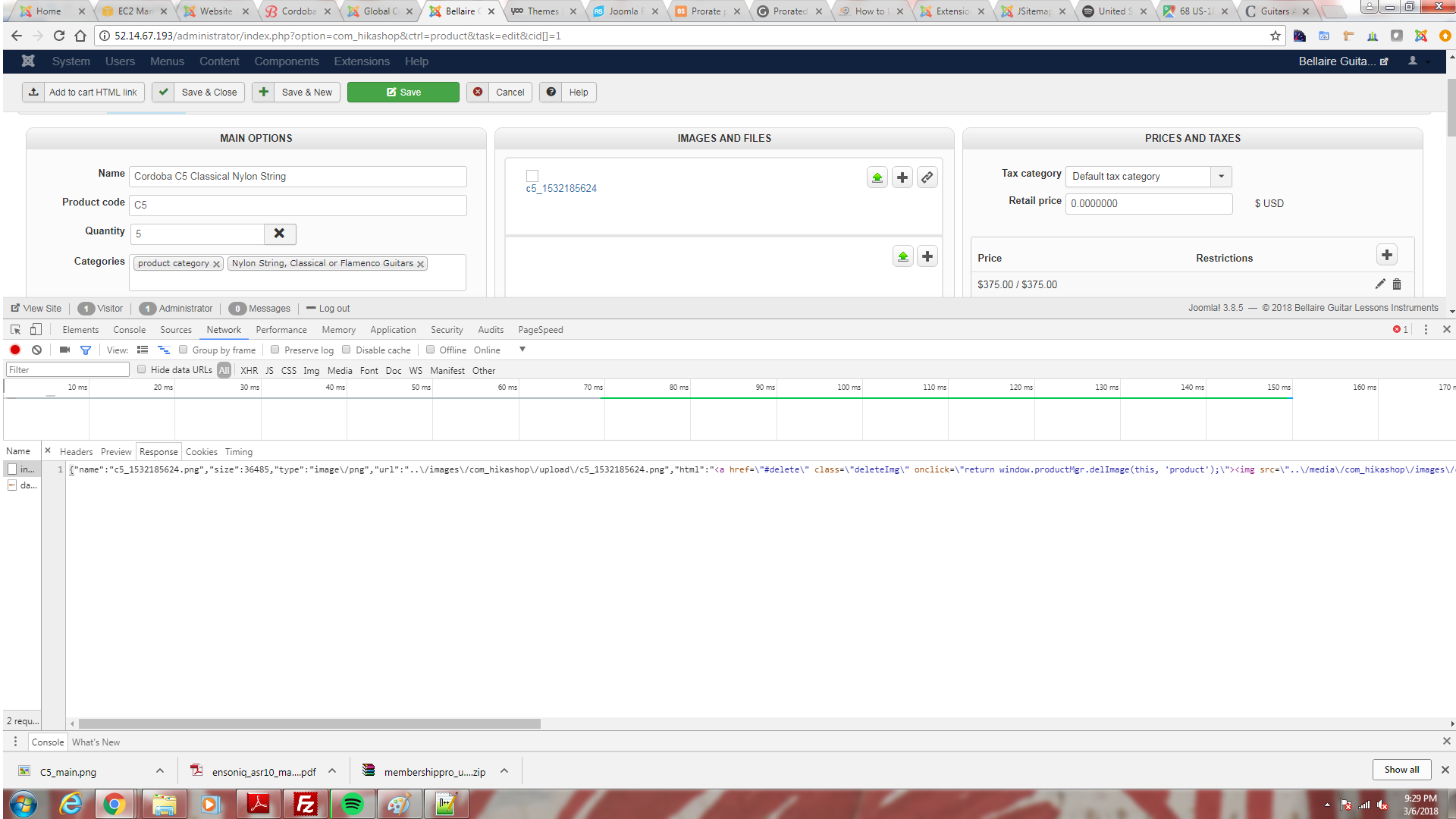
Here the Response:
{"name":"c5_1532185624.png","size":36485,"type":"image\/png","url":"..\/images\/com_hikashop\/upload\/c5_1532185624.png","html":"<a href=\"#delete\" class=\"deleteImg\" onclick=\"return window.productMgr.delImage(this, 'product');\"><img src=\"..\/media\/com_hikashop\/images\/cancel.png\" border=\"0\"><\/a>\r\n<div class=\"hikashop_image\">\r\n<a onclick=\"return window.productMgr.editImage(this, 36, 'product');\" id=\"\" href=\"\/administrator\/index.php?option=com_hikashop&ctrl=product&task=selectimage&cid=36&pid=1&tmpl=component\" data-hk-popup=\"squeezebox\" data-squeezebox=\"{handler: 'iframe', size: {x: 750, y: 460}}\"><img src=\"\" alt=\"c5_1532185624\" \/><\/a><\/div><input type=\"hidden\" name=\"data[product][product_images][]\" value=\"36\"\/>\r\n","thumbnail_url":null,"file_id":36}
Here's preview with debug on:
{name: "c5_1956578068.png", size: 36485, type: "image/png",…}
file_id:38
html:"<a href="#delete" class="deleteImg" onclick="return window.productMgr.delImage(this, 'product');"><img src="../media/com_hikashop/images/cancel.png" border="0"></a><div class="hikashop_image">
<a onclick="return window.productMgr.editImage(this, 38, 'product');" id="" href="/administrator/index.php?option=com_hikashop&ctrl=product&task=selectimage&cid=38&pid=1&tmpl=component" data-hk-popup="squeezebox" data-squeezebox="{handler: 'iframe', size: {x: 750, y: 460}}"><img src="" alt="c5_1956578068" /></a></div><input type="hidden" name="data[product][product_images][]" value="38"/>
↵"
name:"c5_1956578068.png"
size:36485
thumbnail_url:null
type:"image/png"
url:"../images/com_hikashop/upload/c5_1956578068.png"
Here's reponse with debug on:
{"name":"c5_1956578068.png","size":36485,"type":"image\/png","url":"..\/images\/com_hikashop\/upload\/c5_1956578068.png","html":"<a href=\"#delete\" class=\"deleteImg\" onclick=\"return window.productMgr.delImage(this, 'product');\"><img src=\"..\/media\/com_hikashop\/images\/cancel.png\" border=\"0\"><\/a>\r\n<div class=\"hikashop_image\">\r\n<a onclick=\"return window.productMgr.editImage(this, 38, 'product');\" id=\"\" href=\"\/administrator\/index.php?option=com_hikashop&ctrl=product&task=selectimage&cid=38&pid=1&tmpl=component\" data-hk-popup=\"squeezebox\" data-squeezebox=\"{handler: 'iframe', size: {x: 750, y: 460}}\"><img src=\"\" alt=\"c5_1956578068\" \/><\/a><\/div><input type=\"hidden\" name=\"data[product][product_images][]\" value=\"38\"\/>\r\n","thumbnail_url":null,"file_id":38}
{name: "c5_1532185624.png", size: 36485, type: "image/png",…}
file_id: 36
html: "<a href="#delete" class="deleteImg" onclick="return window.productMgr.delImage(this, 'product');"><img src="../media/com_hikashop/images/cancel.png" border="0"></a><div class="hikashop_image"><a onclick="return window.productMgr.editImage(this, 36, 'product');" id="" href="/administrator/index.php option=com_hikashop&ctrl=product&task=selectimage& cid=36&pid=1&tmpl=component" data-hk-popup="squeezebox" data-squeezebox="{handler: 'iframe', size: {x: 750, y: 460}}"><img src="" alt="c5_1532185624" /></a></div><input type="hidden" name="data[product][product_images][]" value="36"/>"
name: "c5_1532185624.png"
size: 36485
thumbnail_url: null
type: "image/png"
url: "../images/com_hikashop/upload/c5_1532185624.png"
Here the Response:
{"name":"c5_1532185624.png","size":36485,"type":"image\/png","url":"..\/images\/com_hikashop\/upload\/c5_1532185624.png","html":"<a href=\"#delete\" class=\"deleteImg\" onclick=\"return window.productMgr.delImage(this, 'product');\"><img src=\"..\/media\/com_hikashop\/images\/cancel.png\" border=\"0\"><\/a>\r\n<div class=\"hikashop_image\">\r\n<a onclick=\"return window.productMgr.editImage(this, 36, 'product');\" id=\"\" href=\"\/administrator\/index.php?option=com_hikashop&ctrl=product&task=selectimage&cid=36&pid=1&tmpl=component\" data-hk-popup=\"squeezebox\" data-squeezebox=\"{handler: 'iframe', size: {x: 750, y: 460}}\"><img src=\"\" alt=\"c5_1532185624\" \/><\/a><\/div><input type=\"hidden\" name=\"data[product][product_images][]\" value=\"36\"\/>\r\n","thumbnail_url":null,"file_id":36}
Here's preview with debug on:
{name: "c5_1956578068.png", size: 36485, type: "image/png",…}
file_id:38
html:"<a href="#delete" class="deleteImg" onclick="return window.productMgr.delImage(this, 'product');"><img src="../media/com_hikashop/images/cancel.png" border="0"></a><div class="hikashop_image">
<a onclick="return window.productMgr.editImage(this, 38, 'product');" id="" href="/administrator/index.php?option=com_hikashop&ctrl=product&task=selectimage&cid=38&pid=1&tmpl=component" data-hk-popup="squeezebox" data-squeezebox="{handler: 'iframe', size: {x: 750, y: 460}}"><img src="" alt="c5_1956578068" /></a></div><input type="hidden" name="data[product][product_images][]" value="38"/>
↵"
name:"c5_1956578068.png"
size:36485
thumbnail_url:null
type:"image/png"
url:"../images/com_hikashop/upload/c5_1956578068.png"
Here's reponse with debug on:
{"name":"c5_1956578068.png","size":36485,"type":"image\/png","url":"..\/images\/com_hikashop\/upload\/c5_1956578068.png","html":"<a href=\"#delete\" class=\"deleteImg\" onclick=\"return window.productMgr.delImage(this, 'product');\"><img src=\"..\/media\/com_hikashop\/images\/cancel.png\" border=\"0\"><\/a>\r\n<div class=\"hikashop_image\">\r\n<a onclick=\"return window.productMgr.editImage(this, 38, 'product');\" id=\"\" href=\"\/administrator\/index.php?option=com_hikashop&ctrl=product&task=selectimage&cid=38&pid=1&tmpl=component\" data-hk-popup=\"squeezebox\" data-squeezebox=\"{handler: 'iframe', size: {x: 750, y: 460}}\"><img src=\"\" alt=\"c5_1956578068\" \/><\/a><\/div><input type=\"hidden\" name=\"data[product][product_images][]\" value=\"38\"\/>\r\n","thumbnail_url":null,"file_id":38}
Please Log in or Create an account to join the conversation.
8 years 7 months ago #289175
by nicolas
Replied by nicolas on topic Image load... image loads then shows broken image
Hi,
From what I can see the image is uploaded successfully, but HikaShop is not able to generate the thumbnail for the image.
Checnk that the thumbnail folders in images/com_hikashop/upload are writable.
Also, I don't know which exact build of HikaShop 3.3.0 you have (in the "version" setting of the HikaShop configuration). You could try download the install package on our website and install it on yours again to get all the latest patchs. That might help.
From what I can see the image is uploaded successfully, but HikaShop is not able to generate the thumbnail for the image.
Checnk that the thumbnail folders in images/com_hikashop/upload are writable.
Also, I don't know which exact build of HikaShop 3.3.0 you have (in the "version" setting of the HikaShop configuration). You could try download the install package on our website and install it on yours again to get all the latest patchs. That might help.
Please Log in or Create an account to join the conversation.
8 years 7 months ago - 8 years 7 months ago #289201
by parker
Replied by parker on topic Image load... image loads then shows broken image
Hi Nicolas and thank you for your help.
Your are correct, the images do upload successfully, but for some reason aren't displayed.
I have set the upload and thumbnail permissions to 775. I have reinstalled the latest version of Hikashop from your site.
Unfortunately, still the same issue.
My server is a Joomla on LEMP 7. Most recent version of Hikashop starter
I have setup an identical server to test if it behaves the same. It does but the error reporting is better.
Here is a snapshot of what I get after I try to save an image that's never been uploaded. How could there be an alias if It's never been uploaded. I get the same error for any image I upload and try to save.
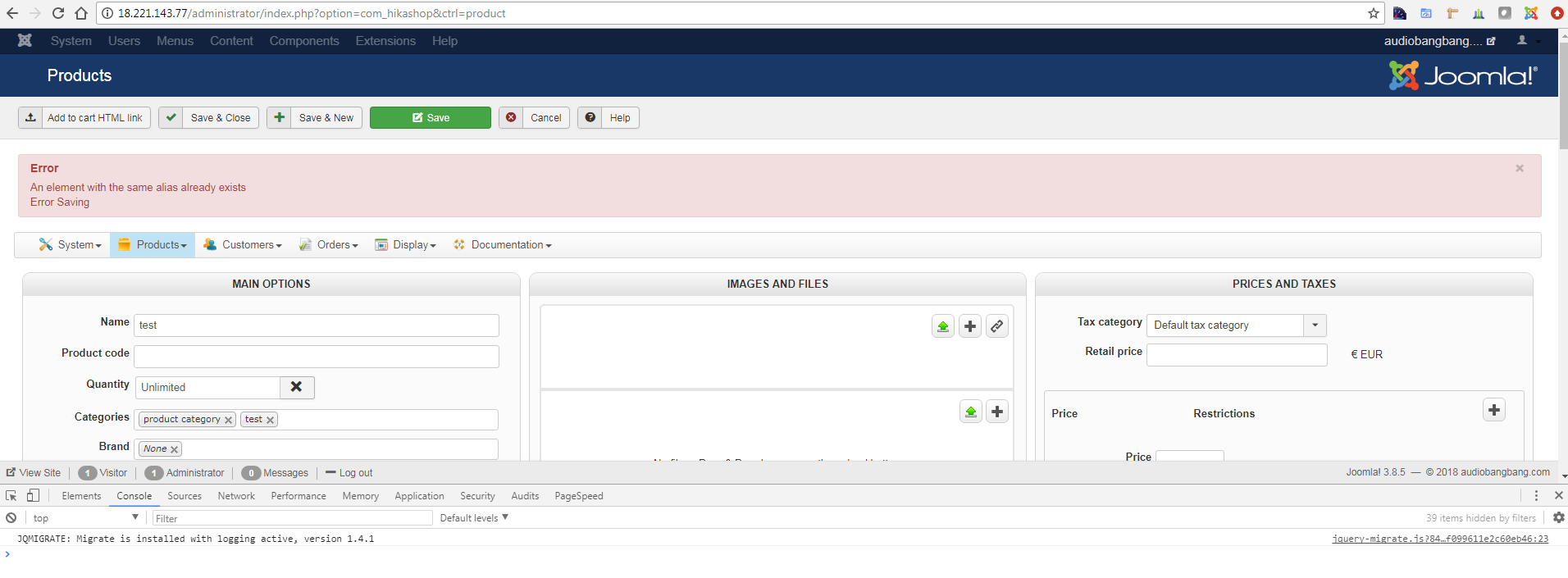
Your are correct, the images do upload successfully, but for some reason aren't displayed.
I have set the upload and thumbnail permissions to 775. I have reinstalled the latest version of Hikashop from your site.
Unfortunately, still the same issue.
My server is a Joomla on LEMP 7. Most recent version of Hikashop starter
I have setup an identical server to test if it behaves the same. It does but the error reporting is better.
Here is a snapshot of what I get after I try to save an image that's never been uploaded. How could there be an alias if It's never been uploaded. I get the same error for any image I upload and try to save.
Last edit: 8 years 7 months ago by parker.
Please Log in or Create an account to join the conversation.
8 years 7 months ago #289220
by nicolas
Replied by nicolas on topic Image load... image loads then shows broken image
Hi,
No that error is not linked to your problem.
This only means that you didn't enter an alias in your product and you have the "Alias automatic filling" setting activated and you already have a product with the alias "test", or that the alias you entered is the same as another problem.
It has nothing to do with the image upload.
No that error is not linked to your problem.
This only means that you didn't enter an alias in your product and you have the "Alias automatic filling" setting activated and you already have a product with the alias "test", or that the alias you entered is the same as another problem.
It has nothing to do with the image upload.
Please Log in or Create an account to join the conversation.
8 years 7 months ago #289259
by parker
Replied by parker on topic Image load... image loads then shows broken image
Oh my I guess I'm starting to get desperate.
Please Log in or Create an account to join the conversation.
8 years 7 months ago #289260
by Jerome
Jerome - Obsidev.com
HikaMarket & HikaSerial developer / HikaShop core dev team.
Replied by Jerome on topic Image load... image loads then shows broken image
Hello,
Also, please check the setting "thumbnails".
CF : www.hikashop.com/support/documentation/5...fig.html#main_images
Deactivating the thumbnail could affect the all thumbnail generation process.
Another thing you can try is.
1 - Upload an image
2 - Do not save BUT click on the title "Products" (in the Joomla header) to reload the page.
With ajax upload, the image will be automatically associate with the current product. By saving you can remove the product image link since you have a return issue.
Regards,
Please provide that information.Check that the thumbnail folders in images/com_hikashop/upload are writable.
CF : www.hikashop.com/support/documentation/5...onfig.html#main_mainAlso, I don't know which exact build of HikaShop 3.3.0 you have (in the "version" setting of the HikaShop configuration). You could try download the install package on our website and install it on yours again to get all the latest patchs. That might help.
Also, please check the setting "thumbnails".
CF : www.hikashop.com/support/documentation/5...fig.html#main_images
Deactivating the thumbnail could affect the all thumbnail generation process.
Another thing you can try is.
1 - Upload an image
2 - Do not save BUT click on the title "Products" (in the Joomla header) to reload the page.
With ajax upload, the image will be automatically associate with the current product. By saving you can remove the product image link since you have a return issue.
Regards,
Jerome - Obsidev.com
HikaMarket & HikaSerial developer / HikaShop core dev team.
Please Log in or Create an account to join the conversation.
8 years 7 months ago - 8 years 7 months ago #289483
by parker
Replied by parker on topic Image load... image loads then shows broken image
Thank you Jerome,
Here is my Hikashop version:
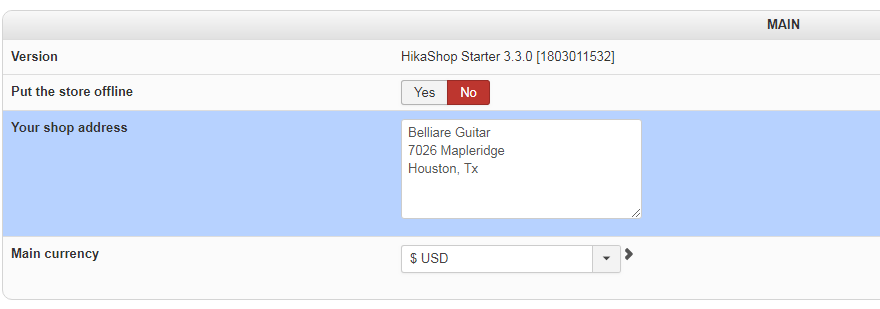
Here are my permissions for the upload directories, these show 755, I have gone as far as to set them to 777, same problem:
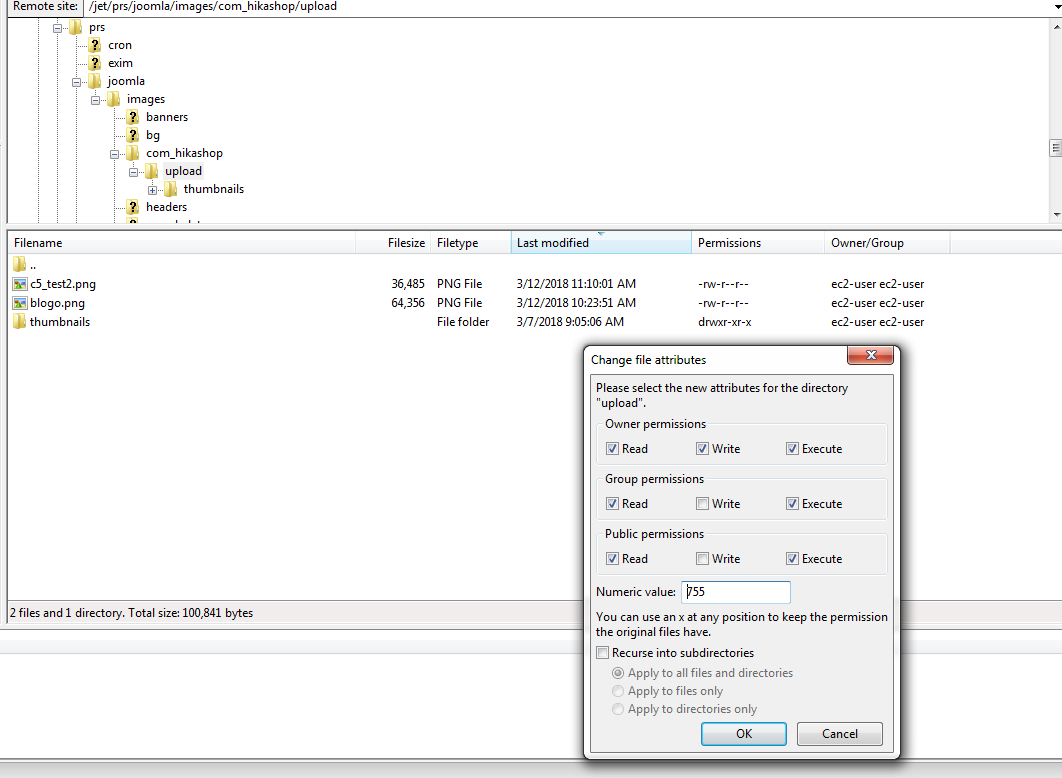
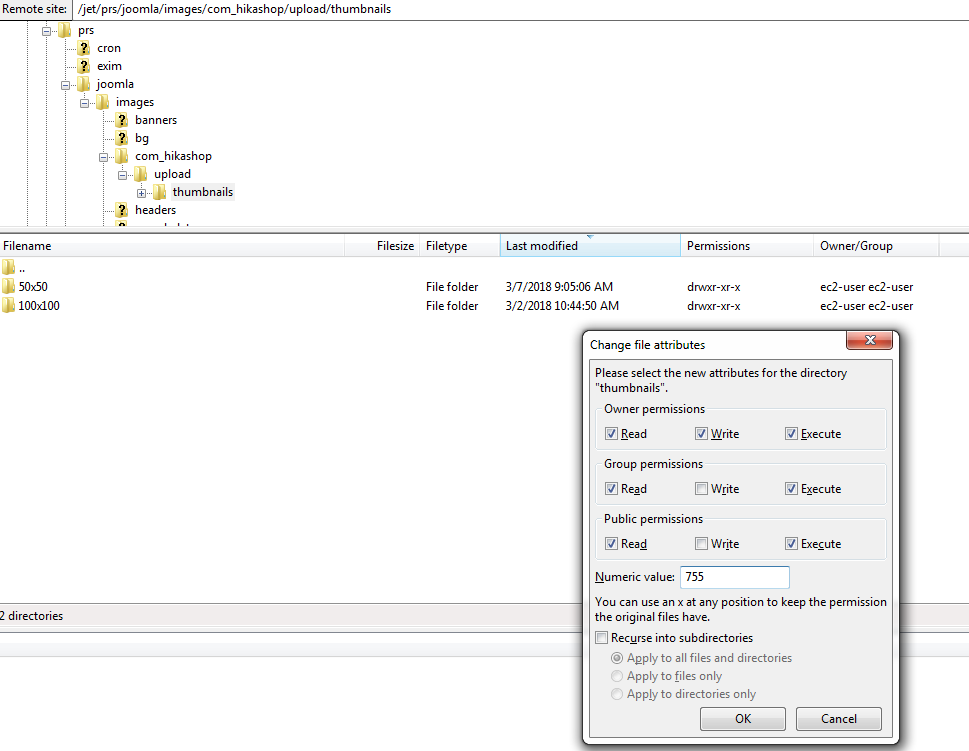
Here are my thumbnail settings:
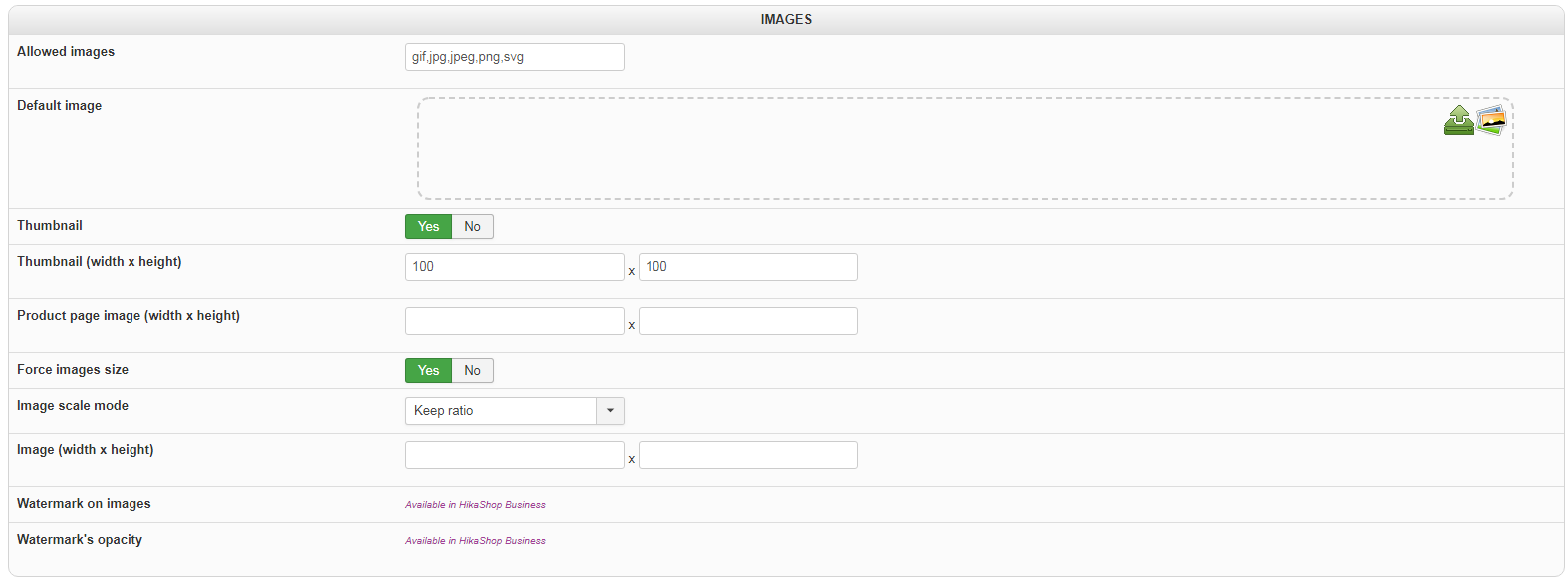
Here are my Image settings:
The last trick "Do not save BUT click on the title "Products", didn't work.
Thanks for helping
Here is my Hikashop version:
Here are my permissions for the upload directories, these show 755, I have gone as far as to set them to 777, same problem:
Here are my thumbnail settings:
Here are my Image settings:
The last trick "Do not save BUT click on the title "Products", didn't work.
Thanks for helping
Last edit: 8 years 7 months ago by parker.
Please Log in or Create an account to join the conversation.
8 years 7 months ago #289487
by nicolas
Replied by nicolas on topic Image load... image loads then shows broken image
Hi,
Then maybe there is a problem with the image you're using for your test.
For example, maybe the resolution is too big. Or maybe it uses a special format of PNG that the GD library doesn't support.
Or maybe there isn't enough space available.
Then maybe there is a problem with the image you're using for your test.
For example, maybe the resolution is too big. Or maybe it uses a special format of PNG that the GD library doesn't support.
Or maybe there isn't enough space available.
Please Log in or Create an account to join the conversation.
Time to create page: 0.129 seconds