

- Posts: 4
- Thank you received: 0
Problem layout with HikaShop Microdata on Product Page plugin active
8 years 6 months ago #290064
by geeks13
-- url of the page with the problem -- :
www.milwaukeetool-edilferr.com
-- HikaShop version -- : 3.3.0
-- Joomla version -- : 3.8.3
-- PHP version -- : 7.0.26
hi, as the object activating the plugin HikaShop Microdata on Product Page plugin, the layout of the product page is transformed.
I state that I have a site built on two columns and this seems to change views to a single column as attached in more makes the modules related products disappear.
I can not figure out where the problem is ...
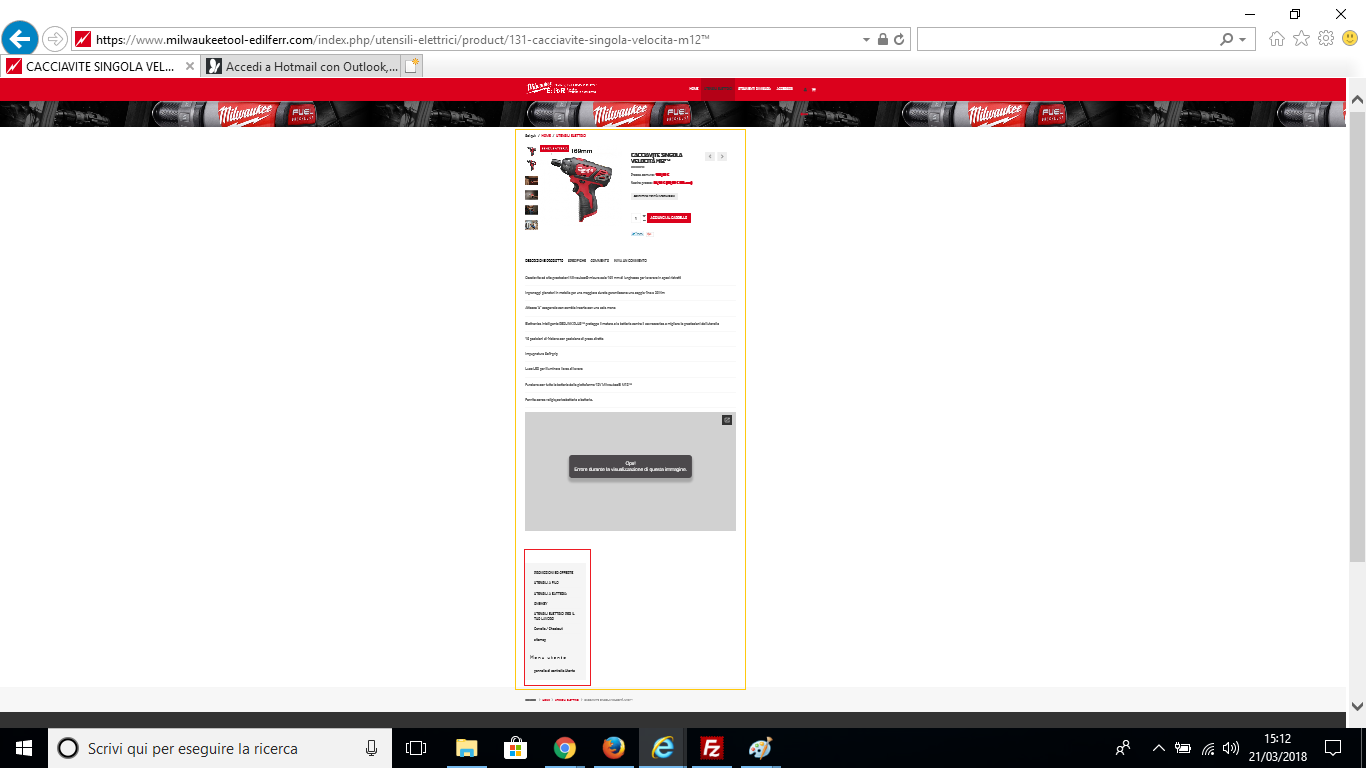
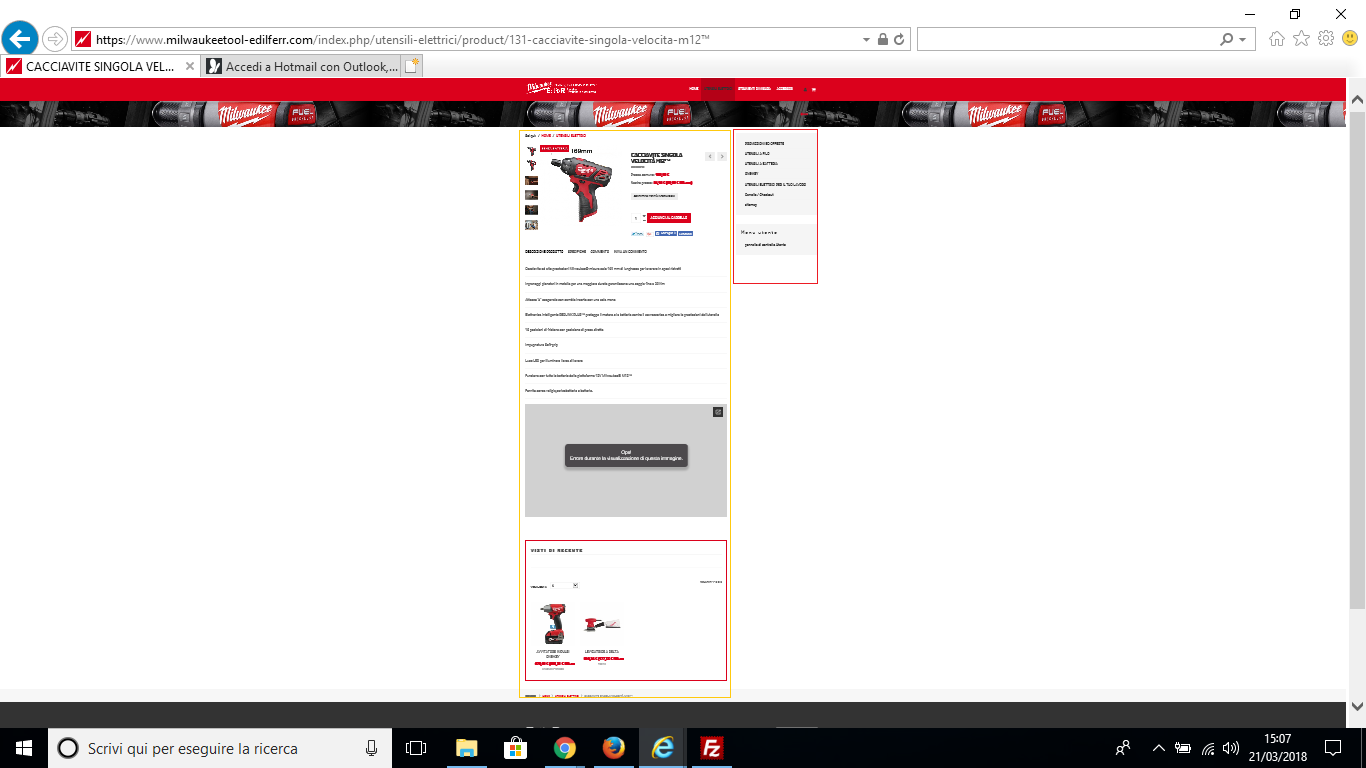
-- HikaShop version -- : 3.3.0
-- Joomla version -- : 3.8.3
-- PHP version -- : 7.0.26
hi, as the object activating the plugin HikaShop Microdata on Product Page plugin, the layout of the product page is transformed.
I state that I have a site built on two columns and this seems to change views to a single column as attached in more makes the modules related products disappear.
I can not figure out where the problem is ...
Please Log in or Create an account to join the conversation.

8 years 6 months ago #290070
by nicolas
Replied by nicolas on topic Problem layout with HikaShop Microdata on Product Page plugin active
Hi,
The microdata plugin should not be used anymore. The microdata are now directly included in the product page views.
The microdata plugin is an old plugin. So I would recommend to keep it deactivated.
The microdata plugin should not be used anymore. The microdata are now directly included in the product page views.
The microdata plugin is an old plugin. So I would recommend to keep it deactivated.
Please Log in or Create an account to join the conversation.
8 years 6 months ago #290114
by geeks13
Replied by geeks13 on topic Problem layout with HikaShop Microdata on Product Page plugin active
thanks for the answer I have disabled the plugin, only by performing a test of the product page through
search.google.com/structured-data/testing-tool
, the product structure data are not seen
Please Log in or Create an account to join the conversation.

Less
More
- Posts: 12953
- Thank you received: 1778
8 years 6 months ago #290117
by Mohamed Thelji
Replied by Mohamed Thelji on topic Problem layout with HikaShop Microdata on Product Page plugin active
Hello,
Your issue is probably coming from some views override so can you test it with one of Joomla's default template ?
Thank you.
Your issue is probably coming from some views override so can you test it with one of Joomla's default template ?
Thank you.
Please Log in or Create an account to join the conversation.
8 years 6 months ago #290166
by geeks13
Replied by geeks13 on topic Problem layout with HikaShop Microdata on Product Page plugin active
Thanks for the reply. I tried with the default template and the page structure data are seen.
how can I correct this problem on my template?
thank you
how can I correct this problem on my template?
thank you
Please Log in or Create an account to join the conversation.
8 years 6 months ago #290167
by nicolas
Replied by nicolas on topic Problem layout with HikaShop Microdata on Product Page plugin active
Hi,
The best would be to contact your template provider if the view overrides come from your template provider.
What we can recommend is to rename the files in templates/YOUR_TEMPLATE/html/com_hikashop/product/ one by one and test each time to see which view override is creating the problem and then keeping the file renamed so that the view override with the issue won't be used.
The best would be to contact your template provider if the view overrides come from your template provider.
What we can recommend is to rename the files in templates/YOUR_TEMPLATE/html/com_hikashop/product/ one by one and test each time to see which view override is creating the problem and then keeping the file renamed so that the view override with the issue won't be used.
Please Log in or Create an account to join the conversation.
8 years 6 months ago #290189
by geeks13
Replied by geeks13 on topic Problem layout with HikaShop Microdata on Product Page plugin active
This attachment is hidden for guests.
Please log in or register to see it.
thanks, I've done some tests, the error is found in these two files, show.php and show_tabular.php but I can not understand the missing piece of code Please log in or register to see it.
Please Log in or Create an account to join the conversation.
8 years 6 months ago #290234
by nicolas
Replied by nicolas on topic Problem layout with HikaShop Microdata on Product Page plugin active
Hi,
These view files are based on the view files of HikaShop 2.6.1.
And the view files of that version didn't had any microdata tag in them.
Unfortunately, there is no easy solution here.
You can either:
- ask your template provider to update its template to base the customization in these view files on the new versions of the view files of HikaShop 3.3.0
- ask him to fix these old view files modifications so that they work properly with the microdata plugin.
- keep the files renamed to not use these overrides and use instead the default look of the product page.
- hire a developer to help you. In that case, I would recommend redoing the customization on the new versions of these view files. That will be more future-proof.
These view files are based on the view files of HikaShop 2.6.1.
And the view files of that version didn't had any microdata tag in them.
Unfortunately, there is no easy solution here.
You can either:
- ask your template provider to update its template to base the customization in these view files on the new versions of the view files of HikaShop 3.3.0
- ask him to fix these old view files modifications so that they work properly with the microdata plugin.
- keep the files renamed to not use these overrides and use instead the default look of the product page.
- hire a developer to help you. In that case, I would recommend redoing the customization on the new versions of these view files. That will be more future-proof.
Please Log in or Create an account to join the conversation.
Time to create page: 0.230 seconds