

- Posts: 11
- Thank you received: 0
how to hide "quick view" button
8 years 5 months ago #291930
by GregC
how to hide "quick view" button was created by GregC
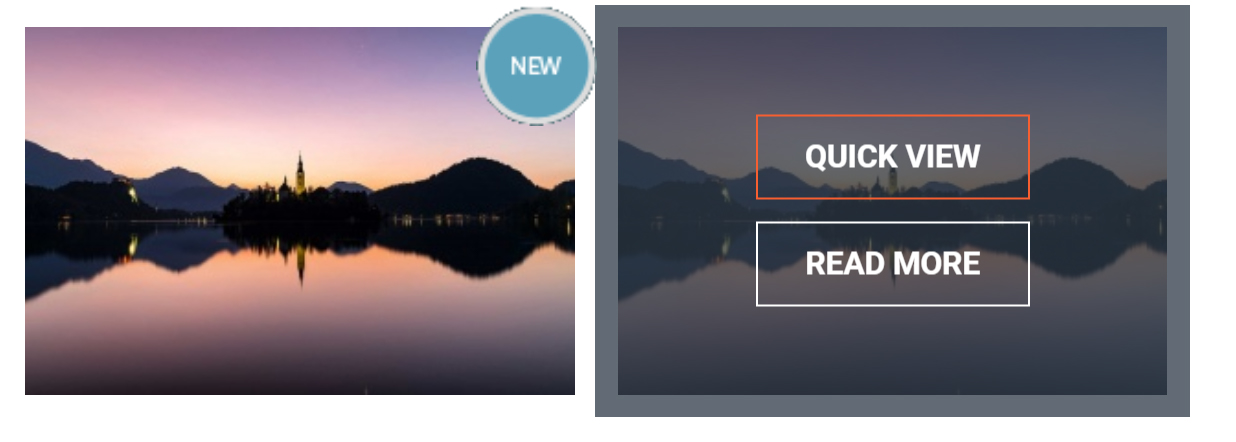
HI, I would like to ask how can I hide (switch off) button "quick view" which is visible when I put mouse over the image of the product in product listing page:
Regards,
Greg
Regards,
Greg
Please Log in or Create an account to join the conversation.
Less
More
- Posts: 21
- Thank you received: 3
8 years 5 months ago #291937
by marcob@polarisitalia.com
Replied by marcob@polarisitalia.com on topic how to hide "quick view" button
Hi Greg, but It's Hikashop product ?
Regards
Regards
Please Log in or Create an account to join the conversation.
8 years 5 months ago - 8 years 5 months ago #291944
by GregC
Replied by GregC on topic how to hide "quick view" button
Hi, yes, it is
Regards,
Greg
Regards,
Greg
Last edit: 8 years 5 months ago by GregC.
Please Log in or Create an account to join the conversation.
Less
More
- Posts: 21
- Thank you received: 3
8 years 5 months ago #291949
by marcob@polarisitalia.com
Replied by marcob@polarisitalia.com on topic how to hide "quick view" button
ok, you can go here
www.hikashop.com/support/documentation/1...-display.html#layout
looking for in your website the layout you use and looking for that code
and to delete
www.hikashop.com/support/documentation/1...-display.html#layout
looking for in your website the layout you use and looking for that code
Code:
<!--Pop over-->
<div class="hikashop_product_qv center-vertical content-center">
<div class="hikashop_product_qv_content">
<a href="/index.php/en/shop/products/product/vestibulum-luctus-neque?tmpl=quickview" data-rel="quickview" class="hikashop_quick_view button bordered light">QUICK VIEW</a>
<a href="/index.php/en/shop/products/product/vestibulum-luctus-neque" class="button bordered light">READ MORE</a>
</div>
</div>
<!--//Pop over -->
Code:
<a href="/index.php/en/shop/products/product/vestibulum-luctus-neque?tmpl=quickview" data-rel="quickview" class="hikashop_quick_view button bordered light">QUICK VIEW</a>
Please Log in or Create an account to join the conversation.
8 years 5 months ago #291950
by GregC
Replied by GregC on topic how to hide "quick view" button
Hi, thank you, it works
Regards,
Greg
Regards,
Greg
Please Log in or Create an account to join the conversation.
Time to create page: 0.154 seconds