

- Posts: 60
- Thank you received: 0
Product navigation
8 years 4 months ago #295084
by Swib
Product navigation was created by Swib
-- url of the page with the problem -- :
www.swib.nl/Sw1B/index.php/hikashop-menu...oduct/118-401-djembe
-- HikaShop version -- : 3.4.1
-- Joomla version -- : 3.8.10
In the category Creative and Hobby, the next and previous button (product navigation) does not work properly. The page is done from 401 to 415, 402 etc. In the other categories it works well. How do I solve this?
www.swib.nl/Sw1B/index.php/hikashop-menu...oduct/118-401-djembe
Please Log in or Create an account to join the conversation.

8 years 4 months ago #295086
by nicolas
Replied by nicolas on topic Product navigation
Hi,
The "next" and "previous" buttons depends on the "order" that you entered for the products on the products listing of the backend.
Also, if your products are added to several categories, please note that it is the ordering of the products in the first category of the current product which is used.
The "next" and "previous" buttons depends on the "order" that you entered for the products on the products listing of the backend.
Also, if your products are added to several categories, please note that it is the ordering of the products in the first category of the current product which is used.
Please Log in or Create an account to join the conversation.
8 years 4 months ago #295111
by Swib
Replied by Swib on topic Product navigation
Hi,
The product ordering is correct
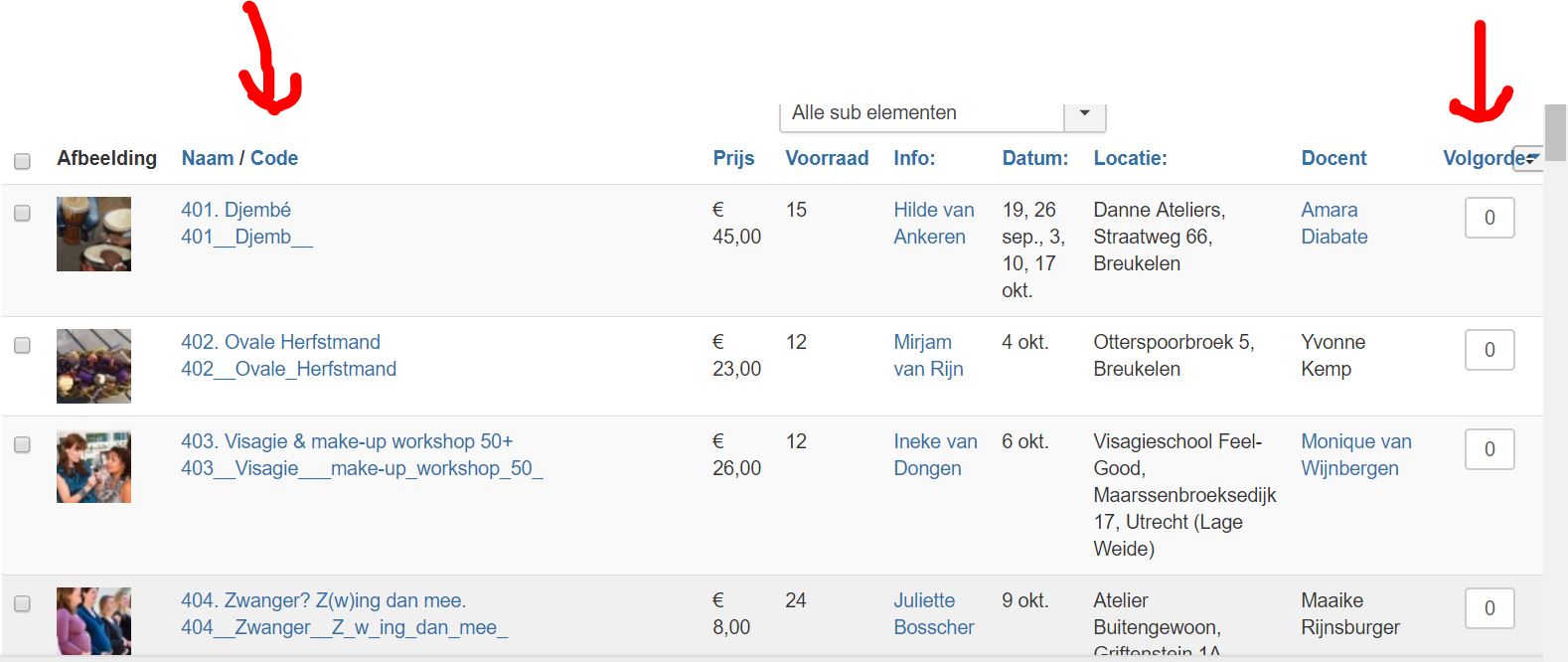 as you can see in the first column. AT the last colum (ordering) I cannot change the 0, but in the other categories it is the same......
The products of categorie 4 only are in one categorie.
All the other categories works..........
Thank you
The product ordering is correct
The products of categorie 4 only are in one categorie.
All the other categories works..........
Thank you
Please Log in or Create an account to join the conversation.
8 years 4 months ago - 8 years 4 months ago #295118
by Philip
Replied by Philip on topic Product navigation
Hello,
Can you provide the same screenshot but with the complete category tree like on this screenshot :

Take care to open up the tree, in order to clearly see your concerned category and his context.
Awaiting news from you.
Regards
Can you provide the same screenshot but with the complete category tree like on this screenshot :
Take care to open up the tree, in order to clearly see your concerned category and his context.
Awaiting news from you.
Regards
Last edit: 8 years 4 months ago by Philip.
Please Log in or Create an account to join the conversation.
8 years 4 months ago #295166
by Swib
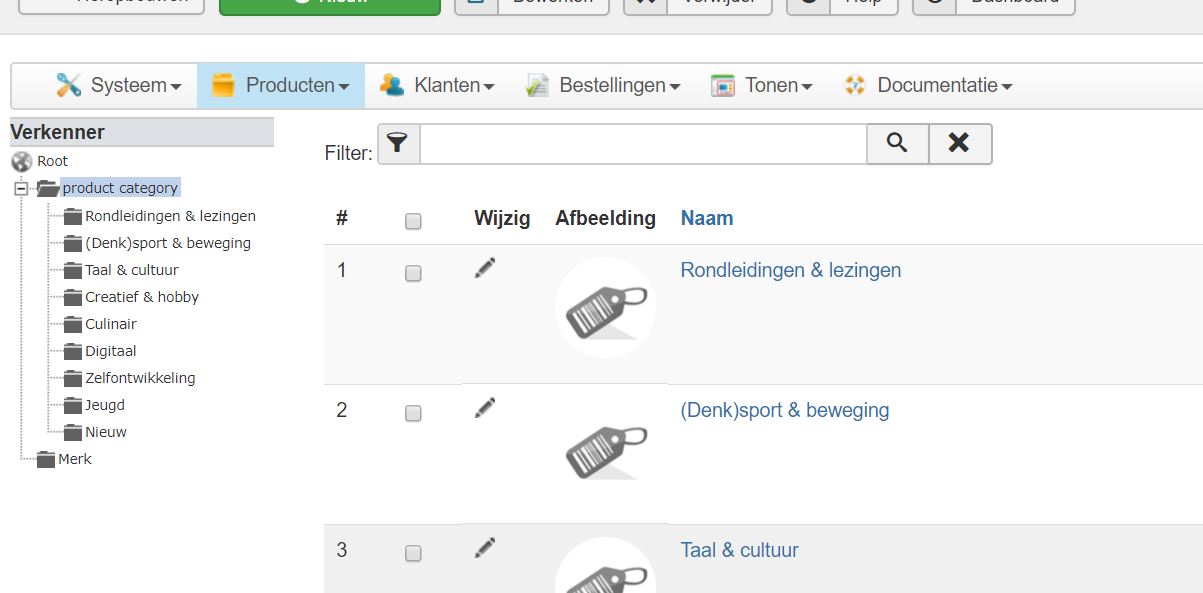
Replied by Swib on topic Product navigation
Please Log in or Create an account to join the conversation.
8 years 4 months ago #295185
by nicolas
Replied by nicolas on topic Product navigation
Hi,
If the order value of the products is 0, then there is no ordering and thus the order is which the products will be selected for the next/previous will be random.
So you need to make sure you have an ordering.
On your screenshot, I can see that the 0 values are in input boxes. So normally you should be able to change them to enter values for them. Then, next to the title of that column, there should be a button you can click on to save the new ordering. Please try that.
Please Log in or Create an account to join the conversation.
8 years 4 months ago #295239
by Swib
Replied by Swib on topic Product navigation
Hi. As you can see it is ordered 401, 402, 403, 404 etc. So I cannot re order it.............. But with the navigation it it: 401, 415, 402, 416, 403, 417 etc.
It is very strange....................................
It is very strange....................................
Please Log in or Create an account to join the conversation.
8 years 4 months ago #295258
by nicolas
Replied by nicolas on topic Product navigation
Hi,
I don't see what you mean. The 401, 402, etc are in the products name and you only have zeros in the "order" column for your products (at least that's what I see in your screenshots). Even if you use the product_name as ordering column on your listing, as I said before,
I don't see what you mean. The 401, 402, etc are in the products name and you only have zeros in the "order" column for your products (at least that's what I see in your screenshots). Even if you use the product_name as ordering column on your listing, as I said before,
.the "next" and "previous" buttons depends on the "order" that you entered for the products on the products listing of the backend
Please Log in or Create an account to join the conversation.
Time to create page: 0.082 seconds