

- Posts: 224
- Thank you received: 8
Infinite scroll layout not looking good
8 years 3 months ago #295882
by oloccina
Infinite scroll layout not looking good was created by oloccina
-- url of the page with the problem -- :
accademiainfinita.it/shop
-- HikaShop version -- : 3.5.1
-- Joomla version -- : 3.8.10
Hello,
when I activate the infinite scroll, it leaves blank spaces amongst the loaded product boxes,
you can test here accademiainfinita.it/shop
my configs
categories: nimb.ws/y7r5fn
products: nimb.ws/5b7sXI
thank you
-- HikaShop version -- : 3.5.1
-- Joomla version -- : 3.8.10
Hello,
when I activate the infinite scroll, it leaves blank spaces amongst the loaded product boxes,
you can test here accademiainfinita.it/shop
my configs
categories: nimb.ws/y7r5fn
products: nimb.ws/5b7sXI
thank you
Please Log in or Create an account to join the conversation.

8 years 3 months ago #295883
by Jerome
Jerome - Obsidev.com
HikaMarket & HikaSerial developer / HikaShop core dev team.
Replied by Jerome on topic Infinite scroll layout not looking good
Hello,
The issue is not related to the infinite scroll but to the fact that one product name is too long (two lines).
So you have to activate the consistency height feature to handle that.
Regards,
The issue is not related to the infinite scroll but to the fact that one product name is too long (two lines).
So you have to activate the consistency height feature to handle that.
Regards,
Jerome - Obsidev.com
HikaMarket & HikaSerial developer / HikaShop core dev team.
Please Log in or Create an account to join the conversation.
8 years 3 months ago - 8 years 3 months ago #295903
by oloccina
Replied by oloccina on topic Infinite scroll layout not looking good
I understand, but the height consistency is already activated as you can see in the screenshot I posted: nimb.ws/5b7sXI
The issue is due to this dynamic style value
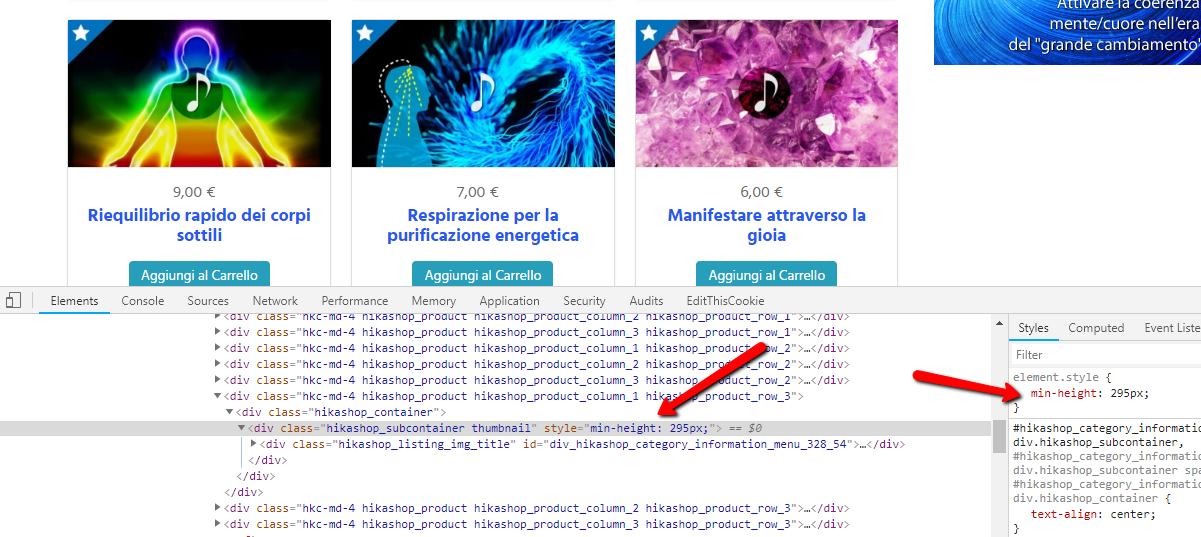
After regenerating the menu item and refreshing the page, the value is now created correctly and there are no more blank spaces,
before it was 182px instead than 295px.
I don't know if it's some kind of bug, I cant reproduce the issue now.
Will let you know if it happens again.
Thanks
The issue is due to this dynamic style value
After regenerating the menu item and refreshing the page, the value is now created correctly and there are no more blank spaces,
before it was 182px instead than 295px.
I don't know if it's some kind of bug, I cant reproduce the issue now.
Will let you know if it happens again.
Thanks
Last edit: 8 years 3 months ago by oloccina.
Please Log in or Create an account to join the conversation.
8 years 2 months ago - 8 years 2 months ago #296677
by oloccina
Replied by oloccina on topic Infinite scroll layout not looking good
Hello,
I am still having this issue here accademiainfinita.it/shop
"height consistency" is already set on "YES" for this menu item.
I dont' think it's a cache issue either, because deleting the Joomla cache doesn't solve it.
If you could investigate that would be great.
Thanks
I am still having this issue here accademiainfinita.it/shop
"height consistency" is already set on "YES" for this menu item.
I dont' think it's a cache issue either, because deleting the Joomla cache doesn't solve it.
If you could investigate that would be great.
Thanks
Last edit: 8 years 2 months ago by oloccina.
Please Log in or Create an account to join the conversation.
8 years 2 months ago #296678
by Jerome
Jerome - Obsidev.com
HikaMarket & HikaSerial developer / HikaShop core dev team.
Replied by Jerome on topic Infinite scroll layout not looking good
Hello,
In your "custom_24" CSS file you changed some rules for the images in your listing.
There is no more a "height" for the images ; which are not in "height auto" and "override hidden".
Because of that, when the processing of the "consistency height" is performed, the images have 0px height and the processed dimension is 184px height.
Once the image loaded, the tile become 148px bigger and the processed height is useless.
Now you can see to fix your CSS and not override the height that HikaShop is setting ; or you can see to tweak the infinire scrool / consistency height integration in the "product / listing_div" view.
You can, for example, see to put a timeout action to call the setConsistencyHeight function after the image are finally loaded by the user.
Regards,
In your "custom_24" CSS file you changed some rules for the images in your listing.
There is no more a "height" for the images ; which are not in "height auto" and "override hidden".
Because of that, when the processing of the "consistency height" is performed, the images have 0px height and the processed dimension is 184px height.
Once the image loaded, the tile become 148px bigger and the processed height is useless.
Now you can see to fix your CSS and not override the height that HikaShop is setting ; or you can see to tweak the infinire scrool / consistency height integration in the "product / listing_div" view.
Code:
if(elems && elems.length) {
window.hikashop.setConsistencyHeight(elems, 'min');
}
Regards,
Jerome - Obsidev.com
HikaMarket & HikaSerial developer / HikaShop core dev team.
Please Log in or Create an account to join the conversation.
8 years 2 months ago - 8 years 2 months ago #296701
by oloccina
Replied by oloccina on topic Infinite scroll layout not looking good
Tank you for the tips,
maybe this solution would be more elegant
I am trying to fix the css instead. The reason why I tweaked it in the first place is that if I leave Hikashop css rules, there is an extra space being added below my images
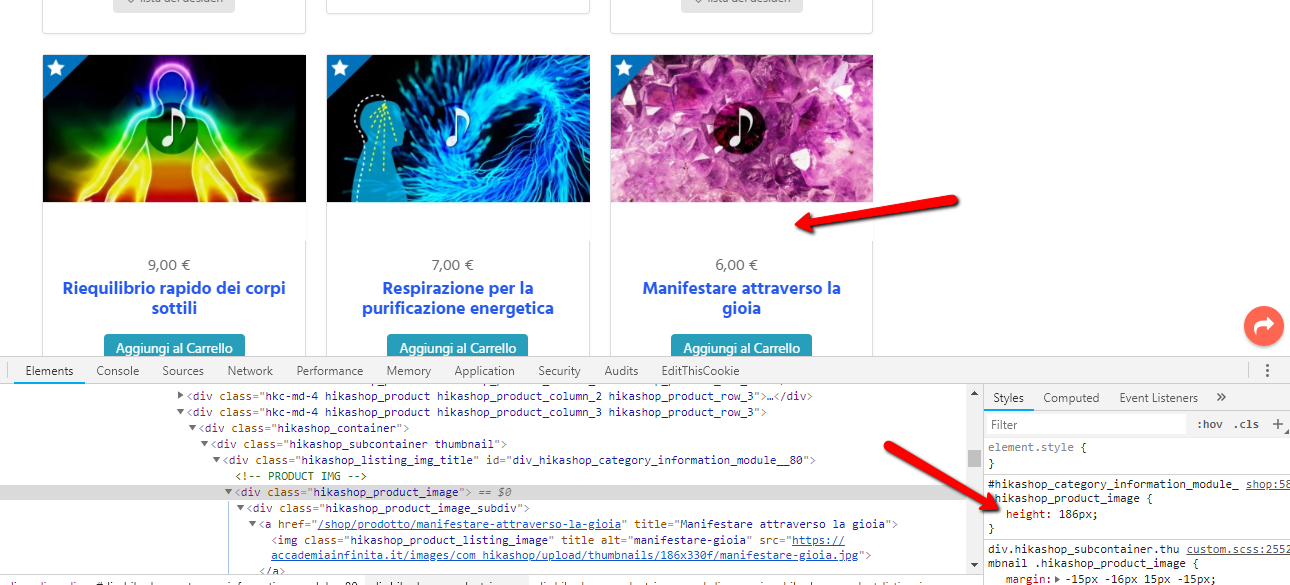
and on mobile they don't look good either (there is space added on the left and right side)
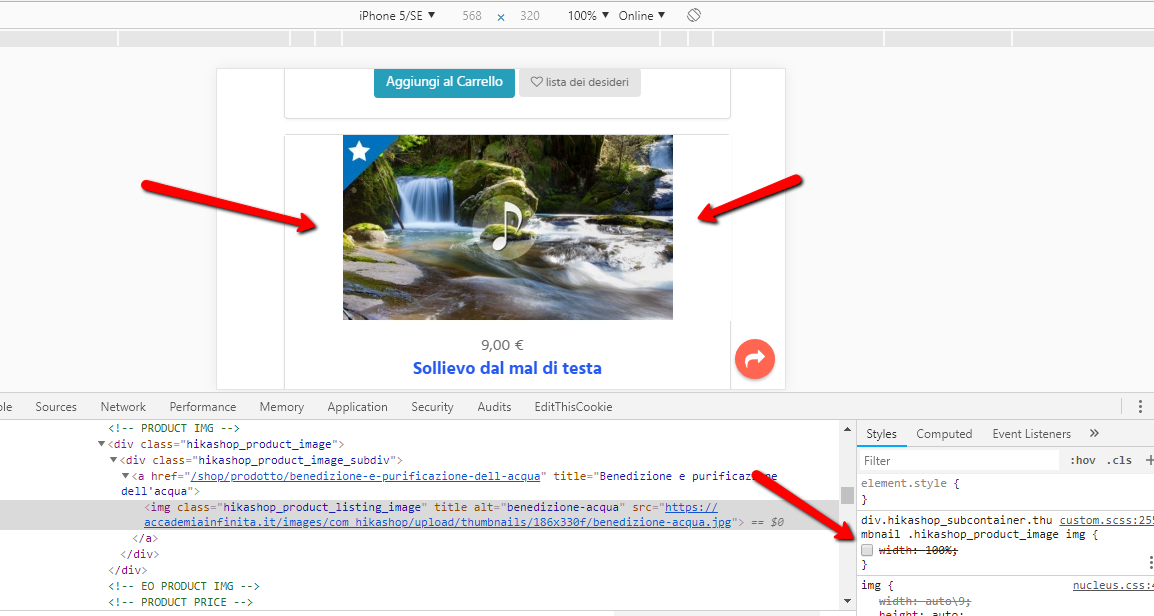
It seems to me that Hika would force me to use images that have certain proportions, if I don't I need to tweak the css but this causes the layout issue with the infinite scroll height consistency
Could you suggest a css solution that works well for all the different devices?
My images should look like this (without top/right/left padding)

Or could you tell me exactly how to implement the other solution you were suggesting?
Thank you
maybe this solution would be more elegant
but I have no idea on how to do it.You can, for example, see to put a timeout action to call the setConsistencyHeight function after the image are finally loaded by the user.
I am trying to fix the css instead. The reason why I tweaked it in the first place is that if I leave Hikashop css rules, there is an extra space being added below my images
and on mobile they don't look good either (there is space added on the left and right side)
It seems to me that Hika would force me to use images that have certain proportions, if I don't I need to tweak the css but this causes the layout issue with the infinite scroll height consistency
Could you suggest a css solution that works well for all the different devices?
My images should look like this (without top/right/left padding)
Or could you tell me exactly how to implement the other solution you were suggesting?
Thank you
Last edit: 8 years 2 months ago by oloccina.
Please Log in or Create an account to join the conversation.

Less
More
- Posts: 12953
- Thank you received: 1778
8 years 2 months ago #296729
by Mohamed Thelji
Replied by Mohamed Thelji on topic Infinite scroll layout not looking good
Hello,
Doing it like this will probably do the job :
Best regards,
Mohamed Thelji.
but I have no idea on how to do it.
Doing it like this will probably do the job :
Code:
if(elems && elems.length) {
setTimeout(function() { window.hikashop.setConsistencyHeight(elems, 'min'); }, 1000 );
}
Best regards,
Mohamed Thelji.
The following user(s) said Thank You: oloccina
Please Log in or Create an account to join the conversation.
Time to create page: 0.076 seconds