
- Posts: 8
- Thank you received: 0
Product & category display
- Kate_Protopopova
-
 Topic Author
- Offline
Less
More
6 years 9 months ago #314716
by Kate_Protopopova
Product & category display was created by Kate_Protopopova
-- url of the page with the problem -- :
ekoposeleniesemigorie.in.ua/nasha-produk...oduct-details-bottom
-- HikaShop version -- : 4.2.2
-- Joomla version -- : 3.9.13
-- PHP version -- : 7.3.12
-- Browser(s) name and version -- : Google Chrome 79.0.3945.117
Hello
I could not find a solution for the next two questions:
1) How to remove the symbol at the end of short product description
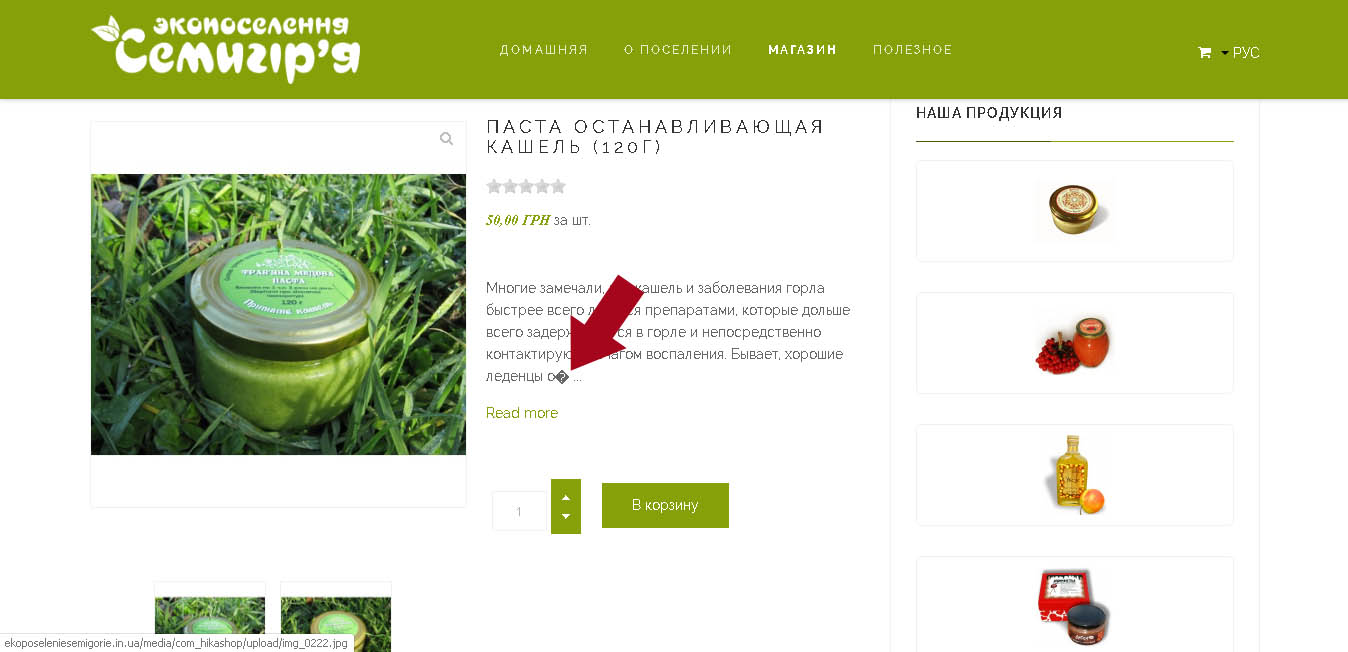
2) How to display the names of tabs in correct language for multilanguage site
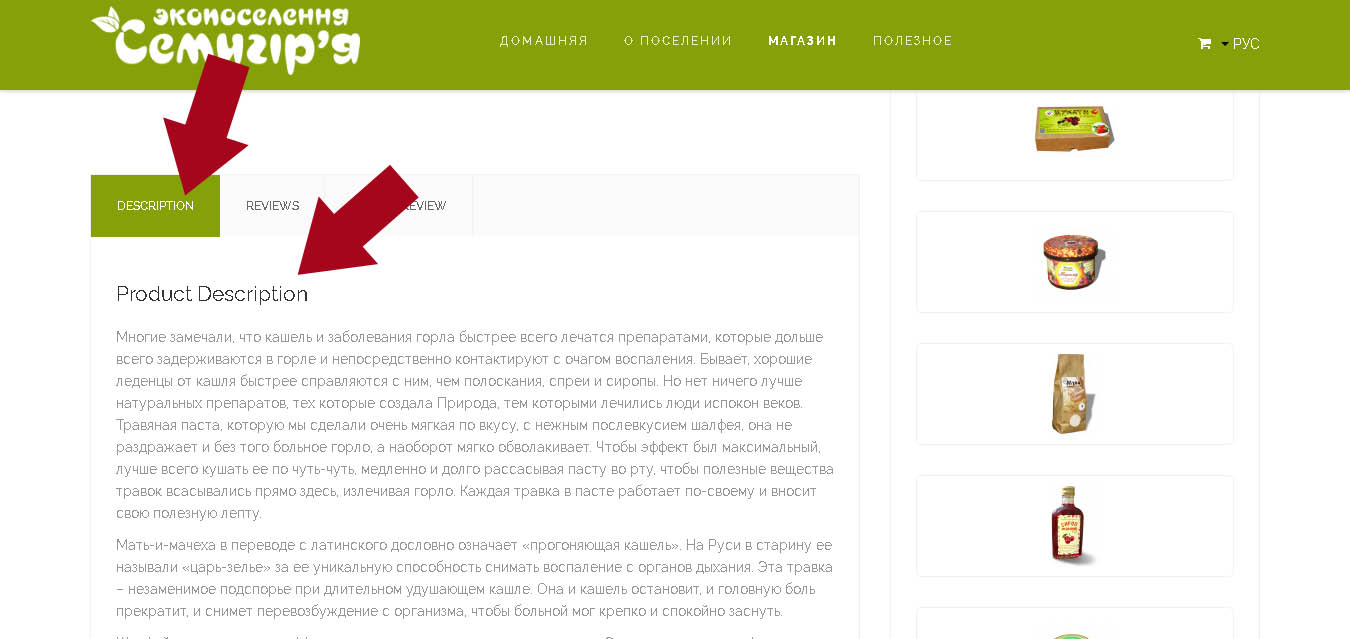
Thank you
-- HikaShop version -- : 4.2.2
-- Joomla version -- : 3.9.13
-- PHP version -- : 7.3.12
-- Browser(s) name and version -- : Google Chrome 79.0.3945.117
Hello
I could not find a solution for the next two questions:
1) How to remove the symbol at the end of short product description
2) How to display the names of tabs in correct language for multilanguage site
Thank you
Please Log in or Create an account to join the conversation.

6 years 9 months ago - 6 years 9 months ago #314717
by Philip
Replied by Philip on topic Product & category display
Hello,
1. You have an issue with a special character, unfortunatelly the only solution is modify the code in your view, here, product/show_tabular, let's follow me step by step :
- From your Main HikaShop Configuration => Display dropdown => Views
- Use the 3 dropdown filters with : product / Your Template / Front end
- Find your view show_tabular and open it
- Around line 73, you have this :
Replace the "substr" for have this :
Here
, more details about this technical issue.
2. Before going more far on this subject, you can process a test like try with a default template, like Protostar
=> If that solve your issue, that mean that your template override some part of HikaShop elements (that I guess was translated)
Your solution is to contact your template creator support.
Hope this will help you to solve your issue.
Regards
1. You have an issue with a special character, unfortunatelly the only solution is modify the code in your view, here, product/show_tabular, let's follow me step by step :
- From your Main HikaShop Configuration => Display dropdown => Views
- Use the 3 dropdown filters with : product / Your Template / Front end
- Find your view show_tabular and open it
- Around line 73, you have this :
Code:
if(!empty($this->element->product_description)) {
$resume = substr(strip_tags(preg_replace('#<hr *id="system-readmore" */>.*#is','',$this->element->product_description)),0,300);
if (!empty($this->element->product_description) && strlen($this->element->product_description)>300)
$resume .= " ...<a href='#hikashop_show_tabular_description'>".JText::_('READ_MORE')."</a>";
echo JHTML::_('content.prepare',$resume);
}
Code:
if(!empty($this->element->product_description)) {
$resume = mb_substr(strip_tags(preg_replace('#<hr *id="system-readmore" */>.*#is','',$this->element->product_description)),0,300);
if (!empty($this->element->product_description) && strlen($this->element->product_description)>300)
$resume .= " ...<a href='#hikashop_show_tabular_description'>".JText::_('READ_MORE')."</a>";
echo JHTML::_('content.prepare',$resume);
}
2. Before going more far on this subject, you can process a test like try with a default template, like Protostar
=> If that solve your issue, that mean that your template override some part of HikaShop elements (that I guess was translated)
Your solution is to contact your template creator support.
Hope this will help you to solve your issue.
Regards
Last edit: 6 years 9 months ago by Philip.
The following user(s) said Thank You: Kate_Protopopova
Please Log in or Create an account to join the conversation.
- Kate_Protopopova
-
Topic Author
- Offline
Less
More
- Posts: 8
- Thank you received: 0
6 years 9 months ago #314754
by Kate_Protopopova
Replied by Kate_Protopopova on topic Product & category display
Thank you for quick reply.
The problem is solved.
The problem is solved.
Please Log in or Create an account to join the conversation.
Time to create page: 0.092 seconds