
- Posts: 127
- Thank you received: 1
Add to cart button on listing page causes page to freeze
- mikehermary
-
 Topic Author
- Offline
Less
More
6 years 7 months ago #316996
by mikehermary
-- url of the page with the problem -- :
afca.ca/book-store
-- HikaShop version -- : 4.2.3
-- Joomla version -- : 3.9.16
-- PHP version -- : 7.3.9
-- Browser(s) name and version -- : Chrome and Firefox
Hello,
When clicking/tapping on the "add to cart" button on the product listing pages, the browser window freezes and scrolling or other actions are not available. The "added to cart" modal is not displayed either. We have a different forum post open that relates to this issue. We have recently updated HikaShop to the latest business release and have a few overrides from older releases that may be causing conflicts.
Cheers,
-- HikaShop version -- : 4.2.3
-- Joomla version -- : 3.9.16
-- PHP version -- : 7.3.9
-- Browser(s) name and version -- : Chrome and Firefox
Hello,
When clicking/tapping on the "add to cart" button on the product listing pages, the browser window freezes and scrolling or other actions are not available. The "added to cart" modal is not displayed either. We have a different forum post open that relates to this issue. We have recently updated HikaShop to the latest business release and have a few overrides from older releases that may be causing conflicts.
Cheers,
Please Log in or Create an account to join the conversation.

6 years 7 months ago #317005
by nicolas
Replied by nicolas on topic Add to cart button on listing page causes page to freeze
Hi,
I can see that you're using the old add to cart system from HikaShop 1.x and 2.x.
I would recommend to turn off the "add to cart legacy" setting of the HikaShop configuration to switch to the new add to cart system.
It should work much better.
And you can configure the HikaShop cart notification plugin via the Joomla plugins manager to get the popup back after that.
I can see that you're using the old add to cart system from HikaShop 1.x and 2.x.
I would recommend to turn off the "add to cart legacy" setting of the HikaShop configuration to switch to the new add to cart system.
It should work much better.
And you can configure the HikaShop cart notification plugin via the Joomla plugins manager to get the popup back after that.
Please Log in or Create an account to join the conversation.
- mikehermary
-
Topic Author
- Offline
Less
More
- Posts: 127
- Thank you received: 1
6 years 7 months ago #317024
by mikehermary
Replied by mikehermary on topic Add to cart button on listing page causes page to freeze
Hello Nicolas,
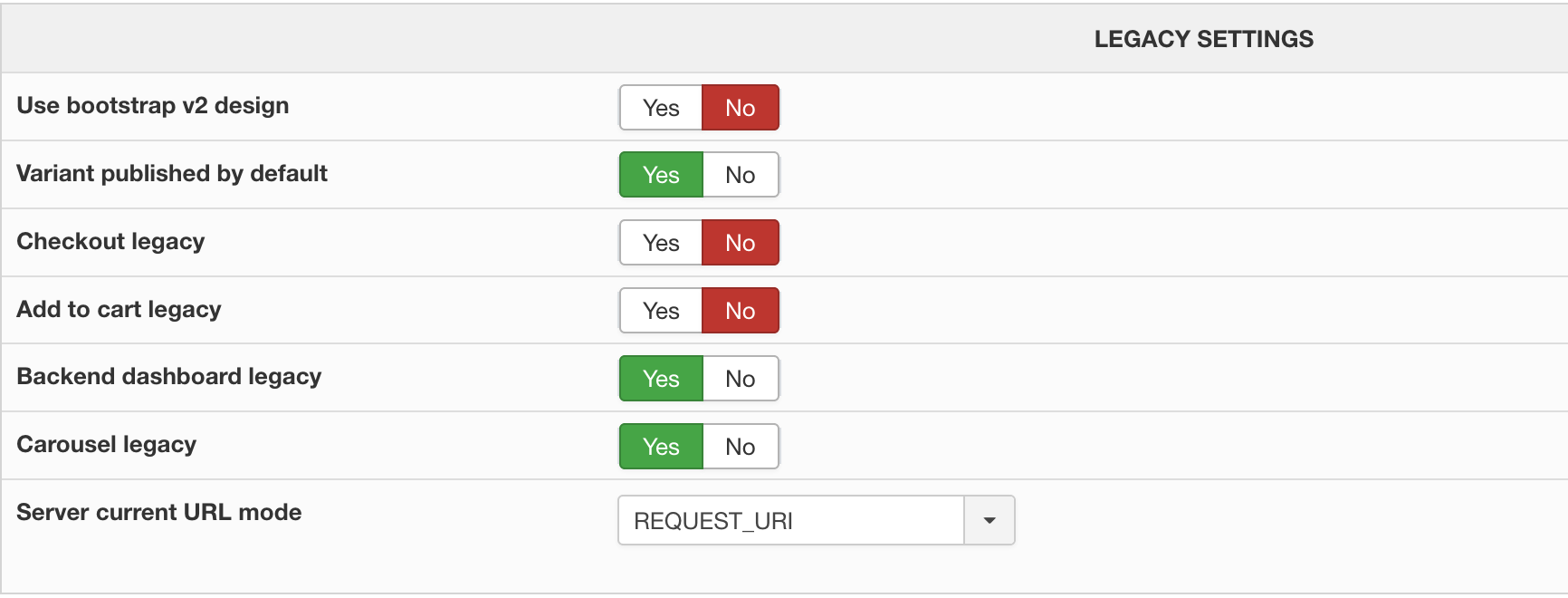
I have changed the "Add to cart" legacy setting to "No". See the attached screenshot.
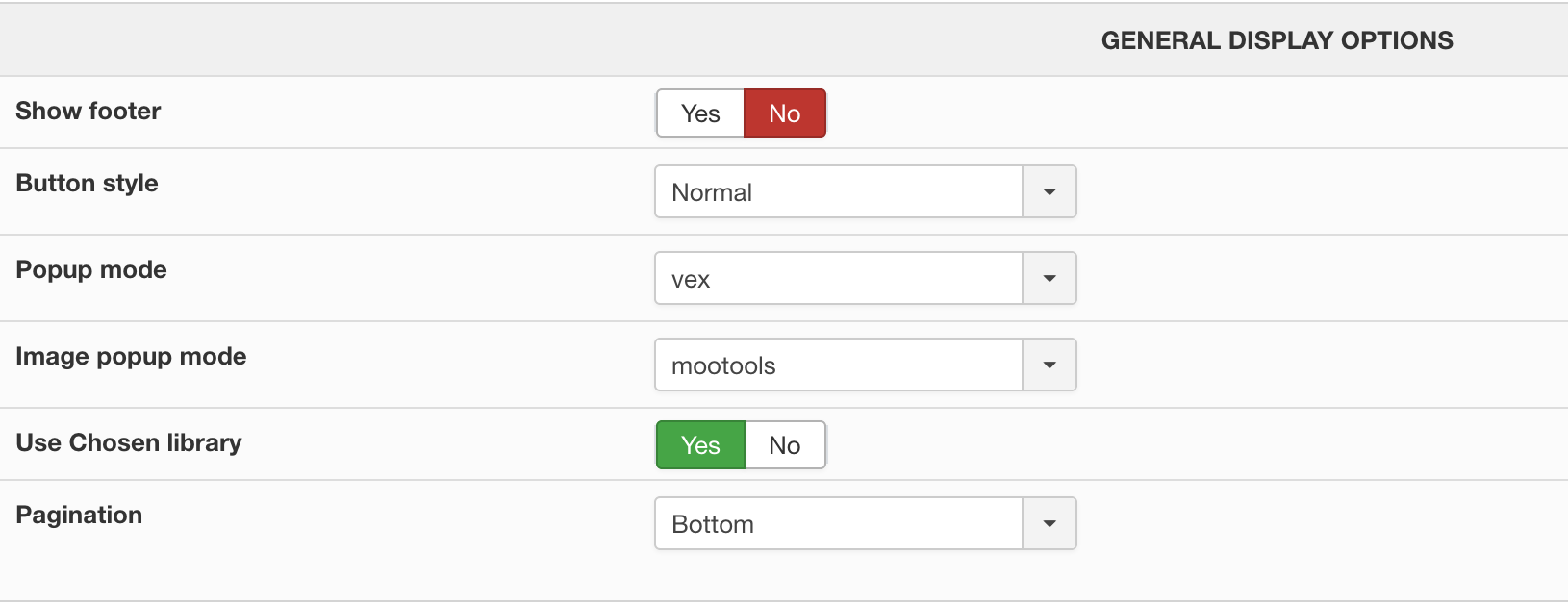
The "General display" settings are shown in the screenshot below.
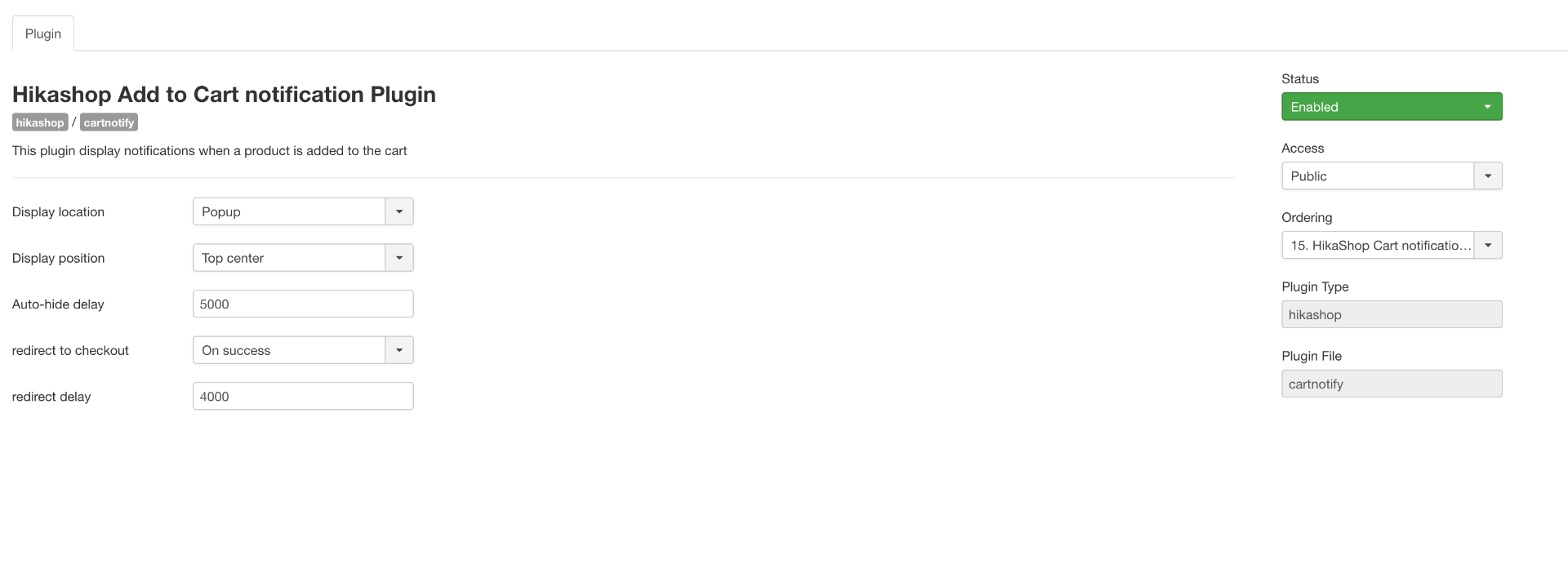
The cart notify settings are displayed in the attached screenshot.
And this is how the address bar displays. See attached screenshot.

I have made the changes, but the cart notify modal is still not displaying. You can test it out here: afca.ca
Cheers,
I have changed the "Add to cart" legacy setting to "No". See the attached screenshot.
The "General display" settings are shown in the screenshot below.
The cart notify settings are displayed in the attached screenshot.
And this is how the address bar displays. See attached screenshot.
I have made the changes, but the cart notify modal is still not displaying. You can test it out here: afca.ca
Cheers,
Please Log in or Create an account to join the conversation.
6 years 7 months ago #317027
by nicolas
Replied by nicolas on topic Add to cart button on listing page causes page to freeze
Hi,
I still see the old add to cart buttons. So if you have deactivated your "add to cart legacy" setting, it means that either you have some caching on the pages of your website and you need to clear it to see the change, or you have some view overrides in the folder templates/YOUR_TEMPLATE/html/com_hikashop/ that you need to deactivate by renaming them via FTP.
I still see the old add to cart buttons. So if you have deactivated your "add to cart legacy" setting, it means that either you have some caching on the pages of your website and you need to clear it to see the change, or you have some view overrides in the folder templates/YOUR_TEMPLATE/html/com_hikashop/ that you need to deactivate by renaming them via FTP.
Please Log in or Create an account to join the conversation.
- mikehermary
-
Topic Author
- Offline
Less
More
- Posts: 127
- Thank you received: 1
6 years 7 months ago #317071
by mikehermary
Replied by mikehermary on topic Add to cart button on listing page causes page to freeze
Hello Nicolas,
Thanks. I have been able to track down the old overrides and fix the issues.
Cheers,
Thanks. I have been able to track down the old overrides and fix the issues.
Cheers,
Please Log in or Create an account to join the conversation.
Time to create page: 0.075 seconds