
- Posts: 2
- Thank you received: 0
Prevent Accordion menu from disappearing
- showroomjena
-
 Topic Author
- Offline
Less
More
6 years 6 months ago #319430
by showroomjena
Prevent Accordion menu from disappearing was created by showroomjena
-- HikaShop version -- : 4.3.0
-- Joomla version -- : 3.9.18
-- PHP version -- : 7.2.30
-- Browser(s) name and version -- : Firefox
Hi Hika team,
i am using the "Hikashop content module" to display it on the sidebar for navigation through my shop.
The problem is:
When I click on:
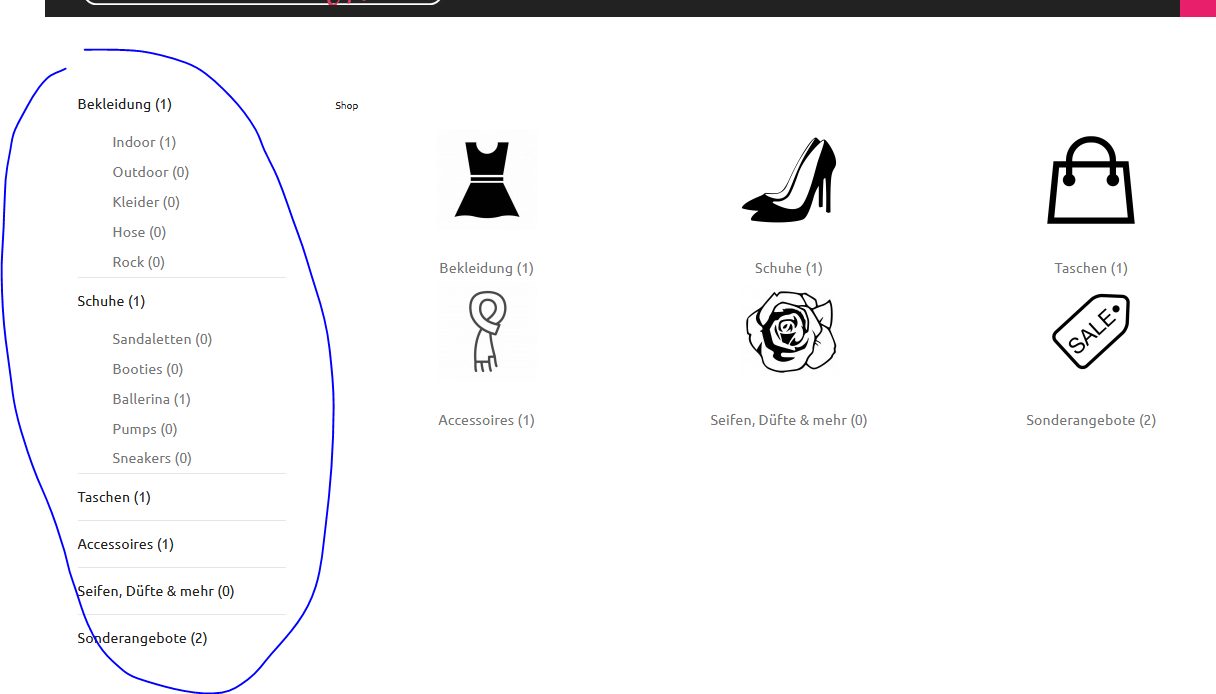
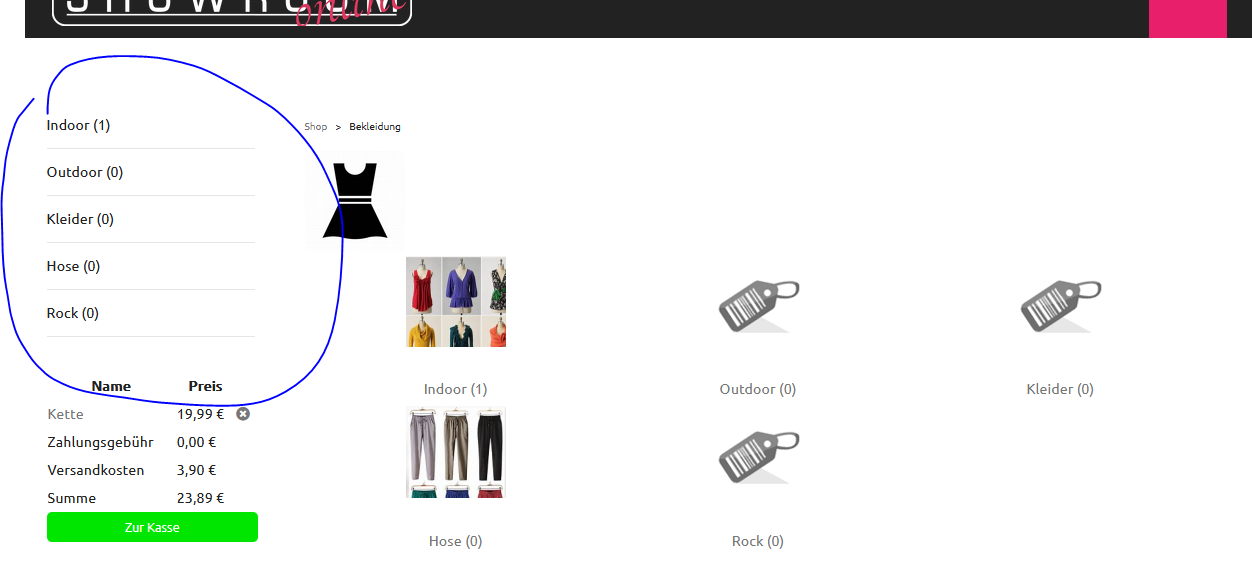
- category which has subcategories -> it jumps to the respective category but then only shows me the sub-categories in the sidebar...all other parent categories are not being displayed
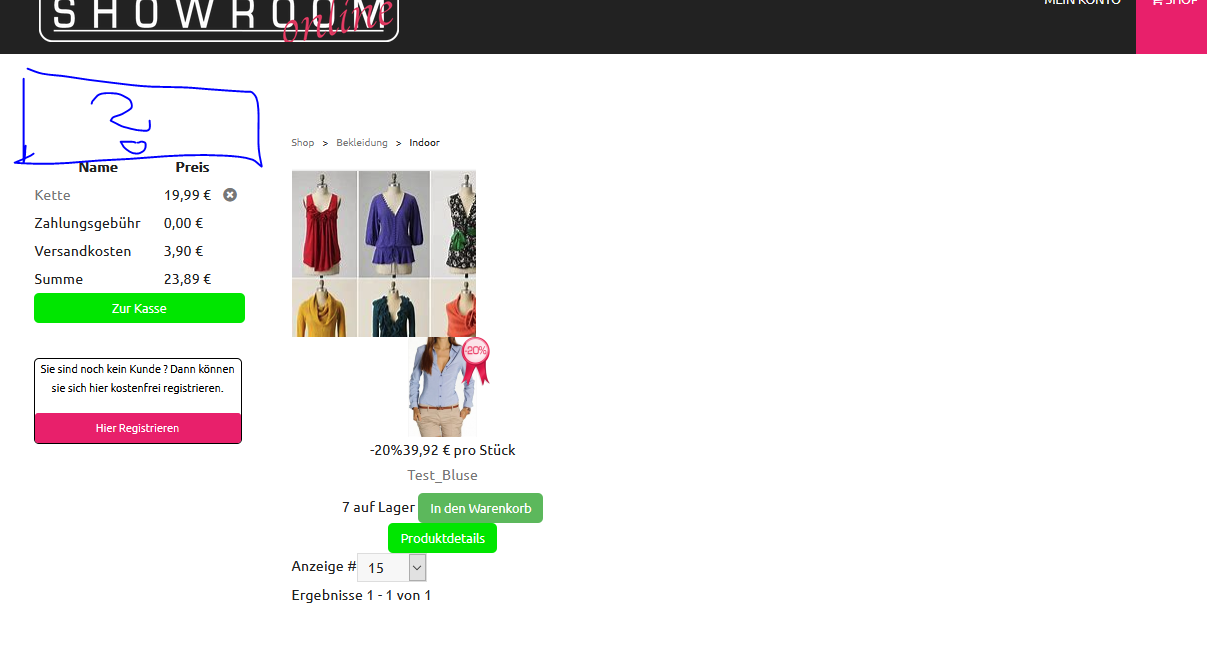
-when i click on a category with no further sub-categories -> the entire module disappears from the sidebar (same when I am on the product page)
I always want the entire accordion "menu" to be displayed at any time.
(PS: I know I can create my own sidebar menu with linking to the individual category but I'd like to use the built in feature)
Please see the pics attached.
-- Joomla version -- : 3.9.18
-- PHP version -- : 7.2.30
-- Browser(s) name and version -- : Firefox
Hi Hika team,
i am using the "Hikashop content module" to display it on the sidebar for navigation through my shop.
The problem is:
When I click on:
- category which has subcategories -> it jumps to the respective category but then only shows me the sub-categories in the sidebar...all other parent categories are not being displayed
-when i click on a category with no further sub-categories -> the entire module disappears from the sidebar (same when I am on the product page)
I always want the entire accordion "menu" to be displayed at any time.
(PS: I know I can create my own sidebar menu with linking to the individual category but I'd like to use the built in feature)
Please see the pics attached.
Please Log in or Create an account to join the conversation.

6 years 6 months ago #319446
by nicolas
Replied by nicolas on topic Prevent Accordion menu from disappearing
Hi,
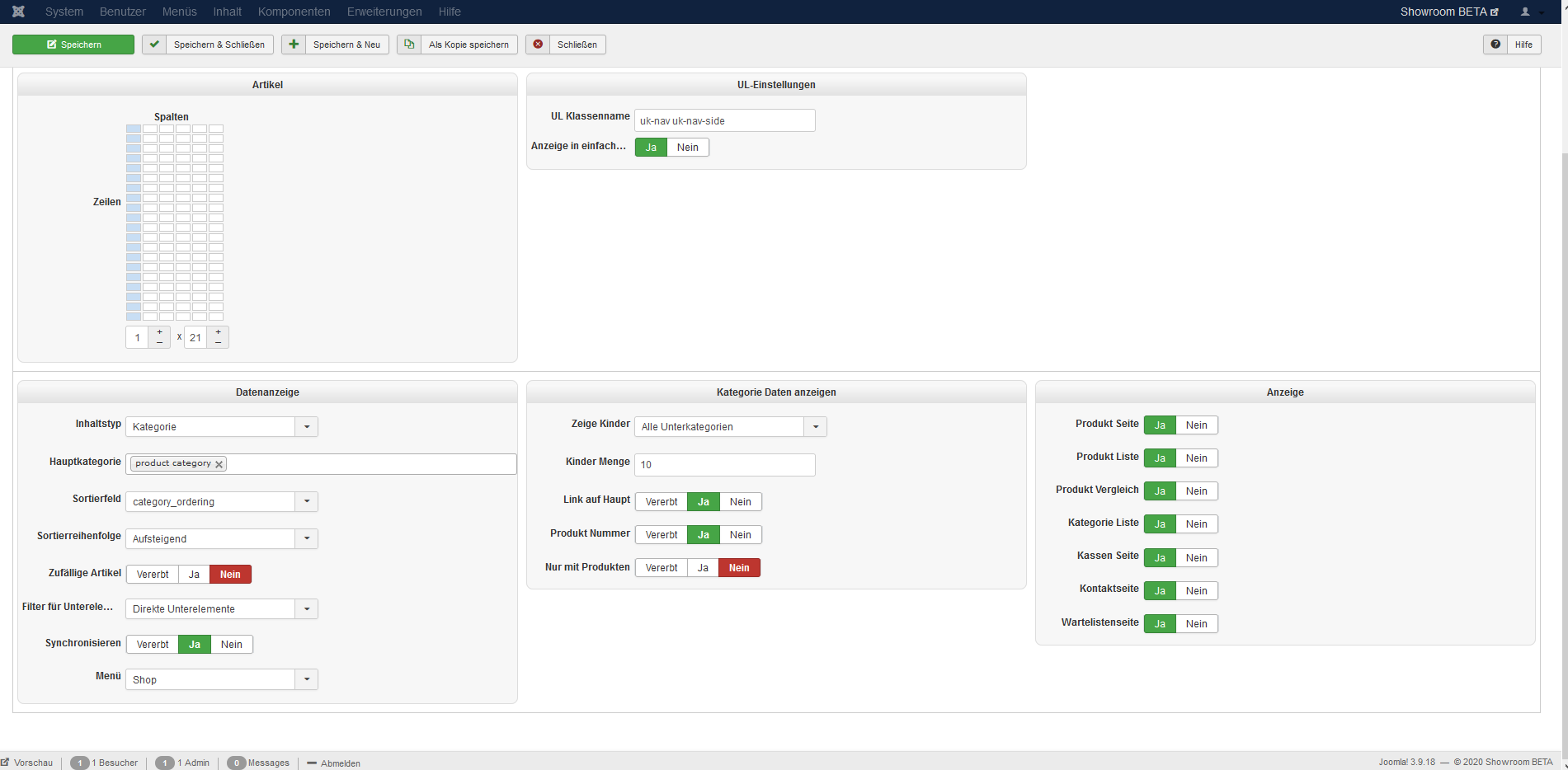
Edit your module via the joomla modules manager, and under the "hikashop options" tab, turn off the "synchronize" setting so that the "main category" setting of the module is not overridden by the current category of the main area and it will work like you want.
Edit your module via the joomla modules manager, and under the "hikashop options" tab, turn off the "synchronize" setting so that the "main category" setting of the module is not overridden by the current category of the main area and it will work like you want.
The following user(s) said Thank You: showroomjena
Please Log in or Create an account to join the conversation.
Time to create page: 0.056 seconds