

- Posts: 44
- Thank you received: 0
Display all product variants by default
6 years 4 months ago #321698
by Harrier
Display all product variants by default was created by Harrier
Hi,
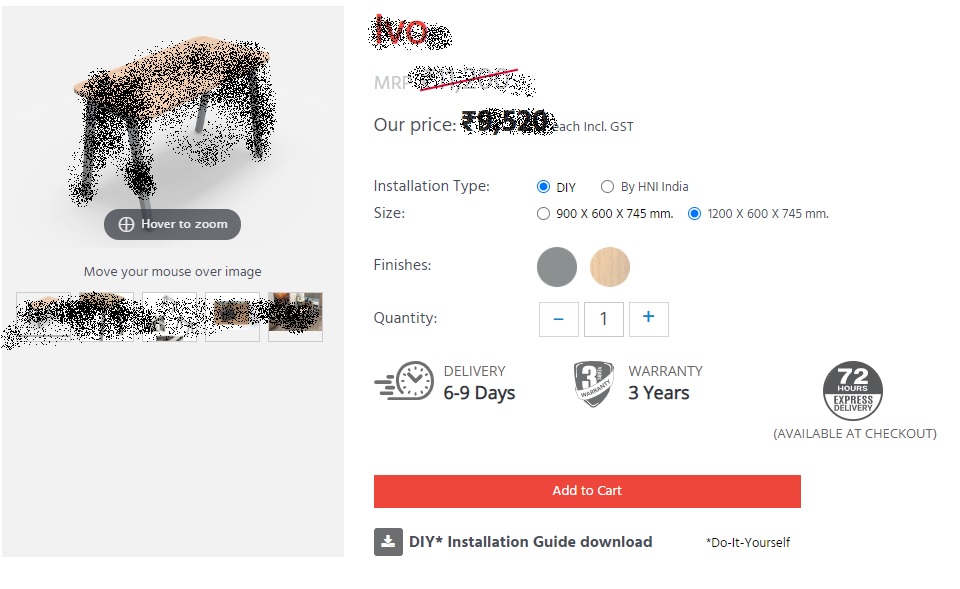
On a product, I have set two variants- Size, Installation Type. But when I go to that product page, only one variants display and it says The add to cart button will appear once you select the values above. I don't want this message and need to display all the product information with all the variants and Add to Cart button by default. Screenshots are also attached.
Want to display like this whenever user comes to the product page having multiple variants:
Don't want to display like this:
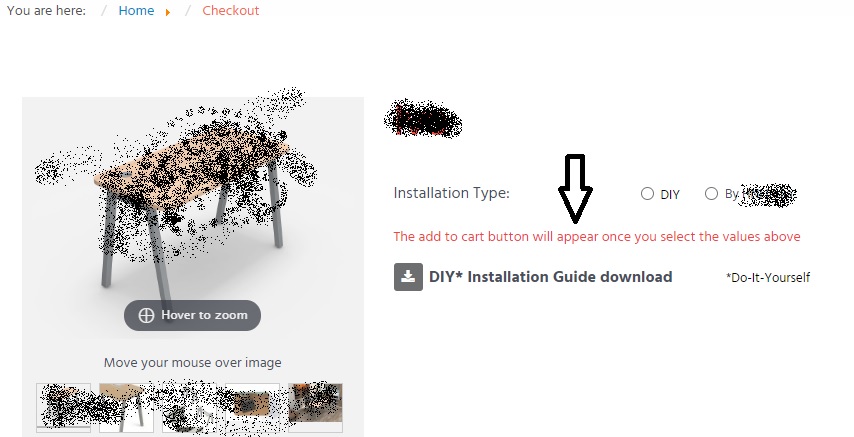
On a product, I have set two variants- Size, Installation Type. But when I go to that product page, only one variants display and it says The add to cart button will appear once you select the values above. I don't want this message and need to display all the product information with all the variants and Add to Cart button by default. Screenshots are also attached.
Want to display like this whenever user comes to the product page having multiple variants:
Don't want to display like this:
Please Log in or Create an account to join the conversation.

6 years 4 months ago #321713
by nicolas
Replied by nicolas on topic Display all product variants by default
Hi,
You want to disable the "characteristic dynamic display" setting of the Display tab of the HikaShop configuration.
You want to disable the "characteristic dynamic display" setting of the Display tab of the HikaShop configuration.
The following user(s) said Thank You: whiskerworks, Harrier
Please Log in or Create an account to join the conversation.
Time to create page: 0.057 seconds