

- Posts: 50
- Thank you received: 1
Text/images on home page
5 years 7 months ago - 5 years 7 months ago #331530
by timknell
Text/images on home page was created by timknell
-- HikaShop version -- : 4.4.1
-- Joomla version -- : 3.9.22
-- PHP version -- : 7.3.23
-- Browser(s) name and version -- : Chrome Version 88.0.4324.146
-- Error-message(debug-mod must be tuned on) -- : N/A
Gudday all
Slowly grinding my way through Hika Shop.. Many questions but one at a time.
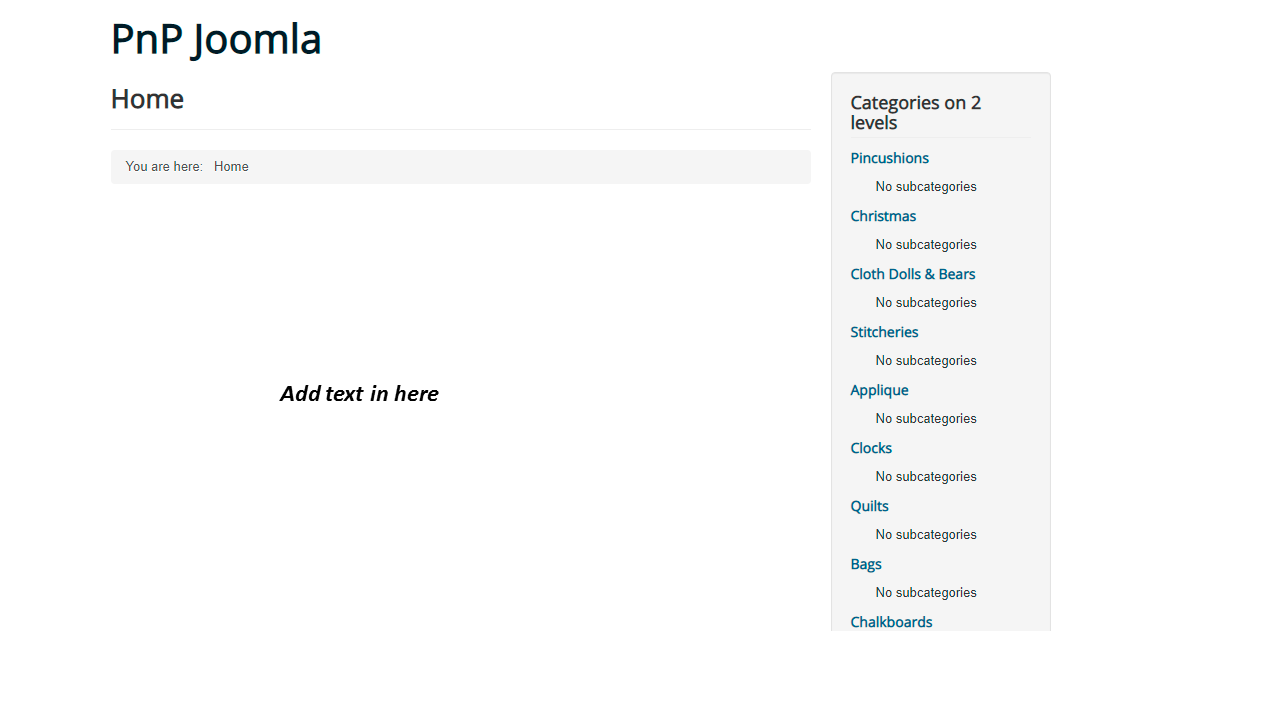
How do I put text/images onto the home page?
At the moment I have menus on RH site but centre is empty. Is it Hikashop or Joomla that would allow content to be placed here?
If in joomla or Hikashop I have no idea where it is found.
Can I be pointed in the right direction?.
Regards
Tim Knell
-- Joomla version -- : 3.9.22
-- PHP version -- : 7.3.23
-- Browser(s) name and version -- : Chrome Version 88.0.4324.146
-- Error-message(debug-mod must be tuned on) -- : N/A
Gudday all
Slowly grinding my way through Hika Shop.. Many questions but one at a time.
How do I put text/images onto the home page?
At the moment I have menus on RH site but centre is empty. Is it Hikashop or Joomla that would allow content to be placed here?
If in joomla or Hikashop I have no idea where it is found.
Can I be pointed in the right direction?.
Regards
Tim Knell
Last edit: 5 years 7 months ago by timknell.
Please Log in or Create an account to join the conversation.

5 years 7 months ago #331532
by nicolas
Replied by nicolas on topic Text/images on home page
Hi,
In the Joomla menu manager, you can select which menu item will be used as homepage.
If you want to display a products listing or a categories listing on your homepage, then you should select a HikaShop products listing or categories listing menu item as homepage.
If you just want the display text / images, it's likely that you want to add these in a Joomla article, and then configure a menu item of the type article where you select that article and then set that menu item as the homepage.
So it is a joomla thing.
In the Joomla menu manager, you can select which menu item will be used as homepage.
If you want to display a products listing or a categories listing on your homepage, then you should select a HikaShop products listing or categories listing menu item as homepage.
If you just want the display text / images, it's likely that you want to add these in a Joomla article, and then configure a menu item of the type article where you select that article and then set that menu item as the homepage.
So it is a joomla thing.
Please Log in or Create an account to join the conversation.
Time to create page: 0.039 seconds