

- Posts: 75
- Thank you received: 6
Display system message on page instead popup
4 years 9 months ago #337965
by nico1979
Display system message on page instead popup was created by nico1979
-- url of the page with the problem -- :
www.ermiraturhani.com
-- HikaShop version -- : 4.4.4
-- Joomla version -- : 4.0
-- PHP version -- : 7.4
-- Browser(s) name and version -- : All
Hi,
is it possible to display the system message in the user registration like simple text in the page instead a little box in the bottom-right of the page?
Thank you
-- HikaShop version -- : 4.4.4
-- Joomla version -- : 4.0
-- PHP version -- : 7.4
-- Browser(s) name and version -- : All
Hi,
is it possible to display the system message in the user registration like simple text in the page instead a little box in the bottom-right of the page?
Thank you
Please Log in or Create an account to join the conversation.

4 years 9 months ago #337966
by Philip
Replied by Philip on topic Display system message on page instead popup
Hello,
Sorry for this question, but can you details what do you mean by "system message" please ?
Can you illustrate it by annotated screenshot, step by step process, and better what do you need to have, etc...
Awaiting your returns to progress on your subject.
Regards
Sorry for this question, but can you details what do you mean by "system message" please ?
Can you illustrate it by annotated screenshot, step by step process, and better what do you need to have, etc...
Awaiting your returns to progress on your subject.
Regards
Please Log in or Create an account to join the conversation.
4 years 9 months ago #337980
by nico1979
Replied by nico1979 on topic Display system message on page instead popup
Hi, I attach 2 files with messages in the bottom-right of the pages.
I'd like to put those messages like simple text in the page.
Thank you
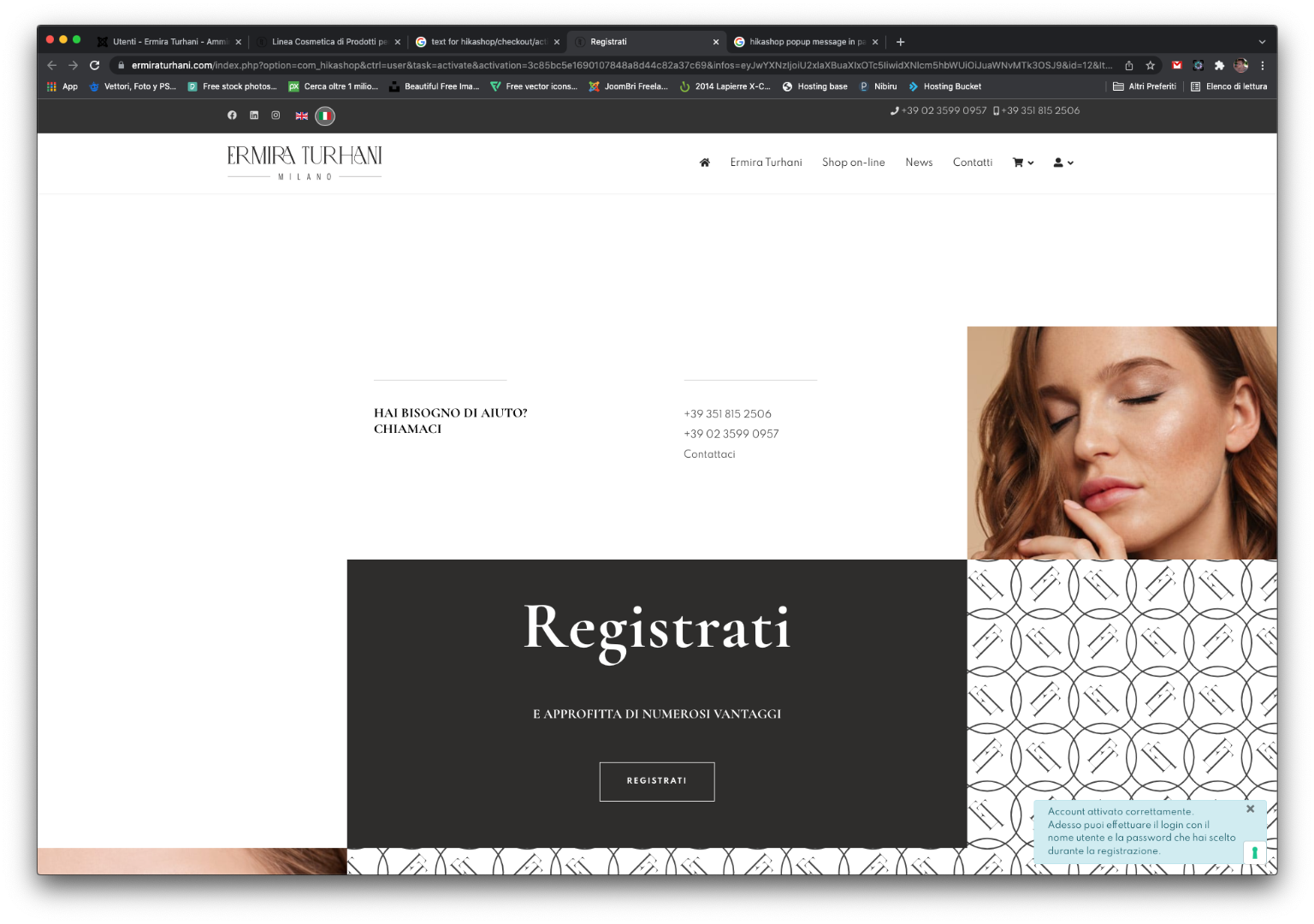
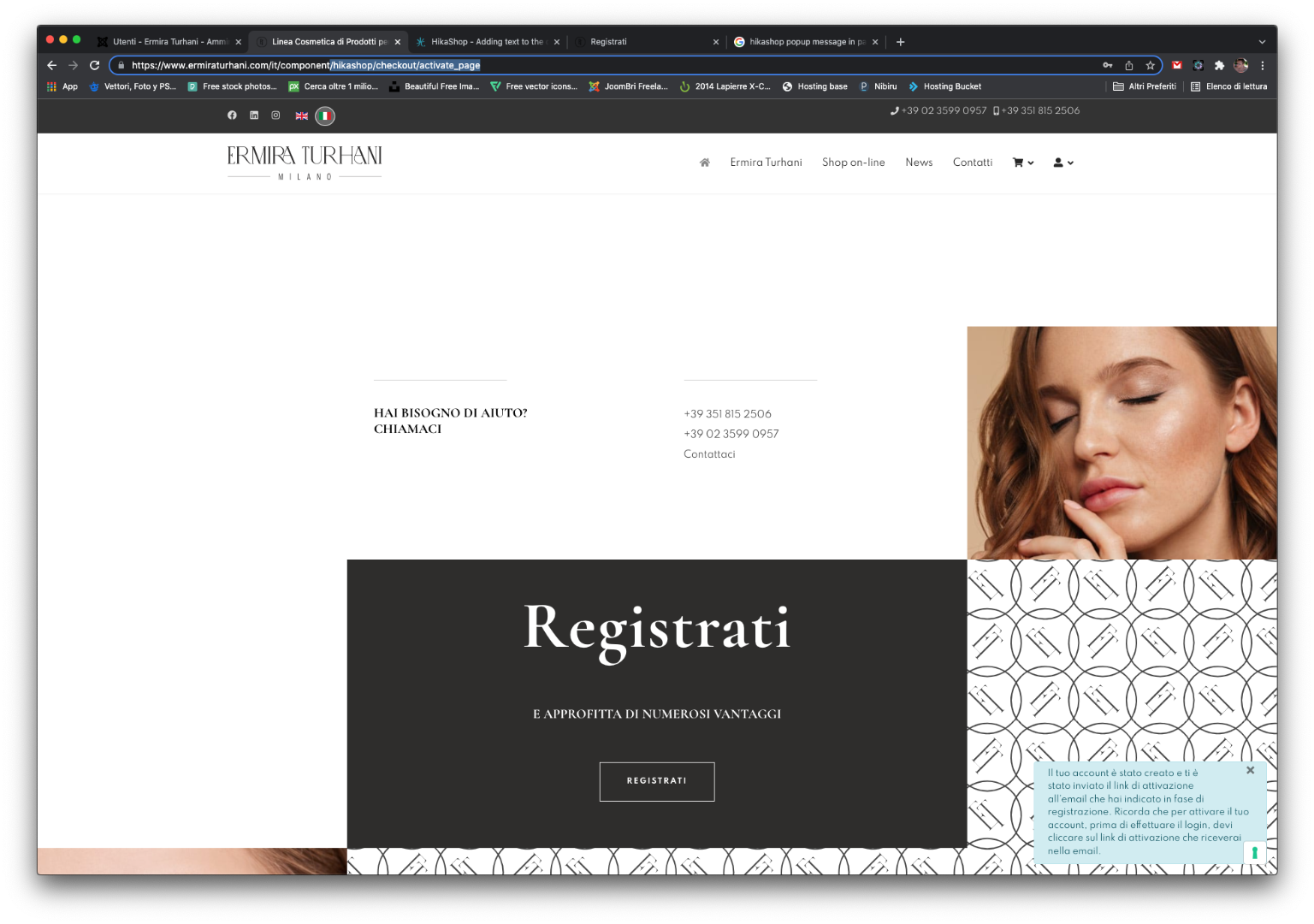
I'd like to put those messages like simple text in the page.
Thank you
Please Log in or Create an account to join the conversation.

4 years 9 months ago #337981
by nicolas
Replied by nicolas on topic Display system message on page instead popup
Hi,
These system messages are displayed by your template.
The HTML is actually on the page, and the template has specific CSS code to move it on the bottom right corner:
i.imgur.com/QK9kUui.png
You can see on that screenshot that it comes from the CSS:
in
www.ermiraturhani.com/templates/shaper_h...ate/css/template.css
Now, I'm not sure how to best change that so that you don't loose the change when you update your template.
I would recommend you to check with your template provider what would be the best solution to change / override that CSS.
These system messages are displayed by your template.
The HTML is actually on the page, and the template has specific CSS code to move it on the bottom right corner:
i.imgur.com/QK9kUui.png
You can see on that screenshot that it comes from the CSS:
Code:
#system-message-container {
position: fixed;
bottom: 0px;
right: 15px;
max-width: 350px;
}
Now, I'm not sure how to best change that so that you don't loose the change when you update your template.
I would recommend you to check with your template provider what would be the best solution to change / override that CSS.
Please Log in or Create an account to join the conversation.
Time to create page: 0.268 seconds