

- Posts: 22
- Thank you received: 0
content module under the product page in a multilingual site
4 years 4 months ago #342485
by CindyDP
-- url of the page with the problem -- :
pureco.be
-- HikaShop version -- : 4.5.1
-- Joomla version -- : 4.1.3.
-- PHP version -- : 8.0
-- Browser(s) name and version -- : Google Chrome
I have a site in two languages. I'd like to show a particular module under the product page.
I have the module in the French version and in the Dutch version.
Now it shows both modules in both languages! That is not how it is meant to be.
I already installed moduele manager of regular labs and included the Dutch language for the Dutch module and French for the French version.
But it seems that the settings in Hikashop configuration are overruling this.
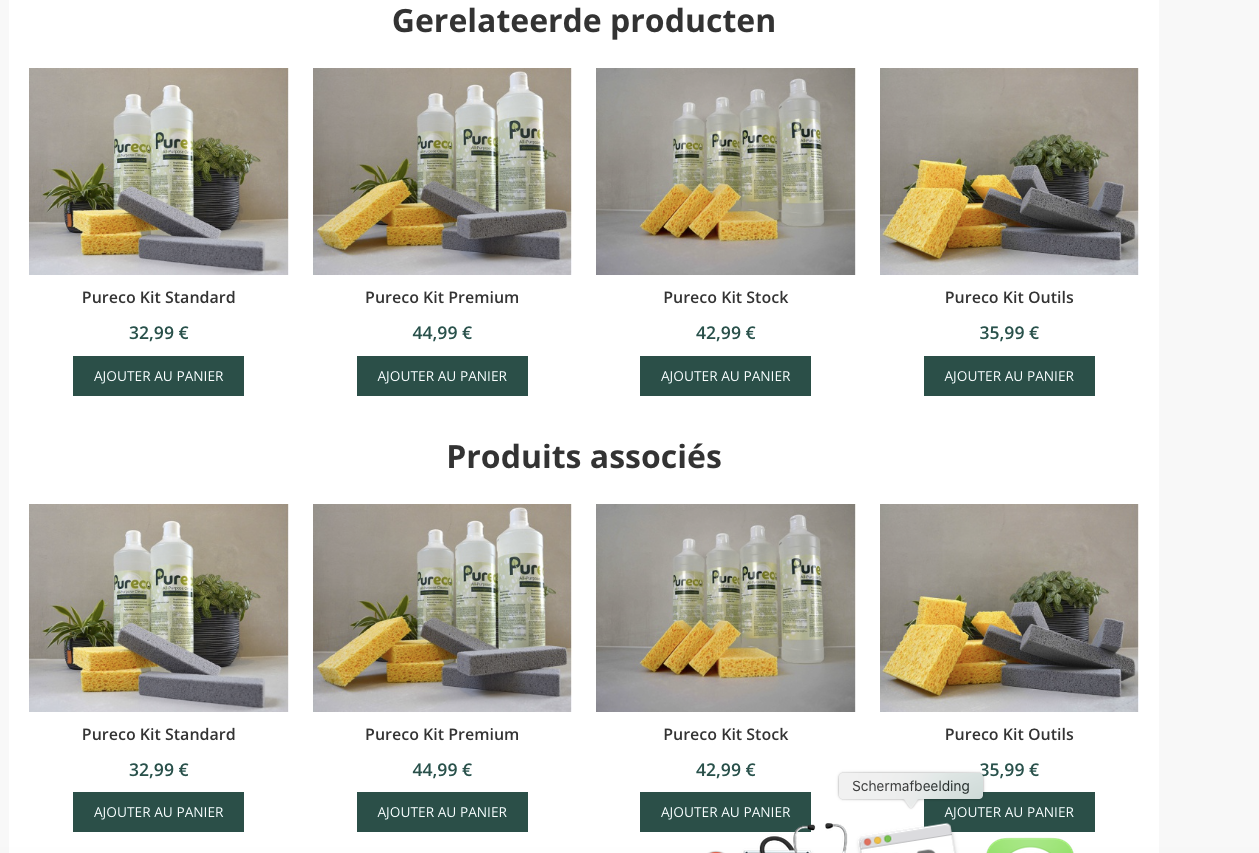
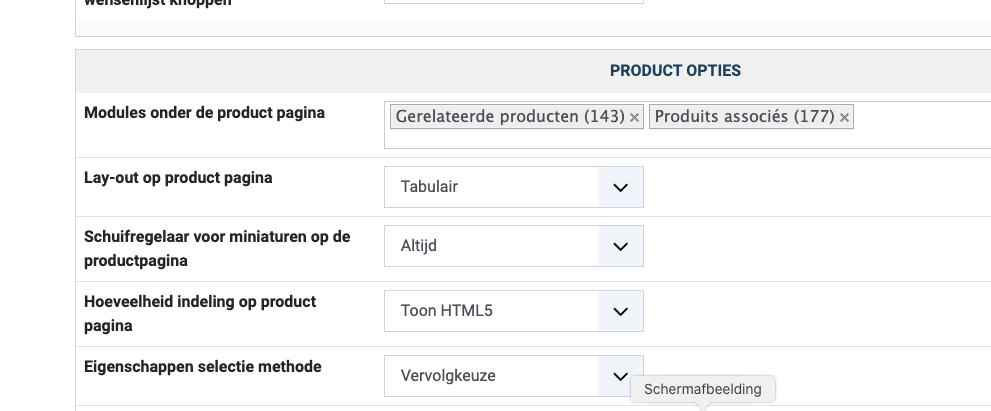
What can i do to make it working as it should be?
-- HikaShop version -- : 4.5.1
-- Joomla version -- : 4.1.3.
-- PHP version -- : 8.0
-- Browser(s) name and version -- : Google Chrome
I have a site in two languages. I'd like to show a particular module under the product page.
I have the module in the French version and in the Dutch version.
Now it shows both modules in both languages! That is not how it is meant to be.
I already installed moduele manager of regular labs and included the Dutch language for the Dutch module and French for the French version.
But it seems that the settings in Hikashop configuration are overruling this.
What can i do to make it working as it should be?
Please Log in or Create an account to join the conversation.

4 years 4 months ago #342488
by nicolas
Replied by nicolas on topic content module under the product page in a multilingual site
Hi,
In the settings of the modules, you need to select the language for which each module is:
i.imgur.com/UKDizag.png
It's not a setting of Advanced Modules Manager, but a default setting of Joomla, once you've configured several content languages on your website.
In the settings of the modules, you need to select the language for which each module is:
i.imgur.com/UKDizag.png
It's not a setting of Advanced Modules Manager, but a default setting of Joomla, once you've configured several content languages on your website.
Please Log in or Create an account to join the conversation.
4 years 3 months ago #342504
by CindyDP
Replied by CindyDP on topic content module under the product page in a multilingual site
I understand what you mean but once you have installed the advanced module manager, the option to choose your language is not visible anymore in the first tab of the module:
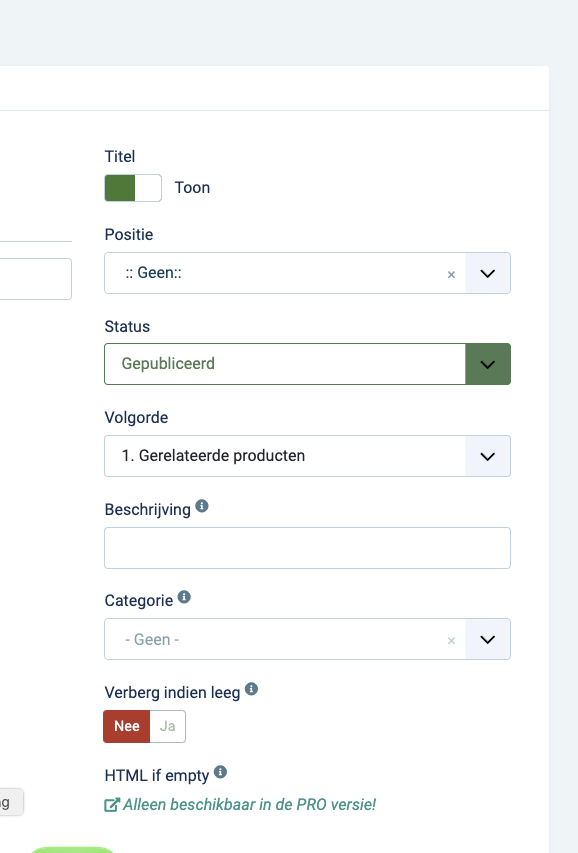
Instead of that, you get the possibility to set up conditions, when the module has to be shown on the frontend:
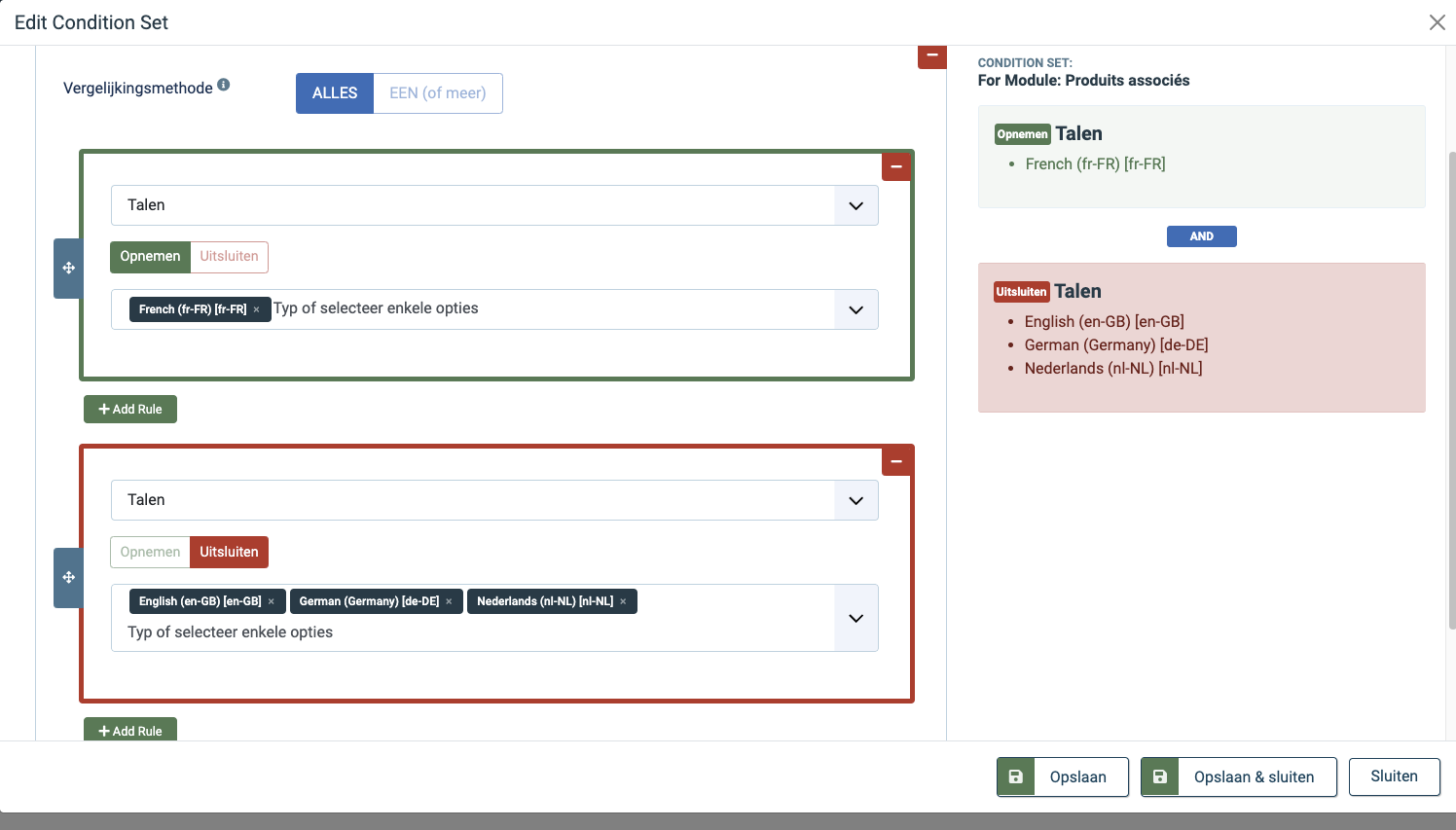
Unfortunately, both modules (Dutch and French) are still shown on the frontend in the French version.
Instead of that, you get the possibility to set up conditions, when the module has to be shown on the frontend:
Unfortunately, both modules (Dutch and French) are still shown on the frontend in the French version.
Please Log in or Create an account to join the conversation.
4 years 3 months ago #342506
by nicolas
Replied by nicolas on topic content module under the product page in a multilingual site
Hi,
Unfortunately, I don't know how these conditions work and what would be needed in HikaShop to have them supported.
HikaShop is directly loading the modules from the Joomla "modules" table (and take into account the language set in the module at that time) and then uses JModuleHelper::renderModule() to display the HTML of the module.
What you can do is to go in your PHPMyAdmin and open the modules table. There, search your modules and once found, edit them and change the "language" to the language code (like en-GB or fr-FR) and save.
Unfortunately, I don't know how these conditions work and what would be needed in HikaShop to have them supported.
HikaShop is directly loading the modules from the Joomla "modules" table (and take into account the language set in the module at that time) and then uses JModuleHelper::renderModule() to display the HTML of the module.
What you can do is to go in your PHPMyAdmin and open the modules table. There, search your modules and once found, edit them and change the "language" to the language code (like en-GB or fr-FR) and save.
Please Log in or Create an account to join the conversation.
4 years 3 months ago #342945
by CindyDP
Replied by CindyDP on topic content module under the product page in a multilingual site
Unfortunately, I still don't have any solution for this. I asked for some support at Regular Labs, he also took a look at it.
This is the last reply I got: "To get it to work with Advanced Module Manager, HikaShop should pass the list of modules through the onPrepareModuleList event."
This is the last reply I got: "To get it to work with Advanced Module Manager, HikaShop should pass the list of modules through the onPrepareModuleList event."
Please Log in or Create an account to join the conversation.
4 years 3 months ago #342952
by nicolas
Replied by nicolas on topic content module under the product page in a multilingual site
Hi,
Thanks, that's the information we needed from them.
Then, add the code:
after the code:
in the file components/com_hikashop/views/product/view.html.php and it should work fine.
Please confirm that it works so that we can include the change on our end.
Thanks, that's the information we needed from them.
Then, add the code:
Code:
if(!empty($this->modules)) {
$app->triggerEvent('onPrepareModuleList', array(&$this->modules));
$app->triggerEvent('onAfterModuleList', array(&$this->modules));
$app->triggerEvent('onAfterCleanModuleList', array(&$this->modules));
}
Code:
$moduleHelper = hikashop_get('helper.module');
$this->modules = $moduleHelper->setModuleData($config->get('product_show_modules', ''));
Please confirm that it works so that we can include the change on our end.
Please Log in or Create an account to join the conversation.
4 years 3 months ago #342953
by CindyDP
Replied by CindyDP on topic content module under the product page in a multilingual site
this is exaxtly what I did:

but I got a HTTP Error 500
but I got a HTTP Error 500
Please Log in or Create an account to join the conversation.
4 years 3 months ago #342959
by nicolas
Replied by nicolas on topic content module under the product page in a multilingual site
Hi,
You've added a "@" at the end of the line:
Remove it, and it should help.
You've added a "@" at the end of the line:
Code:
$this->modules = $moduleHelper->setModuleData($config->get('product_show_modules', ''));
Please Log in or Create an account to join the conversation.
4 years 3 months ago #342969
by CindyDP
Replied by CindyDP on topic content module under the product page in a multilingual site
oops ... indeed.
I did this but still got the HTTP Error 500
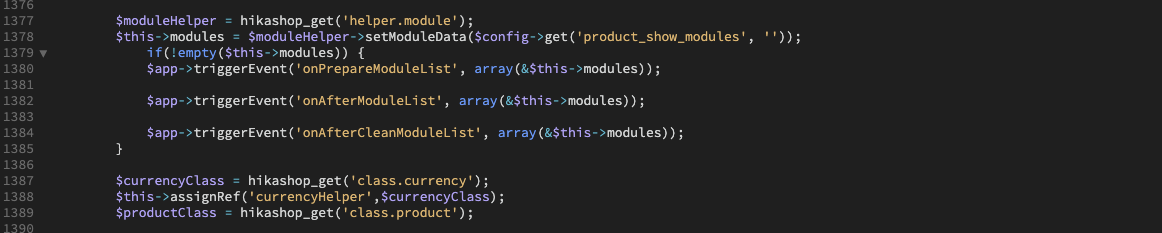
I did this but still got the HTTP Error 500
Please Log in or Create an account to join the conversation.
4 years 3 months ago #342970
by nicolas
Replied by nicolas on topic content module under the product page in a multilingual site
That code looks fine.
Can you activate the "debug system" setting of the Joomla configuration and try again ?
It should hopefully display an error message with more information on where the problem is.
Please provide the information you get on the page (a screenshot ?)
Can you activate the "debug system" setting of the Joomla configuration and try again ?
It should hopefully display an error message with more information on where the problem is.
Please provide the information you get on the page (a screenshot ?)
Please Log in or Create an account to join the conversation.
4 years 3 months ago #342975
by CindyDP
Replied by CindyDP on topic content module under the product page in a multilingual site
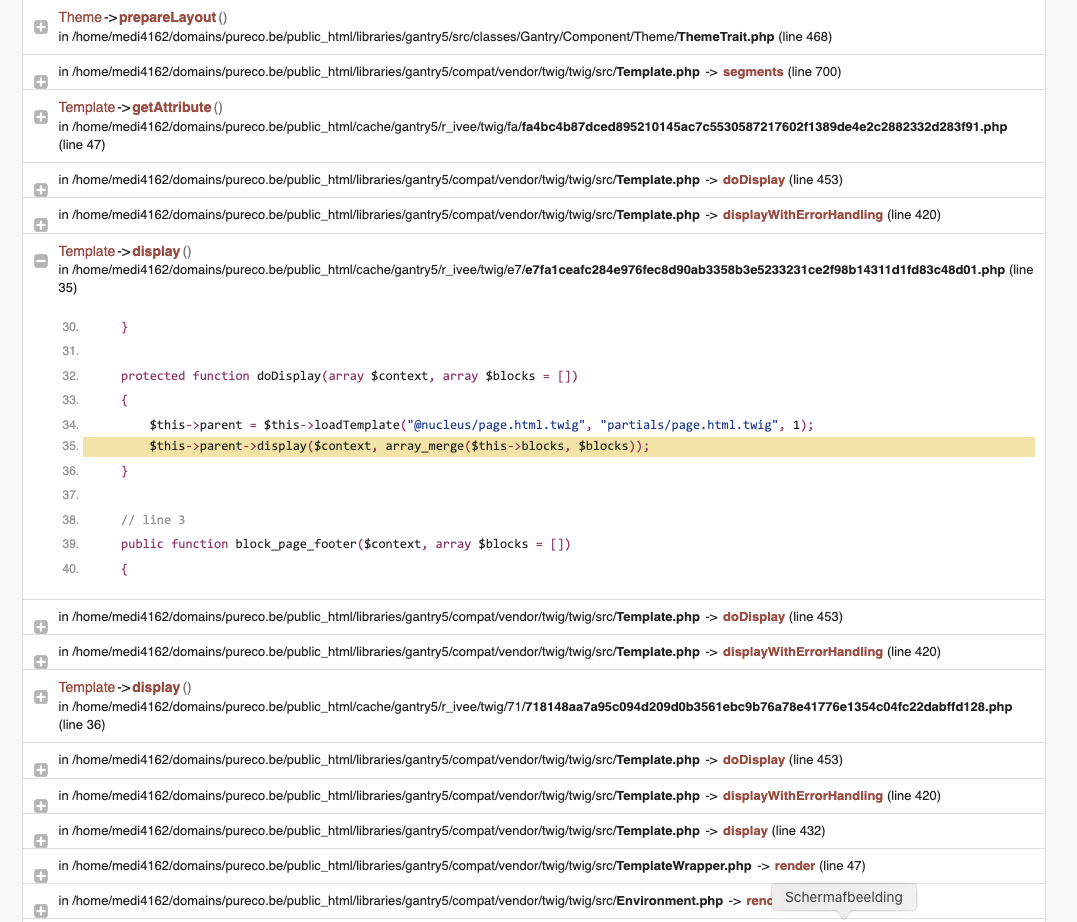
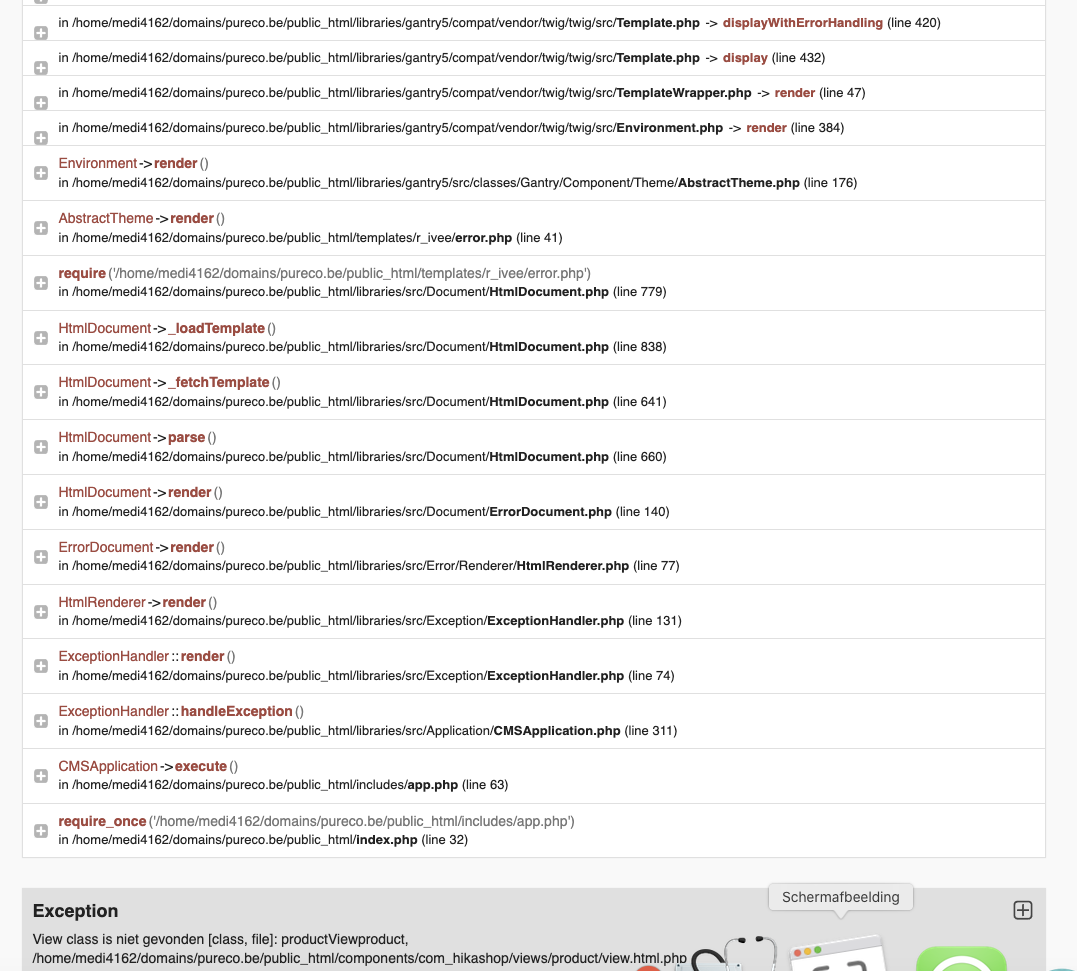
I hope you have enough information with this?
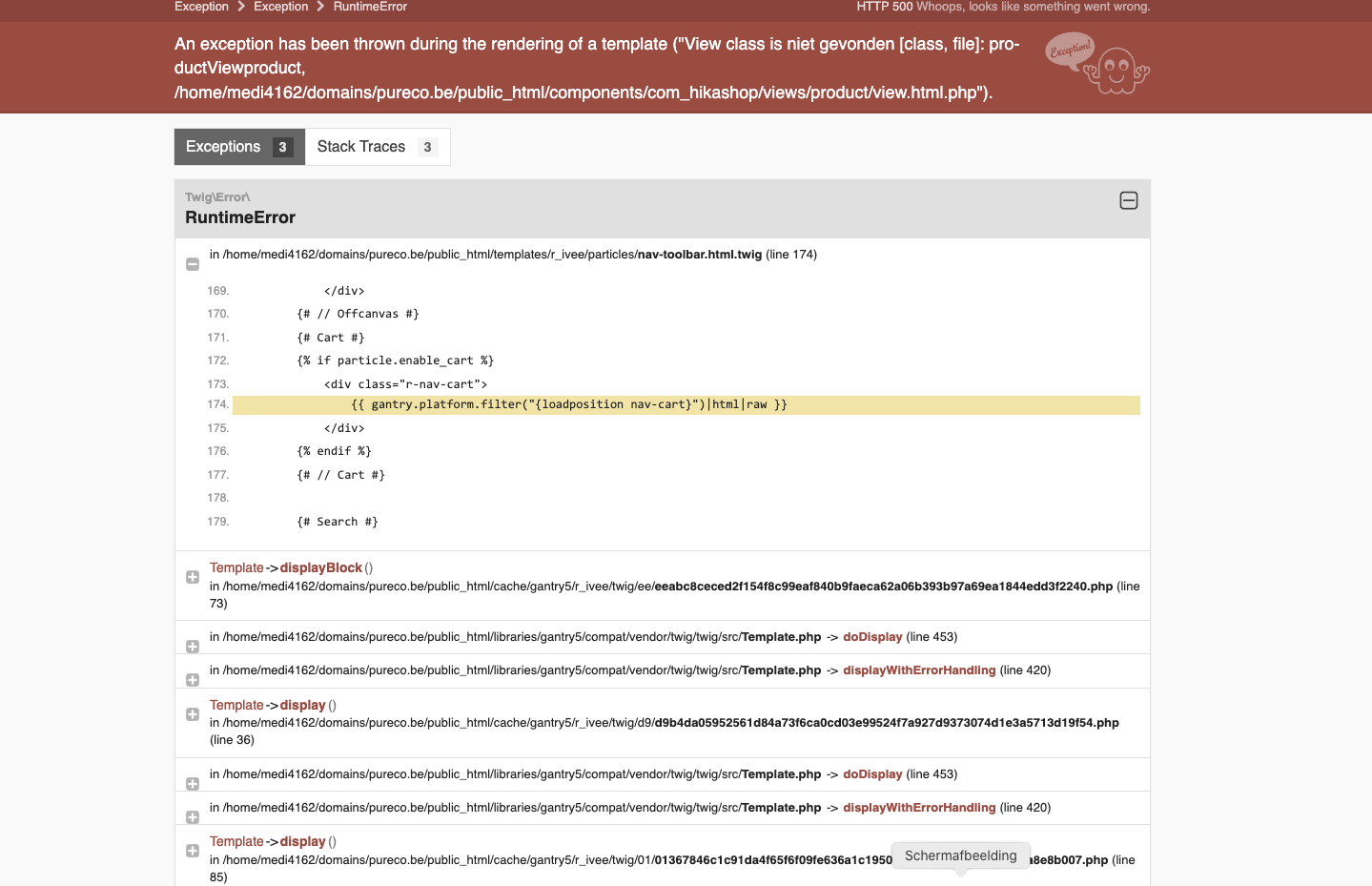
Please Log in or Create an account to join the conversation.
4 years 3 months ago #342978
by nicolas
Replied by nicolas on topic content module under the product page in a multilingual site
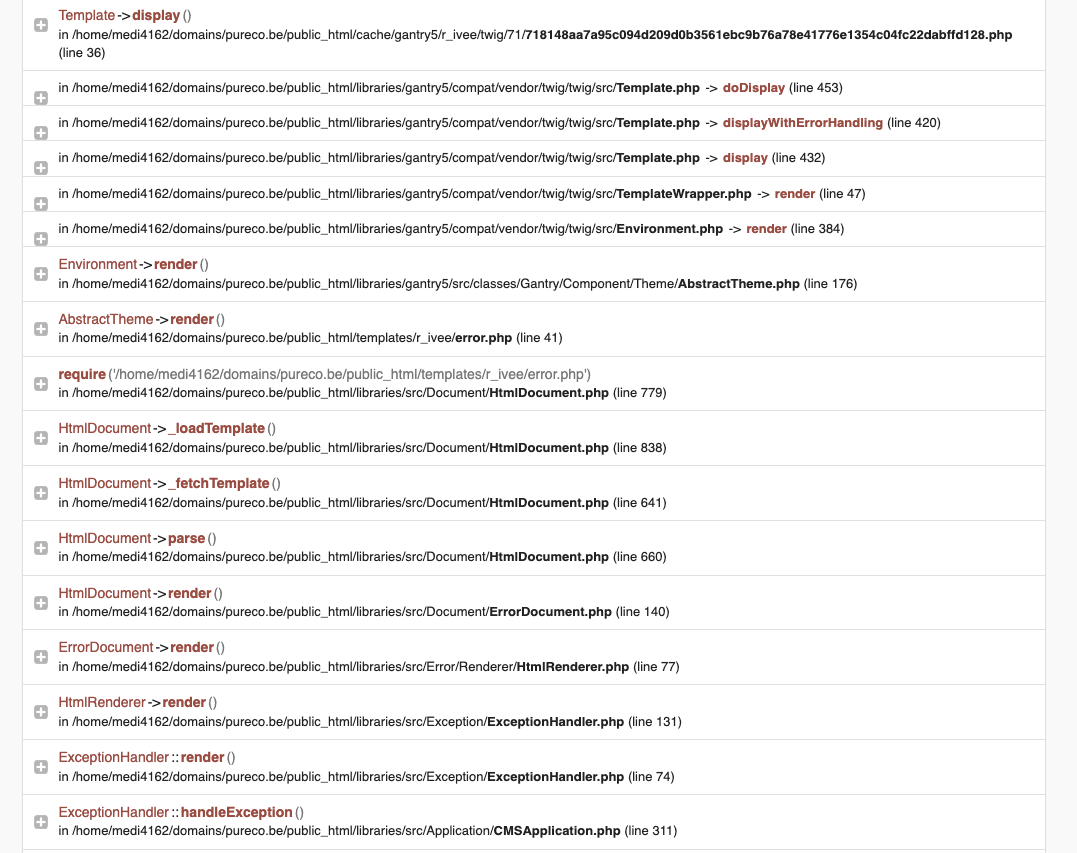
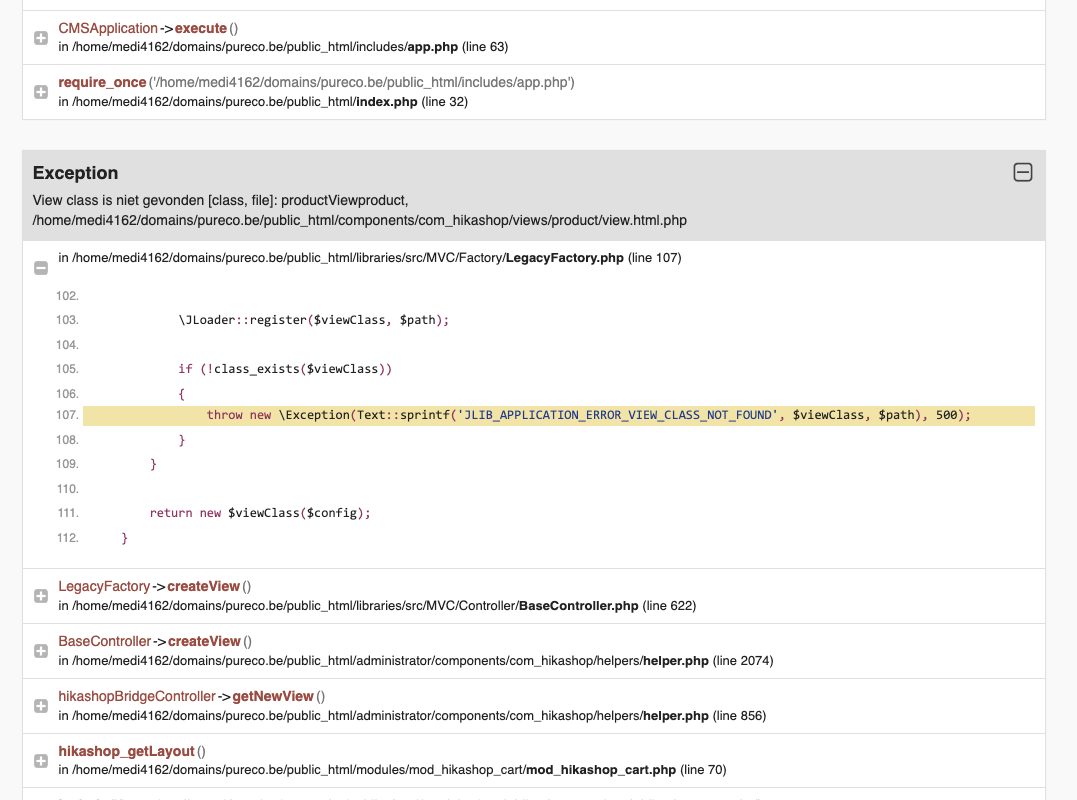
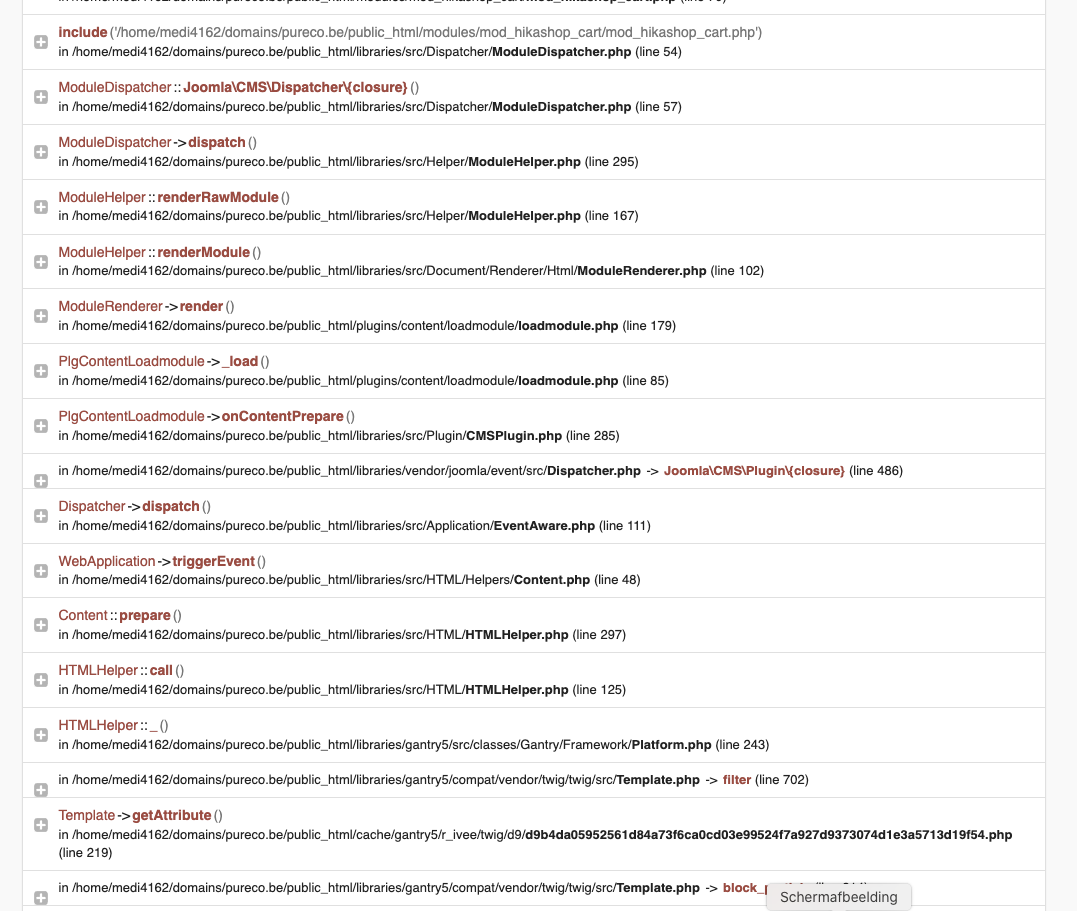
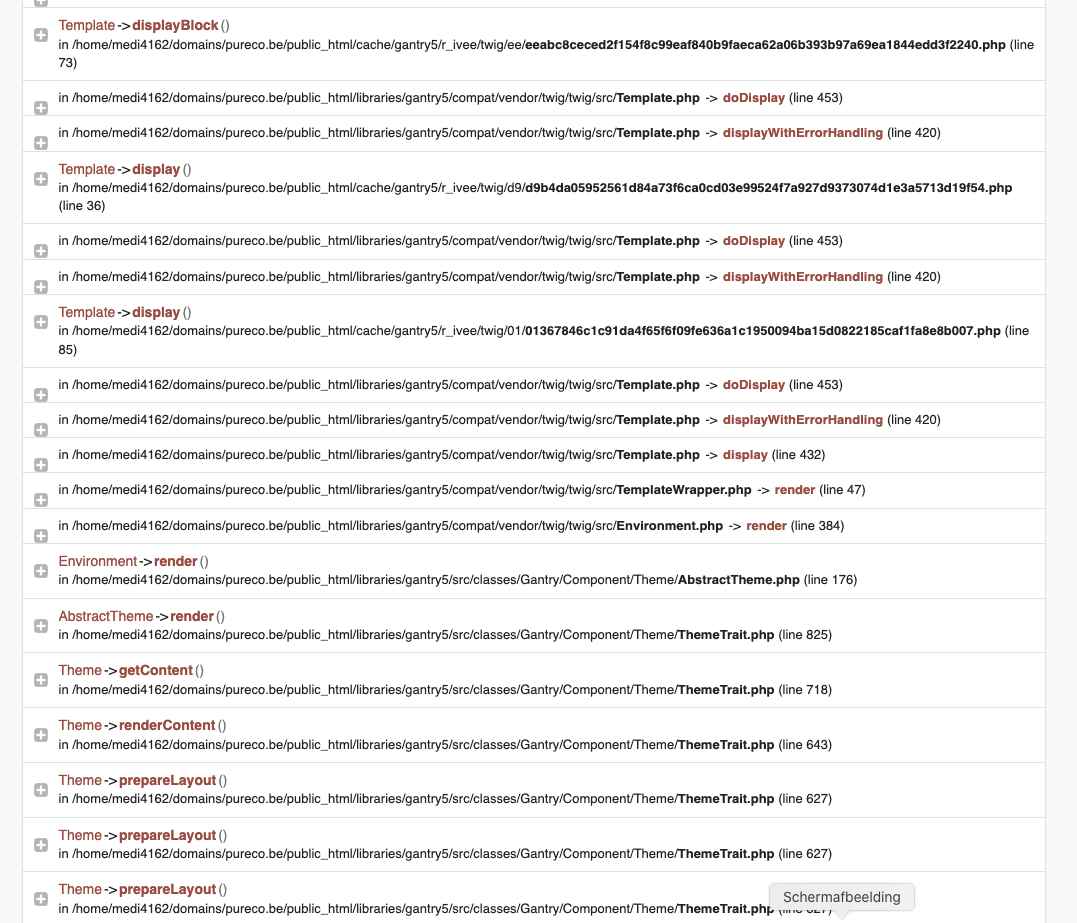
Sorry but that's not enough. Could you provide the full page ?
Please Log in or Create an account to join the conversation.
4 years 3 months ago #342985
by CindyDP
Replied by CindyDP on topic content module under the product page in a multilingual site
it is a bunch of screenshots, I hope you don't mind.
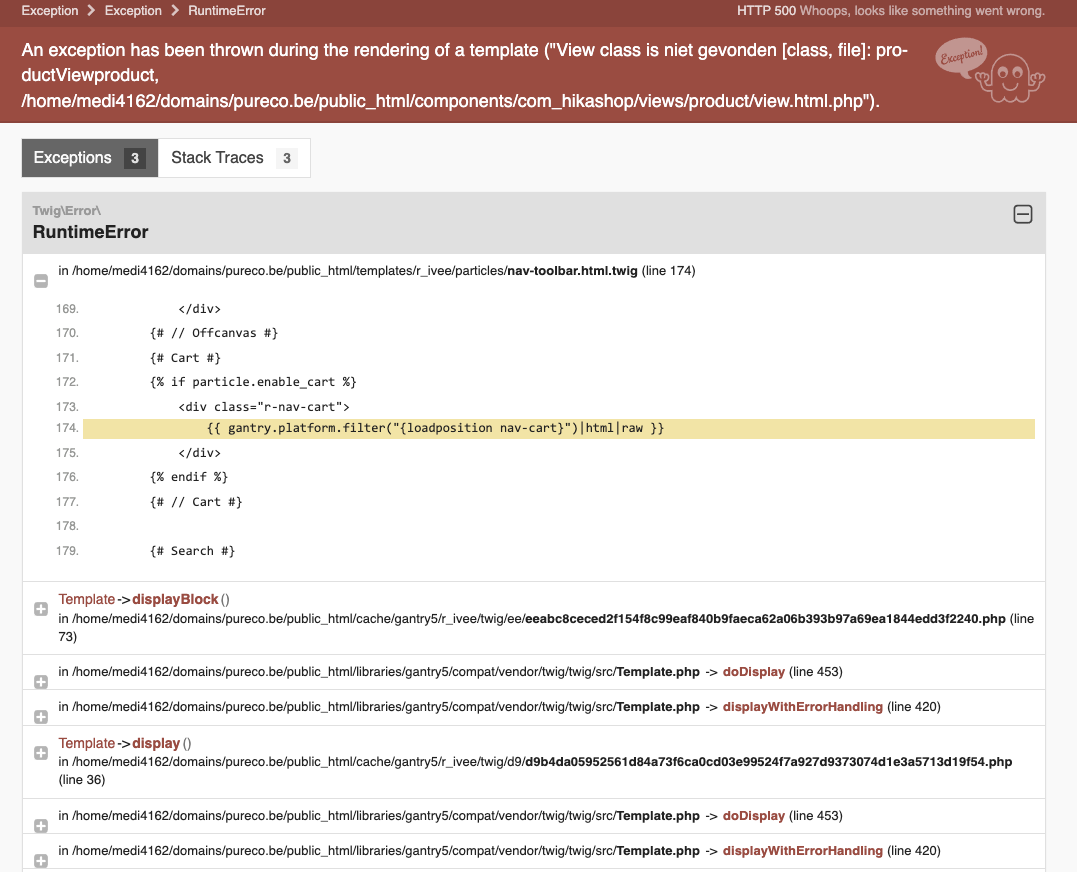
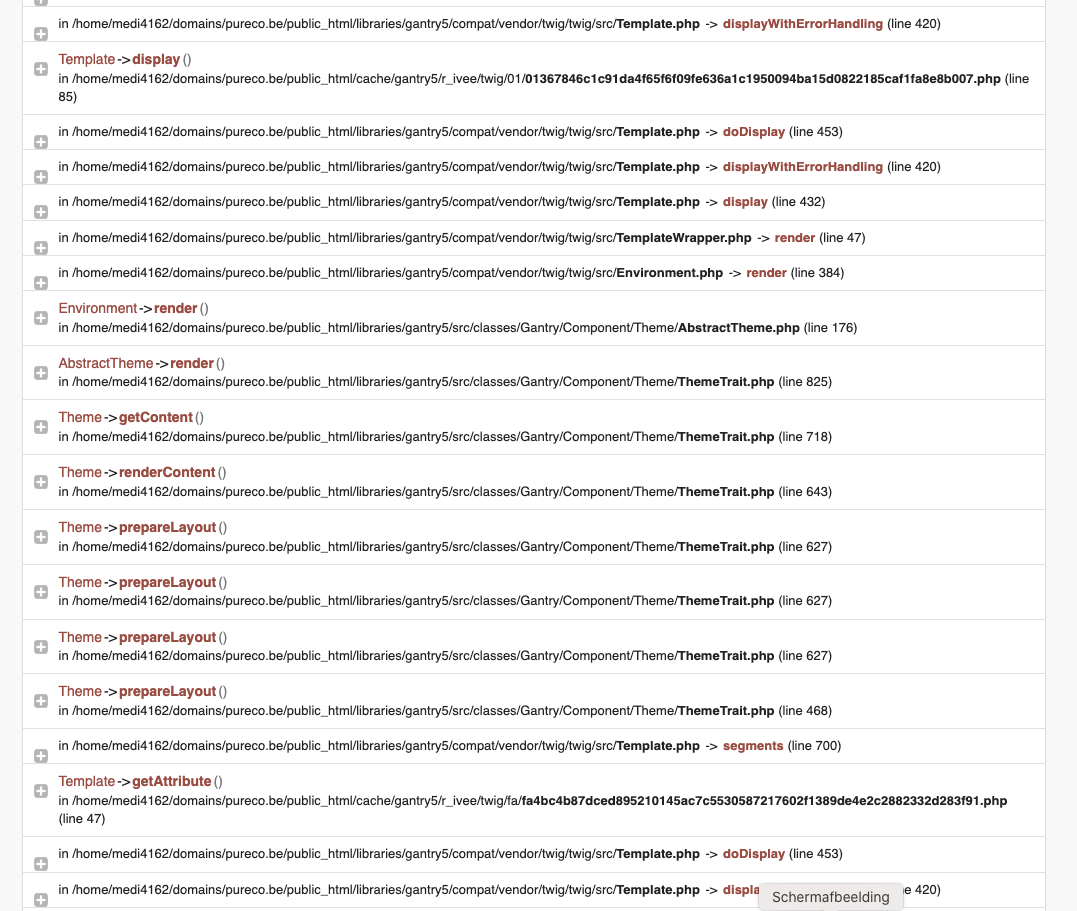
Please Log in or Create an account to join the conversation.
4 years 3 months ago #342986
by nicolas
Replied by nicolas on topic content module under the product page in a multilingual site
Hi,
Thanks. However, I don't see why you get that error. It doesn't even seem to be linked to the "modules under the product page" but something between the template and the cart module.
Can you try again with the default template of Joomla ? Do you have the issue with it ?
And if you remove the code you added you don't get the error ?
On my end, whether I have the code or not, I don't get the error so I'm not sure what's going on.
Thanks. However, I don't see why you get that error. It doesn't even seem to be linked to the "modules under the product page" but something between the template and the cart module.
Can you try again with the default template of Joomla ? Do you have the issue with it ?
And if you remove the code you added you don't get the error ?
On my end, whether I have the code or not, I don't get the error so I'm not sure what's going on.
Please Log in or Create an account to join the conversation.
Time to create page: 0.198 seconds