

- Posts: 5
- Thank you received: 0
Category Pane size - Not changing
1 year 10 months ago - 1 year 10 months ago #364863
by kelvinj
 -- HikaShop version -- : 5.1.1
-- Joomla version -- : 5.2.2
-- PHP version -- : 8.1.13
-- Browser(s) name and version -- : chrome
Hello..
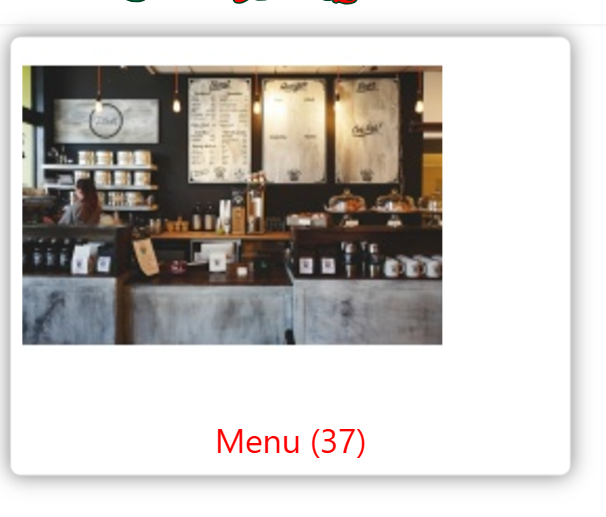
I am working around on setting up Hikashop, but i wanted to now how to change the size of category image holder ( container or pane) on the front page. the size is too wide for my liking and wanted to change it. Even when i change image sizes, the pane doesnt change and that is the main thing i want to reduce.
workaround this?
Alternatively, Is it possible to just disable the pop up why you hover on the category image?
thank you
Category Pane size - Not changing was created by kelvinj
-- Joomla version -- : 5.2.2
-- PHP version -- : 8.1.13
-- Browser(s) name and version -- : chrome
Hello..
I am working around on setting up Hikashop, but i wanted to now how to change the size of category image holder ( container or pane) on the front page. the size is too wide for my liking and wanted to change it. Even when i change image sizes, the pane doesnt change and that is the main thing i want to reduce.
workaround this?
Alternatively, Is it possible to just disable the pop up why you hover on the category image?
thank you
Last edit: 1 year 10 months ago by kelvinj. Reason: added another point instead of posting a new topic
Please Log in or Create an account to join the conversation.

1 year 10 months ago - 1 year 10 months ago #364864
by nicolas
Replied by nicolas on topic Category Pane size - Not changing
Hi,
Could you provide the URL of the page so that we check the situation ( HTML, CSS, etc ) ?
The zoom on hover effect can be disabled in the settings of the menu item, when you edit it via the Joomla menu manager, under the Products options tab (or categories options tab for the listing of categories).
Could you provide the URL of the page so that we check the situation ( HTML, CSS, etc ) ?
The zoom on hover effect can be disabled in the settings of the menu item, when you edit it via the Joomla menu manager, under the Products options tab (or categories options tab for the listing of categories).
Last edit: 1 year 10 months ago by nicolas.
Please Log in or Create an account to join the conversation.
1 year 10 months ago - 1 year 10 months ago #364890
by kelvinj
Replied by kelvinj on topic Category Pane size - Not changing
I tried your suggestions, but unfortunately, the category became bullet points. the images where gone.
i had wanted to see the images still show for the categories (div/grid) but with no Hover. Just static category Images. If that is possible?
i had wanted to see the images still show for the categories (div/grid) but with no Hover. Just static category Images. If that is possible?
Last edit: 1 year 10 months ago by kelvinj.
Please Log in or Create an account to join the conversation.
1 year 10 months ago #364893
by nicolas
Replied by nicolas on topic Category Pane size - Not changing
Hi,
Turning off the "zoom on hover" option of the menu item won't change anything for the image of the categories.
You must have changed the wrong setting:
i.imgur.com/GjviOvW.png
Turning off the "zoom on hover" option of the menu item won't change anything for the image of the categories.
You must have changed the wrong setting:
i.imgur.com/GjviOvW.png
Please Log in or Create an account to join the conversation.
Time to create page: 0.198 seconds