

- Posts: 101
- Thank you received: 4
Product Sorting
1 month 1 week ago #373516
by alainz
Product Sorting was created by alainz
Hi,
We have a list of products with different origins. How can we sort the product based on the origins?
I try to create custom field (sorting_display_number) and add numbers and try sorting based on that custom field but it not working.
Below are the config on the menu.
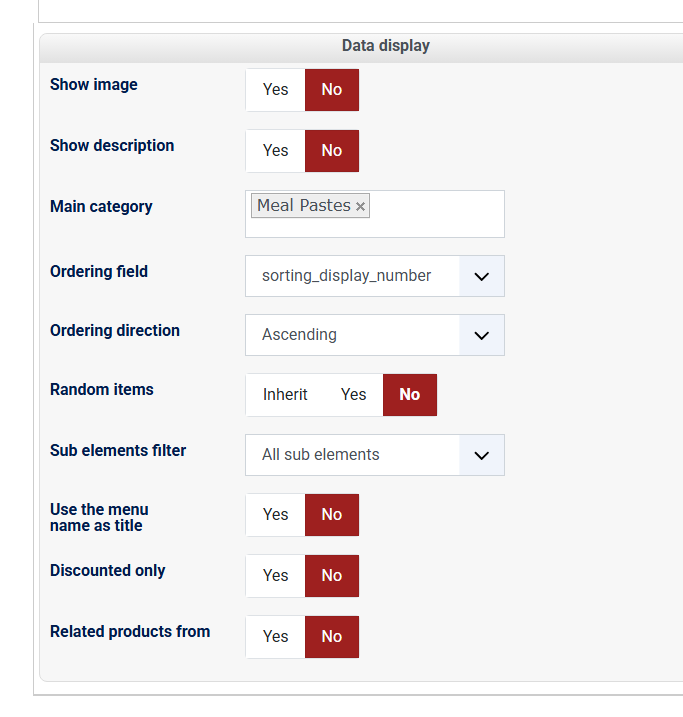
Here is the Hikashop product list with the sorting number.
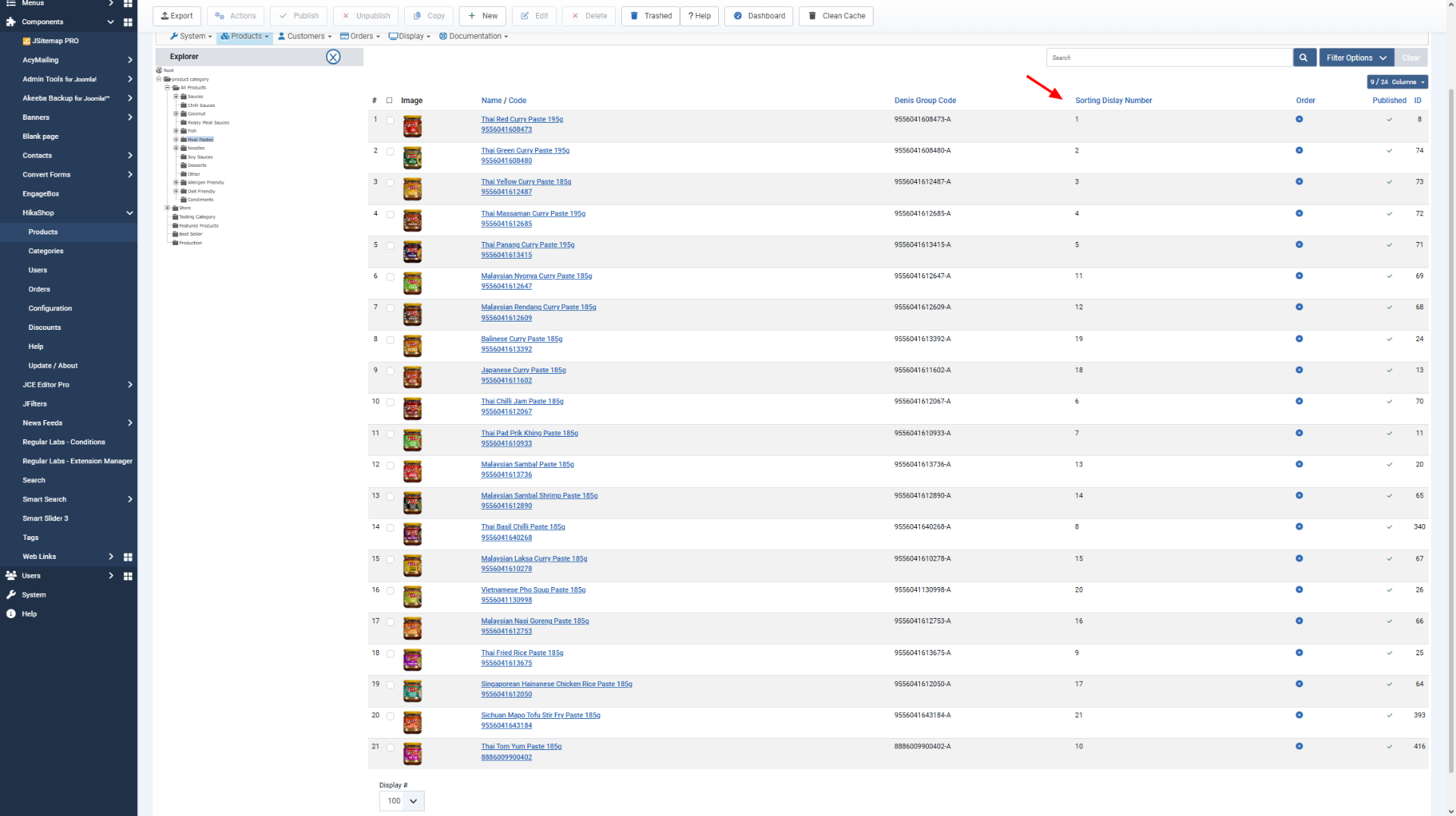
But the result not display as the sorting number ( wip-ayam-au.cloudaccess.host/index.php/products/meal-pastes )
We have a list of products with different origins. How can we sort the product based on the origins?
I try to create custom field (sorting_display_number) and add numbers and try sorting based on that custom field but it not working.
Below are the config on the menu.
Here is the Hikashop product list with the sorting number.
But the result not display as the sorting number ( wip-ayam-au.cloudaccess.host/index.php/products/meal-pastes )
Please Log in or Create an account to join the conversation.

1 month 1 week ago #373520
by nicolas
Replied by nicolas on topic Product Sorting
Hi,
The simplest way is to not use a custom field for this at all. Set the "Ordering field" of your menu item back to "Ordering", then in Products, select the Meal Pastes category in the explorer on the left and drag the products (or change the numbers in the "Order" column) into the order you want. The frontend listing will then follow that order, and that's the setting your page is currently using anyway: the order on your frontend page is exactly the order of the "Order" column in your backend screenshot, so it seems the menu item you edited is not the one displaying that page (the page is rendered by the menu item with the id 157), or the change wasn't saved.
Note also that if you keep the custom field, its values are stored as text, so they are sorted alphabetically: 1, 10, 11, ... 19, 2, 20, 21, 3, ... To get a correct numeric order with a custom field, you can either enter the numbers with the same number of digits (01, 02, ... 21), or change the type of the sorting_display_number column of the hikashop_product table from LONGTEXT to INT in PHPMyAdmin (make a backup of the table first).
The simplest way is to not use a custom field for this at all. Set the "Ordering field" of your menu item back to "Ordering", then in Products, select the Meal Pastes category in the explorer on the left and drag the products (or change the numbers in the "Order" column) into the order you want. The frontend listing will then follow that order, and that's the setting your page is currently using anyway: the order on your frontend page is exactly the order of the "Order" column in your backend screenshot, so it seems the menu item you edited is not the one displaying that page (the page is rendered by the menu item with the id 157), or the change wasn't saved.
Note also that if you keep the custom field, its values are stored as text, so they are sorted alphabetically: 1, 10, 11, ... 19, 2, 20, 21, 3, ... To get a correct numeric order with a custom field, you can either enter the numbers with the same number of digits (01, 02, ... 21), or change the type of the sorting_display_number column of the hikashop_product table from LONGTEXT to INT in PHPMyAdmin (make a backup of the table first).
The following user(s) said Thank You: alainz
Please Log in or Create an account to join the conversation.
Time to create page: 0.081 seconds