

- Posts: 7
- Thank you received: 0
Delete Product
13 years 1 week ago #128612
by Amr
Delete Product was created by Amr
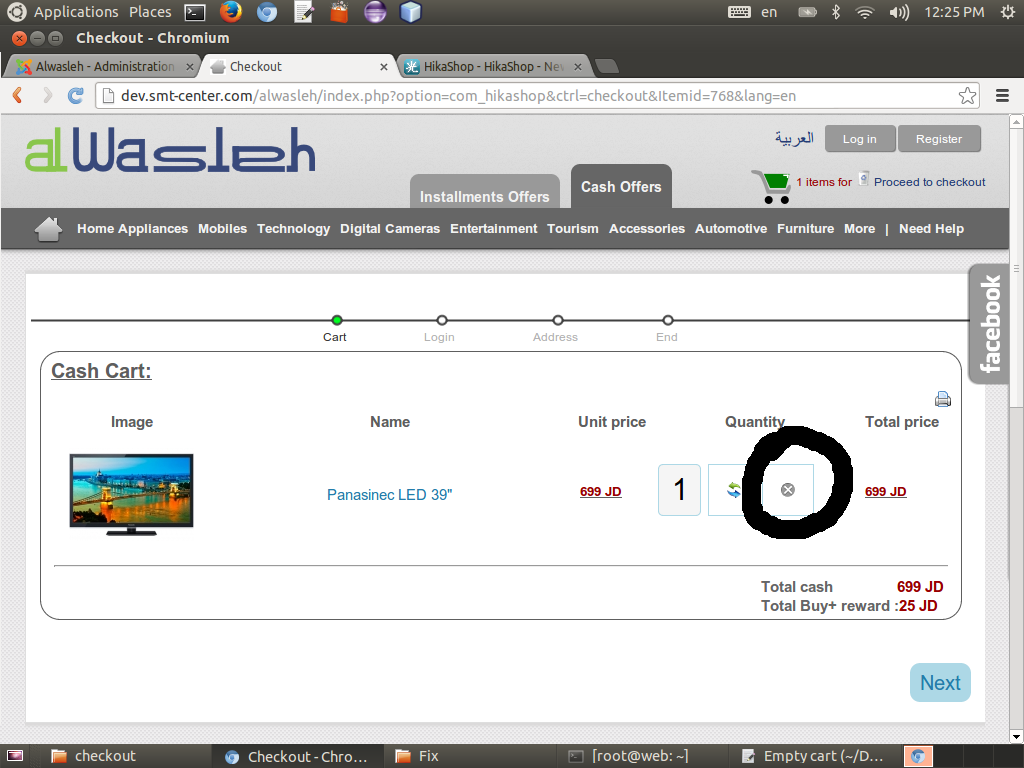
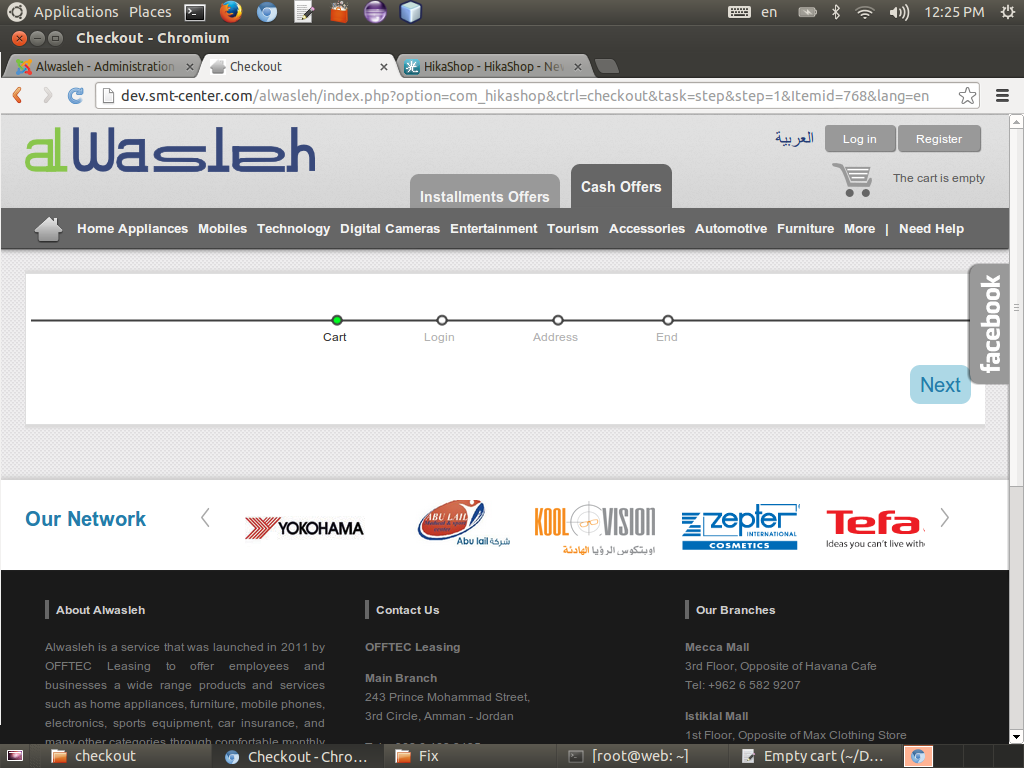
when the customer delete product from X button and the cart is empty the checkout procedure is still running on , need to give the notice (CART_EMPTY) , kindly find attached picture.
Please Log in or Create an account to join the conversation.

13 years 1 week ago #128651
by Jerome
Jerome - Obsidev.com
HikaMarket & HikaSerial developer / HikaShop core dev team.
Replied by Jerome on topic Delete Product
Hii,
Does your template right display the Joomla messages ?
www.hikashop.com/support/integrated-docu...issues.html#messages
Regards,
Does your template right display the Joomla messages ?
www.hikashop.com/support/integrated-docu...issues.html#messages
Regards,
Jerome - Obsidev.com
HikaMarket & HikaSerial developer / HikaShop core dev team.
Please Log in or Create an account to join the conversation.
13 years 1 week ago - 13 years 1 week ago #128696
by Amr
Replied by Amr on topic Delete Product
No the problem is in the code of delete button (X button ), it must handle the empty cart issue .
Code:
<?php if($this->params->get('show_delete',1)){ ?>
<div class="hikashop_cart_product_quantity_delete">
<a href="<?php echo hikashop_completeLink('product&task=updatecart&product_id='.$row- >product_id.'&quantity=0&return_url='.urlencode(base64_encode(urldecode($this->params->get('url'))))); ?>" onclick="var qty_field = document.getElementById('hikashop_checkout_quantity_<?php echo $row->cart_product_id;?>'); if(qty_field){qty_field.value=0; <?php echo $input; ?> qty_field.form.submit();} return false;" title="<?php echo JText::_('HIKA_DELETE'); ?>">
<img src="<?php echo HIKASHOP_IMAGES . 'delete2.png';?>" border="0" alt="<?php echo JText::_('HIKA_DELETE'); ?>" />
</a>
</div>
<?php } ?>
Last edit: 13 years 1 week ago by Amr.
Please Log in or Create an account to join the conversation.

13 years 1 week ago #128798
by Xavier
Replied by Xavier on topic Delete Product
Hi,
Have you edited anything in that view ? By default the controller check if the cart is empty or not, if it is, it redirect the customer to the url set in the option "URL where you will be redirected when the cart is empty" and display the message "The cart is empty".
So as Jerome has asked before, does your template display the Joomla messages ?
Have you set an url in the option "URL where you will be redirected when the cart is empty" ?
Have you edited anything in that view ? By default the controller check if the cart is empty or not, if it is, it redirect the customer to the url set in the option "URL where you will be redirected when the cart is empty" and display the message "The cart is empty".
So as Jerome has asked before, does your template display the Joomla messages ?
Have you set an url in the option "URL where you will be redirected when the cart is empty" ?
Please Log in or Create an account to join the conversation.
Time to create page: 0.095 seconds